1
Konica Hexar
Tips and tricks
How to press the buttons
This is of course personal but for me it is the best way to use the camera.
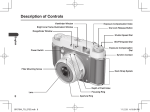
Use your middle finger to press the release button and your index finger to press
the up or down button.
This way you can look through the viewfinder while adjusting settings.
It will also reduce the possibility that one of your fingers covers the photocell on
the front side of the camera.
Filters and short focussing distance
The camera was designed to get the highest quality pictures possible and that
means no filters. Lucky for you the Konica engineers where kind enough to add
a filter screw thread (size 46mm).
If you really want to use filters, be careful. When you try to focus at a distance
of 60cm your camera may display an error message EEE on the LCD panel.*
This is caused by obstruction of the lens by the filter mounted.
This message stays there even when you have switched off your camera.
Removing the battery will clear the LCD panel error message.
You have to remove the filter before using your camera again.
If you want to use filters, focussing at a distance 60cm, return your camera to
Konica support service. They will add a very thin metal ring to your camera
which will keep the filters just out of range of the autofocusing lens and the
problem will be solved.
Adjust for exposure compensation by using the up/down button or by adjusting
the ISO speed.
* This problem may be solved on the newer models but I have no information
about this.
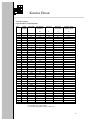
Using non DX films
The camera automatically sets the ISO value to that of the loaded DX-film.
There maybe situations where you may want to adjust filmspeed and you don't
like to do this with the exposure adjustment (0+-2 EV).
One way to do this is tape the filmcartridge DX-code and set manually the ISO
value you want.
- Switch your camera to A mode and press the Select button for more than 1
second.
- Adjust the ISO value with the Up or Down button.
The camera will use this ISO value for all next films until you load a DXcoded film or remove the battery.
When using a filmcartridge without a DX code you may have to press the
release button before filmloading starts.
Saving battery lifetime.
When not using the flash unit for a long time switch of the power of your flash
unit.
6