1
Я
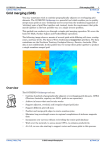
The main display.
Column headers
Column headers
display the name
of the field in the
list below. You can select which fields will be displayed such as Collect time, Accession, and test name.
Note: Normally OlMonitor automatically calculates the correct size for the columns. However you can resize the columns if you like.
OlMonitor will store the column width you set and skip automatic sizing of that column.
NEW: Misys Smart information such as Batch ID number, Rack/slot etc can now also be displayed if present.
Refer to the options window help for a complete list of available fields.
After you have resized the column
[Top]
List view
The list of
tests
from
your
outstanding
log
are
displayed
here.
An
extremely
flexible and
easy system
of filtering
gives
you
full control
over
what
tests
are
displayed.
Turn-
Я





![Manual Audition 4 [By Dr.J.]](http://vs1.manualzilla.com/store/data/005935757_1-4addafd8884e379cc6f9c4cc1fe5fdba-150x150.png)