1
DComplex IP Camera Viewer User Manual
How to Prepare an IP Camera
Validating Access to Your IP Camera
Once you have an IP Camera setup on your network and running, verify that you
can connect to it from your Mac.
For this, on your Mac,
•
Open the Safari app and
•
Enter the address of your IP Camera.
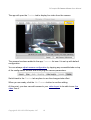
You should get the web page of the camera.
The camera's web page might need to install plug-ins to your browser to function
properly in Safari. However, you do not need to install those in order for IP Camera
Viewer app to work. If you see the camera home page in Safari, this is sufficient for
the IP Camera Viewer app to access the camera.
If you do not see the camera home page in Safari, please see the instructions that
came with the camera to make sure that the camera is configured properly and it
the address of the camera is spelled correctly.
If the Safari app on your Mac cannot connect to your IP Camera, then the IP
Camera Viewer app will not work as well. Ask your network administrator to
allow access to the IP Camera from your Mac.
Copyright © 2011-2012 DComplex, LLC
3