1
3.3.6.
CORRECTIONS
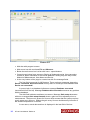
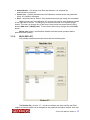
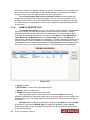
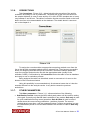
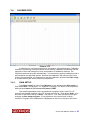
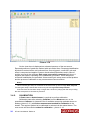
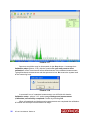
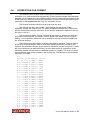
Tab Corrections - Picture 3.10 - allows including the correction of the activity
evaluation according to one of parameters. The basic use of this is the correction for
the sample thickness in case of mass activity of Co-60 in STEEL samples due to it may
vary between 5 and 20 mm. The table of correction function must be saved on the hard
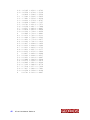
disk in text form to be downloadable to the database. The details about it‘s structure
are in the chapter 4.4.
Picture 3.10
To assign the correction table to appropriate measuring method a row from the
list on the tab with requested method must be selected first. Then become accessible
button for assigning describe the field for correction, choose the sample parameter
used for correction and select the file with the appropriate table (usually in the
subfolder CORR). Confirmation by Add correction button the table is load to database
and ready to use in evaluation process.
Being assigned the table can be edited, saved or removed as it is seen on the
buttons in the Corrections window.
Using this possibility is recommended only for advanced users due to it has the
essential influence to the analysis results. In any doubt contact the producer
technicians.
3.3.7.
OTHER PARAMETERS
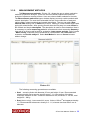
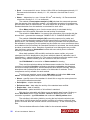
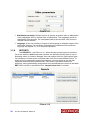
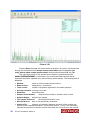
Tab Other parameters - Picture 3.11 - allows selection of the following:
• Stabilization nuclide: instructs the MCA which peak pattern will be used for setting
of the gain. Currently only Cs-137 data is available in two modes. Gain only is used
for quick stabilization during normal operation; Gain & Offset is used in case of
doubts about the correct energy calibration - positions of peaks. The second
method takes longer time - see the paragraph below. Producer suggestion is to set
the Stabilization period to 200 seconds instead of 60 seconds in case of Gain only
setting.
RT-50 User Manual Edition 8 21