1
DLREADER PARAMETERS
2
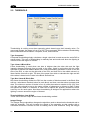
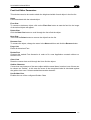
Warn
Warning Quality Level 1-1000. If it’s value is meaningful (not 0), the OCR library raises a
WARNING error that can be used inside the MATRIX application to warn the user about the
decreasing quality.
Fail
Failure Quality Level 1-1000. If it’s value is 0 (default), the char’s scoring is controlled only by
the acceptance value.
2.8 AUTO CONFIGURATION
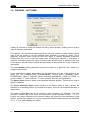
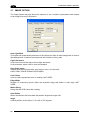
In most cases Auto Configuration works well for setting object parameters, however in some
cases it may return erroneous data. Auto Configuration will affect Reader tab page options.
Configure
Auto Configuration is a method of obtaining a starting point for setting the parameters for the
size and spacing of objects that will be searched for in the character recognition process. For
any given ROI, Auto Configuration will determine the number of characters in the string, the
horizontal spacing and the inter-character gap. It will also compute the minimum and
maximum character widths and heights. These values are all reported in the Auto
Configuration tab page when an ROI box has been placed tightly around an object string and
the Configure button has been pushed.
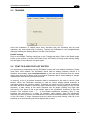
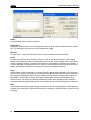
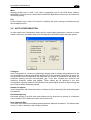
Number of Objects
Auto Configuration will return the number of objects found in the string if the read takes place
successfully.
Horizontal Spacing
Horizontal spacing is a pixel value and defines how far apart dots or pieces of a character
can be located. The Configure function returns this value.
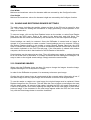
Inter-Character Gap
This value is the minimum horizontal spacing between adjacent characters. The default value
is one (1), and is retuned by the Configure function.
29