1
Chapter 4:
Personal help button
The following information is important for the personal help button to function
through your control panel:
•
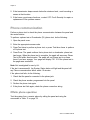
Test the help button from several locations within the premises to check for a
consistent response.
•
Instruct the user to test the help button weekly
•
Decide how the user wants to access the help button (wall mount, belt clip,
wrist band or necklace).
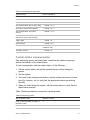
For more information on the personal help button refer to the Water Resistant
Personal Help Button documentation.
X10 operation
The following sections describe how to test X10 lamp, siren, appliance, and
universal module operation.
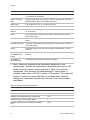
Manual lamp module control
Control panel - Press the Lights On button and enter the number of the lamp
module to test individual lamp modules 2, 4, 6, and 8. The panel responds with
Lights # on/off. Press the Lights On button twice to turn on all lamp modules.
Press the Lights Off button twice to turn off all lamp modules.
Keyfob - Press the Light button repeatedly to turn all lights on and off. The panel
responds with Lights on/off.
Remote Handheld Touchpad/QS1500 Keypad - Press the Lights On button
and the unit number of the lamp module to test individual lamp modules 1 to 8.
The panel responds with Lights # on/off. Pressing the Lights On or Lights Off
button twice, turns all the lights on or off.
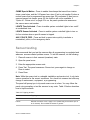
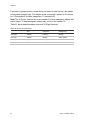
X10 siren and lamp module functions
All sirens turn off when the system is disarmed or when the siren timeout expires.
Siren priority is as follows:
1. Fire (highest priority)
2. Intrusion
3. Emergency
Simon 3 Installation Manual
83