1
USER’S MANUAL. PROLINK-2 Premium
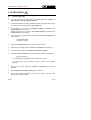
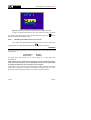
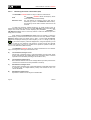
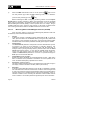
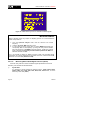
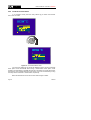
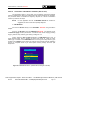
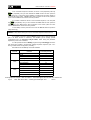
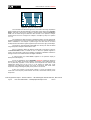
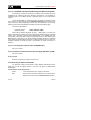
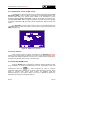
Once commands sequence is defined, to send it to the peripherals press key
[31] repeatedly until you have selected the Send function and then press the
rotary selector [4]. At the same time as DiSEqC commands are sent these appear on
the lower side of the monitor. If Send function does not appear on the monitor, place the
cursor over the Clear function and turn the rotary selector.
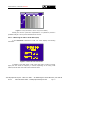
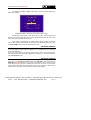
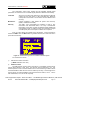
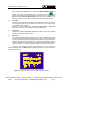
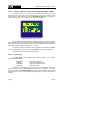
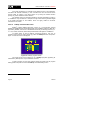
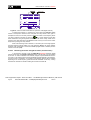
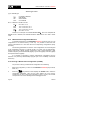
It is possible to delete the whole of the commands sequence, to do this press
[31] repeatedly until you have selected the Clear field and then press the
key
rotary selector [4]. If Clear function does not appear on the monitor, place the cursor
over the Send function and turn the rotary selector.
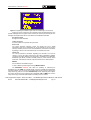
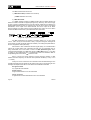
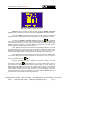
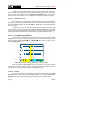
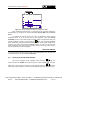
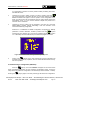
To exit DiSEqC function place the cursor over the Exit field and then press the
rotary selector [4].
REMARK: When disconnecting the unit, the commands sequence will NOT be lost.
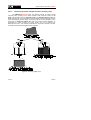
It is possible to execute a specific DiSEqC program using a direct access key
(see ‘4.13 Direct Access to Functions’). This enables you to change specific
configurations from the Spectrum Analyser Mode, useful during the parameter
adjustment process in an installation.
It is also possible to execute DiSEqC programs using the Datalogger function if
their names are included in the automatic reading acquisition sequence (see ‘4.12.1
Storing a Measurement Configuration (STORE)’).
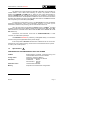
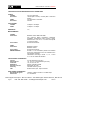
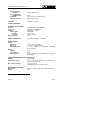
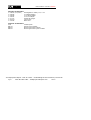
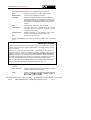
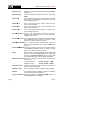
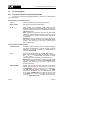
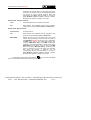
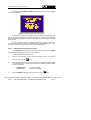
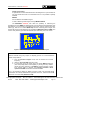
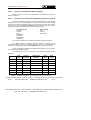
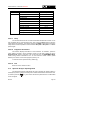
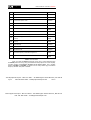
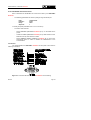
Next table shows the DiSEqC commands available:
Character
General
Assigned
Switch
Assigned
Switch
Command
Sat A/B
Associated parameter
A/B
Reset
---
Power on
---
Standby
---
L.O. frequency
High/Low
H/V polarisation
H/V
Position A/B
A/B
Sw. option A/B
A/B
Switch 1
A/B
Switch 2
A/B
Switch 3
A/B
Switch 4
A/B
Test Equipment Depot - 800.517.8431 - 99 Washington Street Melrose, MA 02176
Page 54
FAX 781.665.0780 - TestEquipmentDepot.com
06/2004