1
Bash Guide for Beginners
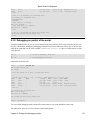
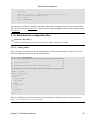
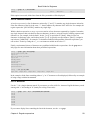
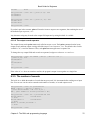
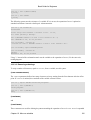
[1]+ Killed
stuck_process
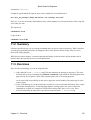
When a process starts up several instances, killall might be easier. It takes the same option as the kill
command, but applies on all instances of a given process. Test this command before using it in a production
environment, since it might not work as expected on some of the commercial Unices.
12.2. Traps
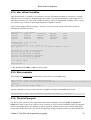
12.2.1. General
There might be situations when you don't want users of your scripts to exit untimely using keyboard abort
sequences, for example because input has to be provided or cleanup has to be done. The trap statement
catches these sequences and can be programmed to execute a list of commands upon catching those signals.
The syntax for the trap statement is straightforward:
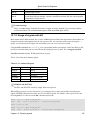
trap [COMMANDS] [SIGNALS]
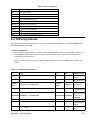
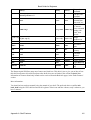
This instructs the trap command to catch the listed SIGNALS, which may be signal names with or without the
SIG prefix, or signal numbers. If a signal is 0 or EXIT, the COMMANDS are executed when the shell exits. If
one of the signals is DEBUG, the list of COMMANDS is executed after every simple command. A signal
may also be specified as ERR; in that case COMMANDS are executed each time a simple command exits
with a non−zero status. Note that these commands will not be executed when the non−zero exit status comes
from part of an if statement, or from a while or until loop. Neither will they be executed if a logical AND
(&&) or OR (||) result in a non−zero exit code, or when a command's return status is inverted using the !
operator.
The return status of the trap command itself is zero unless an invalid signal specification is encountered. The
trap command takes a couple of options, which are documented in the Bash info pages.
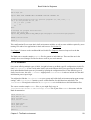
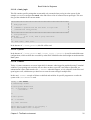
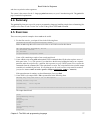
Here is a very simple example, catching Ctrl+C from the user, upon which a message is printed. When you
try to kill this program without specifying the KILL signal, nothing will happen:
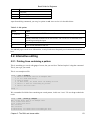
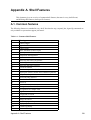
#!/bin/bash
# traptest.sh
trap "echo Booh!" SIGINT SIGTERM
echo "pid is $$"
while :
do
# This is the same as "while true".
sleep 60
# This script is not really doing anything.
done
12.2.2. How Bash interprets traps
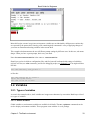
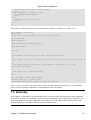
When Bash receives a signal for which a trap has been set while waiting for a command to complete, the trap
will not be executed until the command completes. When Bash is waiting for an asynchronous command via
the wait built−in, the reception of a signal for which a trap has been set will cause the wait built−in to return
immediately with an exit status greater than 128, immediately after which the trap is executed.
Chapter 12. Catching signals
136