1
Bash Guide for Beginners
A number of methods can be used; one of the most common is working with lists. Itemizing the list of tasks
involved in a program allows you to describe each process. Individual tasks can be referenced by their item
number.
Using your own spoken language to pin down the tasks to be executed by your program will help you to
create an understandable form of your program. Later, you can replace the everyday language statements with
shell language words and constructs.
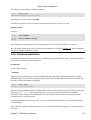
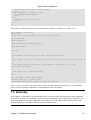
The example below shows such a logic flow design. It describes the rotation of log files. This example shows
a possible repetitive loop, controlled by the number of base log files you want to rotate:
1. Do you want to rotate logs?
a. If yes:
i. Enter directory name containing the logs to be rotated.
ii. Enter base name of the log file.
iii. Enter number of days logs should be kept.
iv. Make settings permanent in user's crontab file.
b. If no, go to step 3.
2. Do you want to rotate another set of logs?
a. If yes: repeat step 1.
b. If no: go to step 3.
3. Exit
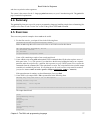
The user should provide information for the program to do something. Input from the user must be obtained
and stored. The user should be notified that his crontab will change.
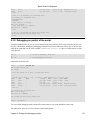
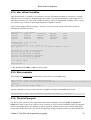
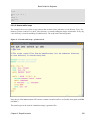
1.5.5. An example Bash script: mysystem.sh
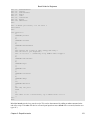
The mysystem.sh script below executes some well−known commands (date, w, uname, uptime) to
display information about you and your machine.
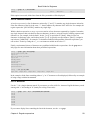
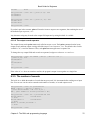
tom:~> cat −n mysystem.sh
1 #!/bin/bash
2 clear
3 echo "This is information provided by mysystem.sh. Program starts now."
4
5 echo "Hello, $USER"
6 echo
7
8 echo "Today's date is `date`, this is week `date +"%V"`."
9 echo
10
11 echo "These users are currently connected:"
12 w | cut −d " " −f 1 − | grep −v USER | sort −u
13 echo
14
15 echo "This is `uname −s` running on a `uname −m` processor."
16 echo
17
18 echo "This is the uptime information:"
19 uptime
Chapter 1. Bash and Bash scripts
16