1
1. Turn the CAM and TV off.
2. Connect your CAM to your TV using the AV cable.
3. Turn the TV and CAM on.
4. There are 2 modes available, Playback (PB) and Viewfinder (VF).
5. "PB" appears on the LCD screen as default. To change to VF press the 'Menu' button then 'Confirm'
. Once
this mode is selected, a real time image will appear on your TV screen (or PMP). When in VF mode all record
functions are disabled. TV mode is automatically activated when the AV cable is connected to the CAM and TV.
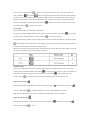
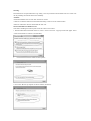
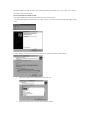
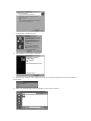
6. If PB mode is selected the function keys will be shown on the TV screen. The function keys include Pause
Stop
, Scan Back
, Play
7. Press the Menu button
,Scan Forward
and Delete One
.
to move the highlight cursor along the function keys.
8. Press the Confirm button
when the desired function key is highlighted.
9. To delete one file, select the Delete-One icon and confirm by pressing the Confirm button
.
10. Whilst in either mode, to change to the other, the AV cable must be disconnected and step 1 through to step 4
should be followed.
XIII) Troubleshooting
There's no display
-Are the batteries properly installed?
-Do the batteries need replacing?
After the CAM is connected to my PC, it cannot find the new drive in the, 'My Computer' folder
-Ensure each end of the CAM USB cable is properly and firmly connected.
-Ensure your USB port is working properly. Try connecting another USB device into the port. If the other device
does not work, the USB port may have a malfunction. In this case, contact your system manufacturer or the
manufacturer of your USB card.
I can't capture video footage
-Ensure there is enough space on the internal memory of CAM or the
SD card; the display will tell you how much time there is left for video
recording.
-Ensure the SD card is not locked. The letters “Err” will be displayed if
the SD card is locked.
The remaining time is not accurate
-The remaining time is an estimate.
-The remaining time depends not only on the time recorded, but on the color density of the video footage. Under
conditions with high contrast, such as outdoors, the actual time available will be less than under low-contrast
conditions, such as indoors.
,