1
Diagnostics and Troubleshooting
MVI46-PDPS ♦ SLC Platform
Profibus DP Slave Communication Module
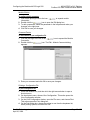
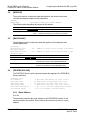
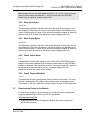
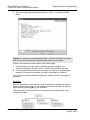
The remainder of this section shows you the menus available for this module,
and briefly discusses the commands available to you.
Keystrokes
The keyboard commands on these menus are almost always non-case sensitive.
You can enter most commands in lower case or capital letters.
The menus use a few special characters ([?], [-], [+], [@]) that must be entered
exactly as shown. Some of these characters will require you to use the [Shift],
[Ctrl] or [Alt] keys to enter them correctly. For example, on US English
keyboards, enter the [?] command as [Shift][/].
Also, take care to distinguish capital letter [I] from lower case letter [l] (L) and
number [1]; likewise for capital letter [O] and number [0]. Although these
characters look nearly the same on the screen, they perform different actions on
the module.
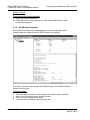
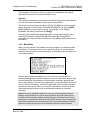
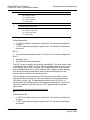
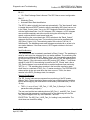
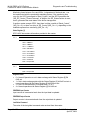
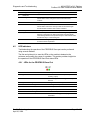
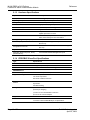
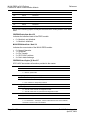
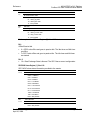
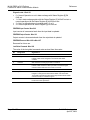
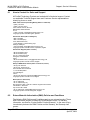
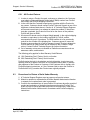
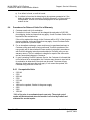
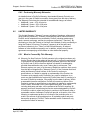
4.1.4 Main Menu
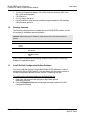
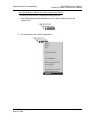
When you first connect to the module from your computer, your terminal screen
will be blank. To activate the main menu, press the [?] key on your computer's
keyboard. If the module is connected properly, the following menu will appear on
your terminal screen:
Some of the commands available to you from this menu are designed for
advanced debugging and system testing only, and can cause the module to stop
communicating with the processor or other devices, resulting in potential data
loss or other failures. Only use these commands if you are specifically directed to
do so by ProSoft Technology Technical Support staff. Some of these command
keys are not listed on the menu, but are active nevertheless. Please be careful
when pressing keys so that you do not accidentally execute an unwanted
command.
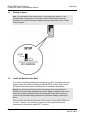
Caution: Some of the commands available to you from this menu are designed for advanced
debugging and system testing only, and can cause the module to stop communicating with the
processor or with other devices, resulting in potential data loss or other failures. Only use these
commands if you are specifically directed to do so by ProSoft Technology Technical Support staff.
Some of these command keys are not listed on the menu, but are active nevertheless. Please be
careful when pressing keys so that you do not accidentally execute an unwanted command.
ProSoft Technology, Inc.
April 30, 2008
Page 35 of 72