1
 4. Managing Data Using Checklists
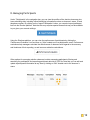
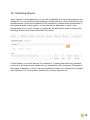
The ‘checklists’ section of the Elections platform allows you to view, edit, and filter election data. Each line reflects an observer’s reporting at one unique polling station during a particular period of time (arrival, setup, voting, counting and results) and allows you to track the progress of an election. The ability to evaluate an election requires having complete and accurate data from all of your designated polling stations. The checklist screen enables you to keep track of what information has come in at any point of the day. Data can be filtered by observer’s geographical location, ID and data completion status. A red circle is used to indicate fields with missing data, whereas a yellow triangle means that partial information is missing. A green circle indicates the data for that checklist is complete and a green check mark under the cell phone icon means that for reports received via text message, the number submitting the report matches the number on file for that observer. For more information on managing checklists, see the ‘Filtering Data’ section of this manual. 7