1
Model 3101RC User Manual
3 • Configuration
Provisioning a Management IP Port
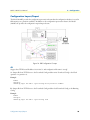
This section describes how to use CLI commands or Web GUI to provision an IP port for the Model 3101.
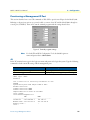
Referring to the previous section, use a console cable to connect a host PC and the Model 3101 through its
console port (CONFIG). Then on PC run the terminal program with the setting shown below:
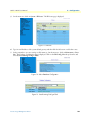
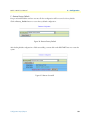
Figure 9. Terminal program settings
Note
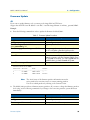
For both CLI and Web Configuration Tool, the default login username and password are: admin/admin.
CLI
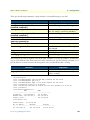
In the PC terminal screen, type in the login user name and password to login the system. Type the following
command to check current IP setting of all the management ports.
Command
Explanation
enable
Enter enable command mode.
show management all
Display all system management port IP settings.
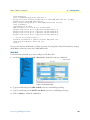
LOCAL login: admin
Password:
this is motd file to inform any information to user
PATTON
System Description:3101 48-port ADSL2+ POTS
Hardware Version:A
Firmware Version:0.74B03
Software Version:0.74B03
Compiled Wed Oct 24 16:41:23 CST 2007
local:>enable
local:%show management all
GBE
MGMT
-----------------------------------------------IP Address
:192.168.100.1
192.168.1.1
Network mask :255.255.255.0
255.255.255.0
Default route:--local:>
Provisioning a Management IP Port
21