1
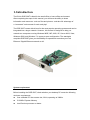
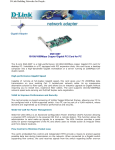
2. Installation Unpack and Inspect CAUTION: Under ordinary circumstances, a DGE-528T card will not be affected by a static charge that may be received through your body during handling of the unit. In special circumstances, users may carry an extraordinarily high static charge and it is good practice to reduce the charge by touching a ground before handling the adapter card. Open the shipping carton and carefully remove all items. Ensure that the following items are included: One DGE-528T PCI Gigabit Ethernet Adapter Card Drivers and Manual on CD-ROM If any of these items are missing or damaged, please contact your local reseller for replacement. Software Installation You must install the driver software for your DGE-528T before installing the PCI card into your PC. Insert the CD into your PC’s CD-ROM drive. It should begin running the driver installation program. When the screen shown below appears, click the Install Drivers. If you do not have auto-execute enabled for your PC’s CD-ROM drive, navigate to the