1
When the NAV MODE button is ON:
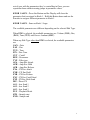
FILE SLCT – Hold this button down and turn the Encoder to move
between Files in the Browser.
FOLDER SLCT – Hold this button down and turn the Encoder to move
between Folders in the Browser. Press Shift+Folder Slct to select the Parent
Folder.
OK/CANCEL – Ok/Cancel.
TRANSPORT
PLAY – Play/Stop playback.
REC – Toggle Record.
COMMIT – Commit.
UNDO – Undo.
NOTE: If a Pedal is connected, it will Play/Stop playback.
X/Y PAD
The Y Axis controls Note Repeat Rate (*requires Guru 1.6 or later).
The X Axis can control the same parameters as the Knobs. See the Knobs
section for more info,
MISC
HOLD – Note repeat hold (*requires Guru 1.6 or later).
X ASGN – Press this Button and the Display will show the parameter that is
assigned to the X Axis. Hold this Button down and use the Encoder to
assign a different parameter to Axis.
NOTE REPEAT – Note repeat on/off (*requires Guru 1.6 or later).
KNOBS
Knobs 1 and 2 can control parameters of the selected Engine or selected Pad
depending on the Edit Type. See Encoder section for info on Edit Types.
Holding down Shift will mute the output of the Knobs. This way, if they are
4