1
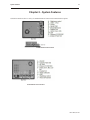
System Features
17
2.
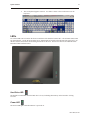
The soft keyboard appears onscreen. Use either a mouse or the touchscreen to use the
keyboard.
LEDs
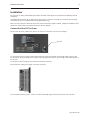
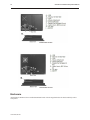
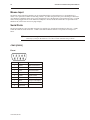
Two status LEDs can be found on the bezel around front of the Gold Series Panel PCs. The PC108A Status LEDs
are pictured below. On the PC215A and PC217A, Status LEDs are located on the left-hand side of the bezel. On
the PC110A, the status LED is located along the bottom of the bezel. The PC110A also has an additional status
LED that indicates Ethernet status.
PC108A Status LEDs
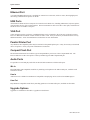
Hard Drive LED
The hard drive LED blinks when the hard drive is in use, indicating that memory on the hard drive is being
accessed.
Power LED
The Power LED lights when the Panel PC is powered on.
1010-1020, Rev 00