1
Table of Contents
1. LOGGING IN TO USER ADMINISTRATION FUNCTIONS .......................................................................... 2
2. DISPLAYING ACCESS HISTORY ................................................................................................................ 6
3. USER MANAGEMENT................................................................................................................................ 12
4. GROUPING ................................................................................................................................................. 55
5. SECURITY ................................................................................................................................................... 88
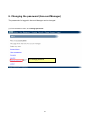
6. CHANGING THE PASSWORD (ACCOUNT MANAGER) .......................................................................... 91
Users planning to connect to office PCs, servers, WOL controllers (MC3000), etc., from a remote
device with different account information (user IDs and passwords), must first complete the
grouping settings.
See "4. Grouping" for details of grouped connections.
1