1
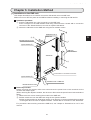
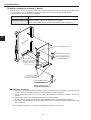
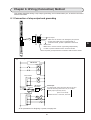
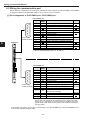
PLC DeviceNet Communication Function
CD
AB
(Factory settings: 0)
01
23
67
EF
89
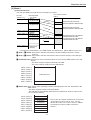
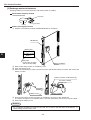
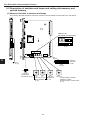
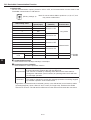
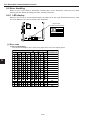
(7) Switch SW7
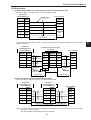
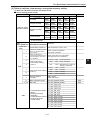
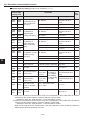
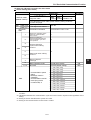
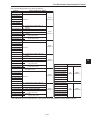
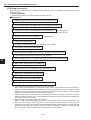
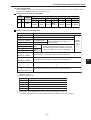
Set the communication speed, protection ON or OFF, and communication monitor time for the
DeviceNet communication of JW-32CV3.
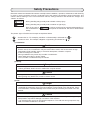
Note: Do not set switch SW7 to positions 3, 7, B, or F, as it
may cause a malfunction.
45
SW7
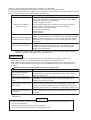
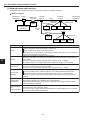
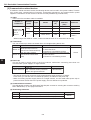
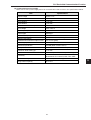
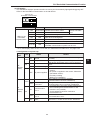
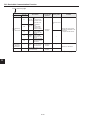
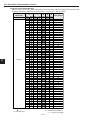
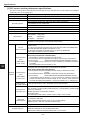
SW7 setting value
Communication
speed (kbps)
0 (Factory settings)
125
1
250
2
500
4
125
5
250
6
500
8
125
9
250
A
500
C
125
D
250
E
500
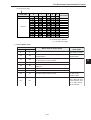
Basic operation
mode
9
Protection
(ON/OFF)
Communication
monitor time
Protection OFF
Long mode
Protection ON
Protection OFF
Normal mode
Protection ON
Master
O
O
O
Slave
O
O
-
O: Enable
−: Disable
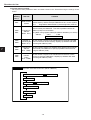
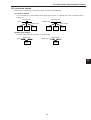
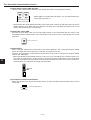
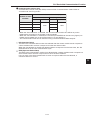
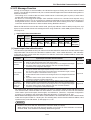
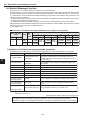
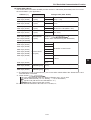
1 Communication speed
Select a baud rate: 125 kbps, 250 kbps, or 500 kbps.
2 Protection function (ON/OFF)
Select whether to use the protection function.
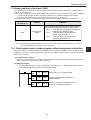
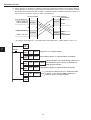
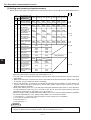
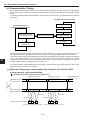
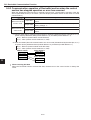
When the JW-32CV3 (control section) is stopped, hold down the SCAN switch
for 3 seconds and it will enter the scan list edit mode.
Not protected - The scan list is created by collecting slave data from the slave stations.
- Change the JW-32CV3 (control section) to operating status and it will start
I/O message operation.
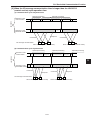
Protected
The SCAN switch will not function.
- This mode is selected to prevent I/O message operation from being stopped
by mistaken operation of the SCAN switch.
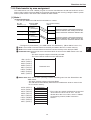
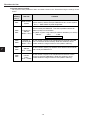
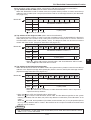
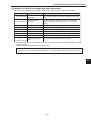
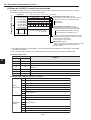
- Regardless of protected mode is selected (yes/no) or the JW-32CV3 (control section) status
(operating/stopped), when a "Bus off" error occurs (F1: Page 9-39), hold down the SCAN
switch for 3 seconds. The JW-32CV3 will disconnect the network and restart the connection.
9-12