1
AVT310 USER MANUAL
Please refer to 800E User Guide for more information.
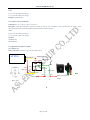
7.6 Track by 800D Web based tracking software.
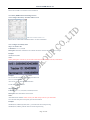
7.6.1-Configure AVT310 by Parameter Editor V1.39.
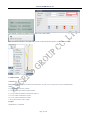
GPS Tracker Parameter Editor V1.39
Please refer to <GPS Tracker Parameter Editor> for more information.
7.6.2. Configure AVT310 by SMS
Step 1: Set Tracker ID
Command: W******,010,ID
Description: Send this command to set an ID for the tracker. Tracker ID must not over 14 digits.
Example:
W000000,010,00001
Notes:
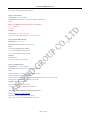
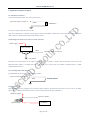
On the packing box of AVT310, you can find a white label writes “IMEI, Tracker ID, Terminal ID".
Example:
The “Tracker ID: 30403969”, and then you should send.
W******,010,30403969
AVT310 will reply “SET SIM OK/30403969”
Tracker ID is 304043969 now.
Step 2: Set APN
Command: W******,011,APN,Username,Password
Description: Sets APN details for the tracker
Notes:
APN defaulted as CMNET. Please contact your SIM card provider for your APN name.
If no username and password required, just leave them blank.
Example:
W000000,011,CMNET,Myname,6688
[with APN user name and password]
W000000,011,CMNET [without APN user name and password]
Page 10 of 27