1
UPDATES AND TECHNICAL SUPPORT
Please check the News and Support pages on our website at justflight.com for news about updates for this
add-on and for our other products.
Please contact the Just Flight Support team (www.justflight.com/support) if you have a query about this
volume of VFR Real Scenery.
If you have an issue specific to FSX: Steam Edition, please send an email to [email protected].
JUST FLIGHT NEWS
To get the latest news about Just Flight products, sign up for our newsletter and regular emails at
justflight.com/newsletter.
You can also keep up to date with Just Flight via Facebook (facebook.com/justflight) and Twitter
(twitter.com/justflight).
ABOUT VFR REAL SCENERY
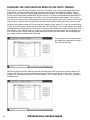
What are the best settings for using VFR Real Scenery in Flight Simulator X?
Level of Detail radius – Large
Mesh complexity – 100
Mesh Resolution – 10 m
Texture Resolution – 1 m
Water effects – High 1.x or High 2.x
Scenery complexity – very sparse
Autogen density – none
These Scenery complexity and Autogen density settings remove all the 3D objects and may result in some
buildings not being included at airports. However, we think this a better compromise than having badly
misplaced FSX objects appearing in the same place as their correctly placed VFR counterparts.
VFR Real Scenery: Northern England
5