1
10.2
STP Configuration
10.2.1
STP Configuration list
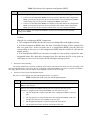
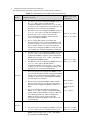
The configuration can be effective only after STP enables. Configure related parameter of devices or Ethernet
interface before enabling STP and these configurations will be saved after disabling STP. And the parameter will be
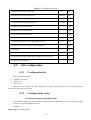
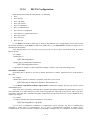
effective after re-enabling STP. STP configuration list is as following:
·
Enable/disable interface STP
·
Configure STP mode
·
Configure STP priority
·
Configure Forward Delay
·
Configure Hello Time
·
Configure Max Age
·
Configure path cost of specified interfaces
·
Configure STP priority od specified port
·
Configure interface to force to send rstp packet
·
Configure link type of specified interface
·
Configure the current port as an edge port
·
Configure the speed limit of sending BPDU of specified interface
·
STP monitor and maintainenance
10.2.2
Enable/disable STP
Configure it in global configuration mode:
·
Enable/disable STP of the devices
spanning-tree
·
Disable STP of the devices
no spanning-tree
By default, switch STP disables.
For example:
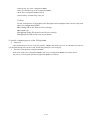
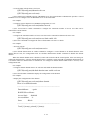
! Enable STP
QTECH(config)#spanning-tree
10.2.3
Enable/disable interface STP
Disable STP of specified interface to make the interface not to attend STP calculating. Use following
command in interface configuration mode:
·
Enable STP on specified interface
spanning-tree
·
Disable STP on specified interface
10-152