1
User manual for Data Logger and cooperating software
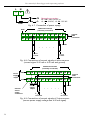
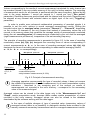
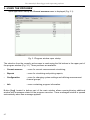
description of "Upper ext." and "Lower ext." parameters in "Inputs settings” menu).
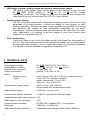
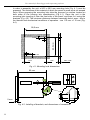
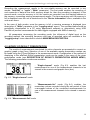
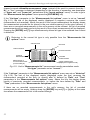
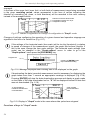
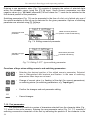
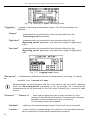
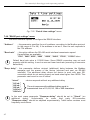
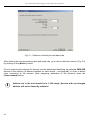
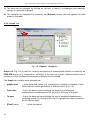
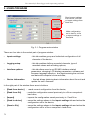
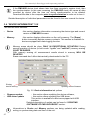
channel name
current date
unit name
current time
channel number
measure result
in numerical mode
arrow indicates
exceeding
of nominal range
percentage value of exceeding
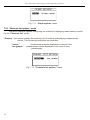
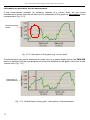
Fig. 6.9. Exceeding nominal range in "Single channel" mode
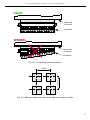
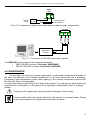
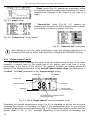
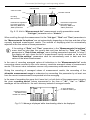
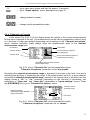
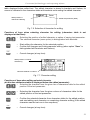
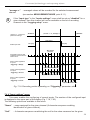
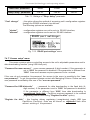
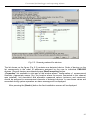
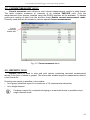
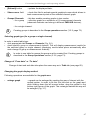
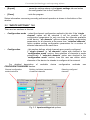
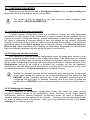
channel name
current date
current time
unit name
channel number
arrow indicates
exceeding
of nominal range
warning message
informing that input allowable
range is exceeded
percentage value of exceeding
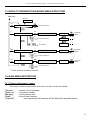
Fig. 6.10. Exceeding allowable range in "Single channel" mode
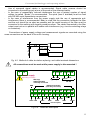
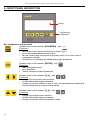
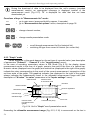
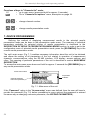
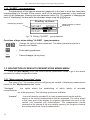
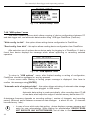
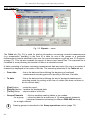
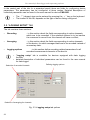
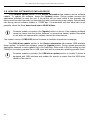
Functions of keys in "Single channel" mode:
ESC
MENU
•
go to main menu (press and hold for approx. 2 seconds),
•
change channel number,
•
change results presentation mode.
6.2.2."Measurements list" mode
The values displayed in this mode depend on the set type of recorded value (see
description of parameters "Channel 1"..."Channel 8" in the "Logging setup" menu).
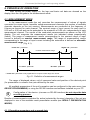
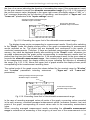
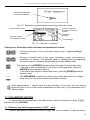
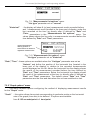
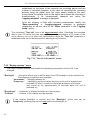
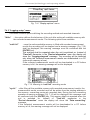
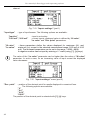
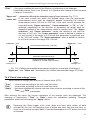
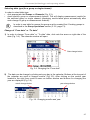
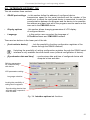
In the case of recording momentary values in this mode (Fig. 6.11, 6.12) the display shows
9 consecutive measurement results (including their execution time) in numeric form for one of
the active channels. It is possible to view the last recorded measurement results or results of
measurements recorded previously (depending on the "List type" parameter setting in the
"Measurements list options" menu). If the result of the measurement recorded for the given
21