1
www.wishtel.com
For Technical queries
Email: [email protected]
Ring: 022 30010707 / 08
For Support
Email: [email protected]
Ring: 022 30010700
User manual
User's manual
Working temperature 40°— -5°, don't put it at the moisture place.
Don't crash or no stack on it
Don't invade it by other article
Keep it away from the chemical or the water drop
Keep it away from the direct sunlight or other heating article
Keep it away from the dust
Backup the files or important information stored in it
Don't refurbish or repair without the authorization
Battery
The below icons indicate the different power levels left in the
battery
No Battery
Low Battery
Half Battery
Full Battery
No replacement of battery without authorization, or the
exploration hazard might happen.
Recharge it for at least half of hour if it has been idle for long time
and fails to start itself.
Traffic safety
Don't listen to the music through earphone when driving the
motor, or bicycle, or you might break the law in some countries and
it's dangerous especially when you set on high volume in the
earphone, which cause you fail to hear outside surroundings.
Don't use it on the airplane, at the gas station or at the hospital
Regularly recharge it at least one time monthly
40°—5° is the optimum temperature for the battery recharging or
the battery performance might deteriorate slightly
Disposal
Protect your hearing
The study conducted by the doctor indicates that it will damage
your hearing if you listen to music for continuous long time through
earphone and at the high volume. When you are feeling
uncomfortable, stop the music or lower the volume.
1
The battery might contain the polluting material, please give it to
the official recycling-station before disposing the tablet pc, and
don't litter.
2
Menu
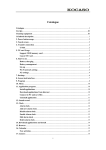
1. Brief introduction...............................................................04
?
Feature of tablet pc........................................................04
?
Start or shut tablet pc.....................................................05
2. Basic operation..................................................................05
?
Install APK application....................................................05
?
Uninstall APK application................................................07
?
Video playback...............................................................08
?
Music playback...............................................................09
?
Setting............................................................................10
?
TV output.......................................................................13
?
OTG................................................................................14
?
Connect with PC.............................................................14
Brief introduction
Feature of tablet pc
Main feature:
7 inch (800 x 480) capacitive touch panel
WI-FI integrated, wireless internet
Support 3G and other external device by OTG
Google Android 2.3 OS
G-Sensor
Buttons: power, volume ﹢, volume ﹣menu, home
Support Video: AVI, MP4, MPEG 1/2/4, MJPG, H263, H264 in
addition to H264 which is supported by (720*480) resolution, the
other video formats are supported (1280*720) resolution.
Support 3D video & 3D game
Support Music: MP3, WMA, MP2, AAC, WAV etc
?
Factory data reset...........................................................15
?
Firmware updating.........................................................16
?
Formatting.....................................................................17
3. Other information................................................................17
?
The frequent questions about android...........................17
Voice record: MP3/WMA format
Support Image: JPG、BMP、PNG、GIF etc.
Support TXT, LRC, PDF, HTML, HTM etc.
Support external micro SD card
Mini USB
?
Specification of the tablet pc...........................................19
?
Accessories.....................................................................20
3
4
Start or shut tablet pc
Start the tablet pc
If power is off, press the
button for 3 seconds
Shut the tablet pc (power off)
At any working status, Press the
button for continual 3 seconds.
If the tablet pc “die” while working, press the
seconds to restart it.
button for 8
At the screen-saving (black screen) status, press button shortly to
siren the screen, and move the lock icon to unlock it.
3. Press: the routine of application to start installing illustrated as
below:
Basic operation
Install APK application
1. Copy the APK software into the tablet pc or the micro-SD
card.
2. Press the icon of file manager to select the APK application as
illustrate below:
Install then Check APK installing status
5
6
Uninstall APK application
Video playback
1. Press: setting icon at the main menu, enter setting-- press apps-press downloaded then all the applications are listed from top to
bottom. All these are illustrated as below:
1. Press: the icon of super-HD PLAY at the main menu, enter the
file list as the below shows
2. Press : the application to uninstall as the below illustration
shows:
7
2. Choose the video file and playback interface as the below shows:
8
Remark: this tablet pc supports video with 4k definition( 3840 x
2160 pixel ) , 1080P, 720 P, RMVB, AVI, MP4, WMV, H264, and it
possibly can not playback all the video originated from the internet,
because the video file are processed in the different formats, code,
etc.
Setting
1. Press setting at the main menu, enter the interface of setting as
the below displays:
Music playback
Press the icon of music at the main menu, enter music list as the
below illustrates:
Choose the music:
Wireless & networks
WIFI: turn on or off WIFI
WIFI Settings set up & manage wireless access points
Remark:
This tablet pc supports Lyrics synchronization. The lyrics file must
be in *.LRC format and in the same folder with the music file, the
names of both files must be same too
9
Remark: both devices must be within 10 meters when matching or
data-transferring.
10
Data usage
When 3G is working, it shows how much data is used
More…
Airplane mode, Ethernet, VPN, mobile networks.
Sound
Volumes:
Change the volumes for
Music, video, games & other media
Ringtone & notifications
Alarms
Default notification
Choose the sound style when the default is changed.
Also you can choose the silent mode or sound mode for:
Vibrate and ring
Touch sounds
Screen lock sound
Vibrate on touch.
Display
Brightness: change the brightness level
Wallpaper: choose the wallpapers pre-installed
Auto-rotate screen: you can choose or reject by pressing it
Sleep: choose the idle (screen-saving) time model from 15
seconds to 30 minutes including never
Font size 4 modes available: small normal large huge
Accelerometer coordinate system yes or no option, it support
some game
Enable screen adaption you can change the display resolution
and display mode
Storage
Show the occupied space and the available space both in the
internal storage and external storage (microSD card, USB host).
Battery
Battery availability and charging status including charging mode
and electricity charged.
Apps
Show the storage size of applications, its location and
applications under running.
Accounts & sync
Location services
Google's location service.
Location & Google search.
Please go to the operation for more details.
Security
Screen security set up screen lock and owner info.
Encryption encrypt tablet, setup and download applications
and other files.
Language & input
Language choose the default OS language.
Keyboard & input methods choose the default OS input
methods, and android.
keyboard is integrated inside android OS.
Mouse/track pad
setup pointer speed.
Backup & reset
Factory data reset, and all the data will be erased.
Date & time
Set up the date, time, time zone, time format, and date format.
11
12
Accessibility
It is a screen reader providing spoken feedback to the blind or
low-vision user, and available and free at the android market.
Developer options
Debug or connect USB mode
Set screen to sleep while charging
Start or shut the mock locations
Start or shut display of touch operation
Start or shut screen renewal
Start or shut the display of CPU usage status
Start or shut GPU rendering
Set up animation scale.
Set up background process limit
Start or shut display app not responding dialog for background
apps.
About tablet
Status status of the battery, network, and other information
Legal information: model number, android OS version,
baseband version, kernel version and build number
Connecting with TV set
1. Set on at TV set.
2. Connect the tablet pc with TV set through HDMI cable (1.4
Version is recommended),and then both displays will be
synchronized.
3. Remove HDMI cable to disconnecting with TV set.
OTG
It is the abbreviation of on-the-go; it allows the data-transferring
and data-sharing between this device and other one without”
host”.
1. Connect this device with other one for example flash memory
storage through OTG converter
2. Press “ file manage” after this device display “ external devices
in” , then press the
icon all the files will be listed.
Remark:
The original OTG converter is recommended, if other USB storage
is found incompatible, please download the firmware from the
authorized homepage.
When OTG being used, make sure the sufficient battery power
insides this device, if other USB storage has the independent power
supply, please turn on the power.
OTG is compatible with the external keyboard, mouse and other
device.
Connecting with the PC
Connect this device with PC by USB cable, then it will work as the
mobile storage for PC.(remark: all the files insides the internal
storage of this device is read only by PC, it can run other operation
like the WIFI internet etc. turn off USB storage, it can read the files
insides itself again. Please see the below illustration:
Remark: you can switch the video display on the TV set, and then
the tablet pc will not show the video, but only operation interface.
13
14
Factory data reset
If this device is infected with computer virus, or the applications by
the third party cause it fail then please turn to “factory data reset” to
delete the virus or applications and recover to the factory's setting.
Please see the below illustration:
15
Firmware updating
The firmware might be available please contact the manufacturer
or the authorized local dealer. When you are upgrading your tablet
pc, make sure the following points:
1. The tablet pc must remain at least 60% battery electricity insides
or the insufficient battery probably because the firmware
upgrading fail and eventually this device can not work well.
2. When upgrading , don't turn off or other operations, otherwise
the upgrading fails.
16
Remark: before upgrading firmware, please backup all the
information stored in this tablet pc, or it will be deleted.
Formatting
1.
2.
3.
4.
5.
6.
7.
Connect this device with pc by USB cable
Double press the icon of my PC and select” mobile storage”
Press the right button of mouse, select “format”
Press” start”
Press” yes”
Press” sure” after formatting
Revert from “formatting “
Remark: all the file or information stored insides is not recovered
after formatting
Other Information
FAQ’s
Q: what are APK file and its relationship with android MID?
A: APK is the abbreviation of android package; it is run under
android OS.
Q: How to obtain APK applications?
A: Go to android market to download it
A: Most APK applications online are developed by the individual ,
probably require the special support by the hardware and
android OS, for example some APK game developed under
android OS 2.3, and then It can not run itself well under android
OS 4.0. It is caused by the android OS not by this tablet pc.
Q: why WIFI pause automatically?
A: Screen timeout is set on, then WIFI will shut automatically to
save the battery power, when this device is resumed, WIFI will
revert to connection automatically in 10 seconds.
Q: what kind of USB3G dongle it supports
A: WCDMA dongle HUAWEI: E261,E160E, E353,E220,
E170,E1750, E1820,E172,K176G .
ZET: MF110 ,MF633
CDMA2000/EVDO dongle HUAWEI: EC167,EC122,EC156,
EC1270 ,
ZET: AC581 , A355,AC2736
Q: Why the picture distorts after being set as wallpaper?
A: Home menu consists of 5 displays, the system will process the
wallpaper into 5 divisions, and then the picture is distorted.
Q: Why I can not install some APK downloaded online?
A: Please follow these steps: setting safety unknown sources,
select unknown sources, and then install the APK.
Q: Why some APK applications can not work well on this tablet
pc?
17
18
Specification of the tablet pc
frequency:
1 Ghz
CPU:
ALLWINNER A10
SDRAM:
512MB DDRⅢ
Touch mode:
Resistive
Button:
Power、V+(volume)、V-(volume)
Screen :
7inch 800*480
Internal storage:
4GB
Camera :
Front : 0.3mega pixels
wireless:
Wi-Fi 802.11 a/b/g/n
Battery capacity :
Up to 4 hours
External :
3G dongle、mouse、keyboard、OTG、
TV output:
TV output
OS:
Google Android 2.3
Input mode:
Android keyboard
Internet:
Internet-browsing, online entertainment, office work, game
19
Accessories
Power Adaptor:
1 PCS
USB cable:
1 PCS
Earphone:
1 PCS
Manual :
1 PCS
Box:
1 PCS
Remark:
We reserve the right to adjust the product without prior notification, and this manual is
for your reference, in some case you need to operate the device to get more information.
When you take advantage of the third-party's sources, if the copy right or legal issue is
involved, please stop or delete the mentioned sources
20