1
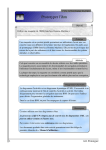
TARA Systems Inspector To open an assistant click on the small button or on the right hand side of the selected attribute or property or press the Return key. The kind of the displayed assistant corresponds to the data type of the selected attribute or property. If there is no assistant available, no button is displayed. We distinguish between three groups of assistants: Dialog assistants Popup list assistants Color assistant The dialog assistants include the ‘File Open’ dialog and the ‘Select Directory’ dialog. They appear, for example, when you are editing the FileName attribute of a bitmap resource and you wish to select the desired bitmap file. Popup list assistants display a list of entries, which fit to the edited attribute or property. For example, if you are editing a string property, the assistant will provide you with the list of all string constants of your project. In this manner you can select the special one and apply it by pressing the Return key: Embedded Wizard User Manual © TARA Systems GmbH www.embedded-wizard.de Page 43