1
Introduction and Overview
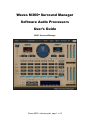
Introducing Waves M360°, a Surround Managing tool for 5 or 5.1 channels. This
tool offers Studio Monitoring Calibration and Bass Management solutions for
working on surround sound productions.
The Waves M360° manager allows you to monitor with a Satellite and Subwoofer
system (“Sub/Sat”) with flexible control of the Subwoofer feed as well as
individual channel gain and delay settings.
The Waves 360° Surround Toolkit follows the reproduction standards
recommended by the International Telecommunications Union in the ITU-R
BS.775 (1993). It also provides means to handle some common compromises
and variations of this standard. The M360°’s versatility allows it to complement
your work style. You will find it the tool of choice for working on soundtracks or
music for the best reproduction in Home Theater systems.
We believe that, with practice, surround will become as easy to work with as
stereo. There is, however, a potential problem with how the consumer’s actual
playback system is configured and calibrated. Even if the playback system is fully
calibrated and conformed to ITU recommendations, this is not the ideal array for
playing a spatial 360° spherical sound field, but it is the common one in
consumer electronics.
Overview of the M360°
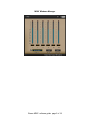
The M360° has two plug-in components – M360° Manager and M360° Mixdown.
The M360° Manager is designed to insert on the master surround output. It is
dedicated to carry out some important chores:
• Allow calibration of the studio monitoring system.
• Setup monitoring with a Sub/Satellite (“Sub/Sat”) playback system.
• Preview standard 5.1 target playback processing.
The M360° Mixdown can be inserted directly after the Manager to preview or
apply Mixdown options.
IMPORTANT: In most cases the M360° Manager will be used for Monitoring
calibration and should be bypassed at Mixdown.
If your studio monitoring system elements are well-matched and the speaker
setup is conformed to the ITU recommendation, the use of the manager in
production should be quite minimal.
Waves M360˚ software guide page 3 of 18