1
Your Dash Cam
Device Operation
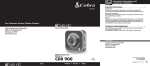
for purchasing
Powering the Device Drive
On and OffHD, by Cobra.
the device on, press the POWER button.
810 isToTo aturn
1080P
HD Digital Video Recorder and
turn the device off, press and hold the POWER button
for three seconds.
designed
to protect your vehicle and give you
the device
mind. Charging
You can charge the device with the included car charger,
or with a USB cable. The device will also run off of its own
internal battery for a short time.
ContentsNOTE:
Include:
When the car charger is connected,
the device will automatically power on and
start recording video.
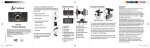
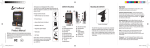
0 Dash Cam (not shown)
Battery: The battery in this unit is intended to operate the unit after power loss due to an accident
or crash. Note that while recording may continue,
the device was not intended for long-term recording on battery power.
Manual
Device Operation
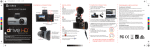
CDR 810 Functions
Your Dash Cam
Video Record, Still Photo, and Playback Modes
The camera has four separate modes:
•
Mode
Indicator
VGA
Video Mode
VGA
1
2
3
3
Still Photo Mode
VGA
VGA
Video Playback Mode
Still Photo Playback Mode
15
To toggle between the modes:
Press the MODE Button:
Inserting and removing the Memory Card
it can be upgraded
with up Mount
to 32GB with a different memory
Duty Suction
Cup
card (not included.)
Your camera comes with an 8GB Memory Card preinstalled, but
To remove the memory card, push the memory card forward
gently until you hear a click, and the card should release.
To insert a different memory card, orient the card with the
cro SD
Card
“bumpy
edge” facing down and press it in until you hear a click,
then release.
te Lighter Adapter
4
English
NOTE: You cannot switch
modes or enter menus
while the camera is
recording video.
6
7 4 5
8
1. Menu
2. Photograph/Playback
3. File Lock/Enter
11.
12.
13.
5