1
APPLICATION NOTE HOW TO GET
CONNECTED WITH
BLUETOOTH
AUDIO DEVICES
VERSION 1.0.1
1 ABOUT THIS DOCUMENT
This application note provides information how to make a connection to Bluetooth
headset or handsfree kit and to receive voice calls on them. Detailed information about
the function of the PFAL commands given in this document can be found in a separate
manual called "MAMBO2PFALCommandsReferenceGuide.pdf". How to get started with
MAMBO2 and how to connect your MAMBO2 to a PC (via USB or Bluetooth) is given in a
separate manual called "MAMBO2EvalKitGettingStarted.pdf".
Below is an example of how to pair a Bluetooth Headset (type BTE050) or handsfree kit
(type BT-33A1) and receive voice calls on them. Remember, some Bluetooth Headsets and
handsfree kits devices can vary in their procedure but the steps in the next chapter will
give a good foundation in understanding the concept.
1.1 Pairing a Bluetooth headset or handsfree kit to the
MAMBO2 device and receive voice calls on them
Pairing a Bluetooth Headset or handsfree kit device to a MAMBO2 usually requires seven
steps. These steps are listed below:
1.
Turn off the Bluetooth Headset or handsfree kit device.
2.
Turn on the MABO2 device.
3.
Connect the MAMBO2 to a PC via either USB or Bluetooth.
4.
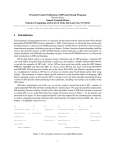
Start the FALCOM Workbench software (see Fig. below) open a port console from the
Toolbar➊. Choose the COM Port➋ to which the MAMBO2 is connected and define the
communication settings. From from the Toolbar➌ and ➏, open a new Console➍ and a new
Editor➐ respectively. Select Console➍, go to the Connection view➎ and connect Console
to Port control➋ as well as Editor➐ to the Console.
Figure 1:
5.
1
FALCOM Workbench software.
Depending on what audio device you want to connect to the MAMBO2, copy the
corresponding configuration given below, past it to the Editor➑ and then send it to the
MAMBO2. This configuration containing the MAC address (if known1) and the correct passcode (second entry) of the audio device to be connected, sets the MAMBO2 device in the
discovery mode:
If you don't know the MAC address of the Bluetooth audio device to be connected, then set it to 0 (alternative setting).
This confidential document is a property of FALCOM and may not be copied or circulated without previous permission.
Page 5 of 7