1
CAUTION
RISK OF ELECTRIC SHOCK
DO NOT OPEN
CAUTION : TO REDUCE THE RISK OF
ELECTRIC SHOCK, DO NOT REMOVE
COVER (OR BACK).
NO USER-SERVICEABLE PARTS
INSIDE. REFER SERVICING TO
QUALIFIED SERVICE PERSONNEL.
Before connecting the AC power cord to the DC adapter outlet make sure the voltage designation of
the DC adapter corresponds to the local electrical supply#
Never insert anything metallic into the cabinet openings of the Liquid Crystal Display LCD Monitor:
doing so may create the danger of electric shock#
To avoid electric shock never touch the inside of the LCD Monitor# Only a qualified technician should
open the case of the LCD Monitor#
Never use your LCD Monitor if the power cord has been damaged# Do not allow anything to rest n the
power cord and keep the cord away from areas wherepeople can trip over it#
Be sure to hold the plug not the cord when disconnecting the LCD Monitor from an electric socket#
Openings in the LCD Monitor cabinet are provided for ventilation# To prevent overheating these
openings should not be blocked or covered# Also avoid using the LCD Monitor on a bed sofa rug or
other soft surface# Doing so may block the ventilation openings in the bottom of the cabinet#
If you put the LCD Monitor in a bookcase or some other enclosed space be sure to provide adequate
ventilation# Put your LCD Monitor in a location with low humidity and a minimum of dust#
Do not expose the LCD Monitor to rain or use it near water#
(in kitchen near swimming pool etc#)# If the LCD Monitor accidentally gets wet unplug it and contact
an authorized dealer immediately# You can clean the LCD Monitor with a damp cloth when necessary
but be sure to unplug the LCD Monitor first#
Place the LCD Monitor on a solid surface and treat it carefully#
The screen is made of thin glass with a plastic front surface and be damaged if dropped hit or
scratched#
Do not clean the front panel with keton1type materials (e#g# acetone) ethyl alcohol toluene eth1
ylacid methyl or chloride 1 these may damage the panel#
Locate your LCD Monitor near an easily accessible AC outlet#
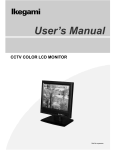
LCD Monitor
User’s Manual