1
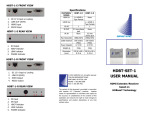
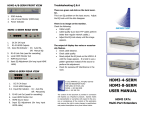
HDBT-1-Ex FRONT VIEW
HDBT-1-Rx FRONT VIEW
15.
6.
7.
15.
6.
7.
4. Ethernet ports (RJ 45 with LED)
LINK OUT
Ethernet LINK Indicator
Full/Half duplex indicator (flashing means collision)
HDBT-1-Ex REAR VIEW
1.
2.
3.
4.
5.
6.
DC 48 V Input w/ Locking
HDMI Bypass (When this is connected, it will
deactivate the LINK out, this port is for troubleshooting only)
HDMI Input
RS232 Input
IR IN
IR OUT
4. Ethernet ports (RJ 45 with LED)
LINK OUT
Ethernet LINK Indicator
Full/Half duplex indicator (flashing means collision)
HDBT-1-Rx REAR VIEW
1.
2.
3.
4.
HDMI Output
RS232 Output
IR OUT
IR2 IN
HDBT-1-Ex TOP VIEW
HDBT-1-Ex TOP VIEW
© 2012 APANTAC LLC, All rights reserved
7556 SW BRIDGEPORT ROAD
PORTLAND, OR 97224, USA
PHONE +1 503 968 3000
FAX +1 503 389 7921
ETHERNET Connection
Any one of the ports can act as an input port in
the HDBT-1-Ex or Rx. The rest of the ports will
behave like a regular hub.
The content of this document is provided in connection
with Apantac LLC (“Apantac”) products.
Apantac
makes no representation or warranties with respect to
the accuracy or completeness of the contents of this
publication and reserves the right to make changes to
specifications and product descriptions at any time
without notice.
HDBT-SET-2
USER MANUAL
HDMI Extender/Receiver
based on
HDBaseT Technology
w/Ethernet and POE
Installation
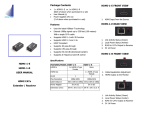
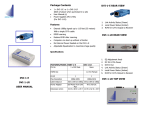
Package Contents
1 x HDBT-1-Ex
1 x HDBT-1-Rx
User Manual
1 x Power Adapter with (48V)
1 x IR Blaster Cable (Peak Wavelength
940nm)
1 x IR Receiver Cable
Magnetic Mounting Plate
Mounting Screws
Accessories
1.
2.
3.
4.
5.
Turn off the source (ex: DVD Players) and the
HDTV monitor.
Connect the HDMI cable between the source
and the <HDMI IN> port of the HDBT-1-Ex.
Connect the HDMI cable between the HDBT-1R between the monitor and the <HDMI OUT>
port of the HDBT-1-R.
Connect the CATx cable between the HDBT-1-E
and HDBT-1-R’s <LINK> port.
Connect the power.
IR Receiver Cable
Insert the IR receiver cable into the HDBT-1-R’s
<IR2 IN> (so you can point to it easily with your
IR remote control).
Power Adapter
IR Receiver Cable
GND
+V
Si g
IR Blaster Cable
Mounting Screws
Locate it close to the IR receiving sensor on
the source (ex: DVD player).
NC
P+
N-
Features
Uses the latest HDBase-T technology
Extends 1080p signals up to 330 feet (100
meters) with a single CATx cable
Supports HDMI 1.4 with 3D function
Supports HDMI 1.2 and 1.3a
HDCP Compliant
Supports 10/100 Base-T Ethernet (IEEE
802.3/3u/3x)
Supports POE (Power Over Ethernet)
Supports 3D pass-through
Supports CEC pass-through
Supports RS-232 (Bi-directional transfer)
Supports al frequency band IR control
Pin #
Signal
Pin #
Signal
TMDS Data 2+
1
11 TMDS Clock Shield
TMDS Data 2 Shield
2
12 TMDS Clock TMDS Data 23
13 CEC
4
5
6
7
8
9
10
TMDS Data 1+
14
TMDS Data 1 Shield
15
16
17
18
19
TMDS Data 1TMDS Data 0+
TMDS Data 0 Shield
TMDS Data 0-
Reserved
(N.C. on device)
SCL
SDA
DDC/CEC Ground
+5 Power
Hot Plug Detect
TMDS Clock+
CATx Wiring
Insert IR blaster cable into HDMI-1-E <IR
OUT> port.
IR Blaster Cable
HDMI Pin Out
Specifications
FEATURES/MODEL
HDBT-1-E
HDBT-1-R
HDMI In
1 x HDMI A-Type Female
None
HDMI Out
1 x HDMI A-Type Female
RJ-45 (LINK)
1
1
RJ-45 (Ethernet)
4
4
RS-232 (DB9)
1
1
IR OUT
3.5 mm phone jack
None
IR IN
None
3.5 mm phone jack
IR 1 IN
None
Internal IR Receiver
IR 2 IN
None
3.5 mm phone jack
Max Resolution
1080p 60Hz
1080p 60Hz
Cable Distance
100 meters (Max)
100 meters (Max)
Power Adapter
48 V DC
None
Weight (g)
Dimension (mm)
510 g
150 W x 80 x D 25 H
510 g
150 W x 80 x D 25 H
Identification Pin Assignment Color Code
5
White-Blue
Pair 1
4
Blue
1
White-Orange
Pair 2
2
Orange
3
White-Green
Pair 3
6
Green
7
White-Brown
Pair 4
Brown
8