1
ShredIt X Read Me
ShredIt X
Read Me
www.mireth.com
[email protected]
The Right Software For The Job™
Table of Contents
About ShredIt X ................................................................................................. 3 System Requirements ................................................................................................... 3 All about shredding ........................................................................................... 4 ShredIt Safety Features ................................................................................................. 4 How a shredder is typically used ............................................................................... 5 About disposing of a document you have edited .................................................... 5 Installing/Uninstalling ShredIt X ......................................................................... 6 How to Install ShredIt X ............................................................................................... 6 How to uninstall ShredIt X .......................................................................................... 9 How to upgrade ShredIt X ........................................................................................... 9 How to Run ShredIt X ....................................................................................... 10 How to shred a file ...................................................................................................... 10 How to shred a folder ................................................................................................. 10 How to shred Disk Free Space ................................................................................... 10 How to shred previously deleted files ..................................................................... 11 How to erase the contents of a CD-RW .................................................................... 12 How to enable automatic scheduled Disk Free Space shredding ........................ 12 How to safely shred an alias ...................................................................................... 13 Erasing a Drive ................................................................................................ 14 How to erase the contents of an External Hard Drive ........................................... 14 How to erase the contents of a USB Flash Drive .................................................... 14 How to erase an old computer using Target Disk mode ....................................... 15 How to erase the contents of a Hard Drive without using Target Disk mode ... 15 Shredding Features ......................................................................................... 18 How to verify what was shredded ........................................................................... 18 How to enable DOD shredding standard compliance (US Department of Defense
5220 standard) .............................................................................................................. 18 How to enable DoE shredding standard compliance (US Department of Energy)
........................................................................................................................................ 18 How to enable NSA shredding standard compliance ........................................... 18 How to enable Gutmann shredding standard compliance ................................... 19 Safety Features ............................................................................................... 20 How to use the "Confirm before shred" feature...................................................... 20 How to use the Safe Place™ Feature ........................................................................ 20 Help ................................................................................................................ 22 Troubleshooting Guide ............................................................................................... 22 Known Problems ......................................................................................................... 22 1
ShredIt X Read Me 10/15/15 Copyright ©2002-2015, The Mireth Technology Corporation
ShredIt X Read Me
Appendix A – About the Demo .......................................................................... 22 How to install and run the ShredIt X demo ............................................................ 23 2
ShredIt X Read Me 10/15/15 Copyright ©2002-2015, The Mireth Technology Corporation
ShredIt X Read Me
About ShredIt X
ShredIt X is an easy to use File Shredder / Hard Drive Cleaner that will erase a hard
drive, shred disk free space, clean previously deleted files, wipe a file, CD-RW and more.
Simple to use, this file shredder software comes with step-by-step instructions on how to
erase data so it can't be recovered. Works with any OS X Mac.
How secure is your computer trash? You shred your confidential paper documents, but
are you as careful when disposing of confidential electronic documents from your
computer? Throwing a file in the trash does not remove the data from the hard disk – it
just removes the file name from the directory, leaving the data intact and vulnerable.
What you threw away can be recovered by anyone with access to your computer - your
roommate, a business associate, the thief who just emptied out your office. Don't risk
throwing private and confidential data in the trash - securely delete it with ShredIt X.
ShredIt X provides an easy, permanent way to securely delete data. Features include:
•
easy to use "drag and drop" or “select from menu” interfaces
•
can shred shred files, folders, disk free space, previously deleted files, the
contents of a harddrive, the contents of an external hard drive, CD-RWs
•
scheduled automatic shred free space shredding
•
the activity log to confirm shredding has occurred
•
the "Confirm before shred" feature
•
configurable overwrite pattern and number of overwrites
•
Optional shredding compliance to US Department of Energy (DoE) standard,
US Department of Defense 5220 (DoD) standard, NSA standard, Gutmann
standard
•
Concurrent standard compliance
•
secure deletion of file contents, file name
•
the "Safe Place" feature which protects data from accidental shredding
ShredIt X – the eDocument shredder™
System Requirements
To run ShredIt X you need
•
Mac OS X.6 and later
If your Mac doesn’t meet the system requirements, you can download the previous
version from our download page at http://mireth.com/download. The previous version
•
Works on any Mac running OS X 10.1 to OS X 10.6
3
ShredIt X Read Me 10/15/15 Copyright ©2002-2015, The Mireth Technology Corporation
ShredIt X Read Me
All about shredding
ShredIt X securely deletes files, folders and free space, so the shredded item’s contents
cannot be recovered by any commercially available product. By shredding, we mean that
for each requested item, ShredIt X will overwrite the contents of the file, the file name and
the file extension. The pattern of bits which ShredIt X will use to overwrite with is
configured by the user. The default pattern used is proprietary. The number of times the
data will be overwritten is configured by the user. The default number of times the data
is overwritten is proprietary.
ShredIt X can be used to safely shred the following:
•
Files, Folders
•
Disk free space, previously deleted files
•
Contents of your hard drive, contents of an external hard drive, USB thumb
drive
•
CD-RWs. Shredding a CD-RW before you share it with someone else will
ensure that only the files you copied to the disk for them are accessible.
•
Alias files. For further information, refer to the "How to safely shred an alias"
section of this document.
ShredIt X cannot be used to shred the following:
•
Items on CD-R disks.
ShredIt Safety Features
Since there is no way to recover an item that is accidentally shredded, please take a
moment to familiarize yourself with the safety features offered with ShredIt X:
•
The “Confirm before Shred” feature. By setting confirmation on, you give
yourself an opportunity to cancel shredding of an item. For further
information, please refer to the "How to Install ShredIt X" section of this
document.
•
The “Safe Place” feature. If you have items you want to protect from
accidentally shredding, put them in a Safe Place Folder. Anything stored in a
Safe Place Folder cannot be shredded. For further information, please refer to
the "How to use the Safe Place Feature" section of this document.
•
The “Don’t panic” disk shredding feature. Dropping a disk on ShredIt X, will
only shred your free space, not your data. We've made it easy to shred the free
space of a disk and more difficult to shred the contents of a disk. This is
intentional, so that you don't accidentally shred the contents of a disk (i.e.
your data).
•
The prominent “Don’t drag and drop an alias” warning. Don’t make the
mistake of using drag and drop to shred an alias. You need to shred aliases
using the File menu. For further information, please refer to the "How to
safely shred an alias" section of this document.
•
Comprehensive documentation. Reading the documentation before using this
product can help to prevent accidental shredding caused by not having a clear
understanding of a product feature before using that feature.
4
ShredIt X Read Me 10/15/15 Copyright ©2002-2015, The Mireth Technology Corporation
ShredIt X Read Me
How a shredder is typically used
An electronic document shredder is typically used in two situations:
•
to securely delete confidential documents on a computer you are currently
using, without impacting on the rest of the data on the computer
•
to clean a computer of confidential data before the computer is disposed of.
To securely delete confidential documents on a computer you are currently using is a
three step process.
First, to shred the confidential files you have previously deleted, you need to shred the
area on your hard drive containing de-allocated memory, called the disk free space. For
further information, please refer to the “How to shred Disk Free Space” section of this
document.
Second, to securely delete confidential documents on a on-going basis, use a shredder to
dispose of them instead of putting them in the trash. If you accidentally put a confidential
document into the Trash, and empty the Trash, then you need to shred the free space
again.
Third, if you edit confidential files on your computer, you may be leaving several
intermediate copies in disk free space, necessitating shredding the free space. For further
information, please refer to the "About disposing of a document you have edited" section
of this document.
To use a shredder to erase a computer or drive of confidential data before it is disposed of
is a more complex process. For further information, please refer to the "Erasing a Drive"
section of this document.
About disposing of a document you have edited
If you have edited a document on your computer, shredding the final document may not
be sufficient to securely delete all versions from your hard drive. Here’s why.
Each time you open a document in edit mode, your computer creates another copy on
which it will apply your changes. This is done so that it can recover the document in case
of a crash, which it would not be able to do if it was instead editing the original version
when a crash occurred. After you have successfully saved the results of your edits, the
previous copy of the document is moved to disk free space. At the end of the editing
process, you have your final document and several intermediate copies left in disk free
space.
Now, if you were to print your document, send it off, and shred the document, you have
only shredded the final version of the document. You have left the intermediate copies
behind in free space and someone (including you) could run a disk recovery utility and
find some contents of the intermediate copies, but not the final version of the document.
The solution is to this is to periodically shred disk free space. Since this operation takes
some time, you may want to do it at the end of each day or each week. You can start the
process just before you leave for the day and it should be done when you return in the
morning. ShredIt also provides a free space shredding schedule in the Preferences so that
you can easily perform periodic free space shredding.
If you never edit confidential files, but you do read them, you can just shred the
documents since no save files have been left behind.
5
ShredIt X Read Me 10/15/15 Copyright ©2002-2015, The Mireth Technology Corporation
ShredIt X Read Me
Installing/Uninstalling ShredIt X
If you want to install and run the Demo, see the “Appendix A – About the
Demo“ section of this document.
How to Install ShredIt X
1. Drag the ShredIt X folder to wherever you keep application software.
2. Double click the ShredIt X icon. The Registration dialog will appear when you launch
the program, displaying four buttons:
Quit – to quit the program, click the “Quit” button
Run Demo – (Downloaded version only). For further information, refer to the
“Appendix A – About the Demo” section of this document.
Buy Now – (Downloaded version only) If you wish to purchase this program now
online, click the “Buy Now” button and follow the instructions.
Register – To register the program now, follow the instructions below.
3. Register ShredIt X. The Registration dialog will appear when you launch the
program.
•
Enter the License Type, Purchaser’s Email Address and Registration Key
supplied when you bought the product.
If you purchased online, the easiest way to do this is to copy (Apple C) and paste
(Apple V) the information from the email we sent you.
If you purchased a CD, the Registration Key/Serial Number will also be printed
on the CD jacket.
•
Click the “Register” Button
If you have entered the Registration information correctly, the “Registered” message
will be displayed.
If there is a problem with the registration information, the “Invalid Registration
Information” dialog will appear. To correct the problem, refer to our site,
mireth.com
4. Update the Preferences - Settings Tab.
From the “ShredIt X” menu, select “Preferences” and configure the following items:
Confirm Shredding Files - Tick this box to be prompted before ShredIt shreds files.
Default value is "on".
6
ShredIt X Read Me 10/15/15 Copyright ©2002-2015, The Mireth Technology Corporation
ShredIt X Read Me
Confirm Shredding Folders - Tick this box to be prompted before ShredIt shreds
folders. Default value is "on".
Confirm Shredding Free Space - Tick this box to be prompted before ShredIt shreds
free space. Default value is "off".
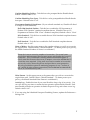
Government Standard Compliance: (If you set both standards on, ShredIt will shred
to comply to both standards)
DoD 5220 Standard Sanitize –Tick this box to enable the US Department of
Defense 5220 “Sanitize” standard compliant feature. (ShredIt is always US
Department of Defense 5220 “Clear” standard compliant.) Default value is "Clear".
NSA Standard – Tick this box to enable the new NSA Standard compliant feature.
Default value is “off”.
DoE Standard – Tick this box to enable the DoE Standard compliant feature.
Default value is “off”.
Num. of Writes - Set this popup menu to the number of times you wish to overwrite
the original data. Default value is "Mireth Standard". (To better protect your privacy,
the Mireth Standard Number of Writes is confidential.)
Please don’t use an excessive number of overwrites. For several years
people have misinterpreted the Gutmann paper and thought they need 35
overwrites. This so frustrated Gutmann that he amended the paper to
clearly state that he meant there were 35 ways to overwrite and not that 35
overwrites were required. Using such an excessive number of overwrites
serves only to slow down the process and provides no extra protection.
We only provide this option for marketing purposes (to say “we have it
too” on side by side product comparisons) and we do not recommend the
use of 35 overwrites at any time.
Write Pattern - Set this popup menu to the pattern that you wish to overwrite the
original data with. Default value is "Mireth Standard". (To better protect your
privacy, the Mireth Standard Write Pattern is confidential.)
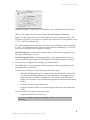
Activity Log – Enable this item if you want ShredIt to keep a log of its activity. You
can view this log any time to confirm the last operation performed by ShredIt. Each
time ShredIt performs an operation it shreds the previous log and creates a new log.
Default value is“off”.
5. If you are using the Scheduled Freespace Shredding Feature, update the Preferences Settings Tab.
7
ShredIt X Read Me 10/15/15 Copyright ©2002-2015, The Mireth Technology Corporation
ShredIt X Read Me
From the “ShredIt X” menu, select “Preferences” and configure the following items:
(This is only required if you want to enable scheduled freespace shredding)
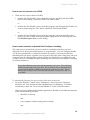
Every – Set this popup menu to the interval that you want to shred free space. You
can select every Day, every Week on a specific day of the week, or Every Month on the
1st, 15th, or 28th day of the month.
At – Set this popup menu to the time of day that you want disk free space shredding
to occur. You computer must be turned on and awake for shredding to occur so be
sure to pick a time that your computer is running.
Shred Freespace on – Set this popup menu to disk or disks that you typically want
free space shredding to occur on.
And these Specific Disks – Set this popup menu to any additional disks that you
want to shred freespace on that are not included in the Shred Freespace on setting.
6. Once you have configured your settings, quit from ShredIt X.
7. Put ShredIt X in a convenient place, either by putting an alias on the desktop or by
putting ShredIt X in the dock.
To put an alias to ShredIt X on the desktop, follow these steps:
•
Select the ShredIt application by single-clicking the ShredIt Icon. Ensure that
you select the ShredIt application, not the entire folder. (The application is
called "ShredIt X" and has a shredder icon. The folder is called "ShredIt X
Folder", has a folder icon and contains the application and the documentation
folder.)
•
From the File menu, select Make Alias.
•
Drag the “ShredIt X alias” to a convenient place. Most users put it above the
Trash
To put ShredIt X in the dock, follow these steps:
•
Drag the ShredIt X icon to the Dock
If you have enabled a freespace shredding schedule you must leave ShredIt
X running.
8
ShredIt X Read Me 10/15/15 Copyright ©2002-2015, The Mireth Technology Corporation
ShredIt X Read Me
How to uninstall ShredIt X
1. Drag the preferences files to the Trash
“$HOME/Library/Preferences/com.mireth.shredit.plist”
2. Move the ShredIt X folder from wherever you keep application software to the Trash.
3. If you've created an alias to ShredIt X, move it to the Trash. If you are running ShredIt
X from the Dock, drag it out of the Dock.
4. Empty the Trash.
How to upgrade ShredIt X
1. Move the existing ShredIt X folder from wherever you keep application software to
the Trash.
2. If you've created an alias to ShredIt X, move it to the Trash. If you are running ShredIt
X from the Dock, drag it out of the Dock.
3. Empty the Trash.
4. To install the upgrade, follow the instructions in the “How to Install ShredIt X“
section of this document.
9
ShredIt X Read Me 10/15/15 Copyright ©2002-2015, The Mireth Technology Corporation
ShredIt X Read Me
How to Run ShredIt X
Important note: Ensure that you have selected the correct item to shred.
Once it has been shredded, no one can recover the item. Not even us!
If you’ve never used a shredding utility before, please take a moment to read the “
All about shredding” section of this document before continuing.
ShredIt X can be used to shred items on your primary hard drive, as well as items stored
on external drives.
How to shred a file
1. To shred a file,
•
drag the file onto the ShredIt X Icon and drop it
or
•
double-click the ShredIt X Icon to start the program, and then pick the file you
want to shred using the “File” Menu (ShredIt X>File>Shred File)
or
•
double-click the ShredIt X Icon to start the program, and then click the Shred File
button on the dialog. Select the file you want to shred
How to shred a folder
1. To shred a folder,
•
drag the folder onto the ShredIt X Icon and drop it
or
•
double-click the ShredIt X Icon to start the program, and then pick the file you
want to shred using the “File” Menu (ShredIt X>File>Shred File)
or
•
double-click the ShredIt X Icon to start the program, and then click the Shred
Folder button on the dialog. Select the folder you want to shred
How to shred Disk Free Space
To shred the confidential files you have previously deleted, you need to shred the area on
your hard drive containing de-allocated memory, call the disk free space. If you have a
lot of free space or a slow disk (like a USB hard disk), shredding free space can take a
while, so you only want to do it once when you initially install ShredIt. To ensure all
future documents are securely deleted, drop them onto the ShredIt shredder not the
10
ShredIt X Read Me 10/15/15 Copyright ©2002-2015, The Mireth Technology Corporation
ShredIt X Read Me
Trash. If you accidentally put a confidential document into the Trash, and empty the
Trash, then you need to shred the free space again.
If you shred the free space on a disk by mistake, don't panic. This will only
shred your free space, not your data. We've made it easy to shred the free
space of a disk and more difficult to shred the contents of a disk. This is
intentional, so that you don't accidentally shred the contents of a disk (i.e.
your data).
To Shred the free space on a disk, follow these instructions:
To shred disk free space,
•
drag the disk icon onto the ShredIt X Icon and drop it
or
•
double-click the ShredIt X Icon to start the program, and then pick the disk for
which you want to shred the free space using the “Freespace” Menu (ShredIt
X>Freespace>[Hard Drive Name])
or
•
double-click the ShredIt X Icon to start the program, select the disk whose free
space you want to shred from the Freespace Popup menu on the dialog, then click
the Shred Freespace button on the dialog
You can cancel disk free space shredding at any time using the Cancel
button beside the progress indicator.
This may take a long time.
•
e.g. shredding 325 mb of free space on the primary drive takes about 2 minutes
shredding 1 gb (1000 mb) of free space on an external drive over USB takes about
30 minutes
If you quit from ShredIt X before it is finished shredding the free space on a
disk, ShredIt X will leave a working files (called ShredIt X Freespace) at the
root of the hard drive, taking up space on your hard disk. To recover the
space, put the file in the Trash and empty the Trash or shred the freespace
again.
How to shred previously deleted files
To shred files you have previously deleted, you need to shred the area on your hard drive
containing de-allocated memory, call the disk free space.
For step-by-step instructions, refer to the “How to shred Disk Free Space” section of this
document.
11
ShredIt X Read Me 10/15/15 Copyright ©2002-2015, The Mireth Technology Corporation
ShredIt X Read Me
How to erase the contents of a CD-RW
1. There are two ways to shred a CD-RW,
•
double-click the ShredIt X Icon to start the program, and then click the CDRW
button on the dialog. Select the CDRW you want to shred
or
•
double-click the ShredIt X Icon to start the program, and then pick the CD-RW you
want to shred using the “File” Menu (ShredIt X>File>Shred CDRW)
or
•
double-click the ShredIt X Icon to start the program, select the disk whose free
space you want to shred from the Freespace Popup menu on the dialog, then click
the Shred Freespace button on the dialog
How to enable automatic scheduled Disk Free Space shredding
The easiest way to ensure that you have erased all confidential data that you have
disposed of is to shred your disk freespace on a regular basis. You can configure ShredIt
X to do this automatically, on whatever schedule you prefer. Just keep in mind that
shredding disk free space, especially on a large drive may take quite a long time, and your
computer must be running and not asleep in order for ShredIt X to accomplish this task,
so make sure not to schedule freespace shredding at a time when the computer is sleeping
or has been shutdown.
If you shred the free space on a disk by mistake, don't panic. This will only
shred your free space, not your data. We've made it easy to shred the free
space of a disk and more difficult to shred the contents of a disk. This is
intentional, so that you don't accidentally shred the contents of a disk (i.e.
your data).
To automatically Shred the free space on a disk, follow these instructions:
1. From the “ShredIt X” menu, select “Preferences” and click on the "Freespace
Schedule" tab. Pick the disk and the scheduled time for shredding. For further
information, refer to the "How to Install ShredIt X" section of this document.
Once you have configured the schedule preferences, ShredIt X will shred the freespace
of the selected disk(s), provided
•
ShredIt X is running
and
•
your computer is both running and not asleep
and
12
ShredIt X Read Me 10/15/15 Copyright ©2002-2015, The Mireth Technology Corporation
ShredIt X Read Me
•
If you are running scheduled freespace shredding on an external drive, it also
must be both connected and mounted on the desktop
This may take a long time. If you quit from ShredIt X before it is finished
shredding the free space on a disk, ShredIt X will leave a working files
(called ShredIt X Freespace) at the root of the hard drive, taking up space
on your hard disk. To recover the space, put the file in the Trash and
empty the Trash or shred the freespace again.
How to safely shred an alias
Do not drag an alias onto the ShredIt X Icon and drop it. Doing so will
shred the original item, not the alias.
Here’s why. When you drag and drop an alias, ShredIt shreds the original item the alias
points to, not the alias file itself.
For example, let's say you created an alias that pointed to your income tax file.
If you drag the alias, "Income Tax File Alias" that you just created to the trash can,
the alias "Income Tax file Alias" would be moved to the trash can, but the file it
points to, "Income tax file" would remain where it was. That's because the trash
can is part of the operating system and that's how the operating system handles
alias files dragged on to the trash can.
However, ShredIt is not part of the operating system - it's an application program.
Applications programs don't get the same information from the operating system
as the trash can does. When you drag an Alias file on to an application program,
the operating system resolves the alias before passing the file name up to the
application program. So if you dragged the "Income Tax File Alias" on to ShredIt,
the operating system would resolve the alias and pass the name of the file the alias
points to, "Income tax file" to ShredIt. ShredIt would then shred the "Income tax
file", just like you had just requested it to do.
This is probably not what you wanted ShredIt to do. However, this is not unique to the
ShredIt application. All applications on the Macintosh handle aliases this same way, since
this is how the operating system works.
1. To safely shred an alias,
•
double-click the ShredIt X Icon to start the program, and then pick the alias you
want to shred using the “File” Menu (ShredIt X>File>Shred File)
•
or
•
double-click the ShredIt X Icon to start the program, and then click the Shred File
button on the dialog. Select the file you want to shred
13
ShredIt X Read Me 10/15/15 Copyright ©2002-2015, The Mireth Technology Corporation
ShredIt X Read Me
Erasing a Drive
How to erase the contents of an External Hard Drive
A non-startup disk is any disk or disk partition on your computer that doesn’t contain the
Operating System.
This procedure assumes that you don't have the Operating System on the
External Drive you are about to shred. In the unlikely event that you do
have the Operating System on this drive, use the "How to shred the
contents of the startup disk" procedure instead.
To shred the contents of a non-startup, external hard drive, follow these instructions:
1. Move all the data, all the applications and the preferences of all the applications you
want to keep somewhere else. The easiest way to do this is to copy the entire contents
of your entire hard drive to another hard drive.
2. Using the Disk Utility, (Applications>Utilities>Disk Utility), erase the disk. To do
this, double-click the Disk Utility, select the “Erase” tab and select the disk to erase.
Then click the “Erase” button.
3. If required, install ShredIt X. For further information, refer to the “How to Install
ShredIt X” section of this document.
4. Using ShredIt X, shred the disk free space on the disk. For further information, refer
to the "How to shred Disk Free Space" section of this document.
How to erase the contents of a USB Flash Drive
A USB Flash Drive is the generic term for a small, self-powered data
storage device that connects to a computer directly through a USB port. It's
about the size of a pack of chewing gum, and is both Mac and Windows
compatible. Flash drives are often called a brand name such as key drive,
thumb drive, jump drive, and pen drive.
To shred the contents of a USB Flash drive, follow these instructions:
1. Move all the data, all the applications and the preferences of all the applications you
want to keep somewhere else. The easiest way to do this is to copy the entire contents
of your entire hard drive to another hard drive.
2. Plug the USB Flash Drive in to the USB port located on your Mac. This will mount the
USB Flash Drive.
3. Move all the files left on the USB Flash Drive from the USB Flash Drive to the trash.
Empty the trash.
4. If required, install ShredIt X. For further information, refer to the “How to Install
ShredIt X” section of this document.
5. Using ShredIt X, shred the disk free space on the Flash Drive. For further information,
refer to the "How to shred Disk Free Space
14
ShredIt X Read Me 10/15/15 Copyright ©2002-2015, The Mireth Technology Corporation
ShredIt X Read Me
How to erase an old computer using Target Disk mode
When you purchase a new Macintosh you can use Target Disk mode to copy all the items
from your old Macintosh onto you new Macintosh.
Once that is done, and you have logged in to your new Macintosh you can also use Target
Disk mode to clean up the old Macintosh to make it ready for disposal or sale.
After following this procedure the old computer will be left without an
Operating System and will not startup. To use the old computer Mac OS X
must be installed from an install CD or DVD
While most Macintosh computers that support Mac OS X also support
target disk mode it is possible, if you have a very old computer, that your
Macintosh will not startup in target disk mode. In that case please follow
one of the other procedures for shredding the contents of a startup disk
without using Target disk mode.
Do the following:
1. Login to your new computer
2. Startup your old computer using Target Disk mode (Restart and hold down the T
key until the Firewire symbol is displayed)
3. Connect the old computer to the new computer using a Firewire cable
4. The old computer hard disk will appear on the new computer desktop
5. Use the Disk Utility to Erase the old computers hard disk
6. User ShredIt to shred the free space on the old computers hard disk
7. Eject the old computers hard disk
8. Hold down the power button on the old computer to shut it down.
How to erase the contents of a Hard Drive without using Target Disk mode
Before disposing of a computer or a hard drive, we recommend that you dispose of any
files you don’t want the next user to be able to recover. You can do this using ShredIt.
Read all of these instructions before continuing.
Performing this function will shred the data, (i.e. your files), making the computer clean by
destroying your data. You are responsible for ensuring that you have a backup copy of
any data or applications you want to use on another computer before you shred the
contents of a disk, since the files cannot be recovered from the disk after it has been
shredded.
If what you are trying to do is to shred previously deleted files on your computer, this is not the
correct procedure to follow. You need to shred your free space. For further information
about shredding free space, see the "About Shredding Free Space" section of this
document.
15
ShredIt X Read Me 10/15/15 Copyright ©2002-2015, The Mireth Technology Corporation
ShredIt X Read Me
There are two procedures for shredding the contents of a disk, one for startup disks and a
second for all other disks. The startup disk is the one on your computer that has the
Operating System on it. If you have a partitioned drive, you will have other disks as well.
These will not have the Operating System on them. The reason there are two procedures
is that you cannot erase the startup disk. So, in order to erase the disk with the Operating
System on it, you need to startup the computer from the Mac OS X CD that came with
your computer.
How to shred the contents of the startup disk
A startup disk is the disk on your computer that contains the Operating System.
Typically, it is called “OS X System” and may be the only disk on the system.
This procedure assumes that you have a Mac OS X CD from which to reinstall the Operating System and a copy of the ShredIt X Registration Key
so that you can re-install ShredIt X.
To shred the contents of the startup disk, follow these instructions:
1. Move all the data, all the applications and the Plug the USB Flash Drive in to the USB
port located on your Mac. This will mount the USB Flash Drive.preferences of all the
applications you want to keep somewhere else. The easiest way to do this is to copy
the entire contents of your entire hard drive to another hard drive.
2. Insert the Mac OS X Install Disc CD. This refers to a full Mac OS X CD included with
your computer, not to an update-only CD.
3. Restart the computer from the CD. To do this, hold the “C” key immediately after the
startup sound.
4. Using the install disk, do an “Erase and Install” to erase the disk and install the
Operating System. To do this, follow the Install Wizard that appears after you have
booted using the Install Disc. When you get to the “Select Destination” step, select the
destination disk and then click the “Options” button. From the Options menu, select
“Erase and Install”. Continue with the wizard.
5. Install ShredIt X. For further information, refer to the “How to Install ShredIt X”
section of this document.
6. Using ShredIt X, shred the startup disk free space. For further information, refer to
the “How to shred Disk Free Space” section of this document.
7. If you have no other disks on your computer, un-install ShredIt X. For further
information, refer to the “How to uninstall ShredIt X” section of this document. Your
computer is now clean. If you have other disks on your computer, use the “How to
shred the contents of a non-startup disk” procedure for each disk.
How to shred the contents of a non-startup disk
A non-startup disk is any disk or disk partition on your computer that doesn’t contain the
Operating System.
This procedure assumes you either have a copy of the ShredIt X
Registration Key so that you can re-install ShredIt X or you have ShredIt X
installed on your computer, but not on the disk you are about to shred.
Ensure you meet this requirement before continuing.
16
ShredIt X Read Me 10/15/15 Copyright ©2002-2015, The Mireth Technology Corporation
ShredIt X Read Me
To shred the contents of a non-startup disk, follow these instructions:
1. Move all the data, all the applications and the preferences of all the applications you
want to keep somewhere else. The easiest way to do this is to copy the entire contents
of your entire hard drive to another hard drive.
2. Using the Disk Utility, (Applications>Utilities>Disk Utility), erase the disk. To do
this, double-click the Disk Utility, select the “Erase” tab and select the disk to erase.
Then click the “Erase” button.
3. If required, install ShredIt X. For further information, refer to the “How to Install
ShredIt X” section of this document.
4. Using ShredIt X, shred the disk free space on the disk. For further information, refer
to the “How to shred Disk Free Space” section of this document.
5. If you have no other disks on your computer, un-install ShredIt X. For further
information, refer to the “How to uninstall ShredIt X” section of this document. Your
computer is now clean. If you have other disks on your computer, run this procedure
for each disk.
17
ShredIt X Read Me 10/15/15 Copyright ©2002-2015, The Mireth Technology Corporation
ShredIt X Read Me
Shredding Features
How to verify what was shredded
ShredIt X provides a way to check what was shredded. This is particularly useful if
shredding is going to take a long time and you don't want to watch the entire operation.
To verify shredding, follow these instructions:
1. From the shredding preferences, enable the Activity Log. For further information,
refer to the “How to Install ShredIt X” section of this document.
2. Perform the desired shredding operation.
3. From the File menu, select "Show Log". The activity log will show you the details of
the last shredding operation performed. (Each time a new shredding operation is
performed, the previous activity log is shredded and a new log is created. No
confidential information is stored in the log.)
How to enable DOD shredding standard compliance (US Department of Defense
5220 standard)
ShredIt X can be configured to comply with the US Department of Defense 5220
shredding standard.
To enable this standards compliance, follow these instructions:
1. From the shredding preferences, enable the "DoD 5220 Sanitize" preference. For
further information, refer to the “How to Install ShredIt X” section of this document.
2. Perform the desired shredding operation.
How to enable DoE shredding standard compliance (US Department of Energy)
ShredIt X can be configured to comply with the US Department of Energy shredding
standard.
To enable this standards compliance, follow these instructions:
1. From the shredding preferences, enable the "DoE" preference. For further information,
refer to the “How to Install ShredIt X” section of this document.
2. Perform the desired shredding operation.
How to enable NSA shredding standard compliance
ShredIt X can be configured to comply with the NSA shredding standard.
To enable this standards compliance, follow these instructions:
1. From the shredding preferences, enable the "NSA" preference. For further
information, refer to the “How to Install ShredIt X” section of this document.
2. Perform the desired shredding operation.
18
ShredIt X Read Me 10/15/15 Copyright ©2002-2015, The Mireth Technology Corporation
ShredIt X Read Me
How to enable Gutmann shredding standard compliance
ShredIt X can be configured to comply with the Gutmann shredding standard.
To enable this standards compliance, follow these instructions:
1. From the shredding preferences, change the "Number of Overwrites" preference to
"35". For further information, refer to the “How to Install ShredIt X” section of this
document.
2. Perform the desired shredding operation.
Please don’t use an excessive number of overwrites. For several years
people have misinterpreted the Gutmann paper and thought they need 35
overwrites. This so frustrated Gutmann that he amended the paper to
clearly state that he meant there were 35 ways to overwrite and not that 35
overwrites were required. Using such an excessive number of overwrites
serves only to slow down the process and provides no extra protection.
We only provide this option for marketing purposes (to say “we have it
too” on side by side product comparisons) and we do not recommend the
use of 35 overwrites at any time.
19
ShredIt X Read Me 10/15/15 Copyright ©2002-2015, The Mireth Technology Corporation
ShredIt X Read Me
Safety Features
How to use the "Confirm before shred" feature
ShredIt X provides a way to confirm before shredding. This is particularly useful when
you first use a shredder, since once an item has been shredded, it cannot be recovered even by us.
To enable "confirm before shred", follow these instructions:
1. From the shredding preferences, enable "Confirm Shredding". For further information,
refer to the “How to Install ShredIt X” section of this document.
2. Perform the desired shredding operation.
3. Each time you try to shred a file, folder or freespace, you will have to confirm before
shredding will take place.
How to use the Safe Place™ Feature
Shredit offers a Safe Place™ feature to ensure that an item is not accidentally shredded.
Any item put in a folder named Safe Place will not be shredded. If you try to shred an
item inside a Safe Place folder, ShredIt will display a dialog box informing you that you
need to move the item out of the Safe Place. Once you have moved it out of the Safe Place
folder, you can shred the item.
When creating a Safe Place folder, ensure that you have named in correctly.
Name it Safe Place or SafePlace. Don't add any other characters, since
doing so will result in a name that does not work. (e.g. Safe Place or
SafePlace will work but "SafePlace" or MySafePlace will not work.)
When you create a Safe Place folder, test it to make sure ShredIt will not shred the
contents before putting important items in it.
To use the Safe Place™ feature, follow this procedure:
1. Create a folder called Safe Place on your computer.
2. Test it to ensure you named the Safe Place folder correctly.
Create a new Untitled folder or document of any kind and drag it into the Safe Place
folder. Then drag the new item from the Safe Place folder onto the ShredIt icon.
ShredIt should display a dialog box informing you that you need to move the item out
of the Safe Place to shred it. When you click the OK button ShredIt will quit. When
ShredIt has quit, check the contents of the Safe Place folder you created. Your test
item will still be there.
If the test item is still in the Safe Place folder, then you have named the folder correctly
and Safe Place is enabled. Delete the test item and continue.
If the test item is not in the Safe Place folder, then you have not named the folder correctly
and the contents of the Safe Place are not safe from ShredIt. Repeat Step 2 until the
test item is not shredded.
3. Drag the items you want to protect against accidental shredding into the SafePlace
folder. As long as the items are in the SafePlace folder, they are protected from
accidental shredding.
20
ShredIt X Read Me 10/15/15 Copyright ©2002-2015, The Mireth Technology Corporation
ShredIt X Read Me
4. If you want to shred an item that is in a SafePlace folder, you must drag it out of the
SafePlace folder first. If you want to shred a folder that contains a SafePlace folder,
you must move the SafePlace folder out of the folder. If you want to shred a SafePlace
folder, you must rename it something besides SafePlace.
Important note: What distinguishes an item as "Not to be shredded" is its
location in a folder named "Safe Place". If you move the item out of the
Safe Place folder, it is no longer protected from accidental shredding. If
you rename a Safe Place folder something else, its contents are no longer
protected from accidental shredding.
The SafePlace folder is designed to protect your data from being accidentally shredded.
Don't move your System Folder there.
•
An item within a SafePlace folder is protected from shredding no matter how
far up or down in the directory structure the item is from the SafePlace folder.
Example
A Safe Place Folder is contained within Folder X. Folder X contains Folder A, File
B and SafePlace Folder.
Folder X
Folder A
File B
Folder SafePlace
Folder X cannot be shredded because it contains a Safe Place Folder A. File B can
be shredded. Folder A can be shredded.
Example
A Safe Place Folder contains Folder C and File D.
Folder Safe Place
Folder C
File D
Folder C and File D cannot be shredded because they are in a Safe Place.
21
ShredIt X Read Me 10/15/15 Copyright ©2002-2015, The Mireth Technology Corporation
ShredIt X Read Me
Help
Troubleshooting Guide
If you have a problem with the software, please do the following:
•
Refer to the "Known Problems" section of this document for the latest information
on existing problems.
•
Check our site for answers to your question:
http://mireth.com
•
If your question is not answered, please contact Product Support at
[email protected]. Please include the following information:
•
Problem description.
•
If you are having problems with a particular product, please include the
following information as well:
•
What product and version you are having problems with.
To find the version number,
Mac: single click the product icon and Get Info
(OS8/9- File:Get Info)
(OSX- File:Show Info)
Windows: single click the product icon and show properties
(File:Properties:Version tab)
•
What OS version you are running.
To find the version number,
Mac: OS8/9: (Apple Menu:About this Computer)
OS X: (Apple Menu:About this Mac)
Windows: (Start Menu:My Computer:Help:About Windows)
•
Whether you are using the demo version or the registered version of the
product
Known Problems
•
In Demo mode. The “Demo version – item deleted not shredded” Dialog box
may be displayed after a Cancel has been requested or after an error has
occurred, even though nothing has been deleted. This is scheduled to be fixed
Appendix A – About the Demo
The program runs in demo mode when it has not been registered. The demo is provided
so that you can see how the program works. The demo looks and performs exactly like
the full version of the program, but instead of shredding files or folders, it only deletes
them. In addition, the following configuration items are disabled: Number of Writes,
Write Pattern.
22
ShredIt X Read Me 10/15/15 Copyright ©2002-2015, The Mireth Technology Corporation
ShredIt X Read Me
Once you have purchased it, you can enable the fully functional version of the program
by entering the registration information.
How to install and run the ShredIt X demo
1. To install, follow the “How to Install ShredIt X” instructions in this document,
omitting Step 3. (To run the demo, registration is not required.)
2. To run, follow the “How to Run ShredIt X” instructions in this document.
MacVCD, MacVCD X, NetShred, NetShred X, ToThe Trash!, "The right software for the job", "The Easy way to Play", “The Internet Privacy Utility”, "The eDocument Shredder",
"SafePlace", The Mac Trash Manager” are trademarks of The Mireth Technology Corporation.
23
ShredIt X Read Me 10/15/15 Copyright ©2002-2015, The Mireth Technology Corporation