1
Installation
Step 5: Verify Voice Playback, Basic Auto Attendant and Ports are Functioning Correctly
Step 5: Verify Voice Playback, Basic Auto Attendant
and Ports are Functioning Correctly
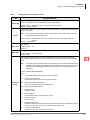
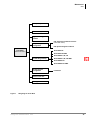
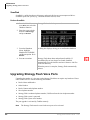
➤ Dial the extension number for each port. Stratagy should (for each port):
♦
Answer and play the Toshiba Plug and Play company greeting (“Thank you for
calling…”), greeting 1 in User ID mailbox 990.
♦
Continue to play the Toshiba Plug and Play caller instructions greeting (“If you know the
extension of the person you wish to reach…”), greeting 1 in User ID mailbox 991.
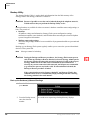
Step 6: Load Stratagy Admin Software (VSA.3x)
Important!
Note
Stratagy Admin Release 3 software is only supported by the Stratagy Flash and the
Stratagy DK Release 3 and cannot be used with other Release 2 systems.
Loading the Stratagy Admin software can be done before/after connecting the Stratagy
Admin PC to the Stratagy Flash.
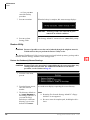
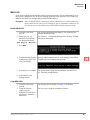
The Stratagy Admin PC, connected to the Stratagy Flash (see Step 7 on Page 10), must meet the
following specifications:
♦
IBM compatible
♦
3.5” 1.44MB (high-density) floppy disk drive
♦
Hard drive with a minimum of 5MB of available disk space
♦
DOS V6.2 or higher must be resident on the hard drive
♦
580KB RAM memory free
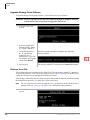
CAUTION! Do not install the Stratagy Admin VSA.3x software into an existing Admin2 or
Admin3 directory used for Release 2 systems. If you do, file corruption occurs.
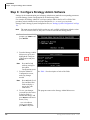
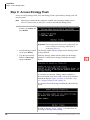
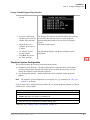
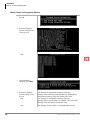
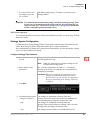
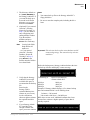
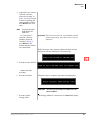
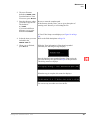
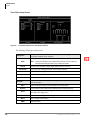
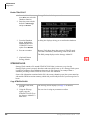
1. Insert the Stratagy Admin
disk into the floppy disk
drive of the Stratagy
Admin PC.
2. From the C:\ prompt,
type:
a:install c:\vsa3
3255
3. Press any key to continue.
Stratagy Flash Installation Guide
11/99
The Stratagy Admin program is installed on drive C: in
subdirectory VSA3.
9