1
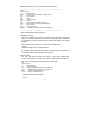
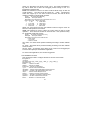
idle........... Set idle time for CLI session.
igmp........... Set IGMP configuration
mirror......... Set mirror configuration
age............ Set switch age
automode....... Set Auto Negotiation or Auto Detect mode
port........... Set switch port configuration
qos............ Set QoS configuration
snmp........... Set snmp configuration
trunk.......... Set a port to join/leave a specified Trunk Group
sta............ Set Spanning Tree setting
http........... Set HTTP Protocol setting
gvrp........... Set GVRP Protocol setting
1qvlan......... Set 802.1q VLAN Configuration
dot1x.......... Set 802.1x Configuration
security....... Set MAC Security Configuration
ratecontrol.... Set Rate Control Configuration
stormcontrol... Set Storm Control Configuration
9.1 set ? and set help command
These two commands will show the sub-command list for set command.
9.2 set admin command
This command can be used to modify the user name and password for
administrator.
9.3 set arl command
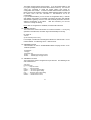
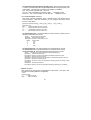
This command is for adding static Mac ID to ARL table of the switch.
It syntax is . . .
>set arl
Set ARL [xx-xx-xx-xx-xx-xx] [port#]
For example, “set ARL 00-c0-f6-11-22-33 5” will add a static Mac ID “00-c0f6-11-22-33” to ARL table for Port 5 and this Mac ID will never be aged out
from Port 5.
Note: Because the static Mac address is fixed on the assigned port by the
switch, the static Mac address can access network through the assigned
port only. It will fail to access network through other ports of the switch.
9.4 set eth0 command
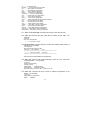
This command is used to configure IP address of the switch.
Its syntax is . . .
>set eth0
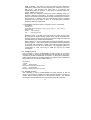
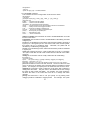
[Syntax]set eth0 [arg_1 data_1] [arg_1 data_1] ... [arg_n data_n]
[Argument List]
dhcp........... Set DHCP client
ip............. Set IP Address
netmask........ Set netmask
gateway........ Set gateway IP address
14