1
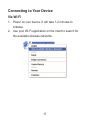
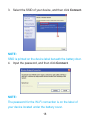
2. Your computer will acquire network connection via
Router with Voice and get connected to the internet
automatically.
WPS Functionality
Your device supports WPS functionality. You can use this
function to connect the client to your device.
1. Power on your device, and enable the Wi-Fi function
on your device.
2. Press the WPS button on your device to start ‘Wi-Fi
Protected Setup’ authentication process.
3. Enable the WPS function on your client to respond to
this authentication process.
4. Follow the system prompts on your client to finish the
connection.
20