1
18.0 PSU Monitoring Type Set-up
It is possible for an engineer (at access Level 3) to alter the Power Supply Monitoring type.
The default choice allows monitoring of the internal switchmode charger, the alternative choice allows
monitoring of the 3300 Dual Supply Interface (fitted when an external charger is used).
1. From access level 1 enter your 5 digit engineer code 1 3 4 2 4. The ‘Supply Present’ indicator
will flash, indicating level 3 has been accessed and all programming features are available.
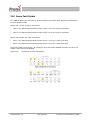
2. Using button 2 scroll to the ‘Alarm Outputs’ indication. Any current settings in this option will be
displayed on row 1 of the display, on zone 6. Accept this option by pressing button 3.
3. The ‘Alarm Outputs’ indicator will flash, showing this option has been accepted.
4. Select the ‘PSU monitoring’ option by pressing button 2 until the row 2 indicator for zone 6 is
illuminated.
5. Press button 1 to select either Internal Charger monitoring (row 1 zone 6 not illuminated), or Dual
Supply Interface (row 1 zone 6 illuminated).
6. Press button 3 to return to the selection menu.
7. Press button 4 to accept and program the set-up and return to access level 2.
19.0 Programming End of Line Type
The 3300 end of line monitoring type is programmable. The standard type of monitoring is capacitive
(100µF & 22Ω). The alternate type of monitoring is resistive (8k2Ω +/-5%) and is used to allow the
3300 to be interfaced to existing installations.
1. From access level 1 enter your 5 digit engineer code 1 3 4 2 4. The ‘Supply Present’ indicator
will flash, indicating level 3 has been accessed and all programming features are available.
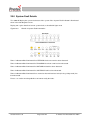
2. Using button 2 scroll to the ‘Alarm Outputs’ indication. Any current settings in this option will be
displayed on row 1 of the display, on zone 7. Accept this option by pressing button 3.
3. The ‘Alarm Outputs’ indicator will flash, showing this option has been accepted.
4. Select the ‘EOL selection’ option by pressing button 2 until the row 2 indicator for zone 7 is
illuminated.
5. Press button 1 to select either capacitive monitoring (row 1 zone 7 not illuminated), or resistive
monitoring (row 1 zone 7 illuminated).
6. Press button 3 to return to the selection menu.
7. Press button 4 to accept and program the set-up and return to access level 2.
93-530-70 Issue 0
Page 30 of 44
© Protec Fire Detection PLC 2007