1
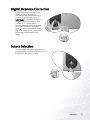
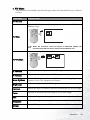
Digital Keystone Correction
Keystoning refers to the situation
where the projected image is
noticeably wider at either the top or
bottom. To correct this, press 3
Left/ Right 4 (hot key) on the control panel of the projector or KEYSTONE 3/4 on the remote
control, and then adjust the sliding
bar labeled Keystone, as needed.
Press + to correct keystoning at the
top of the image. Press - to correct
keystoning at the bottom of the
image.
Source Selection
To sequentially select the input sources,
press SOURCE on the control panel of the
projector or the remote control.
Operation
17