1
User’s Manual
Qosmio F40
Copyright ..................................................................................................... ix
Disclaimer.................................................................................................... ix
Trademarks ..................................................................................................x
Macrovision License of Notice......................................................................x
Safety Instructions........................................................................................x
BSMI Notice (Taiwan Only) ........................................................................ xii
VCCI Class B Information .......................................................................... xii
Canadian Regulatory Information (Canada Only) ..................................... xiii
Modem warning notice .............................................................................. xiii
Japan regulations ...................................................................................... xiv
Instructions for IC CS-03 certified equipment............................................ xvi
Notes for Users in Australia and New Zealand ........................................ xvii
Optical disc drive standards ....................................................................... xx
Important Notice ......................................................................................... xx
International Precautions..........................................................................xxiii
Preface
Manual contents ...................................................................................... xxvi
Conventions ............................................................................................xxvii
General Precautions
Creating a computer-friendly environment .............................................. xxix
Stress injury............................................................................................. xxix
Heat injury ............................................................................................... xxix
Pressure or impact damage ..................................................................... xxx
PC card overheating................................................................................. xxx
Mobile phone............................................................................................ xxx
Instruction Manual for safety and Comfort ............................................... xxx
Chapter 1
Introduction
Equipment checklist ................................................................................ 1-1
Features .................................................................................................. 1-3
Special Features .................................................................................... 1-10
TOSHIBA Value Added Package .......................................................... 1-12
Utilities and Application ......................................................................... 1-13
Options .................................................................................................. 1-16
Chapter 2
The Grand Tour
Front with the display closed ................................................................... 2-1
Left side................................................................................................... 2-3
Right side ................................................................................................. 2-4
Back side................................................................................................. 2-6
Underside ................................................................................................ 2-8
Front with the display open ..................................................................... 2-9
Optical Disc drive .................................................................................. 2-13
AC adaptor ............................................................................................ 2-17
Chapter 3
Getting Started
Connecting the AC adaptor .....................................................................
Opening the display.................................................................................
Turning on the power ..............................................................................
Starting up for the first time .....................................................................
User’s Manual
3-2
3-3
3-4
3-4
ii
Qosmio F40
Turning off the power ..............................................................................
Restarting the computer ..........................................................................
System Recovery Options.......................................................................
Create Optical Recovery Discs ...............................................................
Restoring the preinstalled software from the Recovery HDD..................
Restoring the preinstalled software from your creating Recovery Media
3-4
3-8
3-8
3-8
3-8
3-9
Chapter 4
Operating Basics
Using the Touch Pad............................................................................... 4-1
Using the Fingerprint Sensor................................................................... 4-2
Using optical media drives ...................................................................... 4-9
Writing CD/DVDs on DVD Super Multi drives ....................................... 4-11
Using HD DVD-ROM drive and HD DVD-R drives................................ 4-17
Writing CD/DVD/HD DVDs on HD DVD-R drives.................................. 4-21
TOSHIBA Disc Creator.......................................................................... 4-24
When Using Ulead DVD MovieFactory® for TOSHIBA .......................... 4-26
TV Tuner ............................................................................................... 4-28
Media care............................................................................................. 4-28
Sound System ....................................................................................... 4-30
Modem .................................................................................................. 4-33
Wireless communications...................................................................... 4-36
LAN ....................................................................................................... 4-38
Cleaning the computer .......................................................................... 4-39
Moving the computer............................................................................. 4-40
Heat dispersal ....................................................................................... 4-40
Chapter 5
The Keyboard
Typewriter keys .......................................................................................
F1 ... F12 function keys ...........................................................................
Soft keys: FN key combinations ..............................................................
Windows special keys .............................................................................
Keypad overlay........................................................................................
Generating ASCII characters ..................................................................
5-1
5-2
5-2
5-6
5-6
5-8
Chapter 6
Power and Power-Up Modes
Power conditions ..................................................................................... 6-2
Power indicators...................................................................................... 6-3
Battery types ........................................................................................... 6-3
Care and use of the battery pack ............................................................ 6-4
Replacing the battery pack.................................................................... 6-10
Starting the computer by password....................................................... 6-13
Chapter 7
HW Setup and Passwords
HW Setup ................................................................................................ 7-1
Chapter 8
Using the Remote Controller and Front operation panel
Mdeia Center........................................................................................... 8-1
Front operation panel .............................................................................. 8-2
Qosmos AV Controller............................................................................. 8-4
Remote Controller ................................................................................... 8-4
Using the Remote Controller ................................................................... 8-9
Installing/Removing batteries ................................................................ 8-11
Watching TV.......................................................................................... 8-13
iii
User’s Manual
Qosmio F40
Dual Tuner configurations ..................................................................... 8-13
Chapter 9
Optional Device
PC cards.................................................................................................. 9-2
Express Card........................................................................................... 9-4
Multiple Digital Media Card Slot .............................................................. 9-6
Memory expansion .................................................................................. 9-9
Additional AC adaptor ........................................................................... 9-13
USB FDD Kit ......................................................................................... 9-13
External monitor .................................................................................... 9-13
Television .............................................................................................. 9-14
HDMI ..................................................................................................... 9-15
i.LINK (IEEE1394) ................................................................................. 9-16
Chapter 10
Troubleshooting
Problem solving process ....................................................................... 10-1
Hardware and system checklist............................................................. 10-3
TOSHIBA support................................................................................ 10-28
Chapter 11
Disclaimers
CPU.......................................................................................................
Memory (Main System) .........................................................................
Battery Life ............................................................................................
HDD Drive Capacity ..............................................................................
General HD DVD technology and playback ..........................................
TV Tuner ...............................................................................................
LCD .......................................................................................................
Graphics Processor Unit ("GPU")..........................................................
Wireless LAN.........................................................................................
Non-applicable Icons.............................................................................
Copy Protection.....................................................................................
Images...................................................................................................
LCD Brightness and Eye Strain.............................................................
Safety Use for TV Tuner........................................................................
11-1
11-2
11-2
11-2
11-3
11-3
11-3
11-3
11-4
11-4
11-4
11-4
11-4
11-4
Appendix A
Specifications
Physical Dimensions ............................................................................... A-1
Appendix B
Display Controller and Modes
Display controller..................................................................................... B-1
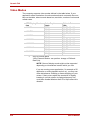
Video Modes ........................................................................................... B-2
Appendix C
V.90/V.92
V.90/V.92 mode....................................................................................... C-1
AT Command ......................................................................................... C-3
Appendix D
Wireless LAN
Card specifications .................................................................................. D-1
Radio characteristics ............................................................................... D-2
Supported frequency sub-bands ............................................................. D-3
Appendix E
AC Power Cord and Connectors
Certification agencies .............................................................................. E-1
User’s Manual
iv
Qosmio F40
Glossary
Index
v
User’s Manual
Qosmio F40
Copyright
© 2007 by TOSHIBA Corporation. All rights reserved. Under the copyright
laws, this manual cannot be reproduced in any form without the prior written
permission of TOSHIBA. No patent liability is assumed, with respect to the
use of the information contained herein.
TOSHIBA Qosmio F40 Portable Personal Computer User’s Manual
First edition April 2007
Copyright authority for music, movies, computer programs, data bases and
other intellectual property covered by copyright laws belongs to the author
or to the copyright owner. Copyrighted material can be reproduced only for
personal use or use within the home. Any other use beyond that stipulated
above (including conversion to digital format, alteration, transfer of copied
material and distribution on a network) without the permission of the copyright owner is a violation of copyright or author’s rights and is subject to civil
damages or criminal action. Please comply with copyright laws in making
any reproduction from this manual.
Please note that you may infringe the owner's rights protected by the copyright laws if you use the screen mode switching functions (e.g. Wide mode,
Wide Zoom mode, etc.) of this product to display enlarged images/video at
coffee shops or hotels for the purposes of profits or providing these to the
public.
Disclaimer
This manual has been validated and reviewed for accuracy. The instructions and descriptions it contains are accurate for the TOSHIBA Qosmio
F40 Portable Personal Computer at the time of this manual’s production.
However, succeeding computers and manuals are subject to change without notice. TOSHIBA assumes no liability for damages incurred directly or
indirectly from errors, omissions or discrepancies between the computer
and the manual.
ix
User’s Manual
Qosmio F40
Trademarks
IBM is a registered trademark, and IBM PC and PS/2 are trademarks of
International Business Machines Corporation.
Intel, Intel SpeedStep and Intel Core and Centrino are trademarks or registered trademarks of Intel Corporation or its subsidiaries in the United States
and other countries/regions.
Windows and Microsoft are registered trademarks and Windows Vista is a
trademark of Microsoft Corporation.
Photo CD is a trademark of Eastman Kodak.
Memory Stick is a registered trademark and i.LINK is a trademark of SonyCorporation.
Bluetooth is a registered trademark owned by its proprietor and used by
TOSHIBA under license.
DVD MovieFactory is trademarks of the Ulead Systems. Inc.
Labelflash™ is a trademark of YAMAHA CORPORATION.
Manufactured under license from Dolby Laboratories.
“Dolby” and the double-D symbol are trademarks of Dolby Laboratories.
Confidential unpublished works. Copyright 1992-1997 Dolby Laboratories.
All rights reserved.
Other trademarks and registered trademarks not listed above may be used
in this manual.
Macrovision License of Notice
This product incorporates copyright protection technology that is protected
by U.S. patents and other intellectual property rights. Use of this copyright
protection technology must be authorized by Macrovision, and is intended
for home and other limited viewing uses only unless authorized by Macrovision. Reverse engineering of disassembly is prohibited.
Safety Instructions
Use the following safety guidelines to help protect yourself and your computer.
When Using Your Computer
CAUTION: Do not operate your portable computer for an extended period
of time with the base resting directly on your body. With extended operation, heat can potentially build up in the base. Allowing sustained contact
with the skin could cause discomfort or, eventually, a burn.
❑ Do not attempt to service the computer yourself. Always follow installation instructions closely.
❑ Do not carry a battery in your pocket, purse, or other container where
❑
User’s Manual
metal objects (such as car keys) could short-circuit the battery terminals. The resulting excessive current follow can cause extremely high
temperatures and may result in damage from burns.
Be sure that noting rests on your AC adapter’s power cable and that the
cable is not located where it can be tripped over or stepped on.
x
Qosmio F40
❑ Place the AC adapter in a ventilated area, such as a desk top or on the
❑
❑
❑
❑
❑
❑
floor, when you use it to run the computer or to charge the battery. Do
not cover the AC adapter with papers or other items that will reduce
cooling; also, do not use the AC adapter while it is inside a carrying
case.
Use only the AC adapter and batteries that are approved for use with
this computer. Use of another type of battery or AC adapter may risk fire
or explosion.
Before you connect the computer to a power source, ensure that the
voltage rating of the AC adapter matches that of the available power
source. 115 V/60 Hz in most of North and South America and some Far
Eastern countries such as Taiwan. 100 V/50 Hz in eastern Japan and
100 V/60 Hz in western Japan. 230 V/50 Hz in most of Europe, the Middle East, and the Far East.
If you use an extension cable with your AC adapter, ensure that the total
ampere rating of the products plugged in to the extension cable does
not exceed the ampere rating of the extension cable.
To remove power from the computer, turn it off, remove the battery, and
disconnect the AC adapter from the electrical outlet.
To help avoid the potential hazard of electric shock, do not connect or
disconnect any cables or perform maintenance or reconfiguration of this
product during an electrical storm.
When setting up the computer for work, place it on a level surface.
FCC notice “Declaration of Conformity Information”
This equipment has been tested and found to comply with the limits for a
Class B digital device, pursuant to part 15 of the FCC rules. These limits are
designed to provide reasonable protection against harmful interference in a
residential installation. This equipment generates, uses and can radiate
radio frequency energy and, if not installed and used in accordance with the
instructions, may cause harmful interference to radio communications.
However, there is no guarantee that interference will not occur in a particular installation. If this equipment does cause harmful interference to radio or
television reception, which can be determined by turning the equipment off
and on, the user is encouraged to try to correct the interference by one or
more of the following measures:
❑ Reorient or relocate the receiving antenna.
❑ Increase the separation between the equipment and receiver.
❑ Connect the equipment into an outlet on a circuit different from that to
which the receiver is connected.
❑ Consult the dealer or an experienced radio/TV technician for help.
WARNING: Only peripherals complying with the FCC class B limits may
be attached to this equipment. Operation with non-compliant peripherals
or peripherals not recommended by TOSHIBA is likely to result in interference to radio and TV reception. Shielded cables must be used between
the external devices and the computer’s external monitor port, USB port,
and microphone jack. Changes or modifications made to this equipment,
not expressly approved by TOSHIBA or parties authorized by TOSHIBA
could void the user’s authority to operate the equipment.
xi
User’s Manual
Qosmio F40
FCC conditions
This device complies with part 15 of the FCC Rules. Operation is subject to
the following two conditions:
1. This device may not cause harmful interference.
2. This device must accept any interference received, including interference that may cause undesired operation.
Contact
Address:TOSHIBA America Information Systems, Inc.
9740 Irvine Boulevard
Irvine, California 92618-1697
Telephone:(949) 583-3000
BSMI Notice (Taiwan Only)
EU Declaration of Conformity
Supplementary Information:“The product complies with the requirements of
the Low Voltage Directive 2006/95/EC, the EMC Directive 89/336/EEC and/
or the R&TTE Directive 1999/05/EEC.”
This product is carrying the CE-Mark in accordance with the related European Directives. Responsible for CE-Marking is TOSHIBA Europe, Hammfelddamm 8, 41460 Neuss, Germany.
VCCI Class B Information
User’s Manual
xii
Qosmio F40
Canadian Regulatory Information (Canada Only)
This digital apparatus does not exceed the Class B limits for radio noise
emissions from digital apparatus as set out in the Radio Interference Regulation of the Canadian Department of Communications.
Note that Canadian Department of Communications (DOC) regulations provide, that changes or modifications not expressly approved by TOSHIBA
Corporation could void your authority to operate this equipment.
This Class B digital apparatus meets all requirements of the Canadian Interference-Causng Equipment Regulations.
Cet appareil numérique de la class B respecte toutes les exgences du
Règlement sur le matériel brouileur du Canada.
Modem warning notice
Conformity Statement
The equipment has been approved to [Commission Decision “CTR21”] for
pan-European single terminal connection to the Public Switched Telephone
Network (PSTN).
However, due to differences between the individual PSTNs provided in different countries/regions the approval does not, of itself, give an unconditional assurance of successful operation on every PSTN network
termination point.
In the event of problems, you should contact your equipment supplier in the
first instance.
Network Compatibility Statement
This product is designed to work with, and is compatible with the following
networks. It has been tested to and found to conform with the additional
requirements conditional in EG 201 121.
GermanyATAAB AN005,AN006,AN007,AN009,AN010 and DE
03,04,05,08,09,12,14,17
GreeceATAAB AN005,AN006 and GR01,02,03,04
PortugalATAAB AN001,005,006,007,011 and P03,04,08,10
SpainATAAB AN005,007,012, and ES01
SwitzerlandATAAB AN002
All other countries/region
ATAAB AN003,004
Specific switch settings or software setup are required for each network,
please refer to the relevant sections of the user guide for more details.
The hookflash (timed break register recall) function is subject to separate
national type approvals. It has not been tested for conformity to national
type regulations, and no guarantee of successful operation of that specific
function on specific national networks can be given.
xiii
User’s Manual
Qosmio F40
Japan regulations
Region selection
If you are using the computer in Japan, technical regulations described in
the Telecommunications Business Law require that you select the Japan
region mode. It is illegal to use the modem in Japan with any other selection.
Redial
Up to two redial attempts can be made. If more than two redial attempts are
made, the modem will return Black Listed. If you are experiencing problems with the Black Listed code, set the interval between redials at one
minute or longer.
Japan’s Telecommunications Business Law permits up to two redials on
analogue telephones, but the redials must be made within a total of three
minutes.
The internal modem is approved by Japan Approvals Institute for Telecommunications Equipment.
A05-0413001
Pursuant to FCC CFR 47, Part 68:
When you are ready to install or use the modem, call your local telephone
company and give them the following information:
❑ The telephone number of the line to which you will connect the modem
❑ The registration number that is located on the device.
US: AGSMDO1BDELPHI
The FCC registration number of the modem will be found on either the
device which is to be installed, or, if already installed, on the bottom of
the computer outside of the main system label.
❑ The Ringer Equivalence Number (REN) of the modem, which can vary.
For the REN of your modem, refer to your modem’s label.
The modem connects to the telephone line by means of a standard jack
called the USOC RJ11C.
Type of service
Your modem is designed to be used on standard-device telephone lines.
Connection to telephone company-provided coin service (central office
implemented systems) is prohibited. Connection to party lines service is
subject to state tariffs. If you have any questions about your telephone line,
such as how many pieces of equipment you can connect to it, the telephone
company will provide this information upon request.
User’s Manual
xiv
Qosmio F40
Telephone company procedures
The goal of the telephone company is to provide you with the best service it
can. In order to do this, it may occasionally be necessary for them to make
changes in their equipment, operations, or procedures. If these changes
might affect your service or the operation of your equipment, the telephone
company will give you notice in writing to allow you to make any changes
necessary to maintain uninterrupted service.
If problems arise
If any of your telephone equipment is not operating properly, you should
immediately remove it from your telephone line, as it may cause harm to the
telephone network. If the telephone company notes a problem, they may
temporarily discontinue service. When practical, they will notify you in
advance of this disconnection. If advance notice is not feasible, you will be
notified as soon as possible. When you are notified, you will be given the
opportunity to correct the problem and informed of your right to file a complaint with the FCC. In the event repairs are ever needed on your modem,
they should be performed by TOSHIBA Corporation or an authorized representative of TOSHIBA Corporation.
Disconnection
If you should ever decide to permanently disconnect your modem from its
present line, please call the telephone company and let them know of this
change.
Fax branding
The Telephone Consumer Protection Act of 1991 makes it unlawful for any
person to use a computer or other electronic device to send any message
via a telephone fax machine unless such message clearly contains in a
margin at the top or bottom of each transmitted page or on the first page of
the transmission, the date and time it is sent and an identification of the
business, other entity or individual sending the message and the telephone
number of the sending machine or such business, other entity or individual.
In order to program this information into your fax modem, you should complete the setup of your fax software before sending messages.
xv
User’s Manual
Qosmio F40
Instructions for IC CS-03 certified equipment
1. The Industry Canada label identifies certified equipment. This certification means that the equipment meets certain telecommunications network protective, operational and safety requirements as prescribed in
the appropriate Terminal Equipment Technical Requirements document(s). The Department does not guarantee the equipment will operate to the user’s satisfaction.
Before installing this equipment, users should ensure that it is permissible to be connected to the facilities of the local telecommunications
company. The equipment must also be installed using an acceptable
method of connection.
The customer should be aware that compliance with the above conditions may not prevent degradation of service in some situations.
Repairs to certified equipment should be coordinated by a representative designated by the supplier. Any repairs or alterations made by the
user to this equipment, or equipment malfunctions, may give the telecommunications company cause to request the user to disconnect the
equipment.
Users should ensure for their own protection that the electrical ground
connections of the power utility, telephone lines and internal metallic
water pipe system, if present, are connected together. This precaution
may be particularly important in rural areas.
CAUTION: Users should not attempt to make such connections themselves, but should contact the appropriate electric inspection authority, or
electrician, as appropriate.
1. The user manual of analog equipment must contain the equipment’s
Ringer Equivalence Number (REN) and an explanation notice similar to
the following:
The Ringer Equivalence Number (REN) of the modem, which can vary.
For the REN of your modem, refer to your modem’s label.
The Ringer Equivalence Number (REN) assigned to each terminal device provides an indication of the maximum number
of terminals allowed to be connected to a telephone interface.
The termination on an interface may consist of any combination of devices subject only to the requirement that the sum of
the Ringer Equivalence Numbers of all the devices does not
exceed 5.
2. The standard connecting arrangement (telephone jack type) for this
equipment is jack type(s): USOC RJ11C.
The IC registration number of the modem is shown below.
Canada: 4005B-DELPHI
User’s Manual
xvi
Qosmio F40
Notes for Users in Australia and New Zealand
Modem warning notice for Australia
Modems connected to the Australian telecoms network must have a valid
Austel permit. This modem has been designed to specifically configure to
ensure compliance with Austel standards when the country/region selection
is set to Australia. The use of other country/region setting while the modem
is attached to the Australian PSTN would result in you modem being operated in a non-compliant manner. To verify that the country/region is correctly
set, enter the command ATI which displays the currently active setting.
To set the country/region permanently to Australia, enter the following command sequence:
AT%TE=1
ATS133=1
AT&F
AT&W
AT%TE=0
ATZ
Failure to set the modem to the Australia country/region setting as shown
above will result in the modem being operated in a non-compliant manner.
Consequently, there would be no permit in force for this equipment and the
Telecoms Act 1991 prescribes a penalty of $12,000 for the connection of
non-permitted equipment.
Notes for use of this device in New Zealand
❑ The grant of a Telepermit for a device in no way indicates Telecom
❑
acceptance of responsibility for the correct operation of that device
under all operating conditions. In particular the higher speeds at which
this modem is capable of operating depend on a specific network implementation which is only one of many ways of delivering high quality
voice telephony to customers. Failure to operate should not be reported
as a fault to Telecom.
In addition to satisfactory line conditions a modem can only work properly if:
(a) it is compatible with the modem at the other end of the call
and
(b) the application using the modem is compatible with the
application at the other end of the call - e.g., accessing the
Internet requires suitable software in addition to a modem.
❑ This equipment shall not be used in any manner which could constitute
a nuisance to other Telecom customers.
❑ Some parameters required for compliance with Telecom’s PTC Specifications are dependent on the equipment (PC) associated with this
modem. The associated equipment shall be set to operate within the
following limits for compliance with Telecom Specifications:
xvii
User’s Manual
Qosmio F40
(a) There shall be no more than 10 call attempts to the same
number within any 30 minute period for any single manual
call initiation, and
(b) The equipment shall go on-hook for a period of not less than
30 seconds between the end of one attempt and the beginning of the next.
(c) Automatic calls to different numbers shall be not less than 5
seconds apart.
❑ Immediately disconnect this equipment should it become physically
damaged, and arrange for its disposal or repair.
❑ The correct settings for use with this modem in New Zealand are as follows:
ATB0 (CCITT operation)
AT&G2 (1800 Hz guard tone)
AT&P1 (Decadic dialing make-break ratio = 33%/67%)
ATS0=0 (not auto answer)
ATS10=less than 150 (loss of carrier to hangup delay, factory
default of 15 recommended)
ATS11=90 (DTMF dialing on/off duration=90 ms)
ATX2 (Dial tone detect, but not (U.S.A.) call progress detect)
❑ When used in the Auto Answer mode, the S0 register must be set with a
value of 3 or 4. This ensures:
(a) a person calling your modem will hear a short burst of ringing before the modem answers. This confirms that the call
has been successfully switched through the network.
(b) caller identification information (which occurs between the
first and second ring cadences) is not destroyed.
❑ The preferred method of dialing is to use DTMF tones (ATDT...) as this
is faster and more reliable than pulse (decadic) dialing. If for some reason you must use decadic dialing, your communications program must
be set up to record numbers using the following translation table as this
modem does not implement the New Zealand “Reverse Dialing” standard.
Number to be dialed: 0 1 2 3 4 5 6 7 8 9
Number to program into computer: 0 9 8 7 6 5 4 3 2 1
Note that where DTMF dialing is used, the numbers should be
entered normally.
❑ The transmit level from this device is set at a fixed level and because of
❑
❑
User’s Manual
this there may be circumstances where the performance is less than
optimal. Before reporting such occurrences as faults, please check the
line with a standard Telepermitted telephone, and only report a fault if
the phone performance is impaired.
It is recommended that this equipment be disconnected from the Telecom line during electrical storms.
When relocating the equipment, always disconnect the Telecom line
connection before the power connection, and reconnect the power first.
xviii
Qosmio F40
❑ This equipment may not be compatible with Telecom Distinctive Alert
cadences and services such as FaxAbility.
NOTE THAT FAULT CALLOUTS CAUSED BY ANY OF
THE ABOVE CAUSES MAY INCUR A CHARGE FROM
TELECOM
General conditions
As required by PTC 100, please ensure that this office is advised of any
changes to the specifications of these products which might affect compliance with the relevant PTC Specifications.
The grant of this Telepermit is specific to the above products with the marketing description as stated on the Telepermit label artwork. The Telepermit
may not be assigned to other parties or other products without Telecom
approval.
A Telepermit artwork for each device is included from which you may prepare any number of Telepermit labels subject to the general instructions on
format, size and colour on the attached sheet.
The Telepermit label must be displayed on the product at all times as proof
to purchasers and service personnel that the product is able to be legitimately connected to the Telecom network.
The Telepermit label may also be shown on the packaging of the product
and in the sales literature, as required in PTC 100.
The charge for a Telepermit assessment is $337.50. An additional charge of
$337.50 is payable where an assessment is based on reports against nonTelecom New Zealand Specifications. $112.50 is charged for each variation
when submitted at the same time as the original.
An invoice for $NZ1237.50 will be sent under separate cover.
Following information is only for EU-member states:
The symbol indicates that this product may not be treated
as household waste. Please ensure this product is properly
disposed as inappropriate waste handling of this product
may cause potential hazards to the environment and
human health.
For more detailed information about recycling of this product, please contact your local city office, your household
waste disposal service or the shop where you purchased
the product.
This symbol may not stick depending on the country and region
where you purchased.
xix
User’s Manual
Qosmio F40
Optical disc drive standards
TOSHIBA Qosmio F40 computer is shipped with one of the following drives
preinstalled: HD DVD ROM, HD DVD-R or DVD Super Multi (+-R DL) drive.
The drive has one of the following labels:
CLASS 1 LASER PRODUCT
LASER KLASSE 1
LUOKAN 1 LASERLAITE
APPAREIL A LASER DE CLASSE1
KLASS 1 LASER APPARAT
Before it is shipped, the Class 1 Laser is certified to meet the United States
Chapter 21 Standards of the Department of Health and Human Services
(DHHS 21 CFR).
For any other country, the drive is certified to meet the Class 1 Laser standards of IEC825 and EN60825.
Important Notice
Copyrighted works including, but not limited to music, video, computer program, databases are protected by copyright laws. Unless specifically permitted under applicable copyright laws, you cannot copy, modify, assign,
transmit or otherwise dispose of any copyrighted work with the consent of
the owner of the copyright. Please take notice that unauthorized copying,
modification, assignment, transmission and disposition may be subject to
claims for damages and penalties.
❑ Avoid using a telephone (other than a cordless type) during an electrical
storm. There may be a remote risk of electric shock from lightning.
❑ Do not use the telephone to report a gas leak in the vicinity of the leak.
❑ Use only the power cord indicated in this manual.
❑ Replace only with the same or equivalent type battery recommended by
the manufacturer.
❑ Dispose of used batteries according to the manufacturer’s instructions.
CAUTION: Use only the battery pack that came with the computer or an
optional battery pack. Use of wrong battery could damage your computer.
TOSHIBA assumes no liability for any damage in such case.
User’s Manual
xx
Qosmio F40
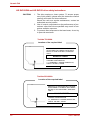
HD DVD-ROM and HD DVD-R drive safety instructions
CAUTION:
1. The drive employs a laser system. To ensure proper
use of this product, please read this instruction manual
carefully and retain for future reference.
Should the unit ever require maintenance, contact an
authorized service location.
2. Use of controls, adjustments or the performance of procedures other than those specified may result in hazardous radiation exposure.
3. To prevent direct exposure to the laser beam, do not try
to open the enclosure.
Toshiba TS-L802A
Location of the required label
PRODUCT IS CERTIFIED BY THE MANUFACTURER TO COMPAL WITH DHHS
RULES 21 CFR CHAPTER1, SUBCHAPTER J.
MANUFACTURED:
Manufactured by
TOSHIBA CORPORATION
1-1, SHIBAURA 1-CHOME, MINATO-KU,
TOKYO 105-8001, JAPAN
Toshiba SD-L902A
Location of the required label
PRODUCT IS CERTIFIED BY THE MANUFACTURER TO COMPAL WITH DHHS
RULES 21 CFR CHAPTER1, SUBCHAPTER J.
MANUFACTURED:
Manufactured by
TOSHIBA CORPORATION
1-1, SHIBAURA 1-CHOME, MINATO-KU,
TOKYO 105-8001, JAPAN
xxi
User’s Manual
Qosmio F40
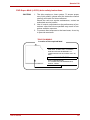
DVD Super Multi (+-R DL) drive safety instructions
CAUTION:
1. The drive employs a laser system. To ensure proper
use of this product, please read this instruction manual
carefully and retain for future reference.
Should the unit ever require maintenance, contact an
authorized service location.
2. Use of controls, adjustments or the performance of procedures other than those specified may result in hazardous radiation exposure.
3. To prevent direct exposure to the laser beam, do not try
to open the enclosure.
TEAC DV-W28SLC
Location of the required label
THIS PRODUCT COMPLIES WITH 21
CPR 1040. 10 AND 1040. 11 EXCEPT
FOR DEVIATIONS PURSUANT TO
LASER NOTICE NO.50, DATED JULY 26,
2001.
MANUFACTURED:
TEAC CORPORATION
3-7-3 NAKA-CHO, MUSASHINO-SHI,
TOKYO, JAPAN
User’s Manual
xxii
Qosmio F40
International Precautions
CAUTION: This appliance contains a laser
system and is classified as a “CLASS 1
LASER PRODUCT.” To use this model properly, read the instruction manual carefully
and keep this manual for your future reference. In case of any trouble with this model,
please contact your nearest “AUTHORIZED
service station.” To prevent direct exposure
to the laser beam, do not try to open the
enclosure.
CLASS 1 LASTER PRODUCTLASERSCHUTZKLASSE 1
PRODUKT
TO EN 60825
ADVERSEL: USYNLIG
LASERSTRÅLING VED
ÅBNING, NÅR
SIKKERHEDSAF-BRYDER
ER UDE AF FUNKTION.
UNDGÅ UDSÆTTELSE
FOR STRÅLING
VORSICHT: Dieses Gerät enthält ein LaserSystem und ist als “LASERSCHUTZKLASSE 1 PRODUKT” klassifiziert. Für den
richtigen Gebrauch dieses Modells lesen
Sie bitte die Bedienungsanleitung sorgfältig
durch und bewahren diese bitte als Referenz auf. Falls Probleme mit diesem Modell
auftreten, benachrichtigen Sie bitte die
nächste “autorisierte Service-Vertretung”.
Um einen direkten Kontakt mit dem Laserstrahl zu vermeiden darf das Gerät nicht
geöffnet werden.
ADVARSEL: Denne męrking er anbragt
udvendigt på apparatet og indikerer, at
apparatet arbejder med laserstråler af
klasse 1, hviket betyder, at der anvendes
laserstrlier afsvageste klasse, og at man
ikke på apparatets yderside kan bilve udsat
for utilladellg kraftig stråling.
APPARATET BOR KUN ÅBNES AF FAGFOLK MED SĘRLIGT KENDSKAB TIL
APPARATER MED LASERSTRÅLER!
Indvendigt i apparatet er anbragt den her
gengivne advarselsmękning, som advarer
imod at foretage sådanne indgreb i apparatet, at man kan komme til at udsętte sig for
laserstråling.
OBS! Apparaten innehåller laserkomponent som avger laserstråining överstigande
gränsen för laserklass 1.
xxiii
User’s Manual
Qosmio F40
VAROITUS. Suojakoteloa si saa avata.
Laite sisältää laserdiodin, joka lähetää
näkymätöntä silmilie vaarallista lasersäteilyä.
CAUTION: USE OF CONTROLS OR
ADJUSTMENTS OR PERFORMANCE OF
PROCEDURES OTHER THAN THOSE
SPECIFIED IN THE OWNER’S MANUAL
MAY RESULT IN HAZARDOUS RADIATION EXPOSURE.
VORSICHT: DIE VERWENDUNG VON
ANDEREN STEURUNGEN ODER EINSTELLUNGEN ODER DAS DURCHFÜHREN VON ANDEREN VORGÄNGEN
ALS IN DER BEDIENUNGSANLEITUNG
BESCHRIEBEN KÖNNEN GEFÄHRLICHE
STRAHLENEXPOSITIONEN ZUR FOLGE
HABEN.
User’s Manual
xxiv
Preface
Congratulations on your purchase of the TOSHIBA Qosmio F40 computer.
This powerful, lightweight notebook computer is designed to provide years
of reliable, high-performance computing.
This manual tells how to set up and begin using your Qosmio F40 computer.
It also provides detailed information on configuring your computer, basic
operations and care, using optional devices and troubleshooting.
This computer family includes a model with a built-in TV tuner. When you
wish to display a TV program or play CD/DVD with this model before Windows starts, press the TV button or the CD/DVD button (or the same button
on the remote controller) respectively during Windows startup. When Windows is running, you can display or record a TV program using the My TV
feature of Media Center.
If you are a new user of computers or if you’re new to portable computing,
first read over the Introduction and The Grand Tour chapters to familiarize
yourself with the computer’s features, components and accessory devices.
Then read Getting Started for step-by-step instructions on setting up your
computer.
If you are an experienced computer user, please continue reading the preface to learn how this manual is organized, then become acquainted with
this manual by browsing through its pages. Be sure to look over the Special
Features section of the Introduction, to learn about features that are uncommon or unique to the computers and carefully read HW Setup and Passwords. If you are going to install PC cards or connect external devices such
as a printer, be sure to read Chapter 9, Optional Device.
Manual contents
This manual is composed of ten chapters, five appendixes, a glossary, and
an index.
Chapter 1, Introduction, is an overview of the computer’s features, capabilities, and options.
Chapter 2, The Grand Tour, identifies the components of the computer and
briefly explains how they function.
Chapter 3, Getting Started, provides a quick overview of how to begin operating your computer and gives tips on safety and designing your work area.
Chapter 4, Operating Basics, includes tips on care of the computer and on
using the Touch Pad, optical media drive, external diskette drive, Wireless
LAN, LANs, Audio/Video controls, and internal modem.
Chapter 5, The Keyboard, describes special keyboard functions including
the keypad overlay and hot keys.
Chapter 6, Power and Power-Up Modes, gives details on the computer’s
power resources and battery save modes.
User’s Manual
xxvi
Qosmio F40
Chapter 7, HW Setup and Passwords, explains how to configure the computer using the HW Setup program. It also tells how to set a password.
Chapter 8, Using the Remote Controller and Front operation panel, explains
how to use the Remote Controller on Windows Vista™.
Chapter 9, Optional Device, describes the optional hardware available.
Chapter 10, Troubleshooting, provides helpful information on how to perform some diagnostic tests, and suggests courses of action if the computer
doesn’t seem to be working properly.
Chapter 11, Disclaimers, states the Disclaimer(s) information applicable to
TOSHIBA computer.
The Appendixes provide technical information about your computer.
The Glossary defines general computer terminology and includes a list of
acronyms used in the text.
The Index quickly directs you to the information contained in this manual.
Conventions
This manual uses the following formats to describe, identify, and highlight
terms and operating procedures.
Abbreviations
On first appearance, and whenever necessary for clarity, abbreviations are
enclosed in parentheses following their definition. For example: Read Only
Memory (ROM). Acronyms are also defined in the Glossary.
Icons
Icons identify ports, dials, and other parts of your computer. The indicator
panel also uses icons to identify the components it is providing information
on.
Keys
The keyboard keys are used in the text to describe many computer operations. A distinctive typeface identifies the key top symbols as they appear
on the keyboard. For example, ENTER identifies the Enter key.
xxvii
User’s Manual
Qosmio F40
Key operation
Some operations require you to simultaneously use two or more keys. We
identify such operations by the key top symbols separated by a plus sign
(+). For example, CTRL + C means you must hold down CTRL and at the
same time press C. If three keys are used, hold down the first two and at
the same time press the third.
ABC When procedures require an action such as clicking an icon or
entering text, the icon’s name or the text you are to type in is represented in the type face you see to the left.
Display
ABC
Names of Windows or icons or text generated by the computer that
appears on its display screen is presented in the type face you see
to the left.
Messages
Messages are used in this manual to bring important information to your
attention. Each type of message is identified as shown below.
CAUTION: Pay attention! A caution informs you that improper use of
equipment or failure to follow instructions may cause data loss or damage
your equipment.
Please read. A note is a hint or advice that helps you make best
use of your equipment.
Terminology
This term is defined in this document as follows:
Start
The word “Start” refers to the ”
®
” button in Microsoft Windows
Vista™.
User’s Manual
xxviii
General Precautions
TOSHIBA computers are designed to optimize safety, minimize strain and
withstand the rigors of portability. However, certain precautions should be
observed to further reduce the risk of personal injury or damage to the computer.
Be certain to read the general precautions below and to note the cautions
included in the text of the manual.
Creating a computer-friendly environment
Place the computer on a flat surface that is large enough for the computer
and any other items you are using, such as a printer.
Leave enough space around the computer and other equipment to provide
adequate ventilation. Otherwise, they may overheat.
To keep your computer in prime operating condition, protect your work are
from:
❑ Dust, moisture, and direct sunlight
❑ Equipment that generates a strong electromagnetic field, such as ste❑
reo speakers (other than speakers that are connected to the computer)
or speakerphones.
Rapid changes in temperature or humidity and some sources of temperature change such as air conditioner vents or heaters.
Extreme heat, cold, or humidity.
❑
❑ Liquids and corrosive chemicals.
Stress injury
Carefully read the Instruction Manual for Safety & Comfort. It contains information on prevention of stress injuries to your hands and wrists that can be
caused by extensive keyboard use. Chapter 3, Getting Started, also
includes information on work space design, posture and lighting that can
help reduce physical stress.
Heat injury
❑ Avoid prolonged physical contact with the computer. If the computer is
❑
❑
User’s Manual
used for long periods, its surface can become very warm. While the
temperature will not feel hot to the touch, if you maintain physical contact with the computer for a long time, for example if you rest the computer on your lap or if you keep your hands on the palm rest, your skin
might suffer low-heat injury.
If the computer has been used for a long time, avoid direct contact with
the metal plate supporting the various interface ports as this can
become hot.
The surface of the AC adaptor can become hot when in use but this
condition does not indicate a malfunction. If you need to transport the
AC adaptor, you should disconnect it and let it cool before moving it.
xxix
Qosmio F40
❑ Do not lay the AC adaptor on a material that is sensitive to heat as the
material could become damaged.
Pressure or impact damage
Do not apply heavy pressure to the computer or subject it to any form of
strong impact as this can damage the computer’s components or otherwise
cause it to malfunctions.
PC card overheating
Some PC Cards can become hot during prolonged use which may result in
errors or instability in the operation of the device in question. In addition,
you should also be careful when you remove a PC Card that has been used
for a long time.
Mobile phone
Please be aware that use of mobile phones can interface with the audio
system. The operation of the computer will not be impared in any way, but it
is recommended that a minimum distance of 30cm is maintained between
the computer and a mobile phone that is in use.
Instruction Manual for safety and Comfort
All important information on the safe and proper use of this computer is
described in the enclosed Instruction Manual for Safety Comfort. Be sure to
read it before using the computer.
User’s Manual
xxx
Chapter 1
Introduction
This chapter provides an equipment checklist, and it identifies the computer’s features, options and accessories.
CAUTION: Some of the features described in this manual may not function properly if you use an operating system that was not pre- installed by
TOSHIBA.
Equipment checklist
Carefully unpack your computer. Save the box and packing materials for
future use.
Hardware
Check to make sure you have all the following items:
❑
❑
❑
❑
❑
❑
❑
1-1
Qosmio F40 Portable Personal Computer
Universal AC adaptor and power cord
Modular cable (Provided with some models)
Video-In cable
Remote Controller
Infrared transmitter cable
Two AA manganese batteries (for Remote Controller)
User’s Manual
Qosmio F40
Software
Microsoft® Windows Vista™
The following software is preinstalled:
◆
◆
◆
◆
◆
◆
◆
◆
◆
◆
◆
◆
◆
◆
◆
◆
◆
◆
Microsoft® Windows Vista™
Modem Driver (Can be used only for Modem models)
Wireless LAN driver (Can be used only for Wireless LAN models)
DVD Video Player
Bluetooth Driver (Can be used only for Bluetooth models)
TOSHIBA Power Saver
TOSHIBA User’s Manual
TOSHIBA Assist
TOSHIBA ConfigFree
TOSHIBA PC Diagnostic Tool
TOSHIBA Zooming Utility
TOSHIBA CD/DVD Drive Acoustic Silencer
TOSHIBA Disc Creator
Ulead® DVD MovieFacotry® for TOSHIBA
Fingerprint utility (Can be used only for Fingerprint utility models)
TOSHIBA SD Memory Utilities
Windows Anytime Upgrade DVD (Is included with some models)
TOSHIBA HD DVD Player (Is pre-installed with HD DVD-ROM drive or
HD DVD-R drive model)
◆ TOSHIBA Recovery Disc Creator
SD Memory Card Format Utility and other SD functions are packaged into TOSHIBA SD Memory Utilities. When uninstalling the
SD utilities, click [Start] → [Control Panel] →
[Uninstall a program], and select TOSHIBA SD Memory Utilities.
Documentation:
◆ User Information Guide
◆ Microsoft® Windows Vista™ manual package (provided with some
models)
◆ Instruction Manual for Safety & Comfort
◆ End User License Agreement
1-2
User’s Manual
Qosmio F40
Features
This computer incorporates the following features and benefits:
Processor
Built-in
Please visit your region’s website for the configuration details of the model that you have purchased.
Memory
Slots
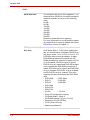
PC2-5300 512 MB, 1024 MB, or 2048 MB
memory modules can be installed in the two
memory slots.Maximum system memory size is
depending on the model you purchased.
Video RAM
Depending on the model you purchased.
Intel® GM965 model:
Up to 256 MB integrated solution shares with
main memory.
nVIDIA GeForce 8600M GT model:
256MB memory(Depending on model you purchased)
nVIDIA GeForce 8400M GS model:
128/256MB memory(Depending on model you
purchased)
User’s Manual
1-3
Qosmio F40
Disks
1-4
Hard disk drive
The computer has one or two integrated, 2 1/2"
hard disk drive (HDD) for nonvolatile storage of
data and software. It comes in the following
sizes.
60 GB
80 GB
100 GB
120 GB
160 GB
200 GB
250 GB
300 GB
Disclaimer (Hard disk drive capacity)
For more information on the Disclaimer regarding Hard disk drive capacity, please refer to the
Disclaimers section in chapter 11.
DVD Super Multi (+-R
DL) drive
Some models are equipped with a full-size
DVD Super Multi (+- R DL) drive module that
lets you record data to rewritable CD/DVDs as
well as run either 12 cm (4.72") or 8 cm (3.15")
CD/DVDs without using an adaptor. It reads
DVD-ROMs at maximum 8 speed and CDROMs at maximum 24 speed. It writes CD-R at
up to 24 speed, CD-RW at up to 16 speed,
DVD-R at up to 8 speed and DVD-RW at maximum 6 speed and DVD-RAM at maximum 5
speed. DVD+R at up to 8 speed and DVD+RW
at up to 8 speed. DVD+R DL at up to 4 speed
and DVD-R DL at up to 4 speed. This drive
supports the same formats as the DVD-ROM
drive.
• DVD-ROM
• DVD-Video
• DVD-R
• DVD-RW
• DVD+R
• DVD+RW
• DVD-RAM
• DVD+R DL
• DVD-R DL
• CD-DA
• CD-Text
• Photo CD (single/multi-session)
• CD-ROM Mode 1, Mode 2
• CD-ROMXA Mode 2 (Form1, Form2)
• Enhanced CD (CD-EXTRA)
• CD-G (Audio CD only)
• Addressing Method 2
User’s Manual
Qosmio F40
HD DVD ROM drive
User’s Manual
Some models are equipped with a full-size HD
DVD-ROM drive module that lets you run CD's
or DVD's without using an adaptor. The drive
reads DVD-ROM's at a maximum 8x speed
and CD-ROM's at a maximum 24x speed, and
HD DVD's at a maximum 1x speed and writes
CD-R's at up to 16x speed, CD-RW's at up to
10x speed, DVD-R's and DVD+R's at up to 4x
speed, DVD-RW's and DVD+RW's at up to 4x
speed, DVD-R (Dual layer) at up to 2x speed,
DVD+R (Double Layer) at up to 2.4x speed
and DVD-RAM at up to 3x speed, and supports
the following formats:
• CD-R
• CD-RW
• DVD-ROM
• DVD-Video
• CD-DA
• CD-Text
• CD-DA
• CD-Text
• Photo CD. (single/multi-session)
• CD-ROM Mode 1, Mode 2
• CD-ROM Mode 1, Mode 2
• CD-ROM XA Mode 2 (Form1, Form2)
• Enhanced CD (CD-EXTRA)
• Addressing Method 2
• DVD-R
• DVD-R (Dual Layer)
• DVD-RW
• DVD+R
• DVD+R (Double Layer)
• DVD+RW
• DVD-RAM
• HD DVD-ROM
1-5
Qosmio F40
HD DVD-R drive
Some models are equipped with a full-size HD
DVD-R drive module that lets you run CD's or
DVD's without using an adaptor. The drive
reads DVD-ROM's at a maximum 8x speed
and CD-ROM's at a maximum 24x speed, and
HD DVD's at a maximum 1x speed and writes
CD-R's at up to 16x speed, CD-RW's at up to
4x speed, DVD-R's and DVD+R's at up to 4x
speed, DVD-RW's and DVD+RW's at up to 4x
speed, DVD-R (Dual layer) at up to 2x speed,
DVD+R (Double Layer) at up to 2.4x speed
and DVD-RAM at up to 3x speed, HD DVD-R
at up to 1x speed, and supports the following
formats:
• CD-R
• CD-RW
• DVD-ROM
• DVD-Video
• CD-DA
• CD-Text
• CD-DA
• CD-Text
• Photo CD. (single/multi-session)
• CD-ROM Mode 1, Mode 2
• CD-ROM Mode 1, Mode 2
• CD-ROM XA Mode 2 (Form1, Form2)
• Enhanced CD (CD-EXTRA)
• Addressing Method 2
• DVD-R
• DVD-R (Dual Layer)
• DVD-RW
• DVD+R
• DVD+R (Double Layer)
• DVD+RW
• DVD-RAM
• HD DVD-ROM
• HD DVD-R
Display
The computer’s LCD panel supports high-resolution video graphics. The
screen can be set at a wide range of viewing angles for maximum comfort
and readability.
1-6
Built-in
Thin-film transistor color LCD is available:
15.4" WXGA, 1280 horizontal x 800 vertical pixels
Graphics controller
Graphics controller maximizes display performance. Refer to Appendix B for more information.
User’s Manual
Qosmio F40
Keyboard
Built-in
85 keys or 86 keys, compatible with IBM®
enhanced keyboard, embedded numeric overlay, dedicated cursor control,
and
keys. See Chapter 5, The Keyboard, for details.
Pointing Device
Built-in
A Touch Pad and control buttons in the palm
rest enable control of the on-screen pointer.
Qosmio
AV Controller
Qosmio AV controller simplifies Media Center
windows operation. Refer to Chapter 8, Qosmio
AV Controller for more information.
Power
User’s Manual
Battery pack
The computer is powered by one rechargeable
lithium-ion battery pack.
RTC battery
The internal RTC battery backs up the Real
Time Clock (RTC) and calendar.
AC adaptor
The universal AC adaptor provides power to
the system and recharges the batteries when
they are low. It comes with a detachable power
cord. Because it is universal, it can receive a
range of AC voltage between 100 and 240
volts.
1-7
Qosmio F40
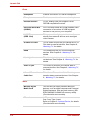
Ports
Headphone
Enables connection of a stereo headphone.
Microphone
Enables connection of a monaural microphone.
External monitor
15-pin, analog VGA port supports VESA
DDC2B compatible functions.
Universal Serial Bus
(USB2.0)
Four Universal Serial Bus (USB) enables chain
connection of a number of USB-equipped
devices to one port on your computer.
i.LINK™
(IEEE 1394)
This port enables high-speed data transfer
directly from external devices such as digital
video camera.
S-Video Out Jack
This S-Video out port lets you transfer NTSC or
PAL data to external devices. See Chapter 8,
Watching TV, for details.
HDMI
This HDMI jack lets you connect external
devices. See Chapter 8, Watching TV, for
details.
Line-in jack
This Line-in jack lets you transfer data to external devices. See Chapter 8, Watching TV, for
details.
Video-in jack
This Video-in jack lets you transfer data to
external devices. See Chapter 8, Watching TV,
for details.
Infrared Transmitter
Cable Port
This Infrared Transmitter Cable Port lets you
transfer data to external devices. See Chapter
8, Watching TV, for details.
Slots
1-8
Multiple Digital
Media Card
This slot lets you easily transfer data from
devices, such as digital cameras and Personal
Digital Assistants, that use flash memory (SD/
SDHC/MS/MS Pro/MMC/xD memory cards).
(Provided with some models)
PC card
A PC card slot accommodates:
One 5 mm Type II card.
Refer to Chapter 9, Optional Device, for details.
(Provided with some models)
User’s Manual
Qosmio F40
Express card
Express Card slot allows you to install a
Express Card™/34 or Express Card™/54 to
expand functionality.
(Provided with some models)
Multimedia
Web Camera
Web Camera is a device that allows you to
record video or take photographs with your computer. You can use it for video chatting or video
conferences using a communication tool such
as Windows Live Messenger. Camera Assistant
Software will help you to add various video
effects to your video or photograph.
Please refer to the Camera Assistant Software
Online Help for details.
Sound System
Windows Sound System compatible sound system provides internal speaker as well as jacks
for an external microphone and headphone. It
also has a volume control dial.
Communications
User’s Manual
LAN
The computer is equipped with a LAN card that
supports Ethernet LAN (10 Mbit/s, 10BASE-T),
Fast Ethernet LAN (100 Mbit/s, 100BASE-TX)
or Giga-bit. It is preinstalled as a standard
device in some markets.(Depending on model
you purchased)
Wireless LAN
Some computers in this series are equipped
with a Wireless LAN mini card that is compatible
with other LAN systems based on Direct
Sequence Spread Spectrum/Orthogonal Frequency Division Multiplexing radio technology
that complies with the IEEE 802.11 Standard
(Revision A, B, G and Draft N).
Roaming over multiple channels.
1-9
Qosmio F40
Modem
Some computers in this series are equipped
with an internal modem. The internal modem
provides capability for data and fax communication. It supports V.90 (V.92). Refer to V.90/V.92
mode section in Appendix C. The speed of date
transfer and fax depends on analog telephone
line conditions. It has a modem jack for connecting to a telephone line. It is preinstalled as a
standard device in some markets. Both of V.90
and V.92 are supported only in USA, Canada
and Australia. Only V.90 is available in other
regions.
Bluetooth®
Some computers in this series are equipped
with Bluetooth functions. Bluetooth® wireless
technology eliminates the need for cables
between electronic devices such as computers
and printers. Bluetooth® provides fast, reliable,
and secure wireless communication in a small
space.
Wireless
Communication
Switch
This switch turns the Wireless LAN and Bluetooth function on and off. (Provided with some
models)
Security
Security lock slot
Connects an optional security lock to anchor the
computer to a desk or other large object.
Software
1-10
Operating System
Windows Vista™ is available. Refer to the preinstalled software section at the front of this chapter.
TOSHIBA Utilities
A number of utilities and drivers are preinstalled
to make your computer more convenient to use.
Refer to the Utilities section in this chapter.
Plug and Play
When you connect an external device to the
computer or when you install a component, Plug
and Play capability enables the system to recognize the connection and make the necessary
configurations automatically.
User’s Manual
Qosmio F40
Special Features
The following features are either unique to TOSHIBA computers or are
advanced features, which make the computer more convenient to use.
User’s Manual
Hot keys
Key combinations let you quickly modify the
system configuration directly from the keyboard
without running a system configuration program.
Display automatic
power off
This feature automatically cuts off power to the
internal display when there is no keyboard input
for a time specified. Power is restored when any
key is pressed. You can specify the time in the
Monitor power off item of the Basic Setup tab in
TOSHIBA Power Saver.
HDD automatic
power off
This feature automatically cuts off power to the
hard disk drive when it is not accessed for a
time specified. Power is restored when the hard
disk is accessed. You can specify the time in the
HDD Power off item of the Basic Setup tab in
TOSHIBA Power Saver.
System automatic
Sleep/Hibernation
This feature automatically shuts down the system in sleep mode or Hibernation mode when
there is no input or hardware access for a time
specified. You can specify the time and select
either System Sleep or System hibernation in
the System sleep and System item of the Basic
Setup tab in TOSHIBA Power Saver.
Keypad overlay
A ten-key pad is integrated into the keyboard.
Refer to the Keypad overlay section in Chapter
5, The Keyboard, for instructions on using the
keypad overlay.
Power on password
Two levels of password security, supervisor and
user, are available to prevent unauthorized
access to your computer.
Instant security
A specific hot key function automatically locks
the system providing data security.
1-11
Qosmio F40
1-12
Intelligent power
supply
A microprocessor in the computer’s intelligent
power supply detects the battery’s charge and
calculates the remaining battery capacity. It also
protects electronic components from abnormal
conditions, such as voltage overload from an
AC adaptor. You can monitor remaining battery
capacity. Use the Battery remaining item in
TOSHIBA Power Saver.
Battery save mode
This feature lets you save battery power. You
can specify the Power Save Mode in the Profile
item in TOSHIBA Power Saver.
Panel power on/off
This feature turns power to the computer off
when the display panel is closed and turns it
back on when the panel is opened. You can
specify the setting in the When I close the lid
item of the Setup Action tab in TOSHIBA Power
Saver.
Low battery
automatic
hibernation
When battery power is exhausted to the point
that computer operation cannot be continued,
the system automatically enters Hibernation
and shuts down. You can specify the setting in
the Setup Action tab in TOSHIBA Power Saver.
Heat dispersal
To protect from overheating, the CPU has an
internal temperature sensor. If the computer’s
internal temperature rises to a certain level, the
cooling fan is turned on or the processing speed
is lowered. Use the Cooling Method item of the
Basic Setup tab in TOSHIBA Power Saver.
Hibernation
This feature lets you turn off the power without
exiting from your software. The contents of main
memory are saved to the hard disk, when you
turn on the power again, you can continue working right where you left off. Refer to the Turning
off the power section in Chapter 3, Getting
Started, for details.
Sleep
If you have to interrupt your work, you can turn
off the power without exiting from your software.
Data is maintained in the computer’s main
memory. When you turn on the power again,
you can continue working right where you left
off.
User’s Manual
Qosmio F40
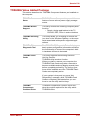
TOSHIBA Value Added Package
This section describes the TOSHIBA Component features pre-installed on
the computer.
TOSHIBA Power
Saver
TOSHIBA Power Saver provides you with the
feature of more various power supply managements.
TOSHIBA Button
Support
This utility controls the following computer panel
function.
• Panels: Assign applications to the TV,
CD/DVD, REC, Zoom in and out buttons.
TOSHIBA Zooming
Utility
This utility allows you to enlarge or reduce the
icon size on the Windows Desktop, or the zoom
factor associated with specific supported applications.
TOHSIBA PC
Diagnostic Tool
The TOSHIBA PC Diagnostic Tool will display
basic system configuration information and allow
the functionality of some of the computer’s builtin hardware devices to be tested.
TOSHIBA Flash
Cards
This utility supports the following functions.
Hot Key function.
TOSHIBA utility launcher function.
When you start or resume your computer, the
TOSHIBA Flash Cards may take a moment to
become available and may display several times
before completely activating. The hot key functions will be available once the TOSHIBA Flash
Cards are completely active.
If your system is busy and you see a “Not
Responding” message, allow TOSHIBA Flash
Cards to completely activate before you continue to use the utility and hot keys.
TOSHIBA
Components
Common Driver
User’s Manual
TOSHIBA Components Common Driver contains the module required for the utility which
TOSHIBA offers.
1-13
Qosmio F40
TOSHIBA
Accessibility
The TOSHIBA Accessibility utility provides support to movement impaired users when they
need to use the TOSHIBA Hot-key functions. In
use, the utility allows you to make the FN key
"sticky", that is you can press it once, release it,
and then press one of the "F" keys in order to
access its specific function. When set, the FN
key will remain active until another key is
pressed.
Utilities and Application
This section describes pre-installed utilities and tells how to start them. For
details on operation, refer to each utility’s online manual, help files or
readme.txt files.
TOSHIBA Assist
TOSHIBA Assist is a graphical user interface
that provides easy access to help and services.
HW Setup
To start the utility, click the Windows Start button,
point to All Programs, click TOSHIBA, click Utilities, and select HWSetup icon.
DVD Video Player
❑ TOSHIBA HD DVD Video Player
❑
TOSHIBA Disc
Creator
1-14
This software is provided for playback of HD
DVD Video.
(This software is pre-installed with HD DVDROM drive or HD DVD-R drive model.)
TOSHIBA DVD Video Player
This software is provided for playback of
DVD Video.
You can create CD/DVDs in several formats
including audio CDs that can be played on a
standard stereo CD player and data CD/DVDs to
store the files and folderson your hard disk drive.
This software can be used on a model with DVD
Super Multi drive, HD DVD-ROM drive and HD
DVD-R drive.
"You can boot TOSHIBA Disc Creator from the
menu bar as follows.
[Start]-[All Programs]-[TOSHIBA]-[CD&DVD
Applications]-[Disc Creator]"
User’s Manual
Qosmio F40
TOSHIBA
DVD-RAM Utility
"TOSHIBA DVD-RAM Utility has the function of
Physical Format and Write-Protect to DVD-RAM.
This utility is contained the setup module of
TOSHIBA Disc Creator.
You can boot TOSHIBA DVD-RAM Utility from
the menu bar as follows.
[Start]-[All Programs]-[TOSHIBA]-[CD&DVD
Applications]-[DVD-RAM Utility]"
Ulead® DVD
You can edit digital video and make a DVDVideo and support Labelflash function.
®
MovieFactory for
TOSHIBA
User’s Manual
TOSHIBA
ConfigFree
ConfigFree is a suite of utilities to allow easy
control of communication device and network
connections. ConfigFree also allows you to find
communication problems and create profiles for
easy switching between location and communication networks.
You can boot ConfigFree from the menu bar as
follows.
[Start] - [All Programs] - [TOSHIBA]-[Networking]- [ConfigFree]
Bluetooth TOSHIBA
Stack
This software enables communication between
remote Bluetooth devices.
Bluetooth cannot be used in models that do not
have a Bluetooth module installed.
Fingerprint Utility
This product has a fingerprint utility installed for
the purpose of enrolling and recognizing fingerprints. By enrolling the ID and password to the
fingerprint authentication device, it is no longer
necessary to input the password from the keyboard. Just by swiping the finger against the fingerprint sensor, the following functions will be
enabled:
Logon to Windows and access a securityenabled homepage through IE (Internet
Explorer).
Files and folders can be encrypted/decrypted
and third party access to them prevented.
Disable the password-protected screen-saver
when returning from power-saving (sleep) mode.
Power-on Security and Single Sign-On feature.
Authentication of the User Password and Hard
Disk Password when booting up the computer.
Fingerprint utility cannot be used in models that
do not have a fingerprint module installed.
1-15
Qosmio F40
Windows
Mobility Center
This section describes the Windows Mobility
Center.
Mobility Center is a utility for accessing several
mobile PC settings quickly in one window. A
default maximum of eight tiles are provided by
the operating system, and the additional two tiles
are added to your Mobility Center.
Lock Computer: This can be used to lock your
computer without turning it off. This has the
same function as the Lock button at the bottom
of the right pane in the start menu.
TOSHIBA Assist: This can be used to open
TOSHIBA Assist if it is already installed in your
computer.
Options
You can add a number of options to make your computer even more powerful and convenient to use. The following options are available:
1-16
Memory expansion
Two memory expansion slots are available for
installing 512 MB, 1024 MB or 2048 MB memory
modules. The modules are PC2-5300, 200-pin,
SO Dual In-line (SO-DIMM).
Battery pack
The battery pack is identical to the one that
came with your computer. Use it as a spare or
replacement.
AC adaptor
If you use your computer at more than one site,
it may be convenient to purchase an additional
AC adaptor for each site so you will not have to
carry the adaptor with you.
USB diskette drive
A 3 1/2" diskette drive accommodates 1.44megabyte.
Security lock
A slot is available to attach a security cable to
the computer to deter theft.
Bluetooth USB
Adapter
A Bluetooth adapter that has a USB connector.
Wireless communications can be carried out
with Bluetooth-compatible equipment by connecting to the USB port of the computer.
You can buy the module from a TOSHIBA
dealer.
User’s Manual
Qosmio F40
Bluetooth Wireless
Mouse
User’s Manual
The Bluetooth Wireless Mouse is a wireless optical mouse compatible with Bluetooth.
You can buy the Bluetooth Wireless Mouse from
a TOSHIBA dealer.
1-17
Chapter 2
The Grand Tour
This chapter identifies the various components of your computer. Become
familiar with each component before you operate the computer.
Front with the display closed
The following figures show the computer’s front with its display panel in the
closed position.
SYSTEM INDICATORS
DVD SUPER MULTI DRIVE
DISPLAY LATCH
INFRARED PORT
Figure 2-1 Front of the computer with display closed
(DVD Super Multi drive model)
SYSTEM INDICATORS
DISPLAY LATCH
INFRARED PORT
HD DVD-ROM DRIVE OR HD DVD-R DRIVE
Figure 2-2 Front of the computer with display closed
(HD DVD-ROM drive and HD DVD-R drive model)
Display latch
2-1
This latch secures the LCD panel in its closed
position. Slide the latch to open the display.
User’s Manual
Qosmio F40
System Indicators
These LED indicators allow you to monitor the
status of various computer functions. Details
are in the System indicators sections.
DVD Super Multi drive
The computer is equipped with the following
optical disc
drive.
• DVD Super Multi drive
HD DVD-ROM drive
and HD DVD-R drive
The computer is equipped with one of the following optical disc
drive.
• HD DVD-ROM drive
• HD DVD-R drive
2-2
User’s Manual
Qosmio F40
Left side
Figure 2-3 shows the computer’s left side.
MULTIPLE DIGITAL
MEDIA CARD SLOT
i.LINK (IEEE 1394) PORT
EJECT BUTTON
USB PORTS
EXPRESS CARD/PC CARD SLOT*
*Depending on the model you purchased.
Figure 2-3 The left side of the computer
Multiple digital media
card slot
This slot lets you insert an SD Card, SDHC,
MMC, Memory Stick (Pro), and xD picture card.
Refer to Chapter 9, Optional Device.
Keep foreign metal objects, such as screws, staples and paper
clips, out of the Multi media card slot. Forign metal objects can
creat a short circuit, which can cause damage and fire, possibly
resulting in serious injury.
i.LINK (IEEE 1394)
Port
Connect an external device, such as a digital
video camera to this port for high-speed data
transfer. Some models are equipped with a
i.LINK port. (Provided with some models)
When multiple IEEE1394 devices are connected to a PC, the
devices may not correctly be identified. This problem may occur
when Windows Vista™ is restarted while the devices are connected or when the power to the IEEE1394 devices is turned on
before the PC is turned on. If it occurs, disconnect the IEEE1394
cables and then reconnect them.
Express Card Slot
User’s Manual
The computer provides Express card slot on its
left side, which allows you to install an additional
Express card. (Depending on the model you
purchased)
2-3
Qosmio F40
PC Card Slot
The PC card slot can accommodate one 5 mm
PC card (Type II). The slot supports 16-bit PC
card and 32-bit CardBus PC card.
(Depending on the model you purchased)
Keep foreign objects out of the PC card slot and Express Card
slot. A pin or similar object can damage the computer’s circuitry.
Universal Serial Bus
Ports
The two Universal Serial Bus (USB) ports comply with USB Serial 2.0 standards, which
enables data transfer speeds 40 times faster
than the USB 1.1 standards. (The ports also
support USB 1.1)
CAUTION: Keep foreign objects out of the USB connectors. A pin or similar object can damage the computer’s circuitry.
Operation of all functions of all USB devices has not been confirmed. some functions might not execute properly.
2-4
User’s Manual
Qosmio F40
Right side
Figure 2-4 shows the computer’s right side.
HEADPHONE (S/PDIF) JACK
WIRELESS COMMUNICATION SWITCH
USB PORTS
VIDEO-IN JACK
LINE-IN JACK
MODEM JACK
MICROPHONE JACK
Figure 2-4 The right side of the computer
Wireless
communication
switch
Slide this switch toward the right of the computer to turn on Wireless communication. Slide
it toward the left of the computer to turn off the
functions. (Provided with some models)
CAUTION: Set the switch to off in airplanes and hospitals. Check the
Wireless communication indicator. It will stop glowing when the wireless
communication.
Universal Serial Bus
Ports
The two Universal Serial Bus (USB) ports comply with USB Serial 2.0 standards, which
enables data transfer speeds 40 times faster
than the USB 1.1 standards. (The ports also
support USB 1.1)
CAUTION: Keep foreign objects out of the USB connectors. A pin or similar object can damage the computer’s circuitry..
Operation of all functions of all USB devices has not been confirmed. some functions might not execute properly.
Microphone jack
User’s Manual
A standard 3.5 mm mini microphone jack
enables connection of a monaural microphone
or other device for audio input.
2-5
Qosmio F40
Headphone (S/PDIF)
jack
This jack lets you connect digital speakers or a
stereo headphone (16 ohm minimum). When
you connect a digital speaker or headphones,
the internal speaker is automatically disabled.
This jack can be used also as S/PDIF jack and
enables connection of optical digital correspondence apparatus.
Video-In jack
This Video-In jack lets you transfer NTSC or
PAL data to your computer.
Line-In jack
This Line-In jack lets you transfer analogue
sound to your computer.
Modem jack
In areas where an internal modem is installed as
standard equipment, there is a modem jack that
lets you use a modular cable to connect the
modem directly to a telephone line. The modem
is not supported in some marketing
regions.(Provided with some models)
Back side
Figure 2-5 shows the computer’s back side.
HDMI OUT PORT
COOLING VENT
INFRARED TRANSMITTER CABLE PORTS
DC-IN 19V
TV ANTENNA PORT
LAN JACK
VIDEO-OUT JACK
EXTERNAL MONITER PORT
SECURITY LOCK SLOT
Figure 2-5 The computer’s back side
2-6
TV antenna port
The port lets you connect the TV antenna.
DC-IN 19V
The AC adaptor connects to this socket. Use
only the model of AC adaptor that comes with
the computer. Using the wrong adaptor can
damage your computer.
External monitor
port
This 15-pin port lets you connect an external
monitor.
User’s Manual
Qosmio F40
User’s Manual
Video-Out jack
This Video out jack lets you transfer NTSC or
PAL data to external devices.
Security lock slot
A security cable attaches to this slot. The
optional security cable anchors your computer
to a desk or other large object to deter theft.
Cooling vent
The computer’s cooling vent helps keep the processor from overheating.
Infrared transmitter
cable ports
Infrared transmitter cable ports enables connection of IR blaster.
HDMI out port
HDMI out port can connect with Type A connector HDMI cable.
One HDMI cable can send and receive video,
audio and control signals.
*Provided with some models.
LAN jack
This jack lets you connect to a LAN. The adaptor has built-in support for Ethernet LAN (10
Mbit/s, 10BASE-T), Fast Ethernet LAN (100
Mbit/s, 100BASE-TX) or Giga-bit. The LAN has
two indicators. See Chapter 4, Operating
Basics, for details.
2-7
Qosmio F40
Underside
Figure 2-6 shows the underside of the computer. Make sure the display is
closed before turning over your computer.
BATTERY PACK LOCK
BATTERY RELEASE LATCH
BATTERY PACK
SUBWOOFER
MEMORY MODULE COVER
COOLING VENT
Figure 2-6 The underside of the computer
2-8
Battery pack
The battery pack powers the computer when
the AC adaptor is not connected. The Batteries
section in Chapter 6, Power and Power-Up
Modes, describes how to access the battery
pack.
Battery release latch
Slide this latch to release the battery pack.
This latch moves only when the computer is
upside down.
Battery pack lock
Slide the battery pack lock to unlocked position
to free the battery latch.
Memory module
cover
This cover protects two memory module sockets. One or two modules are preinstalled.
Subwoofer
The Subwoofer emits sound generated by your
software and the system.
Cooling vent
The computer’s cooling vent helps keep the
processor from overheating.
User’s Manual
Qosmio F40
Front with the display open
Figure 2-7 shows the front of the computer with the display open. To open
the display, slide the display latch on the front of the computer and lift the
display up. Position the display at a comfortable viewing angle.
WEB CAMERA*
DISPLAY SCREEN
FRONT OPERATION PANEL
(ELEVEN BUTTONS)
DISPLAY HINGE
STEREO SPEAKER
(RIGHT)
DISPLAY HINGE
QOSMIO
AV CONTROLLER
STEREO SPEAKER
(LEFT)
BACK BUTTON
TOUCH PAD
POWER BUTTON
VOLUME
CONTROL
FINGERPRINT SENSOR
TOUCH PAD
CONTROL BUTTONS
*Provided with some models
Figure 2-7 The front with the display open
The above illustration shows the DVD Super Multi drive model.
User’s Manual
Web Camera
Record/Send still or video images with this integrated Web Camera. (Provided with some models)
Display Screen
The full-color LCD displays high-contrast text and
graphics The computer’s LCD is 15.4" WXGA,
1280 horizontal x 800 vertical pixels.
The computer has a Thin-Film Transistor (TFT)
display. Refer to Appendix B.
When the computer operates on power through
the AC adaptor, the display screen’s image will be
somewhat brighter than when it operates on battery power. The lower brightness level is intended
to save battery power.
2-9
Qosmio F40
2-10
Display Hinge
The display hinges allow the LCD display panel to
be position at a variety of easy-to-view angles.
Stereo Speakers
The speakers emit sound generated by your software as well as audio alarms, such as low battery
condition, generated by the system.
Power Button
Press the power button to turn the computer’s
power on and off. The Power button LED indicates the status.
Volume control
Use this dial to adjust the volume of the internal
stereo speakers and optional external stereo
headphones (if connected).
Turn the dial clockwise to decrease the volume
and turn it counter-clockwise to increase the volume.
Fingerprint
Sensor
Just by swiping the finger against the fingerprint
sensor, the following functions will be enabled
(Provided with some models):
❑ Logon to Windows and access a securityenabled homepage through IE (Internet
Explorer).
❑ Files and folders can be encrypted/decrypted
and third party access to them prevented.
❑ Disable the password-protected screen-saver
when returning from power-saving (sleep)
mode.
❑ Power-on Security and Single Sign-On feature.
❑ Authentication of the User Password and
Hard Disk Password when booting up the
computer.
Touch Pad
Control Buttons
Function like the left and right buttons on an
external mouse.
Touch Pad
Moves the pointer and selects or activates items
on the screen. Can be set to perform other mouse
functions, such as scrolling, selecting, and double-clicking.
Qosmio
AV Controller
Six buttons are available for use:Up, Down, Left,
Right, OK, Back.
These buttons allow you to manage Media Center
windows operation simply and quickly
User’s Manual
Qosmio F40
Front operation
panel (eleven
buttons)
Eleven buttons are available for use:
Internet, CD/DVD, Play/Pause, Stop, Previous,
Next, Brightness Up, Brightness Down, Record,
DOLBY, and TV-out.
These buttons allow you to manage Audio/Video,
run applications and access utilities.
Refer to Chapter 8, Using the Remote Controller
and Front operation panel for details
System indicators
Figure 2-8 shows the system indicators, which light when various computer
operations are in progress.
WIRELESS RF
POWER
DC IN
HDD
ODD
MAIN BATTERY
MULTIPLE DIGITAL
MEDIA CARD
Figure 2-8 System indicators
Power source/system indicators
User’s Manual
DC IN
The DC IN indicator glows blue when DC
power is supplied from the AC power adaptor.
If the adaptor’s output voltage is abnormal or if
the power supply malfunctions, this indicator
flashes amber.
Power
The Power indicator glows blue when the
computer is on. If you turn off the computer in
Sleep mode, this indicator blinks amber while
the computer shuts down.
Main Battery
The Main battery indicator shows the condition of the charge. Blue means fully charged
and amber means being charged. Refer to
Chapter 6, Power and Power-Up Modes.
HDD
The Hard Disk Drive indicator glows blue
when the computer is accessing the built-in
hard disk drive.
2-11
Qosmio F40
ODD
The Optical Disc Drive indicator glows blue
when the computer is accessing the optical
disk drive.
Multiple Digital Media
Card Slot
The Multiple Digital Media Card Slot indicator
glows blue when the computer is accessing
the Multiple Digital Media Card Slot.
Keyboard indicators
When the CAPS LOCK indicator glows the keyboard is in all-caps mode.
CAPS LOCK
INDICATOR
Figure 2-9 CAPS LOCK indicator
CAPS LOCK
This indicator glows green when the alphabet
keys are locked in uppercase.
The figures below show the positions of the keypad overlay indicators and
the CAPS LOCK indicator.
When the F10 key indicator glows the keypad overlay lets you control the
cursor.
When the F11 key indicator glows the keypad overlay lets you enter numbers.
NUMERIC MODE
ARROW MODE
Figure 2-10 Keypad overlay indicators
2-12
User’s Manual
Qosmio F40
Arrow mode
When the Arrow mode indicator lights green,
you can use the keypad overlay (white labeled
keys) as cursor keys. Refer to the Keypad overlay section in Chapter 5, The Keyboard.
Numeric mode
You can use the keypad overlay (white labeled
keys) for numeric input when the Numeric
mode indicator lights green. Refer to the Keypad overlay section in Chapter 5, The Keyboard.
Optical Disc drive
HD DVD-ROM, HD DVD-R, DVD Super Multi (+-R DL) drive. An ATAPI
interface controller is used for CD/DVD-ROM operation. When the computer is accessing a CD/DVD, an indicator on the drive glows.
Region codes for DVD drives and media
HD DVD-ROM, HD DVD-R, DVD Super Multi (+-R DL) drive and media are
manufactured according to the specifications of six marketing regions.
When you purchase DVD-Video, make sure it matches your drive, otherwise it will not play properly.
Code
Region
1
Canada, United States
2
Japan, Europe, South Africa, Middle East
3
Southeast Asia, East Asia
4
Australia, New Zealand, Pacific Islands, Central America, South America, Caribbean
5
Russia, Indian Subcontinent, Africa, North Korea, Mongolia
6
China
CAUTION: HD DVD-ROM (HD DVD-ROM, HD DVD-R model only).
HD DVD-R (HD DVD-R model only).
User’s Manual
2-13
Qosmio F40
Writable discs
This section describes the types of writable CD/DVD discs. Check the specifications for your drive to for the type of discs it can write. Use TOSHIBA
Disc Creator to write compact discs. Refer to Chapter 4, Operating Basics.
CDs
◆ CD-R discs can be written only once. The recorded data cannot be
erased or changed.
◆ CD-RW discs can be recorded more than once. Use either 1, 2, or 4
multi speed CD-RW discs or high-speed 4- to 10-speed discs. The write
speed of the ultra-speed CD-RW discs (Ultra-speed is CD-RW/DVDROM drive only) is maximum 24-speed.
DVDs
◆ DVD-R, DVD+R, DVD-R DL, DVD+R DL and HD DVD-R discs can be
written only once. The recorded data cannot be erased or changed.
◆ DVD-RW, DVD+RW and DVD-RAM discs can be recorded more than
once.
Formats
The drives support the following formats:
• DVD-ROM
• DVD-Video
• CD-DA
• CD-Text
• Photo CD™ (single/multi-session)
• CD-ROM Mode 1,
Mode 2
• CD-ROM XA Mode 2 (Form1,
Form2)
• Enhanced CD (CDEXTRA)
• CD-G (Audio CD only)
2-14
User’s Manual
Qosmio F40
HD DVD ROM drive
The full-size HD DVD ROM drive module lets you record data to s as rewritable CDs as well as run either 12 cm (4.72") HD DVD,12 cm (4.72") or 8 cm
(3.15") CD/DVDs without using an adaptor.
The read speed is slower at the center of a disc and faster at the
outer edge.
CD read
24 speed (maximum)
DVD read
8 speed (maximum)
DVD-R write
4 speed (maximum)
DVD-RW write
4 speed (maximum)
DVD+R write
4 speed (maximum)
DVD+RW write
4 speed (maximum)
DVD+R DL write
2.4 speed (maximum)
DVD-R DL write
2 speed (maximum)
DVD-RAM write
3 speed (maximum)
CD-R write
16 speed (maximum)
CD-RW write
10 speed (maximum, ultra-speed media)
HD DVD-R drive
The full-size HD DVD-R drive module lets you record data to s as rewritable
CDs as well as run either 12 cm (4.72") HD DVD,12 cm (4.72") or 8 cm
(3.15") CD/DVDs without using an adaptor.
The read speed is slower at the center of a disc and faster at the
outer edge.
CD read
User’s Manual
24 speed (maximum)
DVD read
8 speed (maximum)
DVD-R write
4 speed (maximum)
DVD-RW write
4 speed (maximum)
DVD+R write
4 speed (maximum)
DVD+RW write
4 speed (maximum)
DVD+R DL write
2.4 speed (maximum)
DVD-R DL write
2 speed (maximum)
DVD-RAM write
3 speed (maximum)
CD-R write
16 speed (maximum)
CD-RW write
10 speed (maximum, ultra-speed media)
2-15
Qosmio F40
DVD Super Multi (+-R DL) drive
The full-size DVD Super Multi drive module lets you record data to s as
rewritable CDs as well as run either 12 cm (4.72") or 8 cm (3.15") CD/DVDs
without using an adaptor.
The read speed is slower at the center of a disc and faster at the
outer edge.
CD read
2-16
10 speed (maximum)
DVD read
8 speed (maximum)
DVD-R write
8 speed (maximum)
DVD-RW write
6 speed (maximum)
DVD+R write
8 speed (maximum)
DVD+RW write
8 speed (maximum)
DVD+R DL write
4 speed (maximum)
DVD-R DL write
4 speed (maximum)
DVD-RAM write
5 speed (maximum)
CD-R write
24 speed (maximum)
CD-RW write
16 speed (maximum, ultra-speed media)
User’s Manual
Chapter 3
Getting Started
This chapter provides basic information to get you started using your computer. It covers the following topics:
❑ Be sure also to read Instruction Manual for Safety & Comfort.
This guide, which is included with the computer, explains
product liability.
❑
❑
❑
❑
❑
❑
❑
Connecting the AC adaptor
Opening the display
Turning on the power
Starting up for the first time
Turning off the power
Restarting the computer
System Recovery Options
If you are a new user, follow the steps in each section of this chapter as you
prepare to operate your computer.
❑ All users should be sure to carefully read the sections Win-
dows Vista™ setup, which describe actions to take when you
turn on the power for the first time.
User’s Manual
3-1
Qosmio F40
Connecting the AC adaptor
Attach the AC adaptor when you need to charge the battery or you want to
operate from AC power. It is also the fastest way to get started, because the
battery pack will need to be charged before you can operate from battery
power.
The AC adaptor can be connected to any power source supplying from 100
to 240 volts and 50 or 60 hertz. For details on using the AC adaptor to
charge the battery pack, refer to Chapter 6, Power and Power-Up Modes.
CAUTION: Use of the wrong adaptor could damage your computer.
TOSHIBA assumes no liability for any damage in such case. The output
rating for the computer is 19 volts DC.
1.
Connect the power cord to the AC adaptor.
Figure 3-1 Connecting the power cord to the AC adaptor
2.
Connect the AC adaptor’s DC output plug to the DC IN port on the
back side of the computer.
DC-IN
Figure 3-2 Connecting the adaptor to the computer
3.
3-2
Plug the power cord into a live wall outlet. The Battery and DC IN
indicator on the front of the computer should glow.
User’s Manual
Qosmio F40
Opening the display
The display panel can be rotated in a wide range of angles for optimal viewing.
1. Slide the display latch on the front of the computer to the right to
unlatch the display panel.
2.
Lift the panel up and adjust it to the best viewing angle for you.
When you open the display, hold it with both hands and lift up
slowly.
DISPLAY LATCH
Figure 3-3 Opening the display panel
❑ As the LCD display panel cannot be opened until 180
❑
degrees, please be careful of the angle when flipping open
the LCD display panel.
Be careful not to open the LCD display panel too far as this
could put stress on the display panel’s hinges and cause
damage.
Do not press or push on the LCD display panel.
❑
❑ Do not close the LCD display with pens or any other objects
left in between the LCD display panel and the keyboard.
❑ When opening or closing the LCD display panel, place one
hand on the slowly open or close the LCD display panel (Do
not use excessive force when opening or closing the LCD
display panel).
User’s Manual
3-3
Qosmio F40
Turning on the power
This section describes how to turn on the power.
After you turn on the power for the first time, do not turn it off until
you have set up the operating system (OS) and the OS has
started up.
1.
2.
3.
If the external diskette drive is connected, make sure it is empty. If a
diskette is in the drive, press the eject button and remove the diskette.
Open the display panel.
Press and hold the computer’s power button for two or three seconds.
POWER BUTTON
Figure 3-4 Turning on the power
Starting up for the first time
When you first turn on the power, the computer’s initial screen is the
Microsoft® Windows Vista™ Startup Screen Logo.
Follow the on-screen directions.
Turning off the power
The power can be turned off in one of the following modes: Shut down
(Boot), Hibernation or Sleep mode.
Shut Down mode (Boot mode)
When you turn off the power in Shut Down mode, no data is saved and the
computer will boot to the operating system’s main screen.
1. If you have entered data, save it to the hard disk or to a diskette.
2. Make sure all disk(disc) activity has stopped, then remove any CD/
DVDs or diskette.
CAUTION: Make sure the Disk’s indicator is off. If you turn off the power
while a disk(disc) is being accessed, you can lose data or damage the
disk(disc).
3.
4.
3-4
Click Windows Start button, point to
, and then select Shut
Down.
Turn off the power to any peripheral devices.
User’s Manual
Qosmio F40
CAUTION: Do not turn the computer or devices back on immediately.
Wait a moment to let all capacitors fully discharge.
Hibernation mode
The hibernation feature saves the contents of memory to the hard disk
when the computer is turned off. The next time the computer is turned on,
the previous state is restored. The hibernation feature does not save the
status of peripheral devices.
CAUTION:
1. While entering hibernation mode, the computer saves the
contents of memory to the HDD. Data will be lost if you
remove the battery or disconnect the AC adaptor before
the save is completed. Wait for the Disk indicator to go
out.
2. Do not install or remove a memory module while the computer is in hibernation mode. Data will be lost.
Benefits of hibernation
The hibernation feature provides the following benefits:
❑ Saves data to the hard disk when the computer automatically shuts
down because of a low battery.
NOTE: For the computer to shut down in hibernation mode, the hibernation feature must be enabled in two places: the Hibernate tab in Power
Options and Setup Action tab in TOSHIBA Power Saver. Otherwise, the
computer will shut down in Sleep mode. If battery power becomes
depleted, data saved in Sleep mode will be lost.
❑ You can return to your previous working environment immediately when
you turn on the computer.
❑ Saves power by shutting down the system when the computer receives
❑
no input or hardware access for the duration set by the System hibernate feature.
You can use the panel power off feature.
Starting Hibernation
To enter Hibernation mode, follow the steps below.
Windows Vista™
1.
Click Windows Start button.
2.
3.
Point to
.
Select Hibernate.
Automatic Hibernation
The computer will enter Hibernate mode automatically when you press the
power button or close the lid. First, however, make the appropriate settings
according to the steps below.
1. Open the Control Panel.
2. Open Mobile PC and open Power Options.
3. Select Choose what the power button does.
User’s Manual
3-5
Qosmio F40
4.
5.
Enable the desired Hibernation settings for When I press the
power button and When I closed the lid.
Click the Save changes button.
Data save in hibernation mode
When you turn off the power in hibernation mode, the computer takes a
moment to save current memory data to the hard disk. During this time, the
Built-in HDD indicator will light.
After you turn off the computer and memory is saved to the hard disk, turn
off the power to any peripheral devices.
CAUTION: Do not turn the computer or devices back on immediately.
Wait a moment to let all capacitors fully discharge.
Sleep mode
In sleep mode the power remains on, but the CPU and all other devices are
in sleep mode.
CAUTION:
1. Before entering Sleep mode, be sure to save your data.
2. Do not install or remove a memory module while the computer is in sleep mode. The computer or the module could
be damaged.
3. Do not remove the battery pack while the computer is in
sleep mode (unless the computer is connected to an AC
power source). Data in memory will be lost.
Benefits of sleep
The sleep feature provides the following benefits:
❑ Restores the previous working environment more rapidly than does
hibernation.
❑ Saves power by shutting down the system when the computer receives
❑
no input or hardware access for the duration set by the System Sleep
feature.
You can use the panel power off feature.
Executing sleep.
You can also enable Sleep by pressing FN+F3. See Chapter 5,
The Keyboard, for details.
You can enter sleep mode in one of three ways:
1.
2.
3.
3-6
Click Windows Start button, point to
, and then click Sleep.
Close the display panel. This feature must be enabled. Refer to the
Power Options in the Control Panel.
Press the power button. This feature must be enabled. Refer to the
Power Option in the Control Panel.
User’s Manual
Qosmio F40
When you turn the power back on, you can continue where you left when
you shut down the computer.
1. When the computer is shut down in sleep mode, the power
indicator glows amber.
2. If you are operating the computer on battery power, you can
lengthen the operating time by shutting down in hibernation
mode. Sleep mode consumes more power.
Sleep limitations
Sleep will not function under the following conditions:
❑ Power is turned back on immediately after shutting down.
❑ Memory circuits are exposed to static electricity or electrical noise.
Restarting the computer
Certain conditions require that you restart the computer system. For example, if:
❑ You change certain computer settings.
❑ An error occurs and the computer does not respond to your keyboard
commands.
If you need to restart the computer, there are three ways this can be
achieved:
1.
2.
3.
Click Start, then click the narrow (
) in the power management
button (
) and select Restart from the menu.
Press CTRL + ALT + DEL to display the menu window, then select
Restart from the Shut down options.
Press the power button and hold it down for five seconds. Once the
computer has turned itself off, wait between ten and fifteen seconds
before turning the power on again by pressing the power button.
System Recovery Options
About 1.5GB hidden partition is allocated on the hard disk drive for the System Recovery Options. This partition stores files which can be used to
repair the system in the event of a problem.
System Recovery Options
The System Recovery Options feature is installed on the hard disk when
shipped from the factory. The System Recovery Options menu includes
some tools to repair startup problems, run diagnostics or restore the system.
You can see the more information about “Startup Repair” in “Windows Help
and Support” content.
The System Recovery Options can also be run manually to repair problems.
1. Turn off the computer.
2. While holding the F8 key, turn the computer on again.
3. The Advanced Boot Options menu will be displayed. Use the
arrow keys to select Repair Your Computer and press ENTER.
User’s Manual
3-7
Qosmio F40
4.
Follow the on-screen instructions from this point onward.
❑ The Window Vista™ Complete PC Backup feature can
be used on Windows Vista™ Business Edition and Ultimate Edition.
Create Optical Recovery Discs
For HDD Recovery model
A recovery image of your computer is stored on the hard disk. You may use
this image to create DVD recovery discs using the following steps:
1. Select either blank DVDs media.
2. The application will allow you to choose a type of media to create
recovery DVD including: DVD-R, DVD-RW, DVD+R and DVD+RW.
Some media may not be compatible with Optical Drive of your
computer. Please verify your Optical Drive supports the blank
media you choose.
3.
4.
5.
6.
Turn on your computer to open Windows Vista™.
Insert the (first) blank media into the tray of the Optical Drive.
Double click the Recovery Disc Creator icon on the Windows
Vista™ desktop, or Select the application from Start Menu.
After Recovery Disc Creator starts, select the type of media and the
title you wish to copy to the media then click the Burn.
Restoring the preinstalled software from the Recovery
HDD
For HDD Recovery model
A portion of the total hard disk drive space is configured as a hidden recovery partition. This partition stores files which can be used to restore prestalled software in the event of a problem.
When re-setting up your hard disk, do not change, delete or add partition in
a manner other than specified in the manual. Otherwise, space for software
may be destroyed.
In addition, if you use a third-party partitioning program to reconfigure partitions on your hard disk, it may become impossible to re-setup your computer.
You can not use System Recovery Options if restoring the pre-installed software without System Recovery Options.
1. Turn off your computer.
2. While holding down 0 (zero) key on the keyboard, turn on your computer.
3. A menu appears. Follow the on-screen instructions.
3-8
User’s Manual
Qosmio F40
Restoring the preinstalled software from your creating
Recovery Media
For HDD Recovery model
If preinstalled files are damaged, use the your creating Recovery Media or
using HDD Recovery to restore them. To restore the operating system and
all preinstalled software, follow the steps below.
You can not use System Recovery Options if restoring the pre-installed software without System Recovery Options.
❑ When you reinstall the Windows operating system, the
hard disk will be reformatted and all data will be lost.
1.
Load the Recovery Media in the optional optical media drive and
turn off the computer's power.
2. Hold down the F12 key and turn on the power. When In Touch with
Tomorrow TOSHIBA appears, release the F12 key.
For 2HDDs model,
If HDD1 is first, go to the (3.) step.
If HDD1 is not first, do as follows.
a. Select <Enter Setup>
b.
Press the F9 key to set to default settings, and select the [Yes].
c.
Press the F10 key to save the changes, and select the [Yes].
d.
When the "In Touch with Tomorrow TOSHIBA" prompt appears,
press the F12 key to display the Boot menu.
Go to the (3.)step.
5. Use the up or down cursor key to select CD/DVD in the display
menu. For details, refer to the Boot Priority section in Chapter 7,
HW Setup and Passwords.
6.
A menu appears. Follow the on-screen instructions.
When drivers Utilities are installed, you can setup the
respective drivers and utilities from the following folder. C:
\ TOSAPINS\***
When removing pre-installed drivers/utilities or when
installing, you can setup the respective drivers/utilities
from the following folder. C:\TOSAPINS\***
User’s Manual
3-9
Qosmio F40
3-10
User’s Manual
Chapter 4
Operating Basics
This chapter gives information on basic operations including using the
Touch Pad, the fingerprint sensor, optical media drives, the web camera, the
microphone, the internal modem, wireless communication and LAN. It also
provides tips on caring for your computer, diskettes and CD/DVDs.
Using the Touch Pad
To use the Touch Pad, simply touch and move your finger tip across it in the
direction you want the on-screen pointer to go.
Two buttons below the Touch Pad are used like the buttons on a mouse
pointer.
Press the left button to select a menu item or to manipulate text or graphics
designated by the pointer. Press the right button to display a menu or other
function depending on the software you are using.
You can also tap the Touch Pad to Perform functions similar to
those of the left button.
Click: Tap the Touch Pad once.
Double click: Tap twice.
Drag and drop: Tap to select the material you want to move. Leave
your finger on the Touch Pad after the second tap and move the
material.
TOUCH PAD
FINGERPRINT SENSOR
TOUCH PAD
CONTROL BUTTONS
Figure 4-1 Touch Pad and Touch Pad control buttons
User’s Manual
4-1
Qosmio F40
Using the Fingerprint Sensor
This product has a fingerprint utility installed for the purpose of enrolling and
recognizing fingerprints. By enrolling the ID and password to the fingerprint
authentication device, it is no longer necessary to input the password from
the keyboard. Just by swiping the finger against the fingerprint sensor, the
following functions will be enabled:
❑ Logon to Windows and access a security-enabled homepage through
IE (Internet Explorer).
❑ Files and folders can be encrypted/decrypted and third party access to
them prevented.
❑ Disable the password-protected screen-saver when returning from
power-saving (sleep) mode.
❑ Power-on Security and Single Sign-On feature.
❑ Authentication of the User Password and Hard Disk Password when
booting up the computer.
To “swipe”refers to the action of reading a fingerprint using the
fingerprint sensor.
Points to note about the Fingerprint Sensor
Failure to follow these guidelines might result in (1) damage to the sensor or
cause sensor failure, (2) finger recognition problems, or lower finger recognition success rate.
❑ Do not scratch or poke the sensor with your nails or any hard or sharp
objects.
❑ Do not press the sensor strongly.
❑ Do not touch the sensor with a wet finger or any wet objects. Keep sensor surface dry and free of water vapor.
❑ Do not touch the sensor with a soiled finger. Minute foreign particles on
a soiled or dirty finger may scratch the sensor.
❑ Do not paste stickers or write on the sensor.
❑ Do not touch the sensor with a finger or any object with built-up static
electricity.
Observe the following before you place your finger on the sensor whether
for fingerprint enrollment/registration or recognition.
❑ Wash and dry your hands thoroughly.
❑ Remove static electricity from your fingers by touching any metal sur❑
❑
face. Static electricity is a common cause of sensor failures, especially
when the weather is dry.
Clean the sensor with a lint-free cloth. Do not use detergent to clean the
sensor.
Avoid the following finger conditions for enrollment or recognition as
they may result in fingerprint enrollment errors or a drop in the fingerprint recognition success rate
◆ Soaked or swollen finger (e.g. after taking bath)
◆ Injured finger
4-2
User’s Manual
Qosmio F40
◆ Wet finger
◆ Soiled or oily finger
◆ Extremely dry skin condition on finger
Observe the following to improve the fingerprint recognition success rate.
❑ Enroll two or more fingers.
❑ Enroll additional fingers if recognition failure occurs often using enrolled
fingers.
❑ Check your finger condition. Changed conditions, such as injured,
❑
rough, extremely dry, wet, soiled, dirty, oily, soaked, swollen fingers,
may lower the recognition success rate. Also if the fingerprint is worn
down or the finger becomes thinner or fatter, the recognition success
rate may be lowered.
The fingerprint for each finger is different and unique. Please ensure
that only the registered or enrolled fingerprint or fingerprints are used
for identification.
Check sliding position and speed (see the drawing below).
❑
❑ Fingerprint data is enrolled up to twenty one.
❑ Fingerprint data is stored into the nonvolatile memory in the fingerprint
sensor.
Deleting fingerprint data with "Delete" menu on Fingerprint Software
Management" before you dispose the computer is recommended.
How to Delete the Fingerprint Data
Saved fingerprint data is stored in the Non-volatile memory inside the fingerprint sensor. If you hand over the PC to others, or dispose of it, to do the
following operations is recommended.
1. Click Start, point to All Programs, point to Protector Suite QL and
click Control Center.
2. The Protector Suite Software screen is displayed.
3. Click Fingerprints and click Delete.
4. Click Settings and click Fingerprint Storage Inspector.
5. The Fingerprint Storage Inspector screen is displayed. If other
fingerprint data is still displayed on the list. Select all fingerprint data
and click remove.
6. Check whether all fingerprint data was deleted on the Fingerprint
Storage Inspector screen.
User’s Manual
4-3
Qosmio F40
Fingerprint Sensor Limitations.
❑ The fingerprint sensor compares and analyzes the unique characteristics in a fingerprint.
❑ A warning message will be displayed when recognition is abnormal or
recognition is not successful within a fixed duration.
❑ The recognition success rate may differ from user to user.
❑ Toshiba does not guarantee that this fingerprint recognition technology
will be error-free.
❑ Toshiba does not guarantee that the fingerprint sensor will recognize
the enrolled user or accurately screen out unauthorized users at all
times.Toshiba is not liable for any failure or damage that might arise out
of the use of this fingerprint recognition software or utility.
The following illustrations show the correct way to slide your finger over the
recognition sensor.
Figure 4-2 Swipe the finger
Align the finger and sensor as shown on the above figure.
Points to note about the Fingerprint Utility
You can back up the fingerprint data or the information registered to Password Bank.
Please use "Import or Export User Data" menu on Fingerprint Software
Management.
Please note the files in Mysafe is not backed up with this menu.
If Windows Vista™’s file encryption function EFS (Encryption File System)
is used to encrypt a file, the file cannot be further encrypted using the
encryption function of this software.
In the help file, it is stated that this software's Password Bank function can
be used for the Internet and general windows dialogs. However, the Password Bank function in the fingerprint utility provided in this computer can
only be used with IE (Internet Explorer).
Set Up Procedure
Please use the following procedure when first using fingerprint authentication.
4-4
User’s Manual
Qosmio F40
Fingerprint Registration
Enroll the required authentication data using the "User Enrollment Wizard".
The fingerprint authentication uses the same Windows logon
ID and password. If the Windows logon password has not been
setup, please do so before registration.
Up to 21 fingerprint patterns can be registered
You can also start User Enrollment Wizard using the following
method.
Click the icon in the Task Bar.
Swipe your finger across the Fingerprint Sensor.
7.
8.
9.
10.
11.
12.
13.
14.
15.
16.
The User's Password screen is displayed. Ensure the same Windows logon username is displayed before entering a password into
the Enter your Password field. Click Next.
Click Next.
The Hints for fingerprint enrollment screen is displayed.
Confirm the message and that there is a checkmark in Run interactive tutorial, and click Next.
The Correct swipe Procedure screen is displayed. Confirm the message and click Next.
The Scanning Practice screen is displayed.
You can practice swiping your finger. When you have finished practicing swiping your finger, click Next.
The User’s Fingers screen is displayed. Based on the illustration,
select the finger to be recognized, and then click Next.
The Capture Fingerprint screen is displayed. Follow the onscreen
instructions and use the same finger you have selected under
Choose Finger to swipe three times to allow the sensor to read the
fingerprint. The fingerprint will be shown in green if properly read, or
in red if the reading is abnormal.
In case of finger injury or authentication failure, it is recommended
that another fingerprint also be enrolled. The following message will
be displayed: "It is recommended that you enroll at least two fingers. Would you like to enroll another finger now?" Click Yes and
repeat steps 7, 8 and 9 with another finger. If any of the previously
enrolled fingerprints is selected again, the latest information will be
enrolled and previous information over-written.
The Advanced Security screen is displayed.Select whether to
enable the security function, and click Next.
The Finalization screen is displayed. Click Finish. This completes
the fingerprint registration process.
Windows Logon via Fingerprint Authentication
In place of the usual Windows logon by ID and password, fingerprint
authentication also allows logon to Windows.
This is useful especially when many users are using the PCs, as user selection can be skipped.
User’s Manual
4-5
Qosmio F40
Fingerprint Authentication Procedure
1.
2.
Start up the computer.
The Logon Authorization screen is displayed. Choose any of the
enrolled fingers and swipe the fingerprint on the sensor.
If authentication is successful, the user will be logged on to Windows.
If the fingerprint authentication fails, please logon using the
Windows logon password.
Please logon using the Windows logon password if the fingerprint
authentication failed for three consecutive tries. To logon using the
Windows logon password, enter the Windows logon password at
the "Welcome" screen as normal.
A warning message will be displayed when authentication is
abnormal or authentication is not successful within a fixed
duration.
Fingerprint System Boot Authentication
General
The fingerprint authentication system can be used to replace the keyboardbased User Password authentication system when booting up.
If you do not want to use the fingerprint authentication system for password
authentication when booting up, but prefer to use the keyboard-based system instead, press the BACK SPACE key when the Fingerprint System
Bootjuhu Authentication screen is displayed. This will switch the password
input screen to the keyboard-based one.
❑ It is necessary to register the User Password before using
❑
❑
❑
4-6
the Fingerprint Power-on Security and its extended function, the Fingerprint Single Sign-On Feature. Please use
TOSHIBA HW Setup to register the User Password.
If you fail fingerprint authentication more than five times,
you must enter the User Password or Supervisor Password
manually to start the computer.
When swiping, please do it slowly and at a constant speed.
If this does not improve the authentication rate, please
adjust the speed.
If there are any changes in the environment or settings
related to authorization, you will be required to provide
authorization information such as a User Password and
HDD password.
User’s Manual
Qosmio F40
How to Enable Fingerprint System Boot Authentication Settings
It is necessary to first enroll your fingerprint with the Protector Suite QL
application prior to enabling and configuring the Fingerprint Power-on Security System.
Check that your fingerprint is enrolled before configuring the settings. See
Manual for Fingerprint Registration/Enrollment instructions.
1. Swipe your finger across the Fingerprint Sensor.
2. MENU appears in the lower right corner of the screen. Swipe your
finger overtop of the Fingerprint Sensor, and select Control Center
from the MENU items.
3. The Fingerprint Software Management screen is displayed to
select "settings" → "Power-on Security".
4. Power-on Security screen is displayed. Place a checkmark in
Replace the power-on and hard drive passwords with the fingerprint
reader and click OK.
The modified configuration for Fingerprint Power-on Security becomes
effective the next time the system is booted up.
Fingerprint Single Sign-On Feature
General
This is a feature that allows the user to complete the authentication for both
the User Password (and optionally, the HDD user and Supervisor passwords) and logging on to Windows using only one fingerprint authentication
when booting up. It is necessary to register the User Password and Windows Logon password before using the Fingerprint Power-on Security and
this Fingerprint Single Sign On Feature. Please use TOSHIBA HW Setup to
register your User Password. If Windows Logon is not the default for your
system, see Manual to register your Windows Logon password.
Only one fingerprint authentication is required to replace the User Password
(and, if selected, the HDD user and Supervisor passwords) and Windows
Logon password.
How to Enable Fingerprint Single Sign-On Feature
It is necessary to first enroll your fingerprint with the Protector Suite QL
application prior to enabling and configuring the How to Enable Fingerprint
Single Sign-On Feature. Check that the fingerprint is enrolled before configuring the settings. See Manual for Fingerprint Registration/Enrollment
instructions.
1. Swipe your finger across the Fingerprint Sensor.
2. MENU appears in the lower right corner of the screen. Swipe your
finger overtop of the Fingerprint Sensor, and select Control Center
from the MENU items.
3. Click settings and click system settings.
4. The Protector Suite Settings screen is displayed. Place a checkmark in Allow power-on security single sign-on within Enable
logon support and click OK.
The modified configuration for the Fingerprint Single Sign-On Feature becomes effective the next time the system is booted up.
User’s Manual
4-7
Qosmio F40
Fingerprint utility limitations
TOSHIBA does not guarantee that the Fingerprint utility technology will be
completely secure or error-free. TOSHIBA does not guarantee that the Fingerprint utility will accurately screen out unauthorized users at all times.
TOSHIBA is not liable for any failure or damage that might arise out of the
use of the fingerprint software or utility.
How to Swipe the Finger
Using the following steps when swiping fingers for fingerprint registration or
authentication will help to minimize authentication failures:
1. Align the first joint of the finger to the center of the sensor. Lightly
touch the sensor and swipe finger levelly towards you.
While lightly touching the sensor, swipe the finger towards you until
the sensor surface becomes visible.
Ensure the center of the fingerprint is on the sensor when swiping
the finger.
❑ Avoid swiping with the finger stiff or pressed-on too hard
❑
❑
4-8
Fingerprint reading may fail if the center of the fingerprint is
not touching on the sensor, or when finger is swiped while
pressing hard. Make sure that the center of the fingerprint
is touching the sensor before swiping.
Confirm the center of the fingerprint whirl before swiping
The thumb’s fingerprint has a bigger whirl, which is prone
to misalignment and distortions. This will cause difficulty in
registration and a drop in the authentication success rate.
Always confirm the center of the fingerprint whirl so that it is
swiped along the centerline of the sensor.
When fingerprint reading is not successful
There is a possibility of authentication failures if the finger
is swiped too quickly or too slowly. Follow the onscreen
instructions to adjust the speed of the swipe.
User’s Manual
Qosmio F40
Using optical media drives
The text and illustrations in this section refer primarily to the optical DVD
Super Multi drive. However, operation is the same for all other optical media
drives. The full-size drive provides high-performance execution of CD/DVDROM-based programs. You can run either 12 cm (4.72") or 8 cm (3.15") CD/
DVDs without an adaptor. An ATAPI interface controller is used for CD/
DVD-ROM operation. When the computer is accessing a CD/DVD-ROM, an
indicator on the drive glows.
❑ You should use the supplied WinDVD application in order
to view DVD Video media.
If you have a DVD Super Multi drive, please also refer to the Writing CD/
DVDs on DVD Super Multi drive section for precautions on writing to CD’s
and DVD’s.
Loading discs
To load CD/DVD’s, folow the steps as detailed below:
1. Turn your computer on.
2. Gently hold the CD/DVD by the edges with its labeled facing up,
and insert it into the optical disc drive slot straight on slowly.
CAUTION: Gently push the CD/DVD until it is loaded automatically. Do not push it forcibly or at an angle to the optical disc drive
slot. This may cause damage or adhesion of foreign matter on the
suface of the CD/DVD.
These imperfections may prevent the drive from reading from or
writing to it.
Figure 4-3 Inserting a CD/DVD
User’s Manual
4-9
Qosmio F40
Removing discs
To remove the CD/DVD, follow the steps as detailed below:
1. Check that your computer is on.
2.
Press the Eject button. The CD/DVD will be ejected about halfway.
❑ Do not place your hand or another object near the optical
disc drive slot
EJECT BUTTON
OPTICAL DISC DRIVE SLOT
Figure 4-4 Pressing the eject button
4-10
User’s Manual
Qosmio F40
3.
Gently hold the CD/DVD by the edges and pull it horizontally.
Figure 4-5 Removing a CD/DVD
Writing CD/DVDs on DVD Super Multi (+-R DL) drives
You can use the DVD Super Multi (+-R DL) drives to write data to either CDR/RW or DVD+R/-R/+RW/-RW/-RAM discs. The following applications for
writing are supplied: TOSHIBA Disc Creator.
❑ CD-R or DVD+R/-R discs can be written to only once. CDRW or DVD+R/-R/+RW/-RW/-RAM discs can be rewritten
many times.
Important message (DVD Super Multi (+-R DL) drives)
Before you write or rewrite to CD-R/RW disc, read and follow all setup and
operating instructions in this section.
If you fail to do so, the DVD Super Multi drive may not function properly, and
you may fail to write or rewrite, lose data or incur other damage.
Before writing or rewriting
Please observe the following points when you write or rewrite the data.
User’s Manual
4-11
Qosmio F40
◆ We recommend the following manufacturers of CD-R, CD-RW and
DVD+R/-R/+RW/-RW/-RAM media. Media quality can affect write or
rewrite success rates.
CD-R:
TAIYO YUDEN CO., LTD.
Mitsui Chemicals Inc.
MITSUBISHI KAGAKU MEDIA CO., LTD
Ricoh Co., Ltd.
Hitachi Maxell Ltd.
CD-RW:
MITSUBISHI KAGAKU MEDIA CO., LTD
Ricoh Co., Ltd.
DVD-RAM:
MATSUSHITA ELECTRIC INDUSTRIAL
DVD±R/RW:
MITSUBISHI KAGAKU MEDIA CO., LTD
DVD-R DL:
MITSUBISHI KAGAKU MEDIA CO., LTD
DVD+R DL:
MITSUBISHI KAGAKU MEDIA CO., LTD
DVD-R
Labelflash:
FUJIFILM Corporation
TOSHIBA has confirmed the operation of writing CD and writing DVD media
of the manufacturers above. Operation of other media cannot be guaranteed.
◆ CD-RW can generally be rewritten about 1,000 times. However, the
actual number of rewrites is affected by the quality of the media and the
way it is used.
◆ Be sure to connect the AC adaptor when you write or rewrite.
◆ Be sure to close all other software programs except the writing software.
◆ Do not run software such as a screen saver which can put a heavy load
on the CPU.
◆ Operate the computer at full power. Do not use power-saving features.
◆ Do not write while virus check software is running. Wait for it to finish,
then disable virus detection programs including any software that
checks files automatically in the background.
◆ Do not use hard disk utilities, including those intended to enhance HDD
access speed. They may cause unstable operation and damage data.
◆ Write from the computer’s HDD to the CD. Do not try to write from
shared devices such as a LAN server or any other network device.
◆ Writing with software other than TOSHIBA Disc Creator has not been
confirmed. Therefore, operation with other software cannot be guaranteed.
When writing or rewriting
Note the following when you write or rewrite a CD-R or CD-RW.
4-12
User’s Manual
Qosmio F40
◆ Always copy data from the HDD to the CD. Do not use cut-and-paste.
The original data will be lost if there is a write error.
◆ Do not perform any of the following actions:
•
Change users in the Windows Vista™ operating system.
•
Operate the computer for any other function, including use of a
mouse or Touch Pad, closing/opening the LCD panel.
•
Start a communication application such as a modem.
•
Apply impact or vibration to the PC.
•
Install, remove or connect external devices, including the following: PC card, USB devices, external display, i.LINK devices,
optical digital devices.
•
Open the optical media drive.
◆ Do not use shut down/log off and sleep/hibernation while writing or
rewriting.
◆ If the media is poor in quality, dirty or damaged, writing or rewriting
errors may occur.
◆ Set the computer on a level surface and avoid places subject to vibration such as airplanes, trains, or cars. Do not use an unstable surface
such as a stand.
◆ Keep mobile phones and other wireless communication devices away
from the computer.
TOSHIBA Disc Creator
Note the following limitations when you use TOSHIBA Disc Creator:
◆ DVD-Video cannot be created using TOSHIBA Disc Creator.
◆ DVD-Audio cannot be created using TOSHIBA Disc Creator.
◆ You cannot use TOSHIBA Disc Creator’s “Audio CD for Car or Home
CD Player” function to record music to the DVD-R/-R DL/-RW or
DVD+R/+R DL/+RW disc.
◆ Do not use the “Exact Copy” function of TOSHIBA Disc Creator to copy
DVD-Video and DVD-ROM with copyright protection.
◆ DVD-RAM disc cannot be backed up with the “Exact Copy” function of
TOSHIBA Disc Creator.
◆ You cannot back up a CD-ROM or CD-R/RW to DVD-R/-R DL/-RW or
DVD+R/+R DL/+RW using the “Exact Copy” function of TOSHIBA Disc
Creator.
◆ You cannot back up DVD-ROM, DVD-Video or DVD-R/-R DL/-RW or
DVD+R/+R DL/+RW to CD-R/RW using the “Exact Copy” function of
TOSHIBA Disc Creator.
◆ TOSHIBA Disc Creator record in packet format.
◆ You might not be able to use the “Exact Copy” function of TOSHIBA
Disc Creator to back up a DVD-R/-R DL/-RW or DVD+R/+R DL/+RW
User’s Manual
4-13
Qosmio F40
disc that was made with other software on a different DVD-R/-R DL/RW or DVD+R/+RW recorder.
◆ If you add data to a DVD-R/-R DL and DVD+R/+R DL disc that you
have already recorded to, you might not be able to read the added data
under some circumstances. It cannot be read in 16-bit operating systems, such as Windows 98 SE and Windows ME. In Windows NT 4, you
will need Service Pack 6 or later to read added data. In Windows 2000,
you will need Service Pack 2 or later to read it. Some DVD-ROM and
CD-RW/DVD-ROM drives cannot read added data regardless of the
operating system.
◆ TOSHIBA Disc Creator does not support recording to DVD-RAM discs.
To record to a DVD-RAM, use Explorer or other utility.
◆ When you back up a DVD disc, be sure the source drive supports
recording to DVD-R/-R DL/-RW or DVD+R/+R DL/+RW discs. If the
source drive does not support recording to DVD-R/-RW or DVD+R/
+RW discs, it might not be backed up correctly.
◆ When you back up a DVD-R, DVD-RW, DVD+R or DVD+RW, be sure to
use the same type of disc.
◆ You cannot partially delete any data written to a CD-RW, DVD-RW or
DVD+RW disc.
◆ Only DVD Super Multi (+-R DL) Drive
When TOSHIBA Disc Creator launched, it is possible that the disc tray of
the DVD drive with the disc loaded is unable to be ejected even the "Eject"
button is pressed. To solve this problem, please click on the "eject" button
(
) on the TOSHIBA Disc Creator main screen, or right click on the icon of
the DVD drive where the disc loaded, select "Eject" of the pop-up menu
under "My Computer" or "Explore".
Data Verification
To verify that data is written or rewritten correctly, follow the steps below
before you write or rewrite a Data CD/DVD.
1.
2.
3.
4.
Click the Options button (
) on the TOSHIBA Disc Creator Assist
to open the Options panels.
Select the Data in the left-side menu.
Mark the Verify data written to the disc after burning check box in
the Data Options.
Click the OK button.
When using Ulead® DVD MovieFactory® for TOSHIBA:
How to make a DVD-Video
Simplified steps for making a DVD-Video from video data captured from a
DV-Camcorder:
4-14
User’s Manual
Qosmio F40
1.
Click Start→ All Programs→ DVD MovieFactory for TOSHIBA→
Ulead® DVD MovieFactory® for TOSHIBA Launcher to launch
DVD MovieFactory.
2. Insert a DVD-RW or DVD+RW disc in Burner.
3. Click Video Disc → Burn Video to Disc to launch Direct Recording dialog box, choose DVD-Video/+VR to invoke Straight Capture to Disc Page.
4. Choose DVD-Video format.
5. Confirm the capture source is DV.
6. Press Capture button.
Simplified steps for making a DVD-Video from adding video source:
1.
Click Start → All Programs → DVD MovieFactory for TOSHIBA
→ Ulead® DVD MovieFactory® for TOSHIBA Launcher to launch
DVD MovieFactory.
2.
Click Video Disc → New Project to invoke 2nd Launcher, choose
your project type, then invoke DVD MovieFactory.
Add source from HD Disk by click Add Video files button to invoke
browser dialog box.
Choose the source video then go to Next page to apply Menu
After choose the menu template, press Next button to go to Burning Page.
choose the output type then press Burn button.
3.
4.
5.
6.
How to learn more about Ulead ®DVD MovieFactory®
Please refer to the on-line Help and Manual files for additional Ulead® MovieFactory® information.
Important information for use
Note the following limitations when you write video DVD:
1. Editing digital video.
❑ Log in with Administrator rights to use DVD MovieFactory.
❑ Make sure that your computer is running on AC power when
using DVD MovieFactory.
❑ Operate the computer at Full Power. Do not use power-saving
features.
❑ While you are editing DVD, you can display previews. However,
if another application is running, the preview might not display
properly.
DVD MovieFactory cannot edit or play copy protected content.
❑
❑ Do not enter sleep or hibernation mode while using DVD MovieFactory.
❑ Do not operate DVD MovieFactory immediately after turning on
❑
❑
User’s Manual
the computer. Please wait until all Disc Drive activity has
stopped.
When recording to a DV-Camcorder, to ensure you capture all
of your data, let the camcorder record for a few seconds before
you begin recording your actual data.
CD recorder, JPEG functions, DVD-Audio, mini DVD, and Video
CD functions are not supported in this version.
4-15
Qosmio F40
❑ While recording video to DVD, please close all other programs.
❑ Do not run software like a screen saver because it can put a
heavy load on the CPU.
❑ Do not support mp3 decode and encode.
❑ Before recording the video to DVD.
❑ When you record to DVD disc, please use only discs recommended by the Drive manufacturer.
❑ Do not set the working drive to a slow device like a USB 1.1
hard disk drive or it will fail to write DVD.
❑ Do not perform any of the following actions:
❑
❑
❑
❑
❑
❑
❑
❑
❑
❑
❑
❑
4-16
•
Operate the computer for any other function, including
using a mouse or TouchPad or closing/opening the LCD
panel.
•
Bump or cause vibration to the computer.
•
Use the Mode control button and Audio/Video control button to reproduce music or voice.
•
Open the DVD drive.
•
Install, remove or connect external devices, including the
following: PC card, SD card, USB device, external display,
i.LINK devices, optical digital devices.
Please verify your disc after recording important data.
DVD-R/+R/-RW disc cannot be written in VR format.
Not support to output VCD and SVCD format.
About Straight to Disc
Not support to record on DVD-R/+R disc.
Not support to record DVD+VR format by HDV.
HDV support to burn DVD-Video only.
DVD-VR format not support to add Menu.
About recorded DVDs
Some DVD-ROM drives for personal computers or other DVD
players may not be able to read DVD-R/+R/-RW/-RAM discs.
When playing your recorded disc on your computer, please use
the DVD Video Player software application.
If you use an over-used rewritable disc, the full formatting might
be locked. Please use a brand new disc.
User’s Manual
Qosmio F40
Using HD DVD-ROM drive and HD DVD-R drives
This section describes the features and use of HD DVD-ROM drive and HD
DVD-R drives.
❑ Please refer to the included Qosmio HD DVD Guide for
more information on using the HD DVD-ROM drive and HD
DVD-R drives.
This computer is equipped with a full-size HD DVD-ROM drive or a HD
DVD-R drive module that lets you record data to rewritable CD/DVDs as
well as run 12cm (4.72”) CD/DVD/HD DVDs and 8cm (3.15cm) CD/DVDs
without using an adaptor.
❑ You should use the HD DVD playback software in order to
view HD DVD Video media.
If you have a HD DVD-ROM drive or a HD DVD-R drive, please also refer to
the Writing CD/DVDs on DVD Super Multi drives section for precautions on
writing to CD’s and DVD’s.
If you have a HD DVD-ROM drive or a HD DVD-R drive, please also refer to
the Qosmio HD DVD Guide for playback to HD DVD.
Loading discs
To load CD/DVDs, follow the steps below and refer to figures 4-7 to 4-9.
1. When the computer’s power is on, press the eject button to open
the disc tray slightly..
EJECT BUTTON
Figure 4-6 Pressing the eject button
User’s Manual
4-17
Qosmio F40
2.
Grasp the disc tray gently and pull until it is fully opened.
Figure 4-7 Pulling the disc trayopen
3.
Lay the CD/DVD, label side up, in the disc tray.
Figure 4-8 Inserting a CD/DVD/HD DVD
❑ When the disc tray is fully opened, the edge of the com-
puter will extend slightly over the CD/DVD tray. Therefore,
you will need to turn the CD/DVD at an angle when you
place it in the tray. After seating the CD/DVD, however,
make sure it lies flat, as shown in figure 4-6.
CAUTIONS:
1. Do not touch the laser lens. Doing so could cause
misalignment.
2. Do not keep foreign matter from entering the drive.
Check the back edge of the tray to make sure it carries no debris before closing the drive.
4.
4-18
Press gently at the center of the CD/DVD until you feel it click into
place. The CD/DVD should lie below the top of the spindle, flush
with the spindle base.
User’s Manual
Qosmio F40
5.
Push the center of the drawer to close it. Press gently until it locks
into place.
CAUTION: If the CD/DVD is not seated properly when the drawer is
closed, the CD/DVD might be damaged. Also, the drawer might not open
fully when you press the eject button.
Removing discs
To remove the CD/DVD, follow the steps below and refer to figure 4-10.
CAUTION: Do not press the eject button while the computer is accessing
the DVD-ROM drive. Wait for the optical media drive indicator to go out
before you open the drawer. Also, if the CD/DVD is spinning when you
open the drawer, wait for it to stop before you remove it.
1.
To pop the drawer partially open, press the eject button. Gently pull
the drawer out until it is fully opened.
CAUTIONS:
1. When the drawer pops open slightly, wait a moment
to make sure the CD/DVD has stopped spinning
before pulling the drawer fully open.
2. Turn off the power before you use the eject hole. If
the CD/DVD is spinning when you open the drawer,
the CD/DVD could fly off the spindle and cause injury.
2.
The CD/DVD extends slightly over the sides of the drawer so you
can grasp it. Hold the CD/DVD gently and lift it out.
Figure 4-9 Removing a CD/DVD/HD DVD
3.
User’s Manual
Push the center of the drawer to close it. Press gently until it locks
into place.
4-19
Qosmio F40
How to remove a CD/DVD/HD DVD when the disc tray will not open
Pressing the eject button will not open the disc tray when the computer is
turned off although, in these circumstances, you can open the tray by inserting a slender ojbect such as a straightened paper clip about 15mm into the
eject hole just to the right of the drive’s eject button.
EJECT BUTTON
EJECT HOLE
CAUTION: You must ensure that you turn off the power before you use
the eject hole. If the CD/DVD/HD DVD media is spinning when you open
the disc tray, it may fly off of the spindle and cause injury.
4-20
User’s Manual
Qosmio F40
Writing CD/DVD/HD DVDs on HD DVD-R drives
The optical drive installed on this computer cannot write multiple sessions on HD DVD-R Dual Layer disc sessions. Once
a disc has been written to once, it will be finalized. Once finalized, no further writing to the disc will be possible regardless
of what portion of the total disc capacity was used.
You can use the HD DVD-R drive to write data to either CD-R or CD-RW,
DVD-R, DVD-R (Dual Layer), DVD-RW, DVD+R, DVD+R (Double Layer),
DVD-RAM, HD DVD-R, HD DVD-R(Dual layer) discs. This computer is provided with TOSHIBA Disc Creator and Ulead® DVD MovieFactory® to allow
for the writing to CD, DVD and HD DVD media.
For further information on TOSHIBA Disc Creator and Ulead® DVD MovieFactory®, please refer to each software’s online manual or online helps.
Refer to HD DVD Guide for information on accessing the online manual or
online help.
❑ Please refer to the Writable discs, Chapter 2 for details
❑
❑
❑
about the types of writable CD, DVD and HD DVD discs
that can be supported by this computer.
Do not turn off the power to the optical disc drive while
the computer is accessing it as this may cause you to
lose data.
CD-R/RW media cannot be accessed using the Create
CD/DVD option in Media Center.
To write data to CD-RI-RW media, use the TOSHIBA
Disc Creator feature that is installed on your computer.
When writing information to media using an optical drive, you
should always ensure that you connect the AC adaptor to a
live power socket. It is possible that, if data is written while
powered by the battery pack, the write process may sometimes fail due to low battery power - these instances data loss
may occur.
Important message
Before you write or rewrite to any of the media supported by the HD DVD-R
drive, please read and follow all of the setup and operating instructions in
this section. If you fail to do so, you may find that the HD DVD-R drive may
not function properly, and you may fail to write or rewrite information successfully - this may cause you to either lose data or incur other damage to
the drive or media.
Legal Footnotes
TOSHIBA does not bear responsibility for the following:
❑ Damage to any CD-R, CD-RW, DVD-R, DVD-R (Dual Layer), DVD-RW,
DVD+R, DVD+R (Double Layer), DVD+RW, DVD-RAM or HD DVD-R
disc that may be caused by writing or rewriting with this product.
User’s Manual
4-21
Qosmio F40
❑ Any change or loss of the recorded contents of CD-R, CD-RW, DVD-
R,DVD-R (Dual Layer), DVD-RW, DVD+R, DVD+R (Double
Layer),DVD+RW, DVD-RAM or HD DVD-R media that may be caused
by writing or rewriting with this product, or for any business profit loss or
business interruption that may be caused by the change or loss of the
recorded contents.
❑ Damage that may be caused by using third party equipment or software.
Given the technological limitations of current optical disc writing drives, you
may experience unexpected writing or rewriting errors due to disc quality or
problems with hardware devices. In view of this, it is good practice to make
two or more copies of important data, in case of any undesired change or
loss of the recorded contents.
Before writing or rewriting
❑ Based on TOSHIBA's limited compatibility testing, we suggest the fol-
lowing manufacturers of CD-R, CD-RW, DVD-R, DVD-R (Dual Layer),
DVD-RW, DVD+R, DVD+R (Double Layer), DVD+RW, DVD-RAM or
HD DVD-R media, however, it must be noted that disc quality can affect
write or rewrite success rates. Please also be aware that in no event
does TOSHIBA guarantee the operation, quality or performance of any
disc.
CD-R:
TAIYO YUDEN CO., LTD.
MITSUBISHI CHEMICAL CORPORATION.
RICOH Co., Ltd.
CD-RW:
MITSUBISHI CHEMICAL CORPORATION
RICOH Co., Ltd.
DVD-R:
TAIYO YUDEN CO., LTD.
DVD±R/RW:
MITSUBISHI KAGAKU MEDIA CO., LTD
Matsushita Electric Industrial Co., Ltd
VICTOR COMPANY OF JAPAN.LIMITED
RICOH Co., Ltd.
DVD-RAM:
Matsushita Electric Industrial Co., Ltd.
Hitachi Maxell Ltd.
RICOH Co., Ltd.
HD DVD-R
MITSUBISHI CHEMICAL CORPORATION
❑ This drive cannot use discs that allow writing faster than
❑
❑
❑
4-22
8x speed (DVD-R and DVD+R media), 4x speed (DVDRW and DVD+RW media), 5x speed (DVD-RAM media),
2x speed (DVD-R (Dual Layer) media) and 2.4x speed
(DVD+R (Double Layer media).
Some types and formats of DVD-R (Dual Layer) and
DVD+R (Double Layer) discs may be unreadable.
2.6GB and 5.2GB DVD-RAM media cannot be read from
or written to.
DISC created in DVD-R (Dual Layer) format4 (Layer
Jump Recording) cannot be read.
User’s Manual
Qosmio F40
❑ If the disc is poor in quality, or is dirty or damaged, writing or rewriting
❑
❑
❑
❑
❑
❑
❑
❑
❑
❑
❑
❑
❑
❑
❑
❑
❑
User’s Manual
errors may be noted - ensure that you check all discs for dirt or damage
before you use them.
The actual number of rewrites to CD-RW, DVD-RW, DVD+RW or DVDRAM media will be affected by the quality of the disc itself and the way
in which it is used.
There are two types of DVD-R media available, authoring discs and
general use discs. Do not attempt to use authoring discs as only general use discs can be written to by a computer drive.
You can use both DVD-RAM discs that can be removed from a cartridge
and DVD-RAM discs designed without a cartridge.
You may find that other computer DVD-ROM drives or other DVD players may not be able to read DVD-R, DVD-R (Dual Layer), DVD-RW,
DVD+R, DVD+R (Double Layer), DVD+RW or HD DVD-R discs.
Data written to a CD-R, DVD-R, DVD-R (Dual Layer), DVD+R, DVD+R
(Double Layer) or HD DVD-R discs cannot be deleted either in whole or
in part.
Data deleted/erased from a CD-RW, DVD-RW, DVD+RW, DVD-RAM or
HD DVD-R disc cannot be recovered. You must check the content of
the disc carefully before you delete it, taking care that, if multiple drives
that can write data to discs are connected, you do not delete data from
the wrong one.
In writing to DVD-R, DVD-R (Dual Layer), DVD-RW, DVD+R, DVD+R
(Double Layer), DVD+RW, DVD-RAM or HD DVD-R media, some
space is required for file management, so you may not be able to write
to the full capacity of the disc.
Since the disc is based on the DVD standard, it might be filled with
dummy data if the written data is less than about 1GB. Therefore, in
these circumstance, even if you write only a small amount of data, it
might take additional time to fill in the dummy data.
When multiple drives that can write data to discs are connected, be
sure that you do not write to or delete data from the wrong drive.
Be sure to connect the AC adaptor to the computer before you write or
rewrite any information.
Before you enter either Sleep Mode or Hibernation Mode, take care to
ensure that any DVD-RAM writing has been completed. In this instance,
writing is finished if you can eject the DVD-RAM media.
Be sure to close all other software programs except for the writing software itself.
Do not run software such as a screen saver which can put a heavy load
on the processor.
Operate the computer at its full power settings - do not use any powersaving features.
Do not write information while virus checking software is running,
instead wait for it to finish, then disable the virus protection applications,
including any software that checks files automatically in the background.
Do not use any hard disk utilities, including those that are intended to
enhance hard disk drive access speeds, as they may cause unstable
operation and damage data.
CD-RW (Ultra Speed +) media should not be used as data may be lost
or damaged.
4-23
Qosmio F40
❑ You should always write from the computer's hard disk drive onto the
❑
CD/DVD/HD DVD - do not try to write from shared devices such as a
server or any other network device.
Writing with software other than TOSHIBA Disc Creator has not been
confirmed, therefore operation with other software applications cannot
be guaranteed.
When writing or rewriting
Please observe the following points while you write or rewrite data to CD-R,
CD-RW, DVD-R, DVD-R (Dual Layer), DVD-RW, DVD+R, DVD+R (Double
Layer), DVD+RW, DVD-RAM or HD DVD-R media:
❑ Always copy data from the hard disk drive to the optical media - do not
❑
use the cut-and-paste function as the original data will be lost if there is
a write error.
Do not perform any of the following actions:
• Change users in the Windows VistaTM operating system.
•
Operate the computer for any other function, including such
tasks as using a mouse or Touch Pad, or closing/opening the
display panel.
•
Start a communication application such as a modem.
•
Apply impact or vibration to the computer.
•
Install, remove or connect external devices, including such
items as a PC Card, SD/SDHC memory card, ExpressCard,
Memory Stick/Memory Stick Pro, xD picture card, MultiMediaCard, USB device, external monitor, i.LINK device, or an optical digital device.
•
Use the audio/video control button to reproduce music or voice.
•
Open the optical disc drive.
❑ Do not use shut down, log off, Sleep Mode or Hibernation Mode functions while writing or rewriting.
❑ Make sure that the write/rewrite operation is completed before going
❑
❑
❑
into either Sleep Mode or Hibernation Mode (writing is completed if you
can remove an optical media on the HD DVD-R drive).
If the media is of poor quality, or is dirty or damaged, writing or rewriting
errors may occur.
Set the computer on a level surface and avoid places subject tovibration
such as airplanes, trains or cars. In addition, do not use the computer
on an unstable surface such as a stand.
Keep mobile phones and other wireless communication devices away
from the computer.
TOSHIBA Disc Creator
Please be aware of the following limitations when you use the TOSHIBA
Disc Creator:
❑ DVD Video cannot be created using TOSHIBA Disc Creator.
❑ DVD Audio cannot be created using TOSHIBA Disc Creator.
❑ You cannot use TOSHIBA Disc Creator's 'Audio CD for Car or Home
CD Player' function to record music to DVD-R, DVD-R (Dual Layer),
4-24
User’s Manual
Qosmio F40
❑
❑
❑
❑
❑
DVD-RW, DVD+R, DVD+R (Double Layer), DVD+RW or HD DVD-R
media.
Do not use the 'Disc Backup' function of TOSHIBA Disc Creator in order
to copy DVD Video, DVD-ROM or HD DVD-R material that has copyright protection.
DVD-RAM discs cannot be backed up using the 'Disc Backup' functionof TOSHIBA Disc Creator.
You cannot back up CD-ROM, CD-R or CD-RW media to DVD-R, DVDR (Dual Layer), DVD-RW or HD DVD-R media using the 'Disc Backup'
function of TOSHIBA Disc Creator.
You cannot back up CD-ROM, CD-R or CD-RW media to DVD+R,
DVD+R (Double Layer) or DVD+RW media using the 'Disc
Backup'function of TOSHIBA Disc Creator.
You cannot back up DVD-ROM, DVD Video, DVD-R, DVD-R (Dual
Layer), DVD-RW, DVD+R, DVD+R (Double Layer), DVD+RW or HD
DVD-R to CD-R or CD-RW media using the 'Disc Backup' function of
TOSHIBA Disc Creator.
TOSHIBA Disc Creator cannot record in packet format.
❑
❑ You might not be able to use the 'Disc Backup' function of TOSHIBA
❑
❑
❑
❑
❑
Disc Creator to back up a DVD-R, DVD-R (Dual Layer), DVD-RW,
DVD+R, DVD+R (Double Layer), DVD+RW or HD DVD-R disc that was
made with other software on a different optical media recorder.
If you add data to a DVD-R, DVD-R (Dual Layer), DVD+R, DVD+R
(Double Layer) or HD DVD-R disc that you have already recorded
to,you might not be able to read the added data under some circumstances. For example, it cannot be read under 16-bit operating systems, such as Windows 98SE and Windows Me, while in Windows NT4
you will need Service Pack 6 or later, and in Windows 2000, you will
need Service Pack 2. In addition to this, some DVD-ROM and DVDROM / CD-R/RW drives cannot read this added data regardless of the
operating system.
TOSHIBA Disc Creator does not support recording to DVD-RAM discs to achieve this you should use Windows Explorer or another similar utility.
When you back up a DVD disc, be sure that the source drive supports
recording to DVD-R, DVD-R (Dual Layer), DVD-RW, DVD+R, DVD+R
(Double Layer) or DVD+RW media - if this is not the case then the
source disc might not be backed up correctly.
When you back up a DVD-R, DVD-R (Dual Layer), DVD-RW,
DVD+R,DVD+R (Double Layer), DVD+RW or HD DVD-R disc, be sure
to use the same type of disc.
You cannot partially delete any data written to a CD-RW, DVD-RW,
DVD+RW disc.
Data Verification
To verify that data has been written or rewritten correctly to a data CD/DVD/
HD DVD you should follow the steps below before you begin the write/
rewrite process:
1. Display the setting dialog box by one of the following two steps:
❑ Click the Recording settings button(
2.
User’s Manual
) for writing on the
main toolbar in the Data Disc mode.
❑ Select Setting for Each Mode -> Data Disc in the Setting menu.
Mark the Verify written data check box.
4-25
Qosmio F40
3.
4.
Select File Open or Full Compare mode.
Click the OK button.
How to learn more about TOSHIBA Disc Creator
Please refer to the Help files for additional TOSHIBA Disc Creator information.
When Using Ulead DVD MovieFactory® for TOSHIBA
How to make a DVD-Video
There are two ways to create DVD-Video. Use Method 2 when using HD
DVD-R media.
Method 1: Simplified steps for making a DVD-Video from video data captured from a DV-Camcorder:
1. Click Start -> All Programs -> DVD MovieFactory for TOSHIBA ->
Ulead DVD MovieFactory for TOSHIBA Launcher to launch DVD
MovieFactory.
2. Insert a DVD-RW or DVD+RW disc in Burner.
3. Click Video Disc -> Burn Video to Disc to launch Direct Recording
dialog box ,choose DVD-Video/+VR to invoke Straight Capture to
Disc Page.
4. Choose DVD-Video format.
5. Choose the capture source is DV.
6. Press Capture button.
Method 2: Simplified steps for making a DVD-Video from adding video
source:
1. Click Start -> All Programs -> DVD MovieFactory for TOSHIBA ->
Ulead DVD MovieFactory for TOSHIBA Launcher to launch DVD
MovieFactory.
2. DVD: Click Video Disc -> New Project to invoke 2nd Launcher,
choose your project type, then invoke DVD MovieFactory. HD DVD:
Click Video Disc -> New Project to invoke 2nd Launcher, choose
Create an HD DVD, then invoke DVD MovieFactory.
3. Add source from HD Disk by click Add Video files button to invoke
browser dialog box.
4. Choose the source video then go to Next page to apply Menu.
5. After choose the menu template, press Next button to go to Burning
Page.
6. Choose the output type then press Burn button.
How to learn more about Ulead DVD MovieFactory
®
Please refer to the Help and Manual files for additional Ulead DVD MovieFactory information.
Important information for use
Note the following limitations when you write Video DVD:
1. Editing digital video
❑ Log in with Administrator rights to use DVD MovieFactory®.
❑ Make sure that your computer is running on AC power when
using DVD MovieFactory.
4-26
User’s Manual
Qosmio F40
❑ Operate the computer at Full Power. Do not use power-saving
features.
❑ While you are editing DVD, you can display preview. However,
if another application is running. The preview might not display
properly.
DVD MovieFactory cannot edit or play copy protected content.
❑
❑ Do not enter Sleep or Hibernation Mode while using DVD MovieFactory.
❑ Do not operate DVD MovieFactory immediately after turning on
❑
❑
the computer. Please wait until all Disc Drive activity has
stopped.
When recording to a DV-Camcorder, to ensure you capture all
of your data, let the camcorder record for a few seconds before
you begin recording your actual data.
CD recorder, JPEG functions, DVD-Audio, mini DVD and Video
CD functions are not supported in this version.
While recording video to DVD, please close all other programs.
❑
❑ Do not run software like a screen saver because it can put a
heavy load on the CPU.
❑ Do not support mp3 decode and encode.
2.
Before recording the video to DVD
❑ When you record DVD disc, please use only discs recommended by the Drive manufacturer.
❑ Do not set the working drive to a slow device like a USB1.1
hard disk drive or it will fail to write DVD.
❑ Do not perform any of the following actions:
• Operate the computer for any other function, including
using a mouse or Touch Pad, or closing/opening the display
panel.
•
Bump or cause vibration to the computer.
•
Use the Mode control button and Audio/Video control button to reproduce music or voice.
•
Open the DVD drive.
•
Install, remove or connect external devices, including the
following: PC card, SD/SDHC memory card, USB device,
external display, i.LINK devices, optical digital devices.
❑ Please verify your disc after recording important data.
❑ DVD-R/+R/+RW disc cannot be written in VR format.
❑ Not support to output VCD and SVCD format.
3.
About Straight to Disc
❑ Not support to record on DVD-R/+R disc
❑ Not support to record DVD+VR format by HDV
❑ HDV support to burn DVD-Video only
❑ DVD-VR format not support to add Menu
4.
User’s Manual
About recorded DVDs
❑ Some DVD-ROM drives for personal computers or other DVD
players may not be able to read DVD-R/+R/-RW/-RAM discs.
4-27
Qosmio F40
❑ If you use an over-used rewritable disc, the full formatting might
be locked. Please use a brand new disc.
Media care
This section provides tips on protecting data stored on your CD/DVD.
Handle your media with care. The following simple precautions will increase
the lifetime of your media and protect the data stored on them:
CD/DVD
1.
2.
3.
4.
5.
6.
Store your CD/DVD in the container they came in to protect them
and keep them clean.
Do not bend the CD/DVD.
Do not write on, apply a sticker to, or otherwise mark the surface of
the CD/DVD that contains data.
Hold the CD/DVD by its outside edge or the edge on the center
hole. Fingerprints on the surface can prevent the drive from properly reading data.
Do not expose to direct sunlight, extreme heat or cold. Do not place
heavy objects on your CD/DVD.
If your CD/DVDs become dusty or dirty, wipe them with a clean dry
cloth. Wipe from the center out, do not wipe in a circular direction
around the CD/DVD. If necessary, use a cloth dampened in water
or a neutral cleaner. Do not use benzine, thinner or similar cleaner.
TV Tuner
Use the My TV feature of Media Center in Windows mode to watch TV programs or record them.
❑ According to the government regulations, it is not permitted
to bring PAL/SECAM TV tuners into Korea.
Using the TV Tuner
Antenna
❑ The quality of sounds and pictures greatly depends on the radio
propagation conditions.
❑ When you use your computer in areas where the radio waves
are weak, which results in poor radio receiving conditions, contact the dealer you purchased it from, or use a commercially
available antenna booster. Please refer to the manual provided
with the booster for details.
Connecting the Cable
Use the antenna adaptor that comes with the product to connect the
antenna to your computer.
Connecting the antenna adaptor
4-28
User’s Manual
Qosmio F40
CAUTION: When lightning occurs, do not touch the antenna line. This
may cause an electric shock.
If you have to operate your computer during a thunderstorm and
are connecting the TV tuner to an outside antenna, you should
operate your computer using AC power mode. The AC adaptor
offers some protection against (but does not entirely prevent)
possible electric shock caused by lightning. For complete protection, do not operate your computer during a thunderstorm.
1.
2.
Save data, shutdown Windows and turn off the power.
Connect the antenna cable to the TV antenna port of your computer.
TV ANTENNA PORT
ANTENNA CABLE
Figure 4-10 Conntecting the antenna cable
When you have been using a descrambler to receive the programs on cable TV or satellite broadcasting, connect the
descrambler to the antenna cable.
User’s Manual
4-29
Qosmio F40
Sound System
This section describes some of the audio control functions.
Adjusting System Volume
You can control the overall level of sound using Windows by Volume Mixer.
To launch the Volume Mixer, follow the steps below.
1. Click the right button of your mouse on the speaker icon on the task
tray.
2. Select Open Volume Mixer in the menu.
If you click the Device button, all available playback devices will be displayed. Normally, Speakers should be selected if you use the internal
speakers for listening.
To adjust the speaker’s volume, under Device, move the slider up or down
to raise or lower the volume. To mute the volume, click the Mute button( ).
You may see another control under Applications in Volume Mixer. It is the
control for an application which is currently running. The Windows Sounds
is always displayed since it controls the system sounds’ volume.
Changing System Sounds
System sounds are assigned to inform you that certain events happen. In
this section, you can select an existing scheme or save one you have modified.
To launch the configuration dialog window for system sounds, follow the
steps below.
1. Click the right button of your mouse on the speaker icon on the task
tray.
2. Select Sounds in the menu.
Realtek HD Audio Manager
You can confirm and change the audio configuration by the Realtek Audio
Manager. To launch the Realtek Audio Manager, click Start, click Control
Panel, click Hardware and Sound, and then click Realtek HD Audio Manager.
4-30
User’s Manual
Qosmio F40
When you launch the Realtek Audio Manager first, you will see four sections for each device. To set a device as the default device, click the Set
Default Device button under each device’s window.
❑ Speakers is the default output device. It should be selected when using
the internal speakers or the headphones.
❑ Digital Output should be selected when connecting the optical cable to
❑
❑
❑
the S/PDIF jack for playing the digital sound on the digital audio equipment.
HDMI Output should be selected when connecting the HDMI cable to
the HDMI jack for playing the digital sound on the digital audio equipment.
Microphone is the default input device. It should be selected when
using the internal microphone on your computer or an external microphone connected to the microphone jack for recording.
Line In should be selected when connecting the audio cable to the Line
In jack for recording the analog sound from the audio equipment.
Information
Push the information button
to show hardware information, software
information, and language setting.
The audio controller in your computer can be powered down when the
audio function is not used. To adjust the configuration of audio power management, click the battery button
at the lower right of the Realtek HD
Audio Manager.
❑ To verify the audio power management is enabled, the circle button at
the higher left of the Power Management is blue and convex.
❑ If the button is black and concave, the audio power management is disabled.
Speaker Configuration
You can hear the test sound by clicking the playback button
to confirm
the internal speakers or the headphones to sound from the right direction.
Sound Effects
Various sound effects can be selected in this section.
❑ Environment simulates reverberations of sound for familiar environments around us. You can select an existing preset in the menu.
❑ Equalizer raises or lowers a frequency of sound to simulate a popular
genre of music. You can select an existing preset in the menu.
❑ Karaoke cancels the specific frequency of sound and results in the
Vocal Cancellation. By clicking the Karaoke icon, the vocal within music
will become lower. You can also adjust the key of sound by using the
arrow buttons.
User’s Manual
4-31
Qosmio F40
Dolby® Home Theater
Dolby Home Theater enhances sound quality when you listen to audio of a
music CD or a DVD on your computer.
❑ Dolby® Virtual Speaker simulates a 5.1-speaker surround sound listening environment from just two speakers. To enable Dolby Virtual
Speaker, click Speakers, click Dolby Home Theater, and then click
On.
❑ Dolby® Headphone lets you enjoy a simulated 5.1-channel surround
sound experience from any set of headphones without disturbing others
and provides an ideal way to listen music, watch DVD movies, or play
video games late at night or when traveling. To enable Dolby Virtual
Speaker, click Speakers, click Dolby Home Theater, and then click
On.
❑ Dolby® Digital Live makes it easy to play audio from your PC through
a Dolby Digital equipped a/v receiver or digital speaker system using a
single digital connection, eliminating the confusion of multiple cables
and ensuring the integrity of the audio signal. To enable Dolby Digital
Live, click Digital Output or HDMI Output, click Default Format, and
then click the Dolby Digital Live button. Note that you need to connect
digital audio equipment like an A/V receiver or a home theater system
to your computer if you would like to experiment the Dolby Digital Live.
And the equipment should support the Dolby Digital format.
Microphone Effects
Microphone Effects are laid within Microphone window only.
❑ Noise Suppression reduces the background noise and the fan noise.
❑ Acoustic Echo Cancellation reduces the feedback echo and the howling noise.
Default Format
You can change the sample rate and bit depth of sound.
4-32
User’s Manual
Qosmio F40
Modem
The availability of this feature is depending on the model you purchased.
This section describes how to connect and disconnect the internal modem
to and from a telephone jack.
The internal modem does not support voice functions. All data
and fax functions are supported.
CAUTIONS:
1. In case of a lightning storm, unplug the modem cable
from the telephone jack.
2. Do not connect the modem to a digital telephone line.
A digital line will damage the modem.
Region selection
Telecommunication regulations vary from one region to another, so you will
need to make sure the internal modem’s settings are correct for the region
in which it will be used.
To select a region, follow the steps below.
1. In Windows Vista™, click start, point to All Programs, point to
TOSHIBA, point to Networking and click Modem Region Select
Utility.
Do not use the Country/Region Select function in the Modem
setup utility in the Control Panel if the function is available. If you
change the Country/Region in the Control Panel, the change
may not take effect.
2.
The Region Selection icon will appear in the Windows Task Bar.
Figure 4-11 The Region Selection icon (Windows Vista™)
3.
4.
Click the icon with the primary mouse button to display a list of
regions that the modem supports. A sub menu for telephony location information will also be displayed. A check will appear next to
the currently selected region and telephony location.
Select a region from the region menu or a telephony location from
the submenu.
• When you click a region it becomes the modem’s region selection, and the New Location for telephony will be set automatically.
•
User’s Manual
When you select a telephony location, the corresponding region
is automatically selected and it becomes the modem’s current
region setting.
4-33
Qosmio F40
Properties menu
Click the icon with the secondary mouse button to display the following
menu.
Figure 4-12 The menu list (Windows Vista™)
Setting
You can enable or disable the following settings:
AutoRun Mode
The Region Select utility starts automatically when you start up the
operating system.
Open the Dialing Properties dialog box after selecting region.
The dialing properties dialog box will be displayed automatically
after you select the region.
Location list for region selection.
A submenu appears displaying location information for telephony.
Open dialog box, if the modem and Telephony Current
Location region code do not match.
A warning dialog box is displayed if current settings for region code
and telephony location are incorrect.
Modem Selection
If the computer cannot recognize the internal modem, a dialog box is displayed. Select the COM port for your modem to use.
Dialing Properties
Select this item to display the dialing properties.
CAUTION: If you are using the computer in Japan, the Telecommunications Business Law requires that you select Japan region mode. It is illegal to use the modem in Japan with any other selection.
4-34
User’s Manual
Qosmio F40
Connecting
To connect the internal modem cable, follow the steps below.
1. Plug one end of the modular cable into the modem jack.
2. Plug the other end of the modular cable into a telephone jack.
MODEM JACK
TELEPHONE JACK
Figure 4-13 Connecting the internal modem
CAUTION: Do not pull on the cable or move the computer while the cable
is connected.
If you use a storage device such as a DVD-ROM drive, CD-RW/
DVD-ROM drive or HDD connected to a 16-bit PC card, you
might experience the following modem problems:
1.
2.
Modem speed is slow or communication is interrupted.
Skips may occur in sound.
Disconnecting
To disconnect the internal modem cable, follow the steps below.
1. Pinch the lever on the connector in the telephone jack and pull out
the connector.
2. Disconnect the cable from the computer in the same manner.
User’s Manual
4-35
Qosmio F40
Wireless communications
The computer’s wireless communication function supports both Wireless
LAN and Bluetooth devices.
Wireless LAN
The Wireless LAN is compatible with other LAN systems based on Direct
Sequence Spread Spectrum/Orthogonal Frequency Division Multiplexing
radio technology that complies with IEEE802.11 wireless LAN standard
(Revision A, B, G or Draft N).
Supported features. It supports the following features:
◆ Automatic Transmit Rate Select mechanism in the transmit range of 54,
48, 36, 24, 18, 9 and 6 Mbit/s (Revision A and G).
◆ Automatic Transmit Rate Select mechanism in the transmit range of 11,
5.5, 2 and 1 Mbit/s (Revision B).
◆ Frequency Channel Selection (Revision A/Draft N: 5 GHz, Revision B/
G/Draft N: 2.4GHz)
◆ Roaming over multiple channels
◆ Card Power Management
◆ Wired Equivalent Privacy (WEP) data encryption, based on the 128 bit
encryption algorithm (Atheros module type).
◆ 11a, 11b, 11g and 11n wireless are based on IEEE 802.11a, 802.11b,
802.11g and 802.11n respectively. The IEEE 802.11n specification has
not been finalized and is currently in draft release. The TOSHIBA 11a/b/
g/n Wireless LAN Adapters are based on the Draft Release, Version
1.0, of the IEEE 802.11n specification. An adapter with 11a/b, 11a/b/g or
11a/b/g/n can communicate on any of its supported formats; the actual
connection will be based on the access point to which it connects.
◆ Connection compatibility with the wireless equipment in Draft 11n mode
is not guaranteed.
◆ The Draft 11n function cannot be used with WEP/TKIP. Draft 11n mode
can be used only with WPA-PSK(AES) mode or no security mode.
Security
◆ Be sure to enable encryption function. Otherwise your computer will
allow the illegal access by outsider through wireless LAN to cause illegal instruction, eavesdropping, and loss or destruction of stored data.
TOSHIBA strongly recommends the customer to enable the encryption
function.
◆ TOSHIBA is not liable for the eavesdropping of data due to the use of
Wireless LAN and the damage thereof.
4-36
User’s Manual
Qosmio F40
Bluetooth® wireless technology
Bluetooth® wireless technology eliminates the need for cables between
electronic devices such as desktop computers, printers and mobile phones.
You cannot use the built-in Bluetooth functions and an optional Bluetooth
Adapter simultaneously.
Bluetooth® wireless technology has the following features:
Worldwide operation
The Bluetooth radio transmitter and receiver operates in the 2.45 GHz
band, which is license-free and compatible with radio systems in most countries in the world.
Radio links
You can easily establish links between two or more devices. The link is
maintained even if the devices are not within line of sight.
Security
Two advanced security mechanisms ensure a high level of security:
◆ Authentication prevents access to critical data and makes it impossible
to falsify the origin of a message.
◆ Encryption prevents eavesdropping and maintains link privacy.
Wireless communication switch
You can enable or disable Wireless LAN and Bluetooth functions, with the
on/off switch. No transmissions are sent or received when the switch is off.
Slide the switch toward the left of the computer to turn it on and toward the
right of the computer to turn it off.
CAUTION: Set the switch to off in airplanes and hospitals. Check the indicator. It will stop glowing when the wireless communication function is off.
Turn the computer off when you enter an airplane and check the carrier’s
regulations before you use a computer on board.
User’s Manual
4-37
Qosmio F40
Wireless communication Indicator
The wireless communication indicator indicates the status of the wireless
communication functions.
Indicator status
Indication
Indicator off
Wireless communication switch is set to off.
Automatic power down because of overheating.
Power malfunction
Indicator glows
Wireless communication switch is on.
Wireless LAN or Bluetooth is turned on by an
application.
If you used the Task Bar to disable Wireless LAN, restart the computer or
follow the procedures below to enable the system to recognize Wireless
LAN. Click Start, open Control Panel, click System and Maintenance, click
System, click Device Manager, double-click Network Adapters, and rightclick the wireless device then choose Enable.
It may not be possible to make a network connection to a specified network
name
using the ad hoc network function.
If this occurs, the new network(*) will have to be configured for all computers connected to the same network in order to re-enable network connections.
* Please be sure to use new network name.
LAN
The computer has built-in support for Ethernet LAN (10 megabits per second, 10BASE-T), Fast Ethernet LAN (100 megabits per second, 100BASETX) or Gigabit Ethernet LAN (1000 megabits per second, 1000BASET)(depending on model you purchased). This section describes how to connect/disconnect to a LAN.
CAUTION: Do not install or remove an optional memory module while
Wake-up on LAN is enabled.
The Wake-up on LAN function consumes power even when the
system is off. Leave the AC adaptor connected while using this
feature.
Connecting LAN cable
CAUTION: The computer must be configured properly before connecting
to a LAN. Logging onto a LAN using the computer’s default settings could
cause a malfunction in LAN operation. Check with your LAN administrator
regarding set-up procedures.
If you are using Fast Ethernet LAN (100 Mbit/s, 100BASE-TX), be sure to
connect with a category 5 cable, CAT5, or higher.
If you are using Ethernet LAN (10 Mbit/s, 10BASE-T), connect with a category 3 cable, CAT3, or higher.
4-38
User’s Manual
Qosmio F40
If you are using Gigabit Ethernet (1000 megabits per second, 1000BASET), connect with a category 5E cable, CAT5E, or higher.
To connect the LAN cable, follow the steps below.
1. Turn off the power to the computer and to all external devices connected to the computer.
2. Plug one end of the cable into the LAN jack. Press gently until you
hear the latch click into place.
LAN JACK
Figure 4-14 Connecting the LAN cable
3.
Plug the other end of the cable into a LAN hub connector. Check
with your LAN administrator before connecting to a hub.
When the computer is exchanging data with the LAN, the LAN
active indicator glows amber. When the computer is connected
to a LAN hub but is not exchanging data, the Link indicator
glows green.
Disconnecting LAN cable
To disconnect the LAN cable, follow the steps below..
Make sure the LAN active indicator (amber LED) is out before
you disconnect the computer from the LAN.
1.
2.
Pinch the lever on the connector in the computer’s LAN jack and
pull out the connector.
Disconnect the cable from the LAN hub in the same manner. Check
with your LAN administrator before disconnecting from the hub.
Cleaning the computer
To help ensure long, trouble-free operation, keep the computer free of dust
and use care with liquids around the computer.
◆ Be careful not to spill liquids into the computer. If the computer does get
wet, turn the power off immediately and let the computer dry completely
before you turn it on again.
User’s Manual
4-39
Qosmio F40
◆ Clean the computer using a slightly damp (with water) cloth. You can
use glass cleaner on the display. Spray a small amount of cleaner on a
soft, clean cloth and wipe the screen gently with the cloth.
CAUTION: Never spray cleaner directly onto the computer or let liquid run
into any part of it. Never use harsh or caustic chemical products to clean
the computer.
Moving the computer
The computer is designed for rugged durability. However, a few simple precautions taken when moving the computer will help ensure trouble-free
operation.
◆ Make sure all disk activity has ended before moving the computer.
Check the Disk indicator on the computer.
◆ If a CD/DVD is in the drive, remove it. Also make sure the drawer is
securely closed.
◆ Turn off the power to the computer.
◆ Disconnect the AC adaptor and all peripherals before moving the computer.
◆
◆
◆
◆
Close the display. Do not pick up the computer by its display panel.
Close all port covers.
Use the carrying case when transporting the computer.
When carrying your computer, be sure to hold it securely so that it does
not fall or hit anything.
◆ Do not carry your computer by holding protruded portions.
Heat dispersal
To protect from overheating, the CPU has an internal temperature sensor. If
the computer’s internal temperature rises to a certain level, the cooling fan
is turned on or the processing speed is lowered. You can select whether to
control the CPU temperature by turning on the fan first, then if necessary,
lowering the CPU speed. Or, by lowering the CPU speed first, then if necessary, turning on the fan. Use the Cooling Method item of the Basic Setup
window in TOSHIBA Power Saver.
When the CPU temperature falls to a normal range, the fan is turned off and
the CPU operation returns to standard speed.
If the CPU temperature reaches an unacceptably high level with
either setting, the system automatically shuts down to prevent
damage. Data in memory will be lost.
4-40
User’s Manual
Chapter 5
The Keyboard
The computer’s keyboard layouts are compatible with a 104/105-key
enhanced keyboard. By pressing some keys in combination, all the 104/
105-key keyboard functions can be executed on the computer.
The number of keys on your keyboard depends on which country/region’s
keyboard layout your computer is configured with. Keyboards for numerous
languages are available.
There are five types of keys: typewriter keys, keypad overlay, function keys,
soft keys and cursor control keys.
Typewriter keys
The typewriter keys, produce the upper- and lowercase letters, numbers,
punctuation marks, and special symbols that appear on the screen.
There are some differences, however, between using a typewriter and using
a computer keyboard:
❑ Letters and numbers produced in computer text vary in width. Spaces,
❑
which are created by a “space character,” may also vary depending on
line justification and other factors.
The lowercase l (el) and the number 1 (one) are not interchangeable on
computers as they are on a typewriter.
The uppercase O (oh) and the 0 (zero) are not interchangeable.
❑
❑ The CAPS LOCK function key locks only the alphabetic characters in
❑
User’s Manual
uppercase while the shift lock on a typewriter places all keys in the
shifted position.
The SHIFT keys, the TAB key, and the BACK SPACE key perform the
same function as their typewriter counterparts but also have special
computer functions.
5-1
Qosmio F40
F1 ... F12 function keys
The function keys, not to be confused with FN, are the 12 keys at the top of
your keyboard. These keys are dark gray, but function differently from the
other dark gray keys.
F1 through F12 are called function keys because they execute programmed
functions when pressed. Used in combination with the FN key, keys marked
with icons execute specific functions on the computer. See the section, Soft
keys: FN key combinations, in this chapter. The function executed by individual keys depends on the software you are using.
Soft keys: FN key combinations
The FN (function) is unique to Toshiba computers and is used in combination with other keys to form soft keys. Soft keys are key combinations that
enable, disable or configure specific features.
Some software may disable or interfere with soft-key operations. Soft-key settings are not restored by the Resume feature.
Emulating keys on enhanced keyboard
The keyboard is designed to provide all the features of the 104/105-key
enhanced keyboard, shown in figure 5-1. The 104/105-key enhanced keyboard has a numeric keypad and scroll lock key. It also has additional
ENTER, CTRL and ALT keys to the right of the main keyboard. Since the
keyboard is smaller and has fewer keys, some of the enhanced keyboard
functions must be simulated using two keys instead of one on the larger
keyboard.
Your software may require you to use keys that the keyboard does not
have. Pressing the FN key and one of the following keys simulates the
enhanced keyboard’s functions.
Press FN + F10 or FN + F11 to access the integrated keypad. When activated, the keys with white markings on the bottom edge become numeric
keypad keys (FN + F11) or cursor control keys (FN + F10). Refer to the Keypad overlay section in this chapter for more information on how to operate
these keys. The power on default for both settings is off.
5-2
User’s Manual
Qosmio F40
Press FN + F12 (ScrLock) to lock the cursor on a specific line. The power
on default is off.
Press FN + ENTER to simulate ENTER on the enhanced keyboard’s
numeric keypad.
Press FN + CTRL to simulate the enhanced keyboard’s right CTRL key.
Press FN + ALT to simulate the enhanced keyboard’s right ALT key.
Hot keys
Hot keys (FN + a function or Esc key) let you enable or disable certain features of the computers.
Sound mute: Pressing FN + ESC in a Windows environment turns sound
on or off. When you press these hot keys, the current setting will be displayed as an icon.
User’s Manual
5-3
Qosmio F40
Instant security: Pressing FN + F1 to enter “Lock computer” mode. To
restore your desktop, you need to log on again.
Power Plan: Pressing FN + F2 changes the power settings.
Sleep: Pressing FN + F3 switches the system to Sleep mode.
Hibernation: Pressing FN + F4 switches the system to Hibernate mode.
Output: Pressing FN + F5 changes the active display device.
Brightness Down: Pressing FN + F6 decreases the computer’s display
panel brightness in individual steps.
5-4
User’s Manual
Qosmio F40
Brightness Up: Pressing FN + F7 increases the computer’s display panel
brightness in indiviual steps.
Wireless: Pressing FN + F8 switches the active wireless devices if the wireless communication switch is switched on.
If your wireless communication device is installed, no dialog
box will not appear.
Touch Pad: Pressing FN + F9 enables or disables the Touch Pad function.
Zoom: Pressing FN + space changes the display resolution.
TOSHIBA Zooming Utility (reduce): Pressing FN + 1 reduces the icon
size on the desktop or the font sizes within one of the supported application
windows.
TOSHIBA Zooming Utility (enlarge): Pressing FN + 2 enlarges the icon
size on the desktop or the font sizes within one of the supported application
windows.
User’s Manual
5-5
Qosmio F40
FN Sticky key
You can use the Toshiba Accessibility Utility to make the FN key sticky, that
is, you can press it once, release it, and they press an “F number” key.
To start the Toshiba Accessibility Utility, click start, point to All Programs,
point to TOSHIBA, point to Utilities and click Accessibility.
Windows special keys
The keyboard provides two keys that have special functions in Windows:
one activates the Start menu and the other has the same function as the
secondary mouse button.
This key activates the Windows Start menu.
This key has the same function as the secondary mouse button.
Keypad overlay
Your computer’s keyboard does not have an independent numeric keypad,
but its numeric keypad overlay functions like one.
The keys in the center of the keyboard with white letters make up the
numeric keypad overlay. The overlay provides the same functions as the
numeric keypad on the 101/102-key enhanced keyboard in figure 5-1.
Turning on the overlays
The numeric keypad overlay can be used for numeric data input or cursor
and page control.
Arrow mode
To turn on the Arrow mode, press FN + F10. The Arrow mode indicator
lights. Now try cursor and page control using the keys shown in figure 5-1.
Press FN + F10 again to turn off the overlay.
5-6
User’s Manual
Qosmio F40
Numeric mode
To turn on the Numeric mode, press FN + F11. The Numeric mode indicator
lights. Now try numeric data entry using the keys in figure 5-1. Press FN +
F11 again to turn off the overlay.
Figure 5-1 The numeric keypad overlay
Temporarily using normal keyboard (overlay on)
While using the overlay, you can temporarily access the normal keyboard
without turning off the overlay:
1. Hold FN and press any other key. All keys will operate as if the
overlay were off.
2. Type uppercase characters by holding FN + SHIFT and pressing a
character key.
3. Release FN to continue using the overlay.
Temporarily using overlay (overlay off)
While using the normal keyboard, you can temporarily use the keypad overlay without turning it on:
1. Press and hold down FN.
2. Check the keyboard indicators. Pressing FN turns on the most
recently used overlay. If the Numeric mode indicator lights, you can
use the overlay for numeric entry. If the Arrow mode indicator lights,
you can use the overlay for cursor and page control.
3. Release FN to return to normal keyboard operation.
User’s Manual
5-7
Qosmio F40
Temporarily changing modes
If the computer is in Numeric mode, you can switch temporarily to Arrow
mode by pressing a shift key.
If the computer is in Arrow mode, you can switch temporarily to Numeric
mode by pressing a shift key.
Generating ASCII characters
Not all ASCII characters can be generated using normal keyboard operation. But, you can generate these characters using their ASCII codes.
With the overlay on:
1. Hold down ALT.
2. Using the overlay keys, type the ASCII code.
3. Release ALT, and the ASCII character appears on the display
screen.
With the overlay off:
1. Hold ALT + FN.
2. Using the overlay keys, type the ASCII code.
3. Release ALT + FN, and the ASCII character appears on the display
screen.
5-8
User’s Manual
Chapter 6
Power and Power-Up Modes
The computer’s power resources include the AC adaptor and internal batteries. This chapter gives details on making the most effective use of these
resources including charging and changing batteries, tips for saving battery
power, and power up modes.
User’s Manual
6-1
Qosmio F40
Power conditions
The computer’s operating capability and battery charge status are affected
by the power conditions: whether an AC adaptor is connected, whether a
battery is installed and what the charge level is for the battery.
Power on
Power off (no operation)
AC
Battery fully
•
Operates
•
No charge
adaptor
charged
•
No charge
•
LED: Battery Blue
•
LED: Battery Blue
connected
DC IN Blue
DC IN Blue
Battery partially
•
Operates
•
Quick charge
charged or no
•
Charge
•
LED: Battery Amber
charge
•
LED: Battery Amber
DC IN Blue
DC IN Blue
No battery
•
Operates
•
No charge
installed
•
No charge
•
LED: Battery off
•
LED: Battery off
DC IN Blue
DC IN Blue
AC
Battery charge
•
Operates
adaptor
is above low
•
LED: Battery off
not
battery trigger
connected
point
DC IN off
Battery charge
•
Operates
is below low
•
LED: Battery
battery trigger
flashes Amber
point
DC IN off
Battery charge
Computer goes into
is exhausted
Hibernation or shuts down
(depending on the
Toshiba power
Management Utility
Setting)
No battery
•
No operation
installed
•
LED: Battery off
DC IN off
6-2
User’s Manual
Qosmio F40
Power indicators
The Battery, DC IN and Power indicators on the system indicator panel
alert you to the computer’s operating capability and battery charge status.
Battery indicator
Check the Battery indicator to determine the status of the battery.
The following indicator lights indicate the battery status:
Flashing amber
The battery charge is low. The AC adaptor must be
connected to recharge the battery.
Amber
Indicates the AC adaptor is connected and charging the battery.
Blue
Indicates the AC adaptor is connected and the battery is fully charged.
No light
Under any other conditions, the indicator does not
light.
If the battery becomes too hot while it is being charged, the
charge will stop and the battery indicator will go out. When the
battery’s temperature falls to a normal range, charge will resume.
This event occurs regardless of whether the power to the computer is on or off.
DC IN indicator
Check the DC IN indicator to determine the power status with the AC adaptor connected:
Blue
Indicates the AC adaptor is connected and supplying proper power to the computer.
Amber
Indicates a problem with the power supply. Plug the
AC adaptor into another outlet. If it still does not
operate properly, see your dealer.
No light
Under any other conditions, the indicator does not
light.
Power indicator
Check the Power indicator to determine the power status.
Blue
Indicates power is being supplied to the computer
and the computer is turned on.
Blinking amber
Indicates the power was turned off while the computer was in Resume mode.
No light
Under any other conditions, the indicator does not
light.
Battery types
The computer has two types of batteries:
❑ Battery — 6 cell
User’s Manual
6-3
Qosmio F40
❑ Real Time Clock (RTC) battery
Battery
When the AC power cord is not connected, the computer’s main power
source is a removable lithium ion battery pack, also referred to in this manual as the battery. You can purchase additional battery packs for extended
use of the computer away from an AC power source.
CAUTION: The battery pack is a lithium ion battery, which can explode if
not properly replaced, used, handled or disposed of. Dispose of the battery as required by local ordinances or regulations. Use only batteries recommended by TOSHIBA as replacements.
The battery recharges the RTC batteries. The battery maintains the state of
the computer when you enable Resume.
CAUTION: When the computer is powered off in Resume mode, and the
AC adaptor is not connected, the battery pack supply power to maintain
data and programs in memory. If the battery pack is completely discharged, Resume does not function and the computer loses all data in
memory.
The following message appears when you turn on the power:
ERRPR 0271:Check date and time settings.
WARNING 0251:System CMOS checksum bad - Default
configuration used.
Press <F1> to resume, <F2> to Setup.
To ensure that the battery pack maintains its maximum capacity, operate
the computer on battery power at least once a month until the battery pack
is fully discharged. Refer to Extending battery life in this chapter for procedures. If the computer is continuously operated on AC power, more than a
month, the battery may fail to retain a charge. It may not function efficiently
over the expected life of the battery and the Battery LED may not indicate a
low-battery condition.
Real time clock battery
The Real Time Clock (RTC) battery provides power for the internal real time
clock and calendar. It also maintains the system configuration.
If the RTC battery becomes completely discharged, the system loses this
data and the real time clock and calendar stop working. The following message appears when you turn on the power:
Check system. Then press [F1] key . . . . .
CAUTION: The computer’s RTC battery is a lithium ion battery and
should be replaced only by your dealer or by a TOSHIBA service representative. The battery can explode if not properly replaced, used, handled
or disposed of. Dispose of the battery as required by local ordinances or
regulations.
Care and use of the battery pack
The battery pack is a vital component of portable computing. Taking proper
care of it will help ensure longer operating time on battery power as well as
6-4
User’s Manual
Qosmio F40
a longer life for your battery pack. Follow the instructions in this section
carefully to ensure safe operation and maximum performance.
Safety precautions
Mishandling of batteries can cause death, serious injury or property damage. Carefully observe the following advisories:
Danger: Indicates an imminently hazardous situation, Which could result in
death or serious injury, if you do not follow instructions.
Warning: Indicates a potentially hazardous situation, Which could result in
death or serious injury, if you do not follow instructions.
CAUTION: Indicates a potentially hazardous situation, Which if not
avoided, may result in moderate or minor injury or property damage.
Provides important information.
Danger
1.
2.
3.
4.
5.
6.
7.
8.
9.
User’s Manual
Never try to dispose of the battery pack by burning or expose it to a
heating device such as a microwave oven. The battery pack could
explode and cause bodily injury.
Never try to disassemble, repair or otherwise tamper with a battery
pack. The battery pack will overheat and ignite. Leakage of caustic
alkaline solution or other electrolytic substances will cause fire or
injury, possibly resulting in death or serious injury.
Never short-circuit the battery pack by contacting the terminals with
a metal object. A short-circuit can cause fire or otherwise damage
the battery pack and possibly cause injury. To avoid accidental
short-circuit, always wrap the battery pack in plastic and cover the
terminals with electrical tape when storing or disposing of the battery pack.
Never puncture the battery pack with a nail or other sharp object.
Never strike it with a hammer or other object. Never step on it.
Never try to change the battery pack in any manner other than that
described in user’s manual. Never connect the battery pack to a
plug socked or to a automobile’s cigarette lighter socket. It may rupture or ignite.
Use only the battery pack supplied with the computer or other
device or an battery pack approved by the computer or device’s
manufacturer. Battery packs have different voltages and terminal
polarities. Use of an improper battery could cause smoke, fire or
rupture of the battery pack.
Never subject a battery pack to heat, such as storage near a heat
source. Exposure to heat can cause the battery pack to ignite,
explode or leak caustic liquid and cause death or serious injury. It
could also fail or malfunction causing data lose.
Never expose the battery pack to abnormal shock, vibration or
pressure. The battery pack’s internal protective device will fail,
causing it to overheat, explode, ignite or leak caustic liquids possibly resulting in death or serious injury.
Never let a battery pack become wet. A wet battery pack will overheat, ignite or rupture possibly resulting in death or serious injury.
6-5
Qosmio F40
Warning
1.
2.
3.
4.
Never allow caustic electrolyte fluid leaked from a battery pack to
contact your eyes, skin or clothing. If caustic electrolyte fluid should
contact your eyes, immediately wash your eyes with large amounts
of running water and seek medical attention, to help prevent eye
damage. It electrolyte fluid should contact your skin immediately
wash it under running water to prevent rash. If it contacts your
clothes, promptly remove them to prevent the fluid from contacting
your skin or eyes.
Immediately turn off the power, disconnect the AC adaptor and
remove the battery if any of the following events are observed in the
battery pack: offensive or unusual odor, excessive heat, discoloration or deformation. Never use the computer again until it has been
checked by a TOSHIBA service provider. It might generate smoke
or fire, or the battery pack might rupture.
Make sure the battery is securely installed in the computer before
attempting to charge the battery pack. Improper installation could
generate smoke or fire, or cause the battery pack to rupture.
Keep the battery pack out or reach of infants and children. It can
cause injury.
Caution
1.
2.
3.
4.
5.
6.
7.
Never continue to use a battery pack after its recharging capacity
has become impaired, or after the display of a warning message
indicating that the battery pack’s power is exhausted. Continued
use of an exhausted or impaired battery pack could cause the loss
of data.
Never dispose of battery packs with normal trash. Bring them to
your TOSHIBA dealer or to another recycling center to save
resources and prevent environmental damage. Cover the terminals
with electrical tape to prevent short-circuits, which could cause the
battery pack to ignite or rupture.
Use only battery packs recommended by TOSHIBA as replacements.
Always make sure the battery pack is installed correctly and
securely. Otherwise, a battery pack could fall out and possibly
cause injury.
Change the battery pack only in an ambient temperature between 5
and 35 degrees Celsius. Otherwise, the electrolyte solution might
leak, battery pack performance might deteriorate and the battery life
might be shortened.
Be sure to monitor the remaining battery power. If the battery pack
and real time clock battery discharge completely. Sleep and Suspend will not function and data in memory will be lose. Also, the
computer might register an incorrect time and date. In this case,
connect the AC adaptor to recharge the batteries.
Never install or remove the battery pack without first turning off the
power and disconnecting the AC adaptor. Never remove the battery
pack while the computer in Suspend or Sleep mode. Data will be
lost.
Note
1.
2.
6-6
Never remove the battery pack while the Wake-up on LAN function
is enabled. Data will be lost. Before you remove a battery pack, disable the Wake-up on LAN function.
To ensure the battery pack maintains maximum capacity, operate
the computer on battery power once a week until the battery pack is
User’s Manual
Qosmio F40
3.
fully discharged. Refer to the section Extending battery life in this
chapter for procedures. If the computer is continuously operated on
AC power for an extended period, more than a week, the battery
might fail to retain a charge. It might not function efficiently over the
expected life of the battery pack and Battery indicator might not
indicate a low-battery condition.
After the battery pack is charged, avoid leaving the AC adaptor connected and the computer turned off for more than a few hours at a
time. Continuing to charge a fully-charged battery pack can damage
the battery.
Charging the batteries
When the power in the battery pack becomes low, the Battery indicator
flashes amber indicating that only a few minutes of battery power remain. If
you continue to use the computer while the Battery indicator flashes, the
computer enables Hibernation mode (so you don’t lose data) and automatically turns off.
The computer enters Hibernate mode only if Hibernation is
enabled in two places: the Hibernate tab in Power Options and
Setup Action tab in TOSHIBA Power Saver.
You must recharge a battery pack when it becomes discharged.
Procedures
To recharge a battery pack while it is installed in the computer, connect the
AC adaptor to the DC IN socket and plug the other end into a working outlet.
The Battery indicator glows amber when the battery is being charged.
CAUTION: Use only the computer connected to an AC power source or
the optional TOSHIBA Batteries charger to charge the battery pack.
Never attempt to charge the battery pack with any other charger.
Time
The following table shows the approximate time required to fully charge a
discharged battery.
Charging time (hours)
Battery type
System on
System off
Battery pack (6 cell)
8 hours or more
4 hours
RTC battery
24 hours
24 hours.
The charging time when the computer is on is affected by ambient temperature, the temperature of the computer and how you
use the computer. If you make heavy use of external devices, for
example, the battery might scarcely charge at all during operation. Refer also to the section Maximizing battery operating time.
User’s Manual
6-7
Qosmio F40
Battery charging notice
The battery may not charge right away under the following conditions:
❑ The battery is extremely hot or cold. If the battery is extremely hot, it
might not charge at all. Also, to ensure the battery charges to its full
capacity, charge the battery at room temperature of 10° to 30°C (50° to
86°F).
❑ The battery is nearly completely discharged. Leave the AC adaptor connected for a few minutes and the battery should begin charging.
The Battery indicator may show a rapid decrease in battery operating time
when you try to charge a battery under the following conditions:
❑ The battery has not been used for a long time.
❑ The battery has completely discharged and been left in the computer for
a long time.
❑ A cool battery is installed in a warm computer.
In such case, follow the steps below.
1. Fully discharge the battery by leaving it in the computer with the
power on until the power automatically shuts off.
2. Plug in the AC adaptor.
3. Charge the battery until the Battery indicator glows blue.
Repeat the steps two or three times until the battery recovers normal capacity.
Leaving the AC adaptor connected will shorten battery life. At
least once a month, run the computer on battery power until the
battery is fully discharged, then recharged the battery.
Monitoring battery capacity
Remaining battery power can be monitored in TOSHIBA Power Saver.
1. Wait at least 16 seconds after turning on the computer
before trying to monitor the remaining operating time. The
computer needs this time to check the battery’s remaining
capacity and to calculate the remaining operating time,
based on the current power consumption rate and remaining
battery capacity. The actual remaining operating time may
differ slightly from the calculated time.
2. With repeated discharges and recharges, the battery’s
capacity will gradually decrease. Therefore, an often used,
older battery will not operate for as long as a new battery
even when both are fully charged. In this case, TOSHIBA
Power Saver will indicate a 100% charge for both the old and
new battery, but the displayed estimated time remaining will
be shorter for the older battery.
6-8
User’s Manual
Qosmio F40
Maximizing battery operating time
A battery’s usefulness depends on how long it can supply power on a single
charge.
How long the charge lasts in a battery depends on:
❑ How you configure the computer (for example, whether you enable battery-power saving options). The computer provides a battery save
mode, which can be set in TOSHIBA Power Saver, to conserve battery
power. This mode has the following options:
• CPU Precessing speed
•
Screen brightness
•
Cooling Method
•
System Sleep
•
System Hibernation
•
Monitor Power off
•
HDD Power off
❑ How often and how long you use the hard disk, CD/DVD-ROM drive
and the diskette drive.
❑ How much charge the battery contained to begin with.
❑ How you use optional devices, such as a PC card, to which the battery
supplies power.
❑ Enabling Resume mode conserves battery power if you are frequently
❑
❑
❑
❑
turning the computer off and on.
Where you store your programs and data.
Closing the display when you are not using the keyboard saves power.
Operating time decreases at low temperatures.
The condition of the battery terminals. Make sure the battery terminals
stay clean by wiping them with a clean dry cloth before installing the
battery pack.
Retaining data with power off
When you turn off your computer with fully charged batteries, the batteries
retain data for the following approximate time periods:
Battery pack (6 cell)
about 2.5
days (Sleep mode)
about 25
days (Shutdown mode)
RTC battery
about 3
months
User’s Manual
6-9
Qosmio F40
Extending battery life
To maximize the life of your battery pack:
❑ At least once a month, disconnect the computer from a power source
and operate it on battery power until the battery pack fully discharges.
Before doing so, follow the steps below.
1. Turn off the computer’s power.
2. Disconnect the AC adaptor and turn on the computer’s power. If
it does not turn on go to step 4.
3. Operate the computer on battery power for five minutes. If the
battery pack has at least five minutes of operating time, continue operating until the battery pack is fully discharged. If the
battery LED flashes or there is some other warning to indicate a
low battery, go to step 4.
4. Connect the AC adaptor to the computer and the power cord to
a power outlet. The DC IN LED should glow blue, and the Battery LED should glow amber to indicate that the battery pack is
being charged. If the DC IN indicator does not glow, power is
not being supplied. Check the connections for the AC adaptor
and power cord.
5. Charge the battery pack until the Battery LED glows blue.
❑ If you have extra battery packs, rotate their use.
❑ If you will not be using the system for an extended period, more than
one month, remove the battery pack.
❑ Disconnect the AC adaptor when the battery is fully charged. Overcharging makes the battery hot and shortens life.
❑ If you are not going to use the computer for more than eight hours, disconnect the AC adaptor.
❑ Store spare battery packs in a cool dry place out of direct sunlight.
Replacing the battery pack
When the battery pack reaches the end of its operating life you will need to
install a new one. If the Battery indicator flashes amber shortly after fully
recharging the battery, the battery pack needs to be replaced.
You might also replace a discharged battery pack with a charged spare
when you are operating your computer away from an AC power source.
This section explains how to remove and install battery packs.
6-10
User’s Manual
Qosmio F40
Removing the battery pack
To replace a discharged battery pack, follow the steps below.
CAUTIONS:
1. When handling battery pack, be careful not to short
circuit the terminals. Also do not drop, hit or otherwise
apply impact; do not scratch or break the casing and
do not twist or bend the battery pack.
2. Do not remove the battery pack while the computer is
in Sleep mood. Data is stored in RAM, so if the computer loses power it will be lose.
3. In Hibernation mode, data will be lose if you remove
the battery or disconnect the AC adaptor before the
save is completed. Wait for the Fixed HDD/ODD indicator to go out.
1.
2.
3.
4.
5.
Save your work.
Turn the computer’s power off. Make sure the Power indicator is
off.
Remove all cables connected to the computer.
Turn the computer upside down with the back of the computer facing you.
Slide the battery pack locking latch toward the unlock position.
BATTERY RELEASE
LATCH
BATTERY PACK
LOCK
BATTERY PACK
Figure 6-1 Releasing the battery pack (1)
User’s Manual
6-11
Qosmio F40
6.
Slide the battery release latch to free the battery pack for removal,
then lift up the battery pack.
BATTERY RELEASE
LATCH
BATTERY PACK LOCK
BATTERY PACK
Figure 6-2 Releasing the battery pack (2)
To install a battery, follow the steps as detailed below:
7. Insert the battery pack as far as it will go into the computer.
8. Ensure that the battery pack is securely in place and the battery
pack lock is in its position.
BATTERY PACK LOCK
BATTERY PACK
Figure 6-3 Securing the battery pack
9.
Turn your computer off.
CAUTION: For environmental reasons, do not throw away a spent battery
pack. Please return spent battery pack to your TOSHIBA dealer.
6-12
User’s Manual
Qosmio F40
Starting the computer by password
If you have already registered a password, there are two ways to start the
computer:
❑ Swipe your fingerprint on the sensor if you have already registered the
fingerprint with the Fingerprint utility and enabled Fingerprint Power-on
Security. If you would not like to swipe your finger or cannot authenticate the fingerprint for some reasons, push the BACK SPACE key to
skip the fingerprint authentication screen. You can try to swipe the fingerprint up to five times. If you failed fingerprint authentication more
than five times, you must enter the password manually to start the computer.
❑ Enter the password manually.
To start up the computer with the user password, follow these steps:
1. Turn on the power as described in Chapter 3, Getting Started. The
following message appears:
Password =
CAUTION: At this point, the hot keys FN + F1 to F9 do not work. They will
function after you enter the password.
2.
3.
Enter the password.
Press ENTER.
CAUTION: If you enter the password incorrectly three times in a row, the
computer shuts off. In this case, you must turn the computer back on to
retry password entry.
Power-up modes
The computer has the following power-up modes:
❑ Boot: Computer shuts down without saving data. Always save your
work before you turn the computer off in boot mode.
❑ Hibernation: Data in memory is saved to the hard disk.
❑ Sleep: Data is maintained in the computer’s main memory..
Refer also to the sections Turning on the power and Turning off
the power in Chapter 3, Getting Started.
Windows utilities
You can specify the setting in TOSHIBA Power Saver.
Hot keys
You can use hot keys FN + F3 to enter Sleep mode and FN + F4 to enter
Hibernation. See Chapter 5, The Keyboard for details.
User’s Manual
6-13
Qosmio F40
Panel power on/off
You can set up your computer so that power turns off automatically when
you close the display panel. When you open the panel, power turns on in
Sleep or Hibernation mode but not in boot mode.
If the panel power off function is enabled and use Shut down
Windows, do not close the display until the shut down function is
completed.
System Auto Off
This feature turns the system off automatically if it is not used for a set duration. The system shuts down in Sleep mode or Hibernation mode in windows.
6-14
User’s Manual
Chapter 7
HW Setup and Passwords
This chapter explains how to use TOSHIBA HW Setup program to configure
your computer and how to set passwords.
HW Setup
TOSHIBA HW Setup lets you configure settings for Display, CPU, Boot priority, Keyboard, USB, LAN, General and Password.
If the supervisor password is set, access to the TOSHIBA HW
Setup program can be prevented when the user password is
used to log on to the computer.
Accessing HW Setup
To start the utility, click the Windows Start button, point to All Programs,
click TOSHIBA, click Utilities, and select HWSetup icon.
HW Setup window
The HW Setup window contains the following tabs: Display, CPU, Boot Priority, Keyboard, USB, LAN, General and Password.
There are also three buttons: OK, Cancel and Apply.
User’s Manual
OK
Accepts your changes and closes the HW Setup window.
Cancel
Closes the window without accepting your changes.
Apply
Accepts all your changes without closing the HW Setup
window.
7-1
Qosmio F40
General
This window displays the BIOS version and contains two buttons: Default
and About.
Default
Return all HW Setup values to the factory settings.
About
Display the HW Setup version.
Setup
This field displays BIOS
Version and date.
Password
User Password
This option allows you to set or reset the user password for power on.
Not Registered
Change or remove the password. (Default)
Registered
Set the password. A dialogue box will appear to
let you set the password.
To enter a user password:
1. Select Registered to display the following prompt:
Enter Password:
Enter a password of up to 10 characters. The character
string you enter is displayed as a string of asterisks. For example, if you enter a password consisting
of four characters, the display is shown as:
Enter Password: ****
If you click the OK button before entering the password,
Not
registered will appear on the display.
2.
Click the OK button. The following message appears, allowing you
to verify the password.
Verify Password:
3.
If character strings match, the password is registered click OK button.
If they do not match, the following message appears. You must
repeat from step 1.
Entry Error!!!
7-2
User’s Manual
Qosmio F40
To delete a user password:
1. Select Not Registered to display the following prompt:
Enter Password:
2.
Enter the currently registered password. The character string you
enter is displayed as a string of asterisks.
Enter Password: ****
If you click the OK button before entering the password, Regis-
tered will appear on the display.
3.
Click the OK button. If the character string you enter matches the
registered password, the password option is reset and the display
changes to:
Not registered
If they do not match, the following message appears. You must repeat step
1.
Incorrect Password!!!
If you enter the password incorrectly three times in a row, the
computer need to shut off.
You will not be able to access the password option in the HW Setup. In this
case you must turn the power off and back on to retry the procedure.
4. Follow the same procedures described in the earlier section, How
to set the password, to set a new user password.
Display
This tab lets you customize your computer’s display settings for either the
internal LCD screen or for an external monitor.
*Provided with some models.
Power On Display
Lets you set the display to be used when the computer is booted.
User’s Manual
Auto-Selected
Selects an external monitor if one is connected.
Otherwise, it selects the internal LCD. (Default)
LCD+AnalogRGB
Selects both the internal LCD and external monitor
for simultaneous display.
7-3
Qosmio F40
CPU
Dynamic CPU Frequency Mode
This option lets you choose from the following settings:
Dynamically
Switchable
CPU power consumption and clock speed automatic
switching function is enabled. When the computer is in
use, CPU operation is automatically switched when
necessary. (Default)
Always Low
CPU power consumption and clock speed automatic
switching function is disabled. The CPU always runs at
low power consumption and low speed.
Boot Priority
Boot Priority Options
This option sets the priority for booting the computer.
If there is only 1 HDD, the Boot Priority Options setting will be like the following
7-4
User’s Manual
Qosmio F40
If there are only 2 HDDs, the Boot Priority Options setting will be like the following.
You can override the settings and manually select a boot device by pressing
one of the following keys while the computer is booting:
U
Selects the USB diskette drive.
N
Selects the Network.
1
Selects the primary HDD.
2
Selects the secondary HDD.
C
Selects the CD-ROM*.
This procedure does not affect the settings.
*In this computer, CD-ROM refers to the DVD-ROM, CD-R/RW or CD-RW/
DVD-ROM drives.
PC card HDD boot is not supported.
To change the boot drive, follow the steps below.
1. Hold down F12 and boot the computer.
User’s Manual
7-5
Qosmio F40
2.
Use the up/down cursor keys to select boot device you want and
press Enter.
1. If a supervisor password is set, the menu above does not
appear when you use the user password to start the computer.
2. The selection method above does not change the boot priority settings in HW Setup.
If you press a key other than one of those above or if the
selected device is not installed, the system will boot according to
the current setting in HW Setup.
7-6
User’s Manual
Qosmio F40
Keyboard
Wake-up on Keyboard
When this feature is enabled and the computer is in sleep mode, you can
turn on the computer by pressing any key. It is effective only for the internal
keyboard and only when the computer is in sleep mode.
Enabled
Enables Wake-up on Keyboard.
Disabled
Disables Wake-up on Keyboard. (Default)
USB
Legacy USB Support
Use this option to enable or disable USB Legacy Emulation. If your operating system does not support USB, you can still use a USB mouse and keyboard by setting the USB
Legacy Emulation item to Enabled.
Enabled
Enables the USB Legacy Emulation. (Default)
Disabled
Disables the USB Legacy Emulation.
LAN
Wake-up on LAN
This features lets the computer’s power be turned on when it receives a
wake-up signal from the LAN.
Enabled
Enables Wake-up on LAN.
Disabled
Wake-up on LAN. (Default)
CAUTION: Do not install or remove an optional memory module while
Wake-up on LAN is enabled.
Wake-up on LAN does not work without the AC adaptor. Leave it
connected, if you are using this feature.
Built-in LAN
User’s Manual
Enabled
Enables built-in LAN functions. (Default)
Disabled
Wake-up on LAN.
7-7
Chapter 8
Using the Remote Controller and
Front operation panel
This chapter explains how to use the Remot Controller.
The state where Windows Vista™ is active is reffered to as
Windows mode.
Mdeia Center
❑ You can record TV programs and pictures/movies from
external input devices using the TV tuner. To do this,
please use the recommended software below:
To record TV programs:
❑ Windows Vista™
To record pictures/movies from external input devices:
❑ Windows Vista™
You cannot use Windows Movie Maker or any other sofware for this purpose.
Windows Vista™ has the following function.
❑ Watch TV or a DVD movie.
❑ Pause, rewind, and fast forward TV programs using the Media Center
❑
❑
❑
❑
❑
time shifting feature.
Watch an instant replay.
Play back your digital videos.
View your digital pictures, or play them as a slide show.
Browse, select, and play music CDs and DVD movies.
Update the Television Program Guide from the Internet.
When the Media Center is going to be used, be sure that the computer is
hooked up to an AC adaptor, and please use the AC power. If this is used
under battery power, you are in danger of experiencing recording failures,
sound fades, or frames being dropped from videos due to battery depletion.
For more information, refer to the manual in the Microsoft® Windows
Vista™.
User’s Manual
8-1
Qosmio F40
Front operation panel
This section describes the buttons of the front operation button in Windows
mode.
Please do not press the buttons too strenuously.
Eleven buttons are available for use:
Internet, CD/DVD, Play/Pause, Stop, Previous, Next, Brightness Up, Brightness Down, DOLBY, TV-out.
These buttons allow you to manage Audio/Video, run applications and
access utilities.
Figure 8-1 operation button
8-2
TV Button
Starts Live TV.
CD/DVD Button
Pressing this button while the computers is on or in
Sleep Mode, will launch Media Center. My Music is
started when a music CD is inserted in the optical disc
drive and My Video is started when a DVD video is in
the drive.
Play/Pause
Button
Press this button to begin playing an audio CD, a DVD
movie or digital audio files. This button also acts as a
Pause button.
STOP Button
Press this button to stop play.
Previous Button
Press this button to advance to the previous track,
chapter or data.
Next Button
Press this button to advance to the next track, chapter
or data.
Record Button
Pressing this button when Windows starts to display
Manual Recording while using Live TV.
Brightness Button
Pressing this button to change the brightness of the
built-in LCD.
Illumination
On/Off Button
Pressing this button to switch the lighting of indicators.
DOLBY
Display the windows of a Sound function.
TV-out Button
Switch the display output to TV.
User’s Manual
Qosmio F40
Windows Media Center
Icon
User’s Manual
Front operation
button
Media Center My TV (TV)
TV
Start Live TV
Media Center Play DVD (DVD)
Media Center My Music (CD)
-
-
CD/DVD
-
Run Media Center Run Media
and play DVD
Center and start
My Music
Play/Pause
-
Play/Pause
Play/Pause
Stop
-
Stop
Stop
Previous
-
Previous chapter
Previous track
Next
-
Next chapter
Next track
Rec
Start Recording
Brightness
Changes the brightness level of LCD
Illumination
On/Off
Switch the lighting of indicators
DOLBY
Display the windows of a Sound function.
TV-out Button
Switch the display output to TV.
-
-
8-3
Qosmio F40
Qosmio AV Controller
This section describes the buttons of Qosmio AV controller in Windows
mode.
Please do not press the buttons too strenuously.
Six buttons are available for use:Up, Down, Left, Right, OK, Back.
These buttons allow you to manage Media Center windows operation simply and quickly.
UP/DOWN/
LEFT/RIGHT
OK
BACK
Up/Down/Left/Right
Moves Main main menu and the contents within
Media Center windows.
Displays the previous window or go back to
selected content.
OK
Selects the desired action or window option. It
acts like the Enter Key.
Remote Controller
Your computer includes a TV Remote Controller which enables you to perform some functions of your computer from a distant location.
The following figure shows the buttons on the Remote Controller.
Your can use your Remote Controller with Media Center to play CDs, DVDs
and videos, to view pictures and to watch and record television programs.
The Remote Controller helps you navigate through Media Center just as a
cable TV remote control navigates cable TV options or contorls the playback of a movie in a VCR or DVD player.
Using the Remote Controller, you can:
8-4
User’s Manual
Qosmio F40
❑ Navigate and control all Media Center windows.
❑ Control the video or live TV display.
❑ Place the computer in and out of Sleep Mode.
User’s Manual
8-5
Qosmio F40
Refer to the Using the Remote Controller section in this chapter for information on how to use the Remote Controller as well as how to install and
remove its batteries.
PLAY
PAUSE
POWER
RECORD
STOP
REWIND
FAST FORWARD
REPLAY
SKIP
BACK
MORE INFO
START
ARROWS
OK
MUTE
VOLUME +
VOLUME -
CHANNEL/PAGE
GUIDE
LIVE TV
RECORDED TV
DVD MENU
NUMBERS
ENTER
CLEAR
Figure 8-2 Remote Controller
8-6
User’s Manual
Qosmio F40
Power
Starts or terminates the operating system.This
button functions like the Power button of your
computer. By default, the Sleep Mode is equivalent to the Power Off state of your computer. To
change the setting, click Start, select Control
panel -> System and Maintenance -> Power
Options -> System Settings. The following four
options are available: Do nothig, Sleep, Hibernate and Shut down.
Record
Records the selected television program and
stores it on your hand disk drive.
Stop
Stops the media currently playing.
Pause
Pauses an audio or video track, and live or
recorded TV programs.
Play
Plays the selected media.
REW (Rewind)
Moves the media (video, DVD, music, and so
on) backwards.
FWD (Fast Forward)
Moves the media (video, DVD, music, and so
on) forwards.
Replay
Moves media backward (seven seconds for videos and live TV, one music track or one DVD
chapter at a time).
Skip
Moves media forward (30 seconds for videos
and live TV, one music track or one DVD chapter).
Back
Displays the previous window.
More Info
The button provides more details on a TV program than is listed in the Guide.
Arrow
Moves the cursor to navigate within Media Center windows.
User’s Manual
8-7
Qosmio F40
8-8
OK
Selects the desired action or window option. It
acts like the Enter Key. If watching TV in full
screen mode, pressing OK switches back to the
previous viewed channel. Press again to toggle
back. It acts the same way as a Jump button on
some TV remote controls.
Volume +
Increases the volume while watching TV, viewing DVD's or replaying CD's.
Volume -
Decreases the volume while watching TV, viewing DVD's or replaying CD's.
Start
Opens Media Center to the main window.
Channel/Page up (+) and
down (-)
Changes the TV channel or moves a page up
and down, depending on the available options.
Mute
Turns your computer sound off.
Recorded TV
Allows you to start recording of TV programs.
The Recorded TV feature of Media Center will
be activated.
Guide
Opens the Television Program Guide to display
available TV channels and programs to watch
and record.
Live TV
A shortcut to the full screen view. It also takes
you to the current point in a live TV program
after pausing live TV.
DVD Menu
Opens the main menu on a DVD movie, if available.
Numbers
Allows you to select a channel or chapter number while watching TV, or CD/DVD replay. Numbers, letters or symbols can be entered.To
select a channel or chapter number of two or
more digits, press the buttons sequentially. For
example, press the "1" button and then the "0"
button to select the number 10.
Clear
Deletes entered numbers, letters or symbols.
Enter
The OK button on the Remote Controller has
the same functions.
User’s Manual
Qosmio F40
Using the Remote Controller
This computer includes a remote control unit, which allows you to control
some of your computer's functions from a distant location.
❑ The Remote Controller is designed specifically for this
computer.
❑ Some application programs may not support remote control functions.
Operational range of the Remote Controller
Point the Remote controller at your computer and press a button. The operational angle and distance are described below.
Distance
Within 5m form the infrared receiver window.
Angle
Within about 30 degrees horizontally and about 15
degrees vertically of perpendicular to the infrared
receiver window.
INFRARED RECEIVER
WINDOW
30 DEGREES
15 DEGREES
(VERTICALLY)
30 DEGREES
5M
REMOTE CONTROLLER
Figure 8-3 Operational range of the remote control
User’s Manual
8-9
Qosmio F40
* The appearance of the provided Remote Controller may vary from model
to model, and it is not provided with some models.
Even if within the effective scope as described above, the remote
control may malfunction or not work correctly in the following
cases.
❑ When an obstacle stands between the infrared receiver
window of your computer and the Remote Controller.
❑ When direct sunlight or strong fluorescent light strikes the
infrared receiver window.
❑ When the infrared receiver window or the infrared emission
part of the Remote Controller is dirty.
❑ When other computers which use an infrared remote controller are used near to your computer.
❑ When a low battery condition is present
8-10
User’s Manual
Qosmio F40
Installing/Removing batteries
Be sure to install the dry batteries provided with this product before using
the Remote Controller.The procedures for installing and removing the batteries vary depending on the type of the Remote Controller. Check the type
and then install or remove the batteries as instructed.
NOTE: Store the battery for the remote control beyond the reach of children.If a child swallows a battery, this might result in choking. If it happens, contact a doctor immediately.
Observe the following precautions when using the battery of the
Remote Controller.
❑ Do not use batteries other than those specified.
❑ Ensure that you insert the batteries with their polarities correctly aligned (+ or -).
❑ Do not recharge, heat, disassemble or short the battery, or
put it into a fire or flame.
❑ Do not use a battery whose 'recommended expiration date'
has been reached, or which is completely discharged.
❑ Do not use different types of batteries or old and new batteries at the same time.
❑ Do not carry the battery together with metal necklaces,
hairpins or other metal accessories.
❑ When storing or disposing of used batteries, make sure to
put some insulation tape on their terminals (+ and -) to
avoid short-circuits.
If these precautions are not followed, heating, fluid leakage or
explosion may occur. This may cause burns or personal injury.
If battery fluid gets on your skin or clothes, wash immediately
with clean water. If battery fluid gets in your eyes, rinse your eyes
with clean water immediately and see a doctor. Do not touch the
battery fluid on instruments or devices with bare hands. Wipe off
with a cloth or paper towel.
User’s Manual
8-11
Qosmio F40
Type of battery that can be used for the Remote Controller
When the batteries shipped with the Remote Controller are discharged,
replace them with commercially available AA manganese batteries or AA
alkaline batteries. Other types or battery should not be used.
Installing the batteries
1.
Open the battery cover on the back side of the Remote Controller.
Slide the cover in the direction of the arrow to remove the cover.
BATTERY COVER
Figure 8-4 Opening the battery cover
2.
Insert the batteries in place.
Be sure to place the batteries with their polarities (+ and -) in the
correct position.
BATTERIES
Figure 8-5 Inserting the batteries
3.
Close the battery cover.
Close the cover securely until it clicks.
BATTERY COVER
Figure 8-6 Closing the battery cover
8-12
User’s Manual
Qosmio F40
Replacing the batteries
When the batteries in the Remote Controller reach the end of their life, the
Remote Controller may not operate correctly or work only within a short distance from your computer. In this instance, you should purchase new batteries and replace the discharged ones.
1. Open the battery cover on the back side of the Remote Controller.
2. Replace the batteries.Be sure to place the batteries with their polarities (+ and -) in the correct position.
BATTERIES
Figure 8-7 Removing the batteries
3.
Close the battery cover.Close the cover securely until it clicks.
Watching TV
Activating Media Center for the first time
1.
Activate Media Center.The setup screen appears. Configure settings according to your environment.
Follow the screen instructions and configure settings according to the environment used.
Changing settings
Refer to the following procedures to change settings that are already configured.
1. Activate Media Center.
2. Click in the following order: click Tasks, click settings,click TV and
then click Set Up TV Signal.
3. Click Yes for the TV Signal Setup message.
4. Follow the screen instructions and configure settings according to
the environment used.
Image data cannot be imported, edited, watched or saved to
DVD by connecting the Media Center model to external devices
such as TV, video deck or analog video camera.
User’s Manual
8-13
Qosmio F40
Dual Tuner configurations
On dual tuner systems, you may configure Media Center as following settings.
Setting 1. Dual Digital
Setting 2. Dual Analog setting
Setting 3. Single Video-In
To configure Media Center as Setting 1 or Setting 2, you need to select both
tuners in TV signal setup wizard (see following pictures.) Otherwise, Media
Center works as single tuner.
When you configure Media Center as Setting 3, you need to select “Toshiba
TV Tuner” only. If you select another (shown as “TOSHIBA TV Tuner w/o
AV-In”), you may not configure Media Center as using Video-In signal.
8-14
User’s Manual
Qosmio F40
Connecting the set-top box
To connect an infrared transmitter cable, follow the steps as detailed below:
1. Connect the infrared transmitter cable to the computer. Please note
that the infrared remote control for your set-top box must be compatible in order to function.
INFRARED TRANSMITTER CABLE PORT
INFRARED TRANSMITTER CABLE
Figure 8-8 Connecting the infrared transmitter cable
2.
3.
Connect the VIDEO-IN cable that is bundled with the computer.
Insert the output cable plug for connecting to the set-top box to the
audio input terminals (red: audio right, white: audio left) and the
video input connector (yellow) of the VIDEO-IN cable.
Figure 8-9 Connecting the set-top box and video input connector
User’s Manual
8-15
Qosmio F40
4.
Connect the other end of the output cable plug to the output terminals of the set-top box.
USE THE BUNDLED VIDEO-IN CABLE AND CONNECT TO
VIDEO-IN PORT ON THE RIGHT SIDE OF THE COMPUTER
CATV CABLE
(SOLD SEPARATELY)
AV CABLE
(SOLD SEPARATELY)
COAXIAL CABLE
(SOLD SEPARATELY)
Figure 8-10 Connection method for the computer
and set-top box in MCE model
Starting to watch TV
Perform the following procedures to watch TV.
1. Activate Media Center.
2. Activate TV + Movies.
For details on operating method, refer to the Help in Media Center.
Image data cannot be imported, edited, watched or saved to
DVD by connecting the Media Center model to external devices
such as TV, video deck or analog video camera.
Connecting the VIDEO-IN port
This port allows you to import video data from analog video cameras or
video decks by connecting your computer to this type of device. Imported
video can be edited or written to a DVD disk.
1. Insert one end of the VIDEO-IN cable into the VIDEO-IN port of
your computer.
Figure 8-11 Connecting the VIDEO-IN port
8-16
User’s Manual
Qosmio F40
2.
Insert the other end of the VIDEO-IN cable into the output port of
the analog device you wish to connect. To hear sounds, use a video
cable to connect the sound terminals of the audio device and your
computer (red: sound, right channel, white: sound, left channel).
SOUND RIGHT INPUT (RED)
RED
SOUND LEFT INPUT (WHITE)
WHITE
Figure 8-12 Connecting the cable
❑ When playing a DVD video with recorded data from the TV
on Play DVD in the Media Center, pushing the Skip button
on the Remote Controller while the last chapter is playing
may result in the Media Center freezing.
If this occurs, end ehshell.exe from the process tab in task
manager.
❑ If you connect an external monitor to your computer while
using Media Center to view a DVD movie in full-screen
mode, the monitor display will go blank if either of the following situations occurs:
(Situation A)
1. Connect the external monitor to your computer.
2. Enter Hibernation Mode.
3. Resume from Hibernation Mode.
or (Situation B)
1. Enter Hibernation Mode.
2. Connect the external monitor to your computer.
3. Resume from Hibernation Mode.
If either situation occurs, do one of following to refresh the
external monitor:
(a) Press the Windows button on the keyboard or the
remote control.
(b) Press the ALT and ENTER keys simultaneously to
change Media Center to Windows mode.
User’s Manual
8-17
Chapter 9
Optional Device
Optional devices can expand the computer’s capabilities and its versatility.
The following optional devices are available from your TOSHIBA dealer:
Cards/memory
❑
❑
❑
❑
PC cards
Express cards
SD Card, SDHC, MMC, Memory Stick (Pro), and xD picture card.
Memory expansion
Power devices
❑ Additional AC adaptor
Peripheral devices
❑
❑
❑
❑
USB FDD Kit
External monitor
Television
IEEE 1394
Other
❑ Security lock
User’s Manual
9-1
Qosmio F40
PC cards
The computer is equipped with a PC card expansion slot that can accommodate one 5 mm Type II card. Any PC card that meets industry standards
(manufactured by TOSHIBA or other vendor) can be installed. The slots
support 16-bit PC cards, including PC card 16’s multifunction card and
CardBus PC cards.
CardBus supports the new standard of 32-bit PC cards. The bus provides
superior performance for the greater demands of multimedia data transmission.
Installing a PC card
The PC card slot is located on the left side of the computer. You can install
one Type II card in the slot.
Windows’ hot-install feature lets you install PC cards while the computer’s
power is on.
1. Do not install a PC card while the computer is in sleep or
hibernation mode. Some cards might not work properly.
2. An HDD or CD-ROM connected to a 16-bit PC card, might
affect the performance of the computer’s sound system and
data transmission, including slower transmission speeds and
dialing errors.
To install a PC card, follow the steps below.
1. Insert the PC card.
2. Press gently to ensure a firm connection.
PC CARD SLOT
PC CARD
Figure 9-1 Inserting the PC card
3.
9-2
Check the configuration in the HW Setup window to make sure it is
appropriate for your card.
User’s Manual
Qosmio F40
Removing a PC card
To remove the PC card, follow the steps below.
1. In Windows Vista™, open the Safely Remove Hardware icon on
the system tray and disable the PC card.
2. Press the eject button of the PC card you want to remove to extend
the button.
3. Press the extended eject button to pop the card out slightly.
4. Grasp the PC card and remove it.
PC CARD
EJECT BUTTON
Figure 9-2 Removing the PC card
User’s Manual
9-3
Qosmio F40
Express Card
Installing an Express Card
The Express Card slot is located on the left side of the computer. You can
install one Express Card in the slot.
Windows’ hot-install feature lets you install Express Card while the computer’s power is on.
Do not install an Express Card while the computer is in sleep or
hibernation mode. Some cards might not work properly.
To install an Express Card, follow the steps below.
1. Insert the Express Card.
2. Press gently to ensure a firm connection.
3. Check the configuration in the HW Setup window to make sure it is
appropriate for your card.
EXPRESS CARD
SLOT
Figure 9-3 Inserting the Express Card
9-4
User’s Manual
Qosmio F40
Removing an Express Card
To remove the Express Card, follow the steps below.
1. In Windows Vista™, open the Safely Remove Hardware icon on
the system tray and disable the Express Card.
2. Press the Express Card slightly to make it stretch out.
3. Grasp the Express Card and pull it out from the slot.
EXPRESS CARD
EJECT BUTTON
Figure 9-4 Removing the Express Card
User’s Manual
9-5
Qosmio F40
Multiple Digital Media Card Slot
The computer is equipped with a Multiple Digital Media Card Slot that can
accommodate Secure Digital (SD)/ Secure Digital High Capacity (SDHC)/
Memory Stick (MS)/Memory Stick Pro (MS Pro)/Multi Media Card (MMC)/
xD memory cards. These memory cards let you easily transfer data from
devices, such as digital cameras and Personal Digital Assistants, that use
SD/SDHC/MS/MS Pro/MMC/xD memory cards.
See below for the card capacities:
Card Type
SD
SDHC
MMC
MS
MS Pro
xD
Capacities
8MB, 16MB, 32MB, 64MB, 128MB, 256MB, 512MB,
1GB, 2GB
4GB, 8GB
8MB, 16MB, 32MB, 64MB, 128MB, 256MB, 512MB,
1GB, 2GB
8MB, 16MB, 32MB, 64MB, 128MB, 256MB
256MB, 512MB, 1GB, 2GB
16MB, 32MB, 64MB, 128MB, 256MB, 512MB, 1GB, 2GB
The Logo of SD Memory card is
The Logo of SDHC Memory card is
9-6
User’s Manual
Qosmio F40
Installing a SD/SDHC/MS/MS Pro/MMC/xD card
To install the memory card, follow the steps below.
1. Insert the memory card.
2. Press gently to ensure a firm connection.
MULTIPLE DIGITAL MEDIA
CARD SLOT
SD/SDHC/MS/MS
PRO/MMC/XD CARD
Figure 9-5 Inserting the memory card
CAUTIONS:
1. Keep foreign objects out of the Multiple Digital Media
Card Slot. A pin or similar object can damage the
computer's circuitry
2. Make sure the SD/SDHC/MS/MS Pro/MMC/xD card
is oriented properly before you insert it.
3. Memory Stick Duo/PRO Duo and the Memory Stick
adaptor are not compatible with the Multiple Digital
Media Card Slot. Do not insert Memory Stick Duo/
PRO Duo into the slot. Data may be lost or damaged
if you use any card other than those supported.
4. Two kinds of cards will not work at the same time.
Please insert only one card when using Multiple Digital Media Card Slot.
5. Do not format a memory card with Windows as it
might result in that card not being able to be used
with some peripheral devices.
6. The card is designed so that it can be inserted only
one way. Do not try to force the card into the slot.
7. For more details on using memory cards, see manuals accompanying the cards.
If Windows fail to read the SD/SDHC/MS/MS Pro/MMC/xD card,
remove it then reinsert it.
User’s Manual
9-7
Qosmio F40
Removing a SD/SDHC/MS/MS Pro/MMC/xD card
To remove the memory card, follow the steps below.
1. In Windows Vista™, open the Safely Remove Hardware icon on
the system tray and disable the inserted memory card.
2. Gently press the memory card inside the socket to eject it.
3. Grasp the card and remove it.
SD/SDHC/MS/MS PRO/
MMC/XD CARD
Figure 9-6 Removing the inserted memory card
CAUTIONS:
1. Make sure the Multiple Digital Media Card Slot indicator is out before you remove the card or turn off the
computer’s power. If you remove the card or turn off
the power while the computer is accessing the card
you may lose data or damage the card.
2. Please do not remove the inserted memory card from
the Multiple Digital Media Card Slot while in Sleep or
in Hibernation state. If you do, PC may become
unstable or the data in the memory card may be lost.
3. Do not turn off or make computer in Sleep or Hibernation mode during data is being transferred. The computer could become unstable or data would be lost.
9-8
User’s Manual
Qosmio F40
Memory expansion
You can install additional memory in the computer’s memory module to
increase the amount of RAM.
CAUTION: Only memory modules with the following parts numbers can
be installed:
512MB: PA3511U-1M51
1GB: PA3512U-1M1G
2GB: PA3513U-1M2G
Installing memory module
To install a memory module, make sure the computer is in boot mode then:
1. Turn the computer off in boot mode. Refer to the Turning off the
power section in Chapter 3.
CAUTIONS:
1. If you use the computer for a long time, the memory
modules will become hot. In this case, let the memory
modules cool to room temperature before you
replace them.
2. Do not try to install a memory module with the computer turned on or turned off in Sleep and Hibernation
mode. You can damage the computer and the memory module.
2.
3.
4.
Remove all cables connected to the computer.
Turn the computer upside down and remove the battery pack (refer
to Chapter 6, Power and Power-Up Modes.)
Remove one screw securing the memory module cover.
5.
Lift off the cover.
❑ Use a point size 0 Phillips screwdriver.
❑ Insert the two memory modules of the same specifications and capacity into Slot A and Slot B respectively. The
computer will operate in dual channel mode. You can
access the inserted memory modules efficiently in dual
channel.
❑ Slot A is reserved for main memory; Slot B is for
expanded memory. If only one memory module is
installed, use Slot A. Slot A is higher than Slot B.
User’s Manual
9-9
Qosmio F40
SCREW
MEMORY MODULE
COVER
Figure 9-7 Removing the memory module cover
6.
7.
Insert the memory module into the connector on the computer.
Press the module carefully and firmly to ensure a solid connection.
Push the module down so that it lies flat and is secured by two
latches.
CAUTION: Do not touch the connectors on the memory module or on the
computer. Debris on the connectors may cause memory access problems.
8.
Seat the cover and secure it with one screw.
Figure 9-8 seating the memory module cover
9-10
User’s Manual
Qosmio F40
9.
When you turn the computer on, it should automatically recognize
the total memory capacity. Use the HW Setup program to verify that
the added memory is recognized. If it is not recognized, check the
module’s connection.
SLOT A
SLOT B
CAUTION: The slot A is reserved for main memory. Use the slot B for
expended memory. If only one card is installed, use the slot A.
User’s Manual
9-11
Qosmio F40
Removing memory module
To remove the memory module, make sure the computer is in boot mode
then:
1. Turn the computer off and remove all cables connected to the computer.
CAUTIONS:
1. If you use the computer for a long time, the memory
modules will become hot. In this case, let the memory
modules cool to room temperature before you
replace them.
2. Do not try to remove a memory module with the computer turned on or turned off in Sleep and Hibernation
mode. You can damage the computer and the memory module.
2.
3.
4.
5.
6.
Turn the computer upside down and remove the battery pack (refer
to Chapter 6, Power and Power-Up Modes.)
Remove one screw securing the memory module cover.
Lift off the cover.
Use a slender object such as a pen to press two latches on either
side of the memory module to the outside. The memory module will
pop up.
Grasp the memory module by the sides and pull it out.
CAUTION: Do not touch the connectors on the memory module or on the
computer. Debris on the connectors may cause memory access problems.
Figure 9-9 Removing the memory module
7.
9-12
Seat the cover and secure it with one screw.
User’s Manual
Qosmio F40
Additional AC adaptor
If you frequently transport the computer between different sites such as
your home and office, purchasing an AC adaptor for each location will
reduce the weight and bulk of your carrying load. PA3516U-1ACA/
PA3516E-1AC3/PA3516C-1AC3.
USB FDD Kit
The 3 1/2" external FDD drive module can be connected to the USB port.
External monitor
An external analog monitor can be connected to the external monitor port
on the computer, Port Replicator. The computer supports VGA and Super
VGA video modes. To connect a monitor, follow the steps below.
CAUTION: If an external monitor is connected to the computer, do not
connect the Port Replicator. First disconnect the external monitor from the
computer then connect the Port Replicator and use its external monitor
port.
The Resume feature can be used with an external monitor. Simply enable Resume and the computer will maintain the data as it
is displayed on the external monitor.
1.
2.
Connect the monitor to the external monitor port.
Turn the monitor’s power on.
EXTERNAL MONITOR PORT
MONITOR CABLE
Figure 9-10 Connecting the monitor cable to the external monitor port
When you turn on the power, the computer automatically recognizes the
monitor and determines whether it is color or monochrome.
You can use the HW Setup to select between Auto-Selected and Simultaneous displays. Refer to Chapter 7, HW Setup and Passwords.
If you have selected Simultaneous under the Display options of the HW
Setup, both the external monitor and the internal LCD will be active when
User’s Manual
9-13
Qosmio F40
you turn on the computer. If Auto-Selected is selected, only the external
monitor will be active.
To change the display settings, press FN + F5. If you disconnect the monitor
before you turn the computer off, be sure to press FN + F5 to switch to the
internal display. Refer to Chapter 5, The Keyboard, for details on using hot
keys to change the display setting..
If you set Simultaneous for the computer’s display, you must set
the computer’s display resolution to the same as that of the
external monitor or other device, such as a projector.
Television
The S-Video data on your computer can be viewed on a TV set. To do so,
connect your computer’s Video-out jack to the TV using the S-Video out
cable.
You can use the HOtkeys Fn+F5 to change the display device. Refer to
Chapter 5, The Keyboard.
Installation
Connectiona via the Video-out jack
1.
Plug one end of the Video-out cable into the Video-out jack of your
computer.
VIDEO-OUT JACK
Figure 9-11 Connecting the Video-out jack.
The computer is equipped with either an HDMI or D-Video out
port.
2.
9-14
Insert the other end of the Video-out cable into the S1-S2 video
input of the TV set. You can then either use the computer’s speakers or a set of headphones connected to the headphone jack to get
sound.
User’s Manual
Qosmio F40
HDMI
A HDMI monitor can be connected to the HDMI out port on the computer. To
connect monitor, follow the steps as detailed below:
As the port operation of all HDMI (High-Definition Multimedia
Interface) Monitors has not been confirmed, some HDMI monitors may not function properly.
1.
Plug one end of the HDMI out cable into the HDMIout port of the
HDMI device.
HDMI PORT
Figure 9-12 Connecting the HDMI port
2.
Plug the other end of the HDMI out cable into the HDMI out port on
your computer.
Setting for display video on HDMI
To view video on the HDMI device, be sure to configure the following settings otherwise you may find that nothing is displayed.
❑ Be Sure to use the Fn+F5 HotKey to select the display
device before starting to play video. Do not change the
display device while playing video.
❑ Do not change the display device under the following
conditions.
❑ While data is being read or written.
❑ While communication is being carried out.
Settings for audio on HDMI
To set the audio device to use the HDMI, follow the steps below.
1. Click Start.
2. Click Control Panel.
3. Click Hardware and Sound.
4. Click Realtek HD Audio Manager.
5. Click HDMI Output.
6. Click the Set Default Device button.
User’s Manual
9-15
Qosmio F40
i.LINK (IEEE1394)
i.LINK (IEEE1394) is used for high-speed data transfer for a range of compatible devices such as
1. Digital video cameras
2. Hard disk drives
3. MO drives
4. CD-RW drives
CAUTION: i.LINK uses a four-pin connector, which does not carry electric
current. External devices will need their own power supply.
Precautions
1.
2.
3.
4.
5.
6.
Make a back-up of your data before transferring it to the computer.
There is a possibility that the original data will be damaged. There is
a particular risk that some frames will be deleted in the case of digital video transfer. TOSHIBA assumes no liability for such loss of
data.
Do not transfer data in areas where static electricity is easily generated or in areas subjected to electronic noise. Data can be
destroyed.
If you are transferring data through an IEEE1394 hub, do not connect or disconnect other devices from the hub during data transfer.
There is a likelihood that data will be damaged. Connect all devices
to the hub before you turn on the computer’s power.
You may not use any copyrighted video or music data copied from a
video camera except for your personal enjoyment.
If you connect/disconnect an i.LINK device to/from another i.LINK
device that is currently exchanging data with the computer, data
frames might be dropped.
Make sure data transfer has ended or turn off the computer, before
you:
a. Connect/disconnect an i.LINK device to/from the computer.
b. Connect/disconnect an i.LINK device to/from another i.LINK
device that is connected to the computer.
Connecting
1.
Make sure the connectors are properly aligned and plug the i.LINK
(IEEE1394) cable into the computer.
I.LINK
(IEEE1394)
I.LINK (IEEE1394)
CONNECTOR
Figure 9-13 Connecting the i.LINK (IEEE1394) port
9-16
User’s Manual
Qosmio F40
2.
Plug the other end of the cable into the device.
Note the following when you use i.LINK:
a. You may need to install drivers for your i.LINK devices.
b. Not all i.LINK devices have been tested. Therefore, compatibility with all i.LINK devices cannot be guaranteed.
c.
Use S100, S200 or S400 cables no longer than three meters.
d. Some devices might not support sleep or automatic off functions.
e. Do not connect or disconnect an i.LINK device while it is using
an application or when the computer is automatically shutting it
down to save power. Data might be destroyed.
f.
When multiple IEEE1394 devices are connected to a PC, the
devices may not correctly be identified. This problem may occur
when Windows Vista™ is restarted while the devices are connected or when the power to the IEEE1394 devices is turned on
before the PC is turned on. If it occurs, disconnect the
IEEE1394 cables and then reconnect them.
Disconnecting
1.
2.
3.
Open the Safety Remove Hardware icon on the Task Bar.
Point to i.LINK (IEEE1394) device and click.
Disconnect the cable from the computer then from the i.LINK
device.
CAUTION: Refer also to the documentation that came with your i.LINK
device.
Security lock
A security lock enables you to anchor your computer to a desk or other
heavy object to help prevent unauthorized removal of the computer.
Attach one end of a cable to the desk and the other end to the security lock
slot on the left side of the computer.
Figure 9-14 Security lock
User’s Manual
9-17
Chapter 10
Troubleshooting
TOSHIBA designed the computer for durability. However, should problems
occur, following the procedures in this chapter can help to determine the
cause.
All readers should become familiar with this chapter. Knowing what might
go wrong can help prevent problems from occurring.
Problem solving process
Resolving problems will be much easier if you observe the following guidelines:
❑ Stop immediately when you recognize a problem exists. Further action
may result in data loss or damage. You may destroy valuable problemrelated information that can help solve the problem.
❑ Observe what is happening. Write down what the system is doing and
what actions you performed immediately before the probelm occurred.
If you have a printer attached, print a copy of the screen using the
PRTSC(Print Screen) key.
The questions and procedures offered in this chapter are meant as a guide,
they are not definitive problem solving techniques. Many problems can be
solved simply, but a few may require help from your dealer. If you find you
need to consult your dealer or others, be prepared to describe the problem
in as much detail as possible.
Preliminary checklist
Consider the simplest solution first. The items in this checklist are easy to fix
and yet can cause what appears to be a serious problem.
❑ Make sure you turn on all peripheral devices before you turn on the
❑
computer. This includes your printer and any other external device you
are using.
Before you attach an external device, turn the computer off. When you turn the
computer back on it recognizes the new device.
Make sure all options are set properly in the setup program.
❑
❑ Check all cables. Are they correctly and firmly attached? Loose cables can
cause signal errors.
❑ Inspect all connecting cables for loose wires and all connectors for
loose pins.
❑ Check that your diskette is correctly inserted and that the diskette’s write protect tab is correctly set.
Make notes of your observations and keep them in a permanent error log.
This will help you describe your problems to your dealer. If a problem
recurs, the log will help you identify the problem faster.
User’s Manual
10-1
Qosmio F40
Analyzing the problem
Sometimes the system gives clues that can help you identify why it is malfunctioning. Keep the following questions in mind:
❑ Which part of the system is not operating properly: keyboard, diskette drives,
hard disk drive, printer, display. Each device produces different symptoms.
❑ Is the operating system configuration set properly? Check the configuration
options.
❑ What appears on the display screen? Does it display any messages or random
characters? Print a copy of the screen if you have a printer attached.
Look up the messages in the software and operating system documentation. Check that all connecting cables are correctly and firmly
attached. Loose cables can cause erroneous or intermittent signals.
❑ Do any icons light? Which ones? What color are they? Do they stay on
or blink? Write down what you see.
Record your observations so you can describe them to your dealer.
Software
The problems may be caused by your software or
diskette.
If you cannot load a software package, the media
(usually a diskette) may be damaged or the program
might be corrupted. Try loading another copy of the
software.
If an error message appears while you are using a
software package, check the software documentation. These documents usually include a problem
solving section or a summary of error messages.
Next, check any error messages in the OS documentation.
Hardware
10-2
If you cannot find a software problem, check your
hardware. First run through the items in the preliminary checklist above. If you still cannot correct the
problem, try to identify the source. The next section
provides checklists for individual components and
peripherals.
User’s Manual
Qosmio F40
Hardware and system checklist
This section discusses problems caused by your computer’s hardware or
attached peripherals. Basic problems may occur in the following areas:
■
System start-up
■
Fingerprint Sensor
■
Self test
■
PC card/Express card
■
Power
■
■
Password
SD/SDHC/MS/MS Pro/
MMC/xD card
■
Keyboard
■
Monitor
■
■
LCD panel
Sound system
Hard disk drive
■
■
■
HD DVD-ROM
■
USB
■
HD DVD-R
■
Modem
■
DVD Super Multi drive
■
Sleep/Hibernation
■
Diskette drive
■
LAN
■
Infrared port
■
Wireless LAN
■
Pointing device
■
Bluetooth
■
Touch Pad device
■
i.LINK (IEEE 1394)
TV output signal
System start-up
When the computer does not start properly, check the following items:
❑ Self Test
❑ Power Sources
❑ Power-on Password
User’s Manual
10-3
Qosmio F40
Self test
When the computer starts up, the self-test will be run automatically, and the
following will be displayed:
Qosmio
This message remains on the screen for a few seconds.
If the self test is successful, the computer tries to load the operating system.
Depending on how the Boot Priority is set in the Hardware Setup, the computer tries to load first from drive A then from drive C, or first from drive C
then from drive A.
If any of the following conditions are present, the self test failed:
❑ The computer stops and does not proceed to display information or
messages.
❑ Random characters appear on the screen, and the system does not
function normally.
❑ The screen displays an error message.
Turn off the computer and check all cable connections. If the test fails again,
contact your dealer.
Power
When the computer is not plugged into an AC adaptor, the battery pack is
the primary power source. However, your computer has a number of other
power resources, including intelligent power supply and Real Time Clock
battery. These resources are interrelated and any one could affect apparent
power problems. This section provides check lists for AC adaptor and the
main battery. If you cannot resolve a problem after following them, the
cause could lie with another power resource. In such case, contact your
dealer.
10-4
User’s Manual
Qosmio F40
Overheating power down
If the computer’s internal temperature becomes too high, the computer will
automatically shut down.
AC power
If you have trouble turning on the computer with the AC adaptor connected,
check the DC IN indicator. Refer to Chapter 6, Power and Power-Up Modes for
more information.
Problem
AC adaptor doesn't
power the computer
(DC IN indicator does
not glow blue)
Procedure
Check the connections. Make sure the cord
is firmly connected to the computer and a
power outlet.
Check the condition of the cord and terminals. If the cord is frayed or damaged,
replace it. If the terminals are soiled, wipe
them with cotton or a clean cloth.
If the AC adaptor still does not power the
computer, contact your dealer.
User’s Manual
10-5
Qosmio F40
Battery
If you suspect a problem with the battery, check the DC IN indicator as well as the
battery indicator. For information on indicators and battery operation see
Chapter 6, Power and Power-Up Modes.
Problem
Battery doesn't
power the computer
Battery doesn't
charge when the AC
adaptor is attached
(Battery indicator
does not glow
amber.)
Procedure
The battery may be discharged. Connect
the AC adaptor to charge the battery.
If the battery is completely discharged, it will
not begin charging immediately. Wait a few
minutes.
If the battery still does not charge, make
sure the outlet is supplying power. Test it by
plugging in an appliance. If it doesn't work,
try another power source.
Check whether the battery is hot or cold to
the touch. If the battery is too hot or too
cold, it will not charge properly. Let it reach
room temperature.
Unplug the AC adaptor and remove the battery to make sure the terminals are clean. If
necessary wipe them with a soft dry cloth
dipped in alcohol.
Connect the AC adaptor and replace the
battery. Make sure it is securely seated.
Check the Battery indicator. If it does not
glow, let the computer charge the battery for
at least 20 minutes. If the Battery indicator
glows after 20 minutes, let the battery continue to charge at least another 20 minutes
before turning on the computer.
If the indicator still does not glow, the battery may be at the end of its operating life.
Replace it.
If you do not think the battery is at the end
of its operating life, see your dealer.
Battery doesn’t power
the computer as long
as expected
10-6
If you frequently recharge a partially
charged battery, the battery might not
charge to its full potential. Fully discharge
the battery, then try to charge it again.
User’s Manual
Qosmio F40
Problem
Procedure
Check the power consumption settings in
Power Saver utility. Consider using a power
saving mode.
Password
Problem
Cannot enter
password
Procedure
Refer to the Password section in Chapter
7, HW
Setup and Passwords.
Keyboard
Keyboard problems can be caused by your setup configuration. For more
information refer to Chapter 5, The Keyboard and Chapter 7, HW Setup and
Passwords.
Problem
Procedure
Some letter keys
produce numbers
Check that the numeric keypad overlay is
not selected. Press FN + F10 and try typing
again.
Output to screen is
garbled
Make sure the software you are using is not
remapping the keyboard. Remapping
involves reassigning the meaning of each
key. See your software's documentation.
If you are still unable to use the keyboard,
consult your dealer.
User’s Manual
10-7
Qosmio F40
LCD panel
Apparent LCD problems may be related to the computer’s setup. Refer to
Chapter 7, HW Setup and Passwords, for more information.
Problem
Procedure
No display
Press hot keys FN + F5 to change the display priority, to make sure it is not set for an
external monitor.
Markings appear on
the LCD
They might have come from contact with
the keyboard, TouchPad or cPad. Try wiping the LCD gently with a clean dry cloth. If
markings remain, use LCD cleaner. Be sure
to let the LCD dry before closing it.
Problems above
remain unresolved or
other problems
occur
Refer to your software’s documentation to
determine if the software is causing the difficulty.
Contact your dealer if the problems continue.
Hard disk drive
Problem
Computer does not
boot from hard disk
drive
Procedure
Check if a diskette is in the diskette drive or
a CD-ROM is in the optical media drive.
Remove any diskette and/or CD-ROM and
check Boot priority. Refer to Chapter 7,
Boot Priority.
There may be a problem with your operating system files. Refer to your OS documentation.
Slow performance
Your files may be fragmented. Run SCANDISK and defragmenter to check the condition of your files and disk. Refer to your OS
documentation or online HELP for information on running SCANDISK and the defragmenter.
As a last resort, reformat the hard disk.
Then, reload the operating system and
other files.
If problems persist, contact your dealer.
10-8
User’s Manual
Qosmio F40
DVD Super Multi (+-R DL) drive
For more information, refer to Chapter 4, Operating Basics.
Problem
You cannot access a
CD/DVD in the drive
Procedure
Make sure the drive’s drawer is securely
closed. Press gently until it clicks into place.
Open the drawer and make sure the CD/
DVD is properly seated. It should lie flat with
the label facing up.
A foreign object in the drawer could block
laser light from reading the CD or DVD.
Make sure there is no obstruction. Remove
any foreign object.
Check whether the DVD is dirty. If it is, wipe
it with a clean cloth dipped in water or a
neutral cleaner. See the Media care section
in Chapter 4 for details on cleaning.
Some CD/DVDs run
correctly, but others
do not
The software or hardware configuration
may be causing a problem. Make sure the
hardware configuration matches your software’s needs. Check the CD/DVD’s documentation.
Check the type of DVD/CD you are using.
The drive supports:
DVD-ROM:DVD-ROM, DVD-Video
CD-ROM:CD-DA, CD-Text, Photo CD (single/multi-session), CD-ROM Mode 1, Mode
2, CD-ROMXA Mode 2 (Form1, Form2),
Enhanced CD (CD-EXTRA), CD-G (Audio
CD only)
Check the region code on the DVD. It must
match that on the CD-RW/DVD-ROM drive.
Region codes are listed in the Optical
media section in Chapter 2, The Grand
Tour.
User’s Manual
10-9
Qosmio F40
Problem
Cannot write
correctly
Procedure
If you have trouble writing, make sure you
are observing the following precautions:
Use only media recommended by
TOSHIBA
Do not use the mouse or keyboard during
writing.
Use only the software supplied with the
computer for recording.
Do not run or start other software during
writing.
Do not jar the computer during writing.
Do not connect/disconnect external devices
or install/remove internal cards during writing.
If problems persist, contact your dealer.
HD DVD ROM drive
For more information, refer to Chapter 4, Operating Basics.
Problem
You cannot access a
CD/DVD in the drive
Procedure
Make sure the drive’s drawer is securely
closed. Press gently until it clicks into place.
Open the drawer and make sure the CD/
DVD is properly seated. It should lie flat with
the label facing up.
A foreign object in the drawer could block
laser light from reading the CD or DVD.
Make sure there is no obstruction. Remove
any foreign object.
Check whether the DVD is dirty. If it is, wipe
it with a clean cloth dipped in water or a
neutral cleaner. See the Media care section
in Chapter 4 for details on cleaning.
Some CD/DVDs run
correctly, but others
do not
10-10
The software or hardware configuration
may be causing a problem. Make sure the
hardware configuration matches your software’s needs. Check the CD/DVD’s documentation.
User’s Manual
Qosmio F40
Problem
Procedure
Check the type of DVD/CD you are using.
The drive supports:
DVD-ROM:DVD-ROM, DVD-Video
CD-ROM:CD-DA, CD-Text, Photo CD (single/multi-session), CD-ROM Mode 1, Mode
2, CD-ROMXA Mode 2 (Form1, Form2),
Enhanced CD (CD-EXTRA), CD-G (Audio
CD only)
Check the region code on the DVD. It must
match that on the CD-RW/DVD-ROM drive.
Region codes are listed in the Optical
media section in Chapter 2, The Grand
Tour.
User’s Manual
10-11
Qosmio F40
HD DVD-R drive
For more information, refer to Chapter 4, Operating Basics.
Problem
You cannot access a
CD/DVD in the drive
Procedure
Make sure the drive’s drawer is securely
closed. Press gently until it clicks into place.
Open the drawer and make sure the CD/
DVD is properly seated. It should lie flat with
the label facing up.
A foreign object in the drawer could block
laser light from reading the CD or DVD.
Make sure there is no obstruction. Remove
any foreign object.
Check whether the DVD is dirty. If it is, wipe
it with a clean cloth dipped in water or a
neutral cleaner. See the Media care section
in Chapter 4 for details on cleaning.
Some CD/DVDs run
correctly, but others
do not
The software or hardware configuration
may be causing a problem. Make sure the
hardware configuration matches your software’s needs. Check the CD/DVD’s documentation.
Check the type of DVD/CD you are using.
The drive supports:
DVD-ROM:DVD-ROM, DVD-Video
CD-ROM:CD-DA, CD-Text, Photo CD (single/multi-session), CD-ROM Mode 1, Mode
2, CD-ROMXA Mode 2 (Form1, Form2),
Enhanced CD (CD-EXTRA), CD-G (Audio
CD only)
Check the region code on the DVD. It must
match that on the CD-RW/DVD-ROM drive.
Region codes are listed in the Optical
media section in Chapter 2, The Grand
Tour.
10-12
User’s Manual
Qosmio F40
Problem
Cannot write
correctly
User’s Manual
Procedure
If you have trouble writing, make sure you
are observing the following precautions:
Use only media recommended by
TOSHIBA
Do not use the mouse or keyboard during
writing.
Use only the software supplied with the
computer for recording.
Do not run or start other software during
writing.
Do not jar the computer during writing.
Do not connect/disconnect external devices
or install/remove internal cards during writing.
If problems persist, contact your dealer.
10-13
Qosmio F40
Diskette drive
Problem
Procedure
Drive does not
operate
There may be a faulty cable connection.
Check the connection to the computer and
to the drive.
Some programs run
correctly but others
do not
The software or hardware configuration may
be causing a problem. Make sure the hardware configuration matches your software
needs.
You cannot access
the external 3 1/2"
diskette drive
Try another diskette. If you can access the
diskette, the original diskette (not the drive)
is probably causing the problem.
If problems persist, contact your dealer.
Infrared port
Refer also to the documentation for your IrDA compatible device and
related software.
Problem
Infrared devices do
not work as expected
Procedure
Check that the device is connected to an
electric outlet. Make sure the outlet is supplying power by plugging in an appliance.
Make sure there is no obstruction blocking
communication between the computer and
the target device.
If problems persist, contact your dealer.
10-14
User’s Manual
Qosmio F40
Pointing device
If you are using a USB mouse, also refer to the USB section in this chapter
and to your mouse documentation.
Touch Pad
Problem
Procedure
On-screen pointer
does not respond to
Pad operation
The system might be busy. If the pointer is
shaped as an hourglass, wait for it to
resume its normal shape and try again to
move it.
Double-tapping does
not work
Try changing the double-click speed setting
in the mouse control utility.
1. Open the Control Panel, select the
Mouse icon and press ENTER.
2. Click the Buttons tab.
3. Set the double-click speed as instructed
and click OK.
The mouse pointer
moves too fast or
too slow
Try changing the speed setting in the
mouse control utility.
1. Open the Control Panel, select the
Mouse icon and press ENTER.
2. Click the Pointer Option tab.
3. Set the speed as instructed and click OK.
User’s Manual
10-15
Qosmio F40
Problem
When the reaction of
Touch pad is
sensitive to slow
Procedure
Adjust the touch Sensitivity.
1. Open the Control Panel.
2. Click the Printers icon and then the Other
Hardware icon.
3. Click the Mouse icon.
4. Click the Device Setting tab.
5. Click the Setting button.
6. The Properties for Synaptics Touchpad
on PS/2 port screen appears. Doubleclick Sensitivity in the Select an item section on the left side of the screen.
7. PalmCheck and Touch Sensitivity are displayed. Click Touch Sensitivity.
8. Move the slide bar for Touch Sensitivity to
make an adjustment. Click the OK button.
9. Click the OK button on the Device Setting
tab.
If problems persist, contact your dealer.
10-16
User’s Manual
Qosmio F40
USB mouse
This section applies only with Windows Vista™ operating systems.
Problem
On-screen pointer
does not respond to
mouse operation
Procedure
The system might be busy. If the pointer is
shaped as an hourglass, wait for it to
resume its normal shape and try again to
move it.
Make sure the mouse is properly connected
to the USB port.
Double-clicking does
not work
Try changing the double-click sped setting
in the mouse control utility.
1.Open the Control Panel, select the
Mouse icon and press ENTER.
2.Click the Buttons tab.
3.Set the double-click speed as instructed
and click OK.
The mouse pointer
moves too fast or
too slow
Try changing the speed setting in the mouse
control utility.
1.Open the Control Panel, select the
Mouse icon and press ENTER.
2.Click the Pointer Options tab.
3.Set the speed as instructed and click OK.
The mouse pointer
moves erratically
The mouse might be dirty. Refer to your
mouse documentations for instructions on
cleaning.
If problems persist, contact your dealer.
User’s Manual
10-17
Qosmio F40
Fingerprint Sensor
Problem
Reading of the
fingerprint was not
successful.
Procedure
Please try again using the correct posture.
Refer to Using the Fingerprint Sensor in
Chapter 4, Operating Basics.
Try the recognition process again using
another enrolled finger.
The fingerprint
cannot be read due
to injuries to the
finger.
Try the recognition process again using
another enrolled finger.
If fingerprints from all the enrolled fingers
cannot be read, please logon by using the
keyboard to input the password for the time
being.
If problems persist, contact your dealer.
10-18
Fingerprint Power on
Security or Single
Sign On feature
cannot be enabled.
Please use TOSHIBA HW Setup to register
the User Password if it was not registered.
Fingerprint Power on
Security does not
work
Make sure you have enroll finger in windows account.
Set the User Password by using TOSHIBA
HW Setup and restart the system.
Make sure place a checkmark in "Replace
the power-on and hard drive passwords
with the fingerprint reader" on the Protector
Suite QL setting.
User’s Manual
Qosmio F40
PC card/Express card
Refer also to Chapter 4, Operating Basics.
Problem
PC card error occurs
Procedure
Reseat the PC card/Express card to make
sure it is firmly connected.
Make sure the connection between the
external device and the card is firm.
Check the card’s documentation.
If problems persist, contact your dealer.
SD/SDHC/MS/MS Pro/MMC/xD card
Refer also to Chapter 4, Operating Basics.
Problem
Memory card error
occurs
Procedure
Reseat the memory card to make sure it is
firmly connected.
Check the card’s documentation.
You cannot write to
the memory card
Make sure the card is not write protected.
You cannot read a
file
Make sure the target file is on the memory
card inserted in the slot.
If problems persist, contact your dealer.
User’s Manual
10-19
Qosmio F40
Monitor
Refer also to Chapter 9, Optional Device, and to your monitor’s documentation.
Problem
Monitor does not
turn on
Procedure
Make sure that the external monitor’s power switch is on. Confirm that the
external monitor ’s power cable is plugged
into a working power outlet.
No display
Try adjusting the contrast and brightness
controls on the external monitor.
Press hot keys FN + F5 to change the display priority and make sure it is not set for
the internal display.
Display error occurs
Check that the cable connecting the external monitor to the computer is attached
firmly.
If problems persist, contact your dealer.
10-20
User’s Manual
Qosmio F40
Sound system
Problem
No sound is heard
Procedure
Adjust the volume control dial.
Check the software volume settings.
Make sure the headphone connection is
secure.
Check Windows Device Manager. Make
sure the sound function is enabled and that
settings for I/O address, Interrupt level and
DMA are correct for your software and do
not conflict with other hardware devices that
you may have connected to the computer.
If problems persist, contact your dealer.
TV output signal
Refer also to your Personal Conferencing Kit’s documentation.
Problem
Procedure
Display on TV is
poor
Make sure the TV type is correct for your
area: NTSC (US, JAPAN), PAL (Europe).
No display
Try adjusting the contrast and brightness
controls on the external monitor.
Press hot keys FN + F5 to change the display. Refer to Chapter 5, The Keyboard.
NOTE: If
you turn the computer off
in Resume mode while the display is on
TV, the computer will select either the internal LCD or an external computer CRT as
the display device.
If problems persist, contact your dealer.
User’s Manual
10-21
Qosmio F40
USB
Refer also to your USB device’s documentation.
Problem
USB device does not
work
Procedure
Check for a firm cable connection between
the USB ports on the computer and the USB
device.
Make sure the USB device drivers are properly installed. Refer to your Windows documentation for information on checking the
drivers.
If you are using an operating system that
does not support USB, you can still use a
USB mouse and/or USB keyboard. If these
devices do not work, make sure the USB
KB/Mouse Legacy Emulation item in HW
Setup is set to Enabled.
If problems persist, contact your dealer.
10-22
User’s Manual
Qosmio F40
Modem
Refer to the online help files for Appendix C and Appendix D.
Problem
Procedure
Communication
software can’t
initialize modem
Make sure the computer’s internal modem
settings are correct. Refer to Phone and
Modem Options in the Control Panel.
You can hear a dial
tone but can’t make a
call
If the call is going through a PBX machine,
make sure the communication application’s tone dial detection feature is disabled.
You can also use the ATX command. Refer
to the chapter on AT Commands in online
help files for Appendix C, AT Command.
You place a call, but
a connection can’t be
made
Make sure the settings are correct in your
communications application.
After making a call
you can’t hear a ring
Make sure the tone or pulse selection in
your communications application is set correctly.
You can also use the ATD command. Refer
to the chapter on AT commands in online
help files for Appendix C, AT Command.
Communication is
cut off unexpectedly
The computer will automatically cut off
communication when connection with the
carrier is not successful for a set time interval. Try lengthening this time interval.
A CONNECT display is
quickly replaced by
NO CARRIER
Check the error control setting in your communications application.
You can also use the AT\N command. Refer
to the chapter on AT commands in online
help files for Appendix C, AT Command.
Character display
becomes garbled
during a
communication
In data transmission, make sure the parity
bit and stop bit settings correspond with
those of the remote computer.
Check the flow control and communication
protocol.
User’s Manual
10-23
Qosmio F40
Problem
You cannot receive
an incoming call
Procedure
Check the rings before auto answer setting
in an incoming call your communications
application.
You can also use the ATS0 command.
Refer to the chapter on S-registers in online
help files for Appendix D, S-registers.
If problems persist, contact your dealer.
Sleep/Hibernation
Problem
The system will not
enter Sleep/
Hibernation
Procedure
Is Windows Media Player open? The system might not enter Sleep/Hibernation, if
Windows Media Player is either playing a
selection or finished playing a selection.
Close Windows Media Player before you
select Sleep/Hibernation.
If problems persist, contact your dealer.
LAN
Problem
Procedure
Cannot access LAN
Check for a firm cable connection between
the LAN jack and the LAN HUB.
Wake-up on LAN
Make sure the AC adaptor is connected.
The does not work Wake-up on LAN function consumes power even when the system is off.
If problems persist, consult your LAN
administrator.
10-24
User’s Manual
Qosmio F40
Wireless LAN
If the following procedures do not restore LAN access, consult your LAN
administrator. For more information on wireless communication, refer to
Chapter 4, Operating Basics.
Problem
Cannot access
Wireless LAN
Procedure
Make sure the computer’s wireless communication switch is set to on.
If problems persist, consult your LAN
administrator.
Bluetooth
For more information on wireless communication, refer to Chapter 4, Operating Basics.
Problem
Cannot access
Bluetooth device
Procedure
Make sure the computer’s wireless communication switch is set to on.
Make sure the Bluetooth Manager is running
and the power to the Bluetooth device is
turned on.
Make sure no optional Bluetooth Adpater is
installed in the computer. The built-in Bluetooth function and an optional Bluetooth
Adpater cannot operate simultaneously.
If problems persist, contact your dealer.
User’s Manual
10-25
Qosmio F40
i.LINK (IEEE1394)
Problem
i.LINK device does
not function
Procedure
Make sure the cable is securely connected
to the computer and to the device.
Make sure the device’s power is turned on.
Reinstall the drivers. Open the Windows
Control Panel and double-click the Add
Hardware icon. Follow the on-screen directions.
Restart Windows.
If problems persist, contact your dealer.
Recovery Discs
Problem
The following
message appears
when executing
Recovery Disc
Creator.
“The Recovery Disc
Creator can not be
launched because
there is no recovery
partition.”
10-26
Procedure
You will see this message if you have previously chosen to remove the partition and
are trying to create “Recovery Media”.
When there is no recovery partition, the
Recovery Disc Creator cannot make
Recovery Media.
However, if you have already created a
“Recovery Media”, you can use it to restore
the recovery partition.
Simply follow the instructions in “Restoring
the preinstall software from your creating
Recovery Media” section in this manual.
You will be directed to select “Restore Original Factory Image” from the drop-down
menu. If you have not created “Recovery
Media”, please contact TOSHIBA support
for assistance.
User’s Manual
Qosmio F40
TOSHIBA support
If you require any additional help using your computer or if you are having
problems operating the computer, you may need to contact TOSHIBA for
additional technical assistance.
Before you call
Some problems you experience may be related to software or the operating
system, it is important to investigate other sources of assistance first.
Before contacting TOSHIBA, try the following:
❑ Review troubleshooting sections in the documentation for software and
peripheral devices.
❑ If a problem occurs when you are running software applications, consult
❑
User’s Manual
the software documentation for troubleshooting suggestions. Call the
software company’s technical support for assistance.
Consult the dealer you purchased your computer and/or software from.
They are your best sources for current information and support.
10-27
Qosmio F40
Where to write
If you are still unable to solve the problem and suspect that it is hardware
related, write to TOSHIBA at the nearest location listed on the below.
Outside of Europe
In Europe
Australia
TOSHIBA Australia Pty. Ltd.
Information Systems Division
84-92 Talavera Road
North Ryde N.S.W. 2113 Sydney
Germany & Austria
TOSHIBA Europe (I.E.) GmbH
Geschäftsbereich,
Deutschland-Österreich
Hammfelddamm8,
D-41460 Neuss, Germany
Canada
TOSHIBA of Canada Ltd.
191 McNabb Street,
Markham, Ontario
L3R 8H2
France
TOSHIBA Systèms France S.A.
7, Rue Ampère B.P. 131,
92804 Puteaux Cedex
China
TOSHIBA Personal Computer &
Network (Shanghai) Co., Ltd.
43F, Hongkong new world tower,
No. 300 Huai Hai Zhong Road,
Shanghai,
P.R. China 200021
Netherlands
TOSHIBA Information Systems,
Benelux B.V.
Rivium Boulevard
41 2909 LK Capelle a/d IJssel
United States of America
TOSHIBA America Information
Systems, Inc.
9740 Irvine Boulevard
Irvine, California 92618
USA
Spain
TOSHIBA Information Systems,
ESPAÑA
Parque Empresarial San Fernando
Singapore
TOSHIBA Singapore Pte. Ltd.
438B Alexandra Road #06-01
Alexandra Technopark
Singapore 119968
United Kingdom
TOSHIBA Information Systems
(U.K.) Ltd.
TOSHIBA Court
Weybridge Business Park
Addlestone Road
Weybridge, Surrey KT15 2UL
Edificio Europa, la Planta,
Escalera A 28830 Madrid
The Rest of Europe
TOSHIBA Europe (I.E.) GmbH
Geschäftsbereich,
Deutschland-Österreich
Hammfelddamm 8,
D-41460 Neuss, Germany
10-28
User’s Manual
Chapter 11
Disclaimers
This chapter slates the Disclaimer(s) information applicable to TOSHIBA
computers. In the text in this manual, +XX is used to show which Disclaimer
description is related to TOSHIBA computers.
Disclaimer(s) related to this computer are marked with a blue +XX in this
manual. Clicking on +XX will display the related description.
CPU
Central Processing Unit ("CPU") Performance Disclaimer.
CPU performance in your computer product may vary from specifications
under the following conditions:
❑ use of certain external peripheral products
❑ use of battery power instead of AC power
❑ use of certain multimedia, computer generated graphics or video applications
❑ use of standard telephone lines or low speed network connections
❑ use of complex modeling software, such as high end computer aided
design applications
❑ use of several applications or functionalities simultaneously
❑ use of computer in areas with low air pressure (high altitude > 1,000
meters or > 3,280 feet above sea level)
❑ use of computer at temperatures outside the range of 5C TO 30C (41F
TO 86F) or > 25C (77F) at high altitude (all temperature references are
approximate and may vary depending on the specific computer modelplease refer to your PC documentation or visit the Toshiba website at
www.pcsupport.toshiba.com for details).
CPU performance may also vary from specifications due to design configuration.
Under some conditions, your computer product may automatically shutdown. This is a normal protective feature designed to reduce the risk of lost
data or damage to the product when used outside recommended conditions. To avoid risk of lost data, always make back-up copies of data by periodically storing it on an external storage medium. For optimum
performance, use your computer product only under recommended conditions. Read additional restrictions in your product documentation. Contact
Toshiba technical service and support, refer to TOSHIBA support section in
chapter 10 Troubleshooting for more information.
64-Bit Computing. 64-bit processors are designed to take advantage of 32
and 64 bit computing.
User’s Manual
11-1
Qosmio F40
64-bit computing requires that the following hardware and software requirements are met:
• 64-bit Operating System
•
64-bit CPU, Chipset and BIOS (Basic Input/Output System)
•
64-bit Device drivers
•
64-bit applications
Certain device drivers and/or applications may not be compatible with a 64bit CPU and therefore may not function properly. A 32-bit version of the
operating system is preinstalled on your computer unless explicitly stated
that the operating system is 64-bit. See "www.pcsupport.toshiba.com" for
more information.
Memory (Main System)
Part of the main system memory may be used by the graphics system for
graphics performance and therefore reduce the amount of main system
memory available for other computing activities. The amount of main system memory allocated to support graphics may vary depending on the
graphics system, applications utilized, system memory size and other factors.
For PC's configured with 4GB of system memory, the full system memory
space for computing activities will be considerably less and will vary by
model and system configuration.
Battery Life
Battery life may vary considerably depending on product model, configuration, applications, power management settings and features utilized, as well
as the natural performance variations produced by the design of individual
components. Published battery life numbers are achieved on select models
and configurations tested by Toshiba at the time of publication. Recharge
time varies depending on usage. Battery may not charge while computer is
consuming full power.
After a period of time, the battery will lose its ability to perform at maximum
capacity and will need to be replaced. This is a normal phenomenon for all
batteries. To purchase a new battery pack, see the accessories information
that is shipped with your computer, or visit the Toshiba web site at
www.pcsupport.toshiba.com.
HDD Drive Capacity
9
1 Gigabyte (GB) means 10 = 1,000,000,000 bytes using powers of 10.
The computer operating system, however, reports storage capacity using
30
powers of 2 for the definition of 1 GB = 2 = 1,073,741,824 bytes, and
therefore shows less storage capacity. Available storage capacity will also
be less if the product includes one or more pre-installed operating systems,
11-2
User’s Manual
Qosmio F40
such as Microsoft Windows and/or pre-installed software applications, or
media content. Actual formatted capacity may vary.
General HD DVD technology and playback
Because HD DVD is a new format that makes use of new technologies, certain disc, digital connection and other compatibility and/or performance
issues are possible. Advanced interactive and navigation features of the HD
DVD Video format including, but not limited to, Picture in Picture (PIP) and
network streaming features are not supported by this product. See Toshiba
HD DVD model ''Detailed Specs'' at www.computers.toshiba.com for important information on HD DVD playback capabilities. HD DVD Application
Logo (HD DVD-ROM) represents the optical drive's conformity with the
DVD Forum's verification criteria for HD DVD physical format, and does not
represent compliance with the HD DVD Video specification defined by the
DVD Forum.
Advanced Access Content System (AACS) keys are integrated into your PC
for copy protection purposes. Occasional renewal of the AACS key is
required, and easily done by connecting to the Internet. AACS key renewal
will be provided at no charge to purchasers. If the AACS key is not
renewed, the HD DVD player software will stop playing AACS-protected HD
DVD content. However, it will continue to play other forms of content, such
as DVD discs or non-protected HD DVD content.For more information on
AACS, visit www.aacsla.com/home.
TV Tuner
TV Tuner will function only in the country where the computer was purchased.
For Class I equipment: In Norway, intended to be connected to CABLE DISTRIBUTION SYSTEMS, the screen of a coax cable is required to be galvanic isolated from the protective earth, the Norwegian text Ma kun
tilkoples kabel-TV nett via galvanisk isolator.
LCD
Over a period of time, and depending on the usage of the computer, the
brightness of the LCD screen will deteriorate. This is an intrinsic characteristic of LCD technology.
Maximum brightness is only available when operating in AC power mode.
The screen will dim when the computer is operated on battery power and
you will not be able to increase the brightness of the screen.
Graphics Processor Unit ("GPU")
Graphics processor unit ("GPU") performance may vary depending on product model, design configuration, applications, power management settings
and features utilized. GPU performance is only optimized when operating in
User’s Manual
11-3
Qosmio F40
AC power mode and may decrease considerably when operating in battery
power mode.
Wireless LAN
The transmission speed over the wireless LAN and the distance over which
wireless LAN can reach may vary depending on surrounding electromagnetic environment, obstacles, access point design and configuration, and
client design and software/hardware configurations.
[54Mbps is the theoretical maximum speed under the IEEE802.11 (a/b/g)
standard.] The actual transmission speed will be lower than the theoretical
maximum speed.
Non-applicable Icons
Certain notebook chassis are designed to accommodate all possible configurations for an entire product series. Therefore, please be aware that your
selected model may not have all the features and specifications corresponding to all of the icons or switches shown on the notebook chassis,
unless you have selected all those features.
Copy Protection
Copy protection technology included in certain media may prevent or limit
recording or viewing of the media.
Images
All images are simulated for purposes of illustration.
LCD Brightness and Eye Strain
Your LCD display has a brightness approaching that of a TV device. We
recommend that you adjust the brightness of your LCD to a comfortable
level to prevent possible strain on your eyes.
Safety Use for TV Tuner
If you have to operate your computer during a thunderstorm and are connecting the TV tuner to an outside antenna, you should operate your computer using AC power mode. The AC adapter offers some protection
against (but does not entirely prevent) possible electric shock caused by
lightning. For complete protection, do not operate your computer during a
thunderstorm.
11-4
User’s Manual
Appendixes
Appendix A
Specifications..................................................................................... A-1
Appendix B
Display Controller and Modes .......................................................... B-1
Appendix C
V.90/V.92 .............................................................................................. C-1
Appendix D
Wireless LAN ...................................................................................... D-1
Appendix E
AC Power Cord and Connectors ...................................................... E-1
APPENDIXES
User’s Manual
Appendix A
Specifications
This appendix summarizes the computer’s technical specifications.
Physical Dimensions
Size
With TFT display 379 (w) x 279 (d) x 38 (front) /
45 (rear) millimeters
Weight (typical*)
< 3.99 kilograms, configured with: 15.4" panel,
DVD Combo drive, 6-cell battery, and modem.
*Weight will vary depending on whether or not
and what kind of options are adopted.
Environmental Requirements
Conditions
Ambient temperature
Relative Humidity
Operating
5°C (41°F) to 35°C (95°F)
20% to 80%
Nonoperating
-20°C (-4°F) to 65°C (149°F)
10% to 90%
Thermal Gradient
(operating)
15°C per hour maximum
Thermal Gradient
(non-operating)
20°C per hour maximum
Wet-bulb
temperature
26°C maximum
Conditions
Altitude (from sea level)
Operating
-60 to 3,000 meters
Nonoperating
-60 to 10,000 meters maximum
Power Requirements
AC adaptor
100 - 240 volts AC
50 or 60 hertz (cycles per second)
Computer
19 VDC
Built-in Modem
The ability of this feature is depending on the model you purchased.
Network control unit (NCU)
Type of NCU
User’s Manual
AA
A-1
Qosmio F40
Type of line
Telephone line (analog only)
Type of dialing
Pulse
Tone
Control command
AT commands
EIA-578 commands
Monitor function
Computer’s speaker
Communication specifications
Communication
system
Data: Full duplex
Fax: Half duplex
Communication
protocol
Data
TU-T-Rec
(Former CCITT)
V.21/V.22/V.22bis/V.32
V.32bis/V.34/V.90
Bell
103/212A
Fax
ITU-T-Rec
(Former CCITT)/
A-2
V.17/V.29/V.27terV.21 ch2
Communication
speed
Data transmission and reception
speed300/1200/2400/4800/7200/9600/12000/
14400/16800/19200/21600/24000/26400/28800/
31200/33600 bps
Data reception only with V.90
28000/29333/30666/32000/33333/34666/36000/
37333/38666/40000/41333/42666/44000/45333/
46666/48000/49333/50666/52000/53333/54666/
56000 bps
Fax
2400/4800/7200/9600/12000/14400 bps
Error correcting
MNP class 4 and ITU-T V.42
Data compression
MNP class 5 and ITU-T V.42bis
User’s Manual
Appendix B
Display Controller and Modes
Display controller
The display controller interprets software commands into hardware commands that turn particular pels on or off.
The controller is an advanced Video Graphics Array (VGA) that provides
Super VGA (SVGA) and Extended Graphics Array (XGA) support for the
internal LCD and external monitors.
A high-resolution external monitor connected to the computer can display
up to 2048 horizontal and 1536 vertical pixels at up to 16M colors.
The display controller also controls the video mode, which uses industry
standard rules to govern the screen resolution and the maximum number of
colors that can be displayed on screen.
Software written for a given video mode will run on any computer that supports the mode.
The computer’s display controller supports all SVGA and XGA modes, the
most widely used industry standards.
User’s Manual
B-1
Qosmio F40
Video Modes
The computer supports video modes defined in the table below. If your
application offers a selection of mode numbers that do not match the numbers on the table, select a mode based on, resolution, number of colors and
refresh rates.
CRT Display Resolution
800*600
1024*768
1280*8001
1280*1024
1600*1200
1920*1440
2048*1536
1.
Color Depth
(bpp)
16bpp
32bpp
16bpp
32bpp
16bpp
32bpp
16bpp
32bpp
16bpp
32bpp
16bpp
32bpp
16bpp
32bpp
Refresh Rate
(Hz)
60, 75, 85, 100
60, 75, 85, 100
60, 75, 85, 100
60, 75, 85, 100
60
60
60, 75, 85, 100
60, 75, 85, 100
60, 75, 85, 100
60, 75, 85, 100
60, 75
60, 75
60
60
Only for WXGA panel
*Only External Monitor can perform change of Refresh
Rate (Hz).
NOTE: Some of display mode might not be supported
depending on the external monitor which you use.
If you are running some application ( for example a 3D
application or video playback and so on), you may use
some disturbance, flickering or frame dropping on your
screen. If that occurs,adjust the resolution of display,
lowering it until the screen is displayed properly.You
could also disable Windows Aero™ to help correct this
situation.
B-2
User’s Manual
Appendix C
V.90/V.92
The TOSHIBA internal modem uses V.90 technology. The modem is capable of downstream speeds of 56Kbps (kilobits per second) when connected
to an Internet service provider that supports V.90/V.92. As with any modem,
the actual throughput (speed of data transfer) depends on analog telephone
line conditions, which can vary considerably. Therefore, many users will
experience throughput in the range of 32-44Kbps under normal telephone
line conditions. Upstream data flows at the V.34 rate.
NOTE: V.90 rates can be achieved only when one V.90 capable modem
is connected to another. The TOSHIBA Internal modem will select automatically V.34 if the remote modem lacks V.90 capability or if a combination of network and/or phone line conditions prevent V.90 connection.
V.90/V.92 mode
User’s Manual
Function
Transmission speed
Data V.90/V.92
From 56K (maximum) to 28Kbps (minimum)
Reception only
C-1
Qosmio F40
Table E-1 Result codes for a V.90 connection
C-2
No.
Result code
Description
70
CONNECT 32000 EC*
Connection at 32000 bits/s
72
CONNECT 36000 EC*
Connection at 36000 bits/s
74
CONNECT 40000 EC*
Connection at 40000 bits/s
76
CONNECT 44000 EC*
Connection at 44000 bits/s
78
CONNECT 48000 EC*
Connection at 48000 bits/s
80
CONNECT 52000 EC*
Connection at 52000 bits/s
82
CONNECT 56000 EC*
Connection at 56000 bits/s
100
CONNECT 28000 EC*
Connection at 28000 bits/s
101
CONNECT 29333 EC*
Connection at 29333 bits/s
102
CONNECT 30666 EC*
Connection at 30666 bits/s
103
CONNECT 33333 EC*
Connection at 33333 bits/s
104
CONNECT 34666 EC*
Connection at 34666 bits/s
105
CONNECT 37333 EC*
Connection at 37333 bits/s
106
CONNECT 38666 EC*
Connection at 38666 bits/s
107
CONNECT 41333 EC*
Connection at 41333 bits/s
108
CONNECT 42666 EC*
Connection at 42666 bits/s
109
CONNECT 45333 EC*
Connection at 45333 bits/s
110
CONNECT 46666 EC*
Connection at 46666 bits/s
111
CONNECT 49333 EC*
Connection at 49333 bits/s
112
CONNECT 50666 EC*
Connection at 50666 bits/s
113
CONNECT 53333 EC*
Connection at 53333 bits/s
114
CONNECT 54666 EC*
Connection at 54666 bits/s
User’s Manual
Qosmio F40
*EC stands for the Error Control method, which appears only when the
extended result codes configuration option is enabled. EC is replaced by
one of the following symbols, depending on the error control method used.
V42bis
V.42 error control and V.42bis data compression
V42
V.42 error control only
NoEC
No error control protocol
AT Command
User’s Manual
-V90=*
V.90 Dial Line Rate
-V90 sets the maximum V.90 downstream that the
modem attempts to connect.
-V90=0
V.90 disabled
-V90=1
V.90 enabled: automatic speed selection - maximum
modem speed (default)
C-3
Appendix D
Wireless LAN
This appendix is intended to help you get your Wireless LAN network up
and running, with a minimum of parameters.
Card specifications
From Factor
Compatibility
Mini Card
■ IEEE 802.11 Standard for Wireless LANs
■ Wi-Fi (Wireless Fidelity) certified by the Wi-Fi Alliance. The
‘Wi-Fi CERTIFIED’ logo is a certification mark of the Wi-Fi
Alliance.
Network Operating
System
■ Microsoft® Windows Networking
Media Access
Protocol
■ CSMA/CA (Collision Avoidance) with Acknowledgment (ACK)
Data Rate
■ 54/48/36/24/18/9/6 Mb/s (Revision A and G)
■ 11/5.5/2/1 Mb/s (Revision B)
User’s Manual
D-1
Qosmio F40
Radio characteristics
Radio characteristics of Wireless LAN cards may vary according to:
◆ Country/region where the product was purchased
◆ Type of product
Wireless communication is often subject to local radio regulations. Although
Wireless LAN wireless networking products have been designed for operation in the license-free 2.4 GHz and 5 GHz band, local radio regulations
may impose a number of limitations to the use of wireless communication
equipment.
NOTE: Refer to the sheet Information to the User for regulatory information that may apply in your country/region.
R-F Frequency
■ Band 5 GHz (5150-5850 MHz) (Revision A, Draft N)
■ Band 2.4 GHz (2400-2483.5 MHz)
(Revision B, G, Draft N)
The range of the wireless signal is related to the transmit rate of the wireless
communication. Communications at lower transmit range may travel larger
distances.
◆ The range of your wireless devices can be affected when the antennas are
placed near metal surfaces and solid high-density materials.
◆ Range is also impacted due to “obstacles” in the signal path of the radio that
may either absorb or reflect the radio signal.
D-2
User’s Manual
Qosmio F40
Supported frequency sub-bands
Subject to the radio regulations that apply in your country/region, your Wireless LAN card may support a different set of 5 GHz/2.4 GHz channels.
Consult your Authorized Wireless LAN or TOSHIBA Sales office for information about the radio regulations that apply in your country/region.
Wireless IEEE 802.11 Channels Sets (Revision B and G)
Frequency Range Channel ID
2400-2483.5 MHz
1
2412
2
2417
3
2422
4
2427
5
2432
6
2437
7
2442
8
2447
9
2452
10
2457*1
11
2462
12
2467*2
13
2472*2
◆ For wireless clients that operate in a Wireless LAN infrastructure, the Wireless LAN card will automatically start operation at
the channel identified by the Wireless LAN Access Point. When
roaming between different access points the station can
dynamically switch to another channel if required.
◆ In a Wireless LAN Access Point, the Wireless LAN card will use
the factory-set default channel(printed in bold), unless the LAN
Administrator selected a different channel when configuring the
Wireless LAN Access Point device.
User’s Manual
D-3
Qosmio F40
Wireless IEEE 802.11 Channels Sets (Revision A)
Frequency Range Channel ID
D-4
2400-2483.5 MHz
Note
36
5180
40
5200
44
5220
48
5240
52
5260
56
5280
60
5300
64
5320
100
5500*3
104
5520*3
108
5540*3
112
5560*3
116
5580*3
120
5600*3
124
5620*3
128
5640*3
132
5660*3
136
5680*3
140
5700*3
149
5745*3
US only*4
153
5765*3
US only*4
157
5785*3
US only*4
161
5805*3
US only*4
*1
Factory-set default channels
*2
Refer to the sheet Approved Countries/Regions for use for the
countries/regions that in which these channels can be used.
*3
These channels are available to A/B/G combo type only.
*4
Available Area: US (USA, CANADA) only.
User’s Manual
Appendix E
AC Power Cord and Connectors
The power cord’s AC input plug must be compatible with the various international AC power outlets and the cord must meet the standards for the
country/region in which it is used. All cords must meet the following specifications:
Length:
Minimum 1.7 meters
Wire size:
Minimum 0.75 mm2
Current rating:
Minimum 2.5 amperes
Voltage rating:
125 or 250 VAC
(depending on country/region’s power standards)
Certification agencies
U.S. and Canada:
UL listed and CSA certified
No. 18 AWG, Type SVT or SPT-2 two conductor
Europe:
Austria:
OVE
Italy:
IMQ
Belgium:
CEBEC
The Netherlands:
KEMA
Denmark:
DEMKO
Norway:
NEMKO
Finland:
FIMKO
Sweden:
SEMKO
France:
UTE
Switzerland:
SEV
Germany:
VDE
United Kingdom:
BSI
Australia:
AS
In Europe, two conductors power cord must be VDE type, H05VVH2-F or
H03VVH2-F and for three conductors power cord must be VDE type,
H05VV-F.
For the United States and Canada, two pin plug configuration must be a 215P (250V) or 1-15P (125V) and three pin plug configuration must be 6-15P
(250V) or 5-15P (125V) as designated in the U.S. National Electrical code
handbook and the Canadian Electrical Code Part II.
The following illustrations show the plug shapes for the U.S.A. and Canada,
the United Kingdom, Australia, Europe and China.
User’s Manual
E-1
Qosmio F40
USA
UL approved
Australia
AS approved
Canada
CSA approved
E-2
United Kingdom
BS approved
Europe
Approved by the
appropriate agency
China
CCC approved
User’s Manual
Glossary
The terms in this glossary cover the topics discussed in this manual. Alternate naming is included for reference.
Abbreviations
AC: alternating current
AGP: accelerated graphics port
ANSI: American National Standards Institute
APM: advanced power manager
ASCII: American Standard Code for Information Interchange
BIOS: basic input output system
CMOS: complementary metal-oxide semiconductor
CPU: central processing unit
CRT: cathode ray tube
CSV: Clear Super View
DC: direct current
DDC: display data channel
DOS: disk operating system
DMA: direct memory access
DRAM: dynamic random access memory
DSVD: Digital Simultaneous Voice and Data
DVD: Digital Versatile Disc
DVI: Digital Visual Interface
ECP: extended capabilities port
FDD: floppy disk drive
FIR: fast infrared
HDD: hard disk drive
IDE: integrated drive electronics
I/O: input/output
IrDA: Infrared Data Association
IRQ: interrupt request
KB: kilobyte
LCD: liquid crystal display
LED: light emitting diode
LSI: large scale integration
MDA: monochrome display adapter
MPEG: moving picture coding experts group
MS-DOS: Microsoft Disk Operating System
User’s Manual
Glossary-1
Qosmio F40
OCR: optical character recognition (reader)
PCB: printed circuit board
PCI: peripheral component interconnect
PCMCIA: Personal Computer Memory Card International Association
RAM: random access memory
RGB: red, green, and blue
ROM: read only memory
RTC: real time clock.
SCSI: small computer system interface
SIO: serial input/output
SO-DIMM: small-outline dual in-line memory module
SVGA: super video graphics adapter
SDRAM: synchronized dynamic random access memory
TFT: thin-film transistor
UART: universal asynchronous receiver/transmitter
USB: Universal Serial Bus
VESA: Video Electronic Standards Association
VGA: video graphics array
VRM: video ready modem
VRT: voltage reduction technology
A
adapter: A device that provides an interface between two dissimilar electronic devices. For example, the AC adapter modifies the power from a wall
outlet for use by the computer. This term also refers to the add-in circuit
cards that control external devices, such as video monitors and magnetic
tape devices.
allocate: To assign a space or function for a specific task.
alphanumeric: Keyboard characters including letters, numbers and other
symbols, such as punctuation marks or mathematical symbols.
alternating current (AC): Electric current that reverses its direction of flow
at regular intervals.
analog signal: A signal whose characteristics such as amplitude and frequency vary in proportion to (are an analog of) the value to be transmitted.
Voice communications are analog signals.
ANSI: American National Standards Institute. An organization established
to adopt and define standards for a variety of technical disciplines. For
example, ANSI defined the ASCII standard and other information processing requirements.
antistatic: A material used to prevent the buildup of static electricity.
application: A group of programs that together are used for a specific task
such as accounting, financial planning, spreadsheets, word processing, and
games, etc.
Glossary-2
User’s Manual
Qosmio F40
ASCII: American Standard Code for Information Interchange. ASCII code is
a set of 256 binary codes that represent the most commonly used letters,
numbers, and symbols.
async: Short for asynchronous.
asynchronous: Lacking regular time relationship. As applied to computer
communications, asynchronous refers to the method of transmitting data
that does not require a steady stream of bits to be transmitted at regular
time intervals.
AUTOEXEC.BAT: A batch file that executes a series of MS-DOS commands and programs each time you start the computer.
B
backup: A duplicate copy of files kept as a spare in case the original is
destroyed.
batch file: A file that can be executed from the system prompt containing a
sequence of operating system commands or executable files. See also
AUTOEXEC.BAT.
binary: The base two number system composed of zeros and ones (off or
on), used by most digital computers. The right most digit of a binary number
has a value of 1, the next a value of 2, then 4, 8, 16, and so on. For example, the binary number 101 has a value of 5. See also ASCII.
BIOS: Basic Input Output System. The firmware that controls data flow
within the computer. See also firmware.
bit: Derived from ģbinary digit,ī the basic unit of information used by the
computer. It is either zero or one. Eight bits is one byte. See also byte.
Bluetooth: A short-range radio technology designed to simplify wireless
communication among computers, communication devices and the Internet.
board: A circuit board. An internal card containing electronic components,
called chips, which perform a specific function or increase the capabilities of
the system.
boot: Short for bootstrap. A program that starts or restarts the computer.
The program reads instructions from a storage device into the computer’s
memory.
bps: Bits per second. Typically used to describe the data transmission
speed of a modem.
buffer: The portion of the computer’s memory where data is temporarily
stored. Buffers often compensate for differences in the rate of flow from one
device to another.
bus: An interface for transmission of signals, data or electric power.
byte: The representation of a single character. A sequence of eight bits
treated as a single unit; also the smallest addressable unit within the system.
C
User’s Manual
Glossary-3
Qosmio F40
cache memory: High speed memory which stores data that increases processor speed and data transfer rate. When the CPU reads data from main
memory, it stores a copy of this data in cache memory. The next time the
CPU needs that same data, it looks for it in the cache memory rather than
the main memory, which saves time. The computer has two cache levels.
Level one is incorporated into the processor and level two resides in external memory.
card: Synonym for board. See board.
CardBus: An industry standard bus for 32-bit PC Cards.
capacity: The amount of data that can be stored on a magnetic storage
device such as a diskette (floppy disk) or hard disk. It is usually described in
terms of kilobytes (KB), where one KB = 1024 bytes and megabytes (MB),
where one MB = 1024 KB.
CD-ROM: A Compact Disk-Read Only Memory is a high capacity disk that
can be read from but not written to. The CD-ROM drive uses a laser, rather
than magnetic heads, to read data from the disk.
Centronics: The printer manufacturer whose method of data transmission
between a parallel printer and a computer has become an industry standard.
CGA: Color/graphics adapter. A video display protocol defined by the IBM
Color/Graphics Monitor Adapter and its associated circuitry. This protocol
supports two-color 640x200 and four-color 320x200 graphics, and 16-color
640x200 and 320x200 text modes.
character: Any letter, number, punctuation mark, or symbol used by the
computer. Also synonymous with byte.
chassis: The frame containing the computer.
chip: A small semiconductor containing computer logic and circuitry for processing, memory, input/output functions and controlling other chips.
Circle Surround Xtract: a technology that develops the multichannel
sound source compressed into the stereo by the Circle Surround form, and
reproduces the surround by TruSurround XT.
CMOS: Complementary Metal-Oxide Semiconductor. An electronic circuit
fabricated on a silicon wafer that requires very little power. Integrated circuits implemented in CMOS technology can be tightly packaged and are
highly reliable.
cold start: Starting a computer that is currently off (turning on the power).
COM1, COM2, COM3 and COM4: The names assigned to the serial and
communication ports.
commands: Instructions you enter at the terminal keyboard that direct the
actions of the computer or its peripheral devices.
communications: The means by which a computer transmits and receives
data to and from another computer or device. See parallel interface; serial
interface.
compatibility: 1) The ability of one computer to accept and process data in
the same manner as another computer without modifying the data or the
Glossary-4
User’s Manual
Qosmio F40
media upon which it is being transferred. 2) the ability of one device to connect to or communicate with another system or component.
components: Elements or parts (of a system) which make up the whole
(system).
computer program: A set of instructions written for a computer that enable
it to achieve a desired result.
computer system: A combination of hardware, software, firmware, and
peripheral components assembled to process data into useful information.
configuration: The specific components in your system (such as the terminal, printer, and disk drives) and the settings that define how your system
works. You use the Hardware Setup, MaxTime or HW Setup program to
control your system configuration.
control keys: A key or sequence of keys you enter from the keyboard to
initiate a particular function within a program.
controller: Built-in hardware and software that controls the functions of a
specific internal or peripheral device (e.g. keyboard controller).
co-processor: A circuit built into the processor that is dedicated to intensive math calculations.
CPS: Characters per second. Typically used to indicate the transmission
speed of a printer.
CPU: Central processing unit. The portion of the computer that interprets
and executes instructions.
CRT: Cathode Ray Tube. A vacuum tube in which beams projected on a fluorescent screen-producing luminous spots. An example is the television
set.
cursor: A small, blinking rectangle or line that indicates the current position
on the display screen.
D
data: Information that is factual, measurable or statistical that a computer
can process, store, or retrieve.
data bits: A data communications parameter controlling the number of bits
(binary digits) used to make up a byte. If data bits = 7 the computer can
generate 128 unique characters. If data bits = 8 the computer can generate
256 unique characters.
DC: Direct Current. Electric current that flows in one direction. This type of
power is usually supplied by batteries.
default: The parameter value automatically selected by the system when
you or the program do not provide instructions. Also called a preset value.
Definition: one of functions that increase clearness of sounds.
delete: To remove data from a disk or other data storage device. Synonymous with erase.
device driver: A program that controls communication between a specific
peripheral device and the computer. The CONFIG.SYS file contains device
drivers that MS-DOS loads when you turn the computer on.
User’s Manual
Glossary-5
Qosmio F40
dialog box: A window that accepts user input to make system settings or
record other information.
disk drive: The device that randomly accesses information on a disk and
copies it to the computer’s memory. It also writes data from memory to the
disk. To accomplish these tasks, the unit physically rotates the disk at high
speed past a read-write head.
disk storage: Storing data on magnetic disk. Data is arranged on concentric tracks much like a phonograph record.
diskette: A removable disk that stores magnetically encoded data used on
a microcomputer. Also called floppy disk.
diskette drive: An electromechanical device that reads and writes to floppy
disks. See also diskette.
display: A CRT, plasma screen, LCD, or other image producing device
used to view computer output.
documentation: The set of manual and/or other instructions written for the
users of a computer system or application. Computer system documentation typically includes procedural and tutorial information as well as system
functions.
DOS: Disk operating system. See operating system.
driver: A software program, generally part of the operating system, that
controls a specific piece of hardware (frequently a peripheral device such as
a printer or mouse).
E
echo: To send back a reflection of the transmitted data to the sending
device. You can display the information on the screen, or output it to the
printer, or both. When a computer receives back data it transmitted to a
CRT (or other peripheral device) and then retransmits the data to the
printer, the printer is said to echo the CRT.
EGA: Enhanced Graphics Adapter. A video display protocol defined by the
IBM Enhanced Graphics Adapter and its associated circuitry for direct drive
TTL displays that supports 16-color/monochrome 640x350 and 16-color
640x200 and 320x200 graphics, and 16-color 640x350 and 320x350 text
modes.
erase: See delete.
escape: 1) A code (ASCII code 27), signaling the computer that what follows are commands; used with peripheral devices such as printers and
modems. 2) A means of aborting the task currently in progress.
escape guard time: A time before and after an escape code is sent to the
modem which distinguishes between escapes that are part of the transmitted data, and escapes that are intended as a command to the modem.
execute: To interpret and execute an instruction.
Extended Capability Port: An industry standard that provides a data
buffer, switchable forward and reverse data transmission, and run length
encoding (RLE) support.
Glossary-6
User’s Manual
Qosmio F40
F
fast infrared: An industry standard that enables cableless infrared serial
data transfer at speeds of up to 4 Mbps.
file: A collection of related information; a file can contain data, programs, or
both.
firmware: A set of instructions built into the hardware which controls and
directs a microprocessor’s activities.
fixed disk: See hard disk.
floppy disk: See diskette.
floppy disk drive (FDD): See diskette drive.
format: The process of readying a blank disk for its first use. Formatting
establishes the structure of the disk that the operating system expects
before it writes files or programs onto the disk.
folder: An icon in Windows used to store documents or other folders.
function keys: The keys labeled F1 through F12 that tell the computer to
perform certain functions.
G
gigabyte (GB): A unit of data storage equal to 1024 megabytes. See also
megabyte.
GND: Ground. An RS-232C signal used in the exchange of data between a
computer and serial device.
graphics: The use of drawings, pictures, or other images, such as charts or
graphs, to present information.
H
hard disk: A non-removable disk usually referred to as drive C. Also called
fixed disk.
hard disk drive (HDD): An electromechanical device that reads and writes
a hard disk. See also hard disk.
hardware: The physical electronic and mechanical components of a computer system: typically, the computer itself, external disk drives, etc. See
also software and firmware.
hertz: A unit of wave frequency that equals one cycle per second.
hexadecimal: The base 16 numbering system composed of the digits 0
through 9 and the letters A, B, C, D, E, and F.
host computer: The computer that controls, regulates, and transmits information to a device or another computer.
hot dock/undock: Connecting or disconnecting a device to or from the
computer while the computer’s power is turned on.
hot key: The computer’s feature in which certain keys in combination with
the extended function key, FN, can be used to set system parameters, such
as speaker volume.
User’s Manual
Glossary-7
Qosmio F40
HW Setup: A TOSHIBA utility that lets you set the parameters for various
hardware components.
I
icon: A small graphic image displayed on the screen or in the indicator
panel. In Windows, an icon represents an object that the user can manipulate.
iLINK (IEEE1394): This port enables high-speed data transfer directly from
external devices such as digital video cameras.
input: The data or instructions you provide to a computer, communication
device or other peripheral device from the keyboard or external or internal
storage devices. The data sent (or output) by the sending computer is input
for the receiving computer.
instruction: Statements or commands that specify how to perform a particular task.
interface: 1) Hardware and/or software components of a system used specifically to connect one system or device to another. 2) To physically connect one system or device to another to exchange information. 3) The point
of contact between user, the computer, and the program, for example, the
keyboard or a menu.
interrupt request: A signal that gives a component access to the processor.
I/O: Input/output. Refers to acceptance and transfer of data to and from a
computer.
I/O devices: Equipment used to communicate with the computer and transfer data to and from it.
J
jumper: A small clip or wire that allows you to change the hardware characteristics by electrically connecting two points of a circuit.
K
K: Taken from the Greek word kilo, meaning 1000; often used as equivalent
to 1024, or 2 raised to the 10th power. See also byte and kilobyte.
KB: See kilobyte.
keyboard: An input device containing switches that are activated by manually pressing marked keys. Each keystroke activates a switch that transmits
a specific code to the computer. For each key, the transmitted code is, in
turn, representative of the (ASCII) character marked on the key.
kilobyte (KB): A unit of data storage equal to 1024 bytes. See also byte
and megabit.
Glossary-8
User’s Manual
Qosmio F40
L
level 2 cache: See cache.
Light Emitting Diode (LED): A semiconductor device that emits light when
a current is applied.
Liquid Crystal Display (LCD): Liquid crystal sealed between two sheets of
glass coated with transparent conducting material. The viewing-side coating
is etched into character forming segments with leads that extend to the
edge of the glass. Applying a voltage between the glass sheets darkens the
liquid crystal to provide contrast to lighted portions of the display.
LSI: Large Scale Integration. 1) A technology that allows the inclusion of up
to 100,000 simple logic gates on a single chip. 2) An integrated circuit that
uses the large scale integration.
M
main board: See motherboard.
MDA: Monochrome Display Adapter. A video display protocol defined by
the IBM Monochrome Display Adapter and its associated circuitry for direct
drive TTL displays that supports a monochrome 720x350 text mode.
megabyte (MB): A unit of data storage equal to 1024 kilobytes. See also
kilobyte.
megahertz: A unit of wave frequency that equals 1 million cycles per second. See also hertz.
menu: A software interface that displays a list of options on the screen.
Also called a screen.
microprocessor: A hardware component contained in a single integrated
circuit that carries out instructions. Also called the central processing unit
(CPU), one of the main parts of the computer.
MMX: Refers to microprocessors with additional instructions beyond the
x86 standard. The instructions were developed on the basis of multimedia
code requirements and thus improve the performance of multimedia applications.
mode: A method of operation, for example, the boot mode or the resume
mode.
modem: Derived from modulator/demodulator, a device that converts
(modulates) digital data for transmission over telephone lines and then converts modulated data (demodulates) to digital format where received.
monitor: A device that uses rows and columns of pixels to display alphanumeric characters or graphic images. See CRT.
motherboard: A name sometimes used to refer to the main printed circuit
board in processing equipment. It usually contains integrated circuits that
perform the processor’s basic functions and provides connectors for adding
other boards that perform special functions. Sometimes called a main
board.
MPEG: Moving picture coding expert group is an industry standard architecture for compression of video signals.
User’s Manual
Glossary-9
Qosmio F40
N
non-system disk: A formatted diskette (floppy disk) you can use to store
programs and data but you cannot use to start the computer. See system
disk.
nonvolatile memory: Memory, usually read-only (ROM), that is capable of
permanently storing information. Turning the computer’s power off does not
alter data stored in nonvolatile memory.
numeric keypad overlay: A feature that allows you to use certain keys on
the keyboard to perform numeric entry, or to control cursor and page movement.
O
OCR: Optical Character Recognition (reader). A technique or device that
uses laser or visible light to identify characters and input them into a storage
device.
OCR wand: A device that reads, using an optical device, hand written or
machine printed symbols into a computer. See also OCR.
on-line state: A functional state of a peripheral device when it is ready to
receive or transmit data.
operating system: A group of programs that controls the basic operation of
a computer. Operating system functions include interpreting programs, creating data files, and controlling the transmission and receipt (input/output) of
data to and from memory and peripheral devices.
output: The results of a computer operation. Output commonly indicates
data 1) printed on paper, 2) displayed at a terminal, 3) sent through the
serial port of internal modem, or 4) stored on some magnetic media.
P
parallel: Refers to two or more processes or events that can occur simultaneously, and without interfering with each other. See also serial.
parallel interface: Refers to a type of information exchange that transmits
information one byte (8 bits) at a time. See also serial interface.
parity: 1) The symmetrical relationship between two parameter values
(integers) both of which are either on or off; odd or even; 0 or 1. 2) In serial
communications, an error detection bit that is added to a group of data bits
making the sum of the bits even or odd. Parity can be set to none, odd, or
even.
password: A unique string of characters used to identify a specific user.
The computer provides various levels of password protection such as user,
supervisor and eject.
pel: The smallest area of the display that can be addressed by software.
Equal in size to a pixel or group of pixels. See pixel.
peripheral component interconnect: An industry standard 32-bit bus.
peripheral device: An I/O device that is external to the central processor
and/or main memory such as a printer or a mouse.
Glossary-10
User’s Manual
Qosmio F40
plug and play: A capability with Windows that enables the system to automatically recognize connections of external devices and make the necessary configurations in the computer.
pixel: A picture element. The smallest dot that can be made on a display or
printer. Also called a pel.
port: The electrical connection through which the computer sends and
receives data to and from devices or other computers.
Port Replicator: Devices that enables one-point connection to a number of
peripheral devices and provides additional ports and slots.
printed circuit board (PCB): A hardware component of a processor to
which integrated circuits and other components are attached. The board
itself is typically flat and rectangular, and constructed of fiberglass, to form
the attachment surface.
program: A set of instructions a computer can execute that enables it to
achieve a desired result. See also application.
prompt: A message the computer provides indicating it is ready for or
requires information or an action from you.
R
Radio frequency interference (RFI) shield: A metal shield enclosing the
printed circuit boards of the printer or computer to prevent radio and TV
interference. All computer equipment generates radio frequency signals.
The FCC regulates the amount of signals a computing device can allow
past its shielding. A Class A device is sufficient for office use. Class B provides a more stringent classification for home equipment use. TOSHIBA
portable computers comply with Class B computing device regulations.
Random Access Memory (RAM): High speed memory within the computer circuitry that can be read or written to.
restart: Resetting a computer without turning it off (also called ‘warm boot’
or ‘soft reset’). To restart the computer, press CTRL + ALT + DEL while the
computer is on. See also boot.
RCA jack: A single-pin connector that carries composite video signals,
which include both contrast and color information. See also S-video.
RGB: Red, green, and blue. A device that uses three input signals, each
activating an electron gun for a primary additive color (red, green, and blue)
or port for using such a device. See also CRT.
RJ11: A modular telephone jack.
ROM: Read Only Memory: A nonvolatile memory chip manufactured to contain information that controls the computer’s basic operation. You cannot
access or change information stored in ROM.
RS-232C: The Electronic Industries Association (EIA) interface standard
that describes the 25-pin connector interface and control, data, and status
signals that allow asynchronous communications between computers, printers, communications and other peripheral devices.
User’s Manual
Glossary-11
Qosmio F40
S
SCSI: Small Computer System Interface is an industry standard interface
for connection of a variety of peripheral devices.
serial: The handling of data bits one after the other.
serial communications: A communications technique that uses as few as
two interconnecting wires to send bits one after another.
serial interface: Refers to a type of information exchange that transmits
information sequentially, one bit at a time. Contrast: Parallel interface.
serial port: A communications port to which you can connect devices, such
as a modem, mouse, or serial printer.
SIO: Serial Input/Output. The electronic methodology used in serial data
transmission.
soft key: Key combinations that emulate keys on the IBM keyboard,
change some configuration options, stop program execution, and access
the numeric keypad overlay.
software: The set of programs, procedures and related documentation
associated with a computer system. Specifically refers to computer programs that direct and control the computer system’s activities. See also
hardware.
stop bit: One or more bits of a byte that follow the transmitted character or
group codes in asynchronous serial communications.
subpixel: Three elements, one red, one green and blue (RGB), that make
up a pixel on the color LCD. The computer sets subpixels independently,
each may emit a different degree of brightness. See also pixel.
S-video: This connection provides separate lines for contrast and color,
which produces a video image superior to that produced by a composite
connection. See also RCA jack.
synchronous: Having a constant time interval between successive bits,
characters or events.
system disk: A disk that has been formatted with an operating system. For
MS-DOS the operating system is contained in two hidden files and the
COMMAND.COM file. You can boot a computer using a system disk. Also
called an operating system disk.
T
terminal: A typewriter-like keyboard and CRT display screen connected to
the computer for data input/output.
TFT: A color LCD technology that applies individual transistors to each pixel
enabling fine display control and excellent screen legibility.
TTL: Transistor-transistor logic. A logic circuit design that uses switching
transistors for gates and storage.
Glossary-12
User’s Manual
Qosmio F40
U
USB: Enables chain connection of a number of USB-equipped devices to
one port on your computer. For example, you might connect a USB-HUB to
the computer, then connect a keyboard to the USB-HUB and a mouse to the
keyboard.
V
VGA: Video graphics array is an industry standard video adapter that lets
you run any popular software.
volatile memory: Random access memory (RAM) that stores information
as long as the computer is connected to a power source.
W
Warm dock/undock: Connecting or disconnecting a device to or from the
computer while the computer is suspended.
warm start: Restarting or resetting a computer without turning it off.
window: A portion of the screen that can display its own application or doc®
ument. Often used to mean a Microsoft Windows window.
Wireless LAN: A short-range radio technology designed to simplify wireless communication with other LAN systems based on Direct Sequence
Spread Spectrum radio technology that complies with the IEEE 802.11
Standard (Revision B).
write protection: A method for protecting a diskette (floppy disk) from accidental erasure.
User’s Manual
Glossary-13
Index
E
Equipment checklist 1-1
Expansion memory, See Memory
A
1-6, 2-6
DC IN 15V port 2-5
additional 1-16, 9-13
connecting 3-2
ASCII characters 5-8
AC adaptor
expansion
Express card 10-19
External monitor 9-13
F
Fingerprint sensor
Auto power on, See Power
B
Battery pack
6-4
additional 9-13
location 2-8
replacing 6-10
Battery, See also Battery pack
charging 6-7
extending life 6-10
indicator 2-11, 6-3
monitoring capacity 6-8
real time clock 6-4
safety precautions 6-5
types 6-3
C
CD-RW/DVD drive 4-11, 4-21
Cleaning the computer 4-39
COM level, see Ports, serial
D
DC IN indicator 2-11, 6-3
Disk indicator 2-11, 2-12
Display 1-5
automatic power off 1-10
opening 3-3
output, See Hot keys
See also Video modes and Monitor
external
documentation list
DVD-ROM drive
using
1-1
4-11, 4-21
User’s Manual
2-10
location 4-1
problems 10-18
swipe 4-8
using 4-2
FN key emulation 5-2
FN + ALT (enhanced keyboard simulation)
5-3
FN + CTRL (enhanced keyboard simulation)
5-3
FN + ENTER 5-3
FN + ESC (Sound mute) 5-3
FN + F1 (lock computer mode) 5-4
FN + F2 (power save mode) 5-4
FN + F3 (sleep) 5-4
FN + F4 (hibernation) 5-4
FN + F5 (display selection) 5-4
FN + F6 (display brightness) 5-4
FN + F7 (display brightness) 5-5
FN + F8 (wireless setting) 5-5
FN + F9 (Pad mode) 5-5
FN + F10 (arrow mode) 5-2
FN + F11 (numeric mode) 5-2
FN + F12 (ScrLock) 5-3
FN Sticky key 5-6
Function keys 5-2
H
Hard disk drive
1-4
automatic power off
problems 10-8
1-10
1-11, 5-4
10-24
Hot keys 1-10, 5-3
brightness down 5-4
brightness up 5-5
Hibernation
problems
Index-1
Qosmio F40
hibernation 5-4
instant security 5-4
lock computer mode
output 5-4
power plan 5-4
sleep 5-4
touch pad 5-5
wireless 5-5
L
LAN, See also Wireless LAN
5-4
cable types 4-38
connecting 4-38
disconnecting 4-39
problems 10-25
using 4-38
Lock computer mode, See Hot keys
Lock, security, See Security lock
1-12, 1-13
accessing 7-1
Boot Priority 7-4
CPU 7-4
Display 7-3
General 7-2
Keyboard 7-7
LAN 7-7
Password 7-2
USB 7-7
HW Setup
M
Memory
Microphone, See Sound system
microphone
Microprocessor, See Processor
Modem 1-9, 4-33
connecting 4-35
disconnecting 4-35
jack location 2-5, 2-6
problems 10-23
region selection 4-33
using 4-33
Indicators 2-11, 6-3
Infrared port, See also Ports
10-14
instant security, See Hot keys
Interfaces, See Ports 2-13
K
Keyboard
Monitor external
1-6, 5-1
emulating enhanced keyboard
5-
2
F1 ... F12 function keys
problems 10-7
typewriter keys 5-1
5-2
1-10, 5-6
arrow mode 5-6
numeric mode 5-7
Keypad overlay
temporarily changing modes 5-8
temporarily using normal keyboard
(overlay on) 5-7
temporarily using overlay (overlay
off) 5-7
turning on 5-6
Windows special keys 5-6
Index-2
1-3
expansion 1-16, 9-9
installing 9-9
removing 9-12
slots 1-3
I
problems
1-8
problems
10-20
4-40
Moving the computer
N
Numeric keypad, See Keypad overlay
O
Operating System 1-9
Overlay, See Keypad overlay
P
Panel power on/off, See Power
Password
power on 1-10
starting the computer with
user 7-2
PC card
6-13
10-18
9-2
installing
User’s Manual
Qosmio F40
problems
removing
10-19
9-3
Ports
DC IN 15V 2-5
external monitor 1-7, 2-6
headphone, See Sound system
microphone, See Sound system
modem 2-5, 2-6
USB 1-7, 2-3, 2-5
Power
button location 2-9
indicator 2-11, 6-3
panel power on/off 1-11
restarting 3-8
turning off 3-4
turning on 3-4
Problems
analyzing the problem 10-2
diskette drive 10-14
fingerprint sensor 10-18
hard disk drive 10-8
hardware and system checklist
10-3
keyboard 10-7
LAN 10-24
LCD panel 10-8
modem 10-23
monitor, external 10-20
password 10-7
PC card 10-19
power 10-4
preliminary checklist 10-1
self test 10-4
sleep/hibernation 10-24
sound system 10-21
support from TOSHIBA 10-27
TV output signal 10-21
USB 10-22
Wireless LAN 10-25
Processor
1-3
Recovery Media
3-10
S
Screen, See Display
ScrLock (FN + F12), See Soft keys
Security lock 1-9
attaching
9-17
Self Test, See Problems
Serial port, See Ports, serial
1-16, 2-17, 9-13
1-16
Sleep 1-11
Soft keys 5-2
cursor control mode 5-2, 5-3
Enter 5-3
numeric mode 5-2
right ALT key 5-3
right CTRL key 5-3
ScrLock 5-3
Sound system 1-8
headphone 1-7, 2-6
microphone 1-7, 2-5
problems 10-21
speaker 2-8, 2-10
volume control 2-10
adaptor
options
T
TOSHIBA Power Saver
1-12
U
Utilities
1-12
1-7
location 2-3, 2-5
problems 10-22
list
USB
V
Video modes, Appendix B
Video RAM 1-3
Video-out jack 1-7, 2-6, 2-7
Volume control, See Sound system
W
Wireless LAN
1-8
R
Real time clock battery, See Battery
User’s Manual
Index-3