1
Qosmio F40
Opening the display
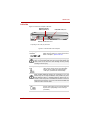
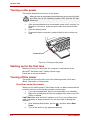
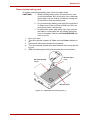
The display panel can be rotated in a wide range of angles for optimal viewing.
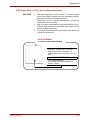
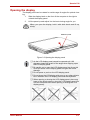
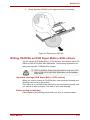
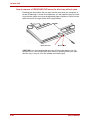
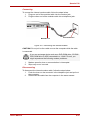
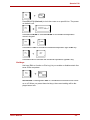
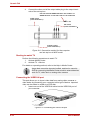
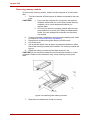
1. Slide the display latch on the front of the computer to the right to
unlatch the display panel.
2.
Lift the panel up and adjust it to the best viewing angle for you.
When you open the display, hold it with both hands and lift up
slowly.
DISPLAY LATCH
Figure 3-3 Opening the display panel
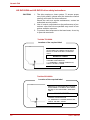
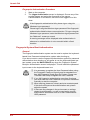
❑ As the LCD display panel cannot be opened until 180
❑
degrees, please be careful of the angle when flipping open
the LCD display panel.
Be careful not to open the LCD display panel too far as this
could put stress on the display panel’s hinges and cause
damage.
Do not press or push on the LCD display panel.
❑
❑ Do not close the LCD display with pens or any other objects
left in between the LCD display panel and the keyboard.
❑ When opening or closing the LCD display panel, place one
hand on the slowly open or close the LCD display panel (Do
not use excessive force when opening or closing the LCD
display panel).
User’s Manual
3-3