1
Digital Video Security Systems
Special
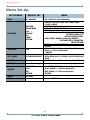
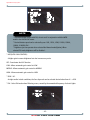
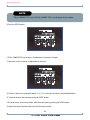
1. When the SETUP menu screen is displayed, select SPECIAL using the Up and Down buttons.
SETUP
LENS
EXPOSURE
WHITE BAL
DAY / NIGHT
3DNR
SPECIAL
ADJUST
RESET
EXIT
DC
ATW
COLOR
ON
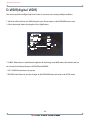
2. Select one of the mode using the Up and Down button.
SPECIAL
1. CAM TITLE OFF
OFF
2. D - EFFECT
3. MOTION OFF
OFF
4. PRIVACY OFF
OFF
5. SYNC OFF
OFF
6. RETURN
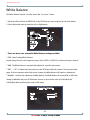
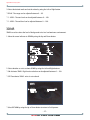
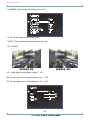
1. CAM TITLE : When input, the Camera ID is displayed on the monitor.
1-1) Move the arrow indicator to CAMERA ID using the Up or Down button on the SETUP menu screen.
1-2) Set to ON using the Left or Right button.
- 18 3D-DNR DAY & NIGHT COLOR CAMERA