1
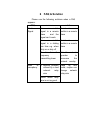
Add address: select Addressbook to add
number from phone book or select Enter
number to edit number.
Note: The reveivers number will be showed
in a list, press up/ down key to select
one number from list; press left soft key
“option” to delete or edit the number.
Send: send the current message.
Select “Send later” to save the message to
Drafts without sending it.
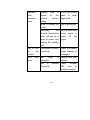
If you select Message type as MMS ( set Default
message as Always MMS or select MMS when create
a New message):
After finishing your MMS message you can
press the left soft key “Options” to access
the editing options menu: Done, Objects,
Pages and Preview.
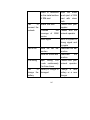
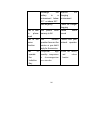
If you want to insert picture or sound, ect. into
MMS, you can select Object to operate as
follows:
Add picture: Insert the picture from M disk
74