1
Green
Yellow
8
Set the network parameters for the
ECD232Enet and save them to the nonvolatile
memory.
Note: The temporary IP address by ARP is
reverted after every power reset of the
ECD232Enet. Be sure to store the parameters to
make the changes permanent.
1
2.
Serial Configuration
Follow the network configuration, select
the serial interface configuration, and set the parameters for the serial comm.
Configuration
1.
Installation
Network configuration
The ECD232Enet can be configured over
the network, the configuration is stored in nonvolatile memory and is retained without power. The
configuration can be changed anytime and the unit
performs a reset after the configuration has been
changed and stored.
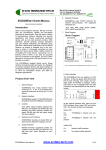
1. Network Connection
There are two types of UTP Ethernet cable connection in the ECD232Enet to Ethernet connection.
One is Straight and the other is Crossover. Following figures show two types of connections:
To configure the unit, connection to the
unit with Web Browser must be established.
Device
Assign a New IP Address
Hub
Straight-through cable
if the IP address of the unit is undefined,
the following steps highlight how to assign a temporary IP address over the network.
Set a static ARP with the desired IP address using the hardware address (MAC address)
of the ECD232Enet which is printed on the product.
Following
shows
the
use
of
ARP
in
Win95/98/2000/me/xp/NT, (from the DOS prompt)
and UNIX environments when the MAC address of
the ECD232Enet is 00-40-9d-23-62-03.
TX+
1
1 RX+
TX-
2
2
RX-
RX+
3
3
TX+
RX-
6
6
TX-
Fig. 1. Straight-through connection
Device
Arp –s 192.168.168.2.33 00-40-9d-23-62-
PC
Crossover cable
TX+
1
1 TX+
The command for most Unix systems is:
TX-
2
2 TX-
Arp –s 192.168.2.33 00:40:9d:23:62:03
RX+
3
3 RX+
RX-
6
6
03
Note: In order for the ARP command to
work in windows, the ARP table on the PC must
have at least one IP address defined other than its
own. If there is no other entry beside the local machine, ping another IP machine on your network to
build the ARP table. Once there is at least one entry
in the ARP table, use the above command to ARP
an IP address to the ECD232Enet
Ping the ECD232Enet using the IP address which assigned to it just now, the unit will
change its IP address to the one designated in the
ARP command.
Point a web browser to the unit by entering
the IP address in the web browser’s URL Address
field.
RX-
Fig. 2. Cross-Over Connection
Note: A pair of twisted wires must be used to connect a set of transmitter pins to their corresponding
receiver pins. DO NOT use a wire from one pair and
another wire from a different pair.
2 Serial Connections
The ECD232Enet has one 9-pin male (DTE) connector like the standard 9-pin “AT” port of a
computer or DTE port. Follow the appropriate wiring
diagram below:
Http://192.168.2.33
ECD232Enet User Manual
www.ecdata-tech.com
2 of 4