1
T
TABLE OF CONTENTS
PREFACE ................................................................................................................4
CHAPTER 1 INTRODUCTION ........................................................................................5
Specification ....................................................................................................................................5
Accessories of HOT-679 .................................................................................................................7
CHAPTER 2 HARDWARE CONFIGURATION .....................................................................8
The Pentium II & Celeron Processor...............................................................................................8
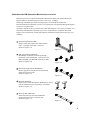
What does the RM (Retention Mechanism) consist of....................................................................9
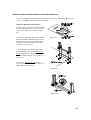
Install the Retention Mechanism and Heat Sink Support..............................................................10
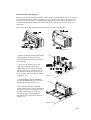
Install Pentium II Processor ..........................................................................................................12
Celeron Processor S.E.P.P only RM Assembly Procedure...........................................................13
What does the Celeron Processor RM consist of..........................................................................14
Install the Celeron Processor RM..................................................................................................14
Install Celeron Processor...............................................................................................................15
Jumpers ..........................................................................................................................................16
CPU Clock Speed Selection - JP2 and JP9....................................................................................16
Clear CMOS - JP8 .........................................................................................................................19
Keyboard & PS/2 Mouse Power-on Setting - JP1.........................................................................19
On Board Audio Controller Setting - JP6......................................................................................20
Connectors .....................................................................................................................................20
CHAPTER 3 MEMORY CONFIGURATION .......................................................................23
CHAPTER 4 FLASH UTILITY ......................................................................................24
CHAPTER 5 AWARD BIOS SETUP ............................................................................26
The Main Menu .............................................................................................................................27
Standard CMOS Setup...................................................................................................................29
BIOS Features Setup .....................................................................................................................31
Chipset Features Setup ..................................................................................................................34
Power Management Setup.............................................................................................................37
PCI Configuration Setup ...............................................................................................................40
CPU Features Setup.......................................................................................................................42
Integrated Peripherals....................................................................................................................44
Password Setting ...........................................................................................................................47
CHAPTER 6 ON BOARD AUDIO CONTROLLER .............................................................48
Introduction ...................................................................................................................................48
General Specifications...................................................................................................................49
Connecting Audio Devices to 679.................................................................................................50
Installing AudioPCI 64V in Windows 95/98................................................................................52
Installing AudioPCI 64V in Windows NT4.0...............................................................................55
3