1
JAEA-Data/Code 2008-017
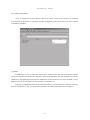
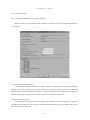
(9) File name (calculation geometry):
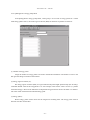
A file containing a data of calculation geometry for the calculation of the self-absorption correction
factor should be selected. The file is created in the [Data]-[Geometry] Menu. Users will possibly find two
types of files to select. One is a file with sample material and the other is that without sample material (airequivalent sample). Users can select either, because they will give the same result. By clicking the [...] button
on the right side of the blank line, users can browse and select the necessary file.
Users are strongly recommended to check over that the position (and size) of a volume sample and
detector in the selected file coincides with the geometries which are used in the calculation of the efficiencycurves group A, and with the volume sample mentioned in (9). In the case the “Particles emitted from
overlapped area” checkbox (see [Data]-[Volume sample] Menu) was checked when the volume sample file
was created, this option ((9) calculation geometry) is not activated.
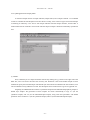
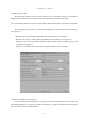
(10) Output file name (data of representative point):
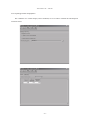
An output file name must be assigned by clicking the [...] button on the right side of the blank line. The
extension for this type of file is “.out”.
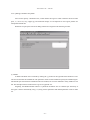
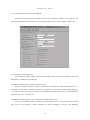
(11) [Checkbox] Specification of a cut plane for distribution of t:
This option is not currently available. Leave unchecked.
(12) [Button] Run:
A calculation starts by pressing the run button. It will typically take a few minutes to finish if both files
((8) volume sample and (9) calculation geometry) are involved, but less if only (8) volume sample file is used
for discrimination of a source region from the efficiency-curves group C.
− 39 −
39