1
30
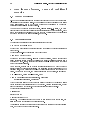
More language features. Loops and conditional execution
8 More language features. Loops and conditional
execution
8.1 Grouped expressions
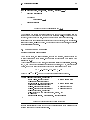
S-PLUS is an expression language in the sense that its only command type is a function
or expression which returns a result. Even an assignment is an expression whose result
is the value assigned, and it may be used wherever any expression may be used; in
particular multiple assignments are possible.
Commands may be grouped together in braces, {expr1; expr2;: : : ; exprm }, in which
case the value of the group is the result of the last expression in the group evaluated. Since
such a group is also an expression it may, for example, be itself included in parentheses
and used a part of an even larger expression, and so on.
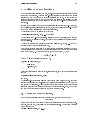
8.2 Control statements
The language has available a conditional construction of the form
> if (expr1 ) expr2 else expr3
where expr1 must evaluate to a logical value and the result of the entire expression is
then evident.
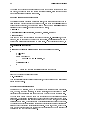
There is also a for{loop construction which has the form
> for (name in expr1 ) expr2
where name is the loop variable. expr1 is a vector expression, (often a sequence like
1:20), and expr2 is often a grouped expression with its sub-expressions written in terms
of the dummy name. expr2 is repeatedly evaluated as name ranges through the values
in the vector result of expr1.
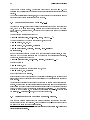
As an example, suppose ind is a vector of class indicators and we wish to produce
separate plots of y versus x within classes. One possibility here is to use coplot() to be
discussed later, which will produce an array of plots corresponding to each level of the
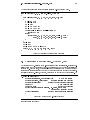
factor. Another way to do this, now putting all plots on the one display, is as follows:
> yc <- split(y, ind); xc <- split(x, ind)
> for (i in 1:length(yc)){plot(xc[[i]], yc[[i]]);
abline(lsfit(xc[[i]], yc[[i]]))}
(Note the function split() which produces a list of vectors got by splitting a larger
vector according to the classes specied by a category. This is a useful function, mostly
used in connection with boxplots. See the help facility for further details.)
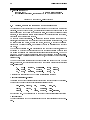
Other looping facilities include the
> repeat expr
statement and the
> while (condition) expr
statement. The break statement can be used to terminate any loop abnormally, and
next can be used to discontinue one particular cycle.
Control statements are most often used in connection with functions which are discussed
in x9, and where more examples will emerge.