1
1. Introduction......................................................................................................................................... 5
1.1. Overview...................................................................................................................................................... 5
1.2. Models and Accessories.............................................................................................................................. 5
1.3. Features....................................................................................................................................................... 5
1.4. Programming................................................................................................................................................ 5
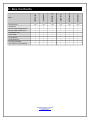
2. Box Contents...................................................................................................................................... 6
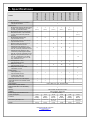
3. Specifications..................................................................................................................................... 7
4. Quick Start.......................................................................................................................................... 8
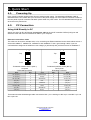
4.1. Powering Up................................................................................................................................................. 8
4.2. PC Connection............................................................................................................................................. 8
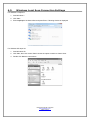
4.3. Windows Local Area Connection Settings................................................................................................... 10
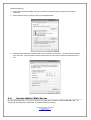
4.4. Access Admin Web Server.......................................................................................................................... 11
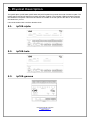
5. Physical Description.......................................................................................................................... 12
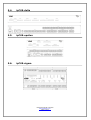
5.1. ipCUE-alpha................................................................................................................................................. 12
5.2. ipCUE-beta................................................................................................................................................... 12
5.3. ipCUE-gamma.............................................................................................................................................. 12
5.4. ipCUE-delta.................................................................................................................................................. 13
5.5. ipCUE-epsilon.............................................................................................................................................. 13
5.6. ipCUE-sigma................................................................................................................................................ 13
6. Front Panel.......................................................................................................................................... 14
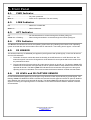
6.1. PWR Indicator.............................................................................................................................................. 14
6.2. LINK Indicator.............................................................................................................................................. 14
6.3. ACT Indicator............................................................................................................................................... 14
6.4. CPU Indicator............................................................................................................................................... 14
6.5. IR SENSOR................................................................................................................................................. 14
6.6. IR LEVEL and IR CAPTURE SENSOR....................................................................................................... 14
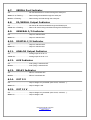
6.7. SERIAL Port Indicator.................................................................................................................................. 15
6.8. IR/SERIAL Output Indicator......................................................................................................................... 15
6.9. GENERAL I/O Indicator............................................................................................................................... 15
6.10. DIGITAL I/O Indicator................................................................................................................................. 15
6.11. ANALOG Output Indicator.......................................................................................................................... 15
6.12. AUX Indicator............................................................................................................................................. 15
6.13. RELAY Indicator......................................................................................................................................... 15
6.14. OUT 5 V..................................................................................................................................................... 15
6.15. OUT 12 V................................................................................................................................................... 15
7. Connection.......................................................................................................................................... 16
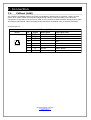
7.1. CUEnet (LAN).............................................................................................................................................. 16
7.2. PWR IN........................................................................................................................................................ 17
7.3. OUT 5 V....................................................................................................................................................... 17
7.4. OUT 12 V..................................................................................................................................................... 17
7.5. Bi-directional Serial RS-232......................................................................................................................... 18
7.6. Bi-directional Serial RS-232/422/485........................................................................................................... 19
7.7. Bi-directional Serial RS-232/422/485
with Power 24 VDC............................................................................................................................................. 21
7.8. Bi-directional Serial RS-485
with Power 24 VDC (CUEwire)........................................................................................................................... 23
7.9. IR/SERIAL.................................................................................................................................................... 24
7.10. GENERAL I/O............................................................................................................................................ 25
7.11. DIGITAL I/O............................................................................................................................................... 26
7.12. ANALOG.................................................................................................................................................... 27
7.13. RELAY (Low Voltage)................................................................................................................................ 28
7.14. RELAY (High Voltage)............................................................................................................................... 29
8. CUEwire Device Connection.............................................................................................................. 30
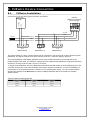
8.1. CUEwire Installation..................................................................................................................................... 30
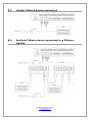
8.2. Simple CUEwire device connection............................................................................................................. 31
8.3. Multiple CUEwire device connected to a CUEwire Splitter.......................................................................... 31
9. Mounting............................................................................................................................................. 32
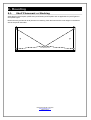
9.1. Shelf Placement or Stacking........................................................................................................................ 32
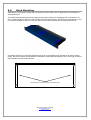
9.2. Rack Mounting............................................................................................................................................. 33
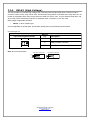
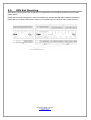
9.3. DIN Rail Mounting........................................................................................................................................ 34
User Manual ipCUE Controllers
www.cuesystem.com
Page 3 of 52