1
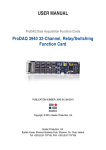
ProDAQ 3450
Transient Recorder
Function Card
User Manual
BUSTEC
Bustec Production, Ltd.
World Aviation Park, Shannon, Co. Clare, Ireland
Tel: +353 (0) 61 707100, FAX: +353 (0) 61 707106
PUBLICATION NUMBER: 3450-XX-UM
PUBLICATION DATE: February 16, 2011
Copyright 1998 by Bustec Production, Ltd.
PROPRIETARY NOTICE
This document and the technical data herein disclosed, are proprietary to Bustec Production Ltd., and shall
not, without express written permission of Bustec Production Ltd, be used, in whole or in part to solicit
quotations from a competitive source or used for manufacture by anyone other than Bustec Production Ltd.
The information herein has been developed at private expense, and may only be used for operation and
maintenance reference purposes or for purposes of engineering evaluation and incorporation into technical
specifications and other documents, which specify procurement of products from Bustec Production Ltd.. This
is a preliminary document and subject to change without further notification. Bustec Production Ltd. Reserve
the right to change both the hardware and software prototypes described herein.
29-Jun-99
Transient Recorder Function Card User Manual
Table of Contents
1.
REFERENCE DOCUMENTS ................................................................................................................. 5
2.
GLOSSARY............................................................................................................................................... 6
3.
INTRODUCTION .................................................................................................................................... 7
3.1
3.2
GENERAL .................................................................................................................................................. 7
FEATURES ................................................................................................................................................. 7
4.
INSTALLATION ...................................................................................................................................... 8
4.1
4.2
4.3
4.4
UNPACKING AND INSPECTION ................................................................................................................. 8
RESHIPMENT INSTRUCTIONS .................................................................................................................. 8
INSTALLATION ......................................................................................................................................... 8
REMOVAL ................................................................................................................................................. 9
5.
THEORY OF OPERATION ................................................................................................................. 11
5.1 GENERAL DESCRIPTION ........................................................................................................................ 11
5.2 MODES OF OPERATION .......................................................................................................................... 13
5.2.1 STAND ALONE MODE ............................................................................................................................ 13
5.2.2 TCFC-CONTROLLED MODE .................................................................................................................. 13
5.2.3 COMPARISON OF THE MODES ................................................................................................................ 14
5.3 MEMORY ................................................................................................................................................ 14
5.3.1 MEMORY SEGMENTATION .................................................................................................................... 17
5.4 SAMPLING CLOCK SELECTION .............................................................................................................. 18
5.5 TRIGGERS ............................................................................................................................................... 18
5.5.1 INPUT TRIGGER ..................................................................................................................................... 19
5.5.2 OUTPUT TRIGGER.................................................................................................................................. 22
5.6 FRONT END DESCRIPTION ...................................................................................................................... 22
5.6.1 ANALOG INPUTS ................................................................................................................................... 22
5.6.2 EXTERNAL CLOCK INPUT/OUTPUT ........................................................................................................ 23
5.6.3 EXTERNAL TRIGGER INPUT ................................................................................................................... 24
5.7 SYSTEM CONFIGURATION...................................................................................................................... 25
5.8 REGISTER DESCRIPTION ....................................................................................................................... 27
5.8.1 ADDRESS MAP ...................................................................................................................................... 27
5.8.2 FCID_REG .......................................................................................................................................... 29
5.8.3 FCVER_REG....................................................................................................................................... 29
5.8.4 FCCTRL_REG .................................................................................................................................... 29
5.8.5 RAMSIZE_REG .................................................................................................................................. 34
5.8.6 ARMING_REG ................................................................................................................................... 34
5.8.7 OTRI_REG .......................................................................................................................................... 34
5.8.8 ITRI_REG ............................................................................................................................................ 37
5.8.9 DIVCLK_REG .................................................................................................................................... 40
5.8.10 MODE_REG ...................................................................................................................................... 41
5.8.11 MACL_REG ...................................................................................................................................... 44
5.8.12 MACH_REG ..................................................................................................................................... 45
Page 2 of 78
Bustec Production Ltd.
Transient Recorder Function Card User Manual
5.8.13
5.8.14
5.8.15
5.8.16
5.8.17
5.8.18
5.8.19
5.8.20
5.8.21
5.8.22
5.8.23
5.8.24
5.8.25
6.
29-Jun-99
POSTCNT_REG................................................................................................................................ 45
DAC_REG ......................................................................................................................................... 46
CLRINT_REG ................................................................................................................................... 47
ATRIGCTRL_REG ........................................................................................................................... 47
THA_REG ......................................................................................................................................... 49
THB_REG ......................................................................................................................................... 50
TRIGCOME_REG ............................................................................................................................ 51
FECONFIG_REG .............................................................................................................................. 52
GAIN_REG........................................................................................................................................ 55
MONIT1_REG .................................................................................................................................. 56
MONIT2_REG .................................................................................................................................. 56
MEM1IO_REG .................................................................................................................................. 57
MEM2IO_REG .................................................................................................................................. 57
SOFTWARE UTILITIES ...................................................................................................................... 59
6.1
6.2
6.2.1
6.2.2
6.3
6.3.1
6.3.2
6.3.3
6.3.4
6.3.5
6.3.6
6.3.7
6.4
6.4.1
6.4.2
6.4.3
6.4.4
6.4.5
INTRODUCTION ...................................................................................................................................... 59
USER INTERFACE AND INSTALLATION ................................................................................................. 59
SOFTWARE INSTALLATION.................................................................................................................... 59
SOFTWARE UTILIZATION ...................................................................................................................... 60
PROGRAMMING CONCEPTS................................................................................................................... 64
INSTRUMENT DRIVER OVERVIEW ........................................................................................................ 64
ERROR/STATUS INFORMATION ............................................................................................................. 66
CONNECTING TO THE INSTRUMENT ...................................................................................................... 66
STANDARDIZED API LAYOUT .............................................................................................................. 67
PROGRAMMING INSTRUMENT IN STAND ALONE MODE ......................................................................... 67
USING INTERRUPTS ............................................................................................................................... 69
PROGRAMMING INSTRUMENT IN CONTROLLED MODE .......................................................................... 71
PROGRAMMING CONSIDERATIONS ....................................................................................................... 72
ANALOG CHANNEL CONFIGURATION .................................................................................................... 73
SAMPLING CLOCK CONFIGURATION ...................................................................................................... 73
MEMORY CONFIGURATION ................................................................................................................... 74
ANALOG TRIGGER SETTINGS................................................................................................................. 75
THE READOUT OF DATA ........................................................................................................................ 75
7.
APPENDIX A .......................................................................................................................................... 76
8.
APPENDIX B .......................................................................................................................................... 78
Bustec Production Ltd.
Page 3 of 78
29-Jun-99
Transient Recorder Function Card User Manual
Table of figures
Figure 1: The Extraction Tool
Figure 2: Locking Down A Screw
Figure 3: The block diagram of the TRFC
Figure 4: The states of TRFC state machine
Figure 5: Stand-alone mode of operation
Figure 6: TCFC-controlled mode of operation
Figure 7: The on-board memory
Figure 8: Example of segment as a circular buffer
Figure 9: The structure of sampling clock configuration
Figure 10: The structure of the input trigger configuration
Figure 11: The positive slope trigger mode
Figure 12: The negative slope trigger mode
Figure 13: The positive slope with hysteresis trigger mode
Figure 14: The negative slope with hysteresis trigger mode
Figure 15: The comparison of the trigger mode without and with hysteresis
Figure 16: The structure of the output trigger configuration
Figure 17: The simplified scheme of channel 1
Figure 18: The simplified scheme of channel 2
Figure 19: The simplified scheme of external clock in/out
Figure 20: The simplified scheme of external trigger input
Figure 21: Stand-alone mode system configuration
Figure 22: TCFC-controlled mode system configuration
Figure 23: Function Card Selection
Figure 24: Transient Recorder Instrument interface
Figure 25: Transient Capture Setup Panel
Figure 26: Channel Setup Panel
Figure 27: Trigger and Clock Front-end Setup
Figure 28: Instrument Driver function tree.
Figure 29: Configuration in Stand Alone Mode.
Figure 30: The programming algorithm
Figure 31: The placement of the connectors on the card
Figure 32: The arrangement of the connectors (front view when FC is fitted onto MB)
Page 4 of 78
Bustec Production Ltd.
9
10
11
12
13
14
16
17
18
19
20
20
21
21
21
22
23
23
24
24
25
26
60
61
61
62
63
65
68
72
78
78
Transient Recorder Function Card User Manual
1.
29-Jun-99
Reference Documents
Title
Number
ProDAQ 3120 User Manual
Trigger Clock Function Card User Manual
Bustec Production Ltd.
980826-001
Page 5 of 78
29-Jun-99
2.
Transient Recorder Function Card User Manual
Glossary
ATRIG
:
Trigger derived from analog input signal
Analog Trigger
:
Trigger derived from analog input signal
FC
:
Function Card
FP
:
Front Panel
FP trigger
:
External trigger through Front Panel
FSR
:
Full Scale Range
Input Range
:
Range of input channel
MAC
:
Memory Address Counter
MB
:
Mother Board
RW
:
Read Write operations
RO
:
Read Only
RC
:
Read only with Clear of status information after access
RCW
:
Read with Clear on status information, Write
RWC
:
Read, Write with Clear on status information after access or
after end of issued action
SA mode
:
Stand-Alone operation mode of the TRFC
SM
:
Internal State Machine
TCFC
:
Trigger Clock Function Card
TCFC-controlled
mode
:
Operation mode in which the TRFC works under control of the
TCFC
TCFC mode
:
Abbreviation of TCFC-controlled mode
TRFC
:
Transient Recorder Function Card
WO
:
Write Only
Rec.
:
Recommended
Req.
:
Required
Res.
:
Reserved
Opt.
:
Optional
Page 6 of 78
Bustec Production Ltd.
Transient Recorder Function Card User Manual
3.
29-Jun-99
Introduction
3.1
General
The ProDAQ 3450 Counter Timer Function Card is one of the ProDAQ high-density cards, which
can be fitted into ProDAQ Motherboards.
The ProDAQ 3450 Transient Recorder Function Card is a two-channel waveform digitizer. The
TRFC features simultaneous sampling with 14-bit resolution and a digitizing rate of 3
MSamples/sec. The TRFC has 512 kSamples of memory on-board for each channel.
The memory can be configured into smaller blocks called segments. Each segment is then treated
as an independent waveform memory and needs its own trigger to start post-trigger recording.
Segments can be freely divided into pre- and post-trigger sections.
A trigger can be received from one of the following sources: VXI-bus, external trigger through front
panel or analog trigger derived from the input signal. There are two trigger modes related to analog
trigger: positive/negative slope and positive/negative slope with hysteresis.
The TRFC can work either in a stand-alone mode or in a TCFC-controlled mode. In the later case
the TCFC card generates sampling clock and trigger signals to the controlled TRFC cards through
either the VXI backplane or external front panel.
The ProDAQ TRFC card is one of a range of function cards designed to provide full functionality
when installed in one of the range of ProDAQ motherboard modules such as the model 3120 or
3150.
3.2
Features
The TRFC features are as follow:
1kHz to 3MHz sampling rate
14-bit resolution
2 channels
min 1.5MHz bandwidth (with gain of 1)
512 kSamples/channel memory,
segmentable memory
internal or external sampling clock
input signal trigger or external trigger
stand-alone mode or TCFC-controlled mode.
Bustec Production Ltd.
Page 7 of 78
29-Jun-99
4.
Transient Recorder Function Card User Manual
Installation
4.1
Unpacking and Inspection
1. Before unpacking the ProDAQ transient recorder function card, check the exterior of the
shipping carton for any signs of damage. All irregularities should be noted on the shipping
bill.
2. Remove the instrument from its carton, preserving the factory packaging as much as
possible.
3. Inspect the function card for any defect or damage. Immediately notify the carrier if any
damage is apparent.
4. Have a qualified person check the instrument for safety before use.
NOTE:
Proper ESD handling procedures must always be used when packing, unpacking,
or installing any function card. Failure to do so may cause damage to the unit.
4.2
Reshipment Instructions
1. Use the original packing material when returning the function card to Bustec Production for
calibration or servicing. The original shipping carton and the instrument's plastic foam will
provide the necessary support for safe reshipment.
2. If the original packing material is unavailable, wrap the switching module in plastic sheeting
and use plastic spray foam to surround and protect the instrument.
3. Reship in either the original or a new shipping carton.
4.3
Installation
Installing and removing the particular Function Card requires use of an extraction tool. It is used to
help align the card and the pins on the motherboard.
Page 8 of 78
Bustec Production Ltd.
Transient Recorder Function Card User Manual
29-Jun-99
Figure 1: The Extraction Tool
The individual Function Card has four small cutouts (two per side) on the rear portion of the card.
The extraction tool fits into these cutouts.
CAUTION
There are three places (40 pin and two 22 pin connectors) on the motherboard
where the Function Card must be plugged in. These pins may bend or break when
inserting the Function Card if it is not aligned properly.
The Function Card is placed into the slot with the LEMO connectors facing the front of the module.
Then, align the back edge (using the extraction tool) with the pins on the motherboard and gently
press the Function Card down onto the pins.
There are two screws and two washers that go through the front panel and lock the front of the
Function Card. Additionally, there are three other screws and two washers per screw that go on the
top of the card and lock it down.
This procedure is for installing a Function Card that is to be mounted in either slot 2, slot 4, slot 6,
or slot 8. For installing a Function Card in slots 1, 3, 5, or 7, the procedure is the same except that
the screws used to fasten it to the chassis are studs (with a male screw on one end and a female
screw on the other).
4.4 Removal
Removing a Function Card is the reverse of the installation procedure.
Bustec Production Ltd.
Page 9 of 78
29-Jun-99
Transient Recorder Function Card User Manual
Figure 2: Locking Down A Screw
Page 10 of 78
Bustec Production Ltd.
29-Jun-99
Transient Recorder Function Card User Manual
5.
Theory of operation
5.1
General description
The main task of the Transient Recorder Function Card is to digitize an input signal. To do that the
TRFC samples an input signal and stores the data in memory. The memory is organised as a
circular buffer (after writing to the last location the next sample is written to the first location).
After the TRFC is started, the sampling continues until a trigger signal is received. Then the card
will acquire the amount of post-trigger samples for which the hardware is configured. The data
acquired before trigger capturing is called “pre trigger data”; the data acquired after trigger
capturing is called “post trigger data”.
When recording is finished the data can be read from memory. After readout of data the new
recording process can be started.
The waveform memory on TRFC is as large as 512 ksamples for every channel. The memory can
be divided into smaller blocks called segments. Every segment can act as independent waveform
storage so each segment needs a separate trigger signal to start its post trigger acquisition. The
block diagram of the TRFC is shown on Figure 3.
DATA
FORMAT
DAC 1
THRESHOLD
REGISTER
MEMORY
ANALOG
TRIGGER
COMPARATOR
3 CLK
DELAY
LEMO
EXT. CLK. OUT
LEMO
BUFFER
DAC
INTERFACE
EXT. TRIG. IN
POST
TRIGGER
COUNTER
SAMPLING
CLOCK
CONTROL
TRFC
STATE
MACHINE
INTERNAL
TIMER
THRESHOLD
REGISTER
LEMO
SEGMENT
CONTROL
TRIGGER
CONTROL
LEMO
DAC 2
CHANNEL 2
MEMORY
ADDRESS
COUNTER
PGA
LPF
ANALOG
TRIGGER
COMPARATOR
DATA
FORMAT
ADC
BUFFER
EXT. CLK. IN
CONNECTORS TO MB
ADC
BUFFER
LPF
DATA
PGA
ADDRESSES
LEMO
BUFFER
CHANNEL 1
MEMORY
Figure 3: The block diagram of the TRFC
Explanation of abbreviations used in Figure 3:
PGA – programmable gain amplifier
LPF – low pass filter
ADC – analog to digital converter
DAC – digital to analog converter
The card has two, identical analog channels. Each individual channel is equipped with an analog to
digital converter that allows simultaneous independent sampling on both channels.. The data from
the ADCs is written to the on-board memory. The same control logic controls both channels.
The TRFC is under the control of the state machine. The state machine can be in one of the
following states:
Bustec Production Ltd.
Page 11 of 78
29-Jun-99
Transient Recorder Function Card User Manual
1. ACCESS_state
2. ARMED_state
3. REC_state
4. POSTTRIG_state
These states have following meaning:
ACCESS_state
This is state after reset. The configuration and set-up of the card can be made
in the state. The sampling is disabled and the on-board memory can be
accessed (read/write). The exit from that state is done using the Arming
Command (write to ARMING_REG).
ARMED_state
The card is armed. That means the configuration is disabled and the card is
waiting for recording signal. The sampling is disabled. Depending on the
working mode the card goes to REC_state after software action (SREC bit in
SA mode) or after active edge of REC_TRIG signal (TCFC-controlled mode).
Return to ACCESS_state can be performed using RECstop bit or FSMreset
bit.
REC_state
The card samples and records data. The circular buffer is being filled with
samples. The card stays in this state undefined time until receiving trigger.
The data stored in the state is pre trigger data. Return to ACCESS_state can
be performed using RECstop bit or FSMreset bit.
POSTTRIG_state The card is in the state when post trigger data is sampled. The number of
post trigger data is set in POSTCNT _REG. After the set amount of samples
is acquired the card goes to ARMED_state (if next segment has to be
captured) or to ACCESS_state (if all segments were collected). Immediate
return to ACCESS_state can be performed using RECstop bit or FSMreset
bit.
The current state of the TRFC state machine can be read from FCCTRL_REG.
ACCESS_state
RECORDING
STOPED
RECORDING
STOPED
ARMING COMMAND
ARMED_state
START RECORDING
REC_state
TRIGGER
END OF RECORDING
OR
RECORDING STOPED
NEXT SEGMENT
POSTTRIG_state
Figure 4: The states of TRFC state machine
Page 12 of 78
Bustec Production Ltd.
Transient Recorder Function Card User Manual
29-Jun-99
5.2 Modes of operation
There are two main modes of operation: Stand-Alone mode and TCFC-controlled mode.
5.2.1
Stand Alone mode
In the Stand-Alone mode the TRFC works independently of the other TRFC cards installed. The
sampling clock can be selected either from an on-board clock oscillator or from an external source.
Start of recording is controlled from software (SREC bit). Depending on the CREC bit setting
software has to start recording one time for all segments or has to start recording at the end of
each segment. Once started the TRFC enters its recording state, which is terminated upon fulfilling
preconditions set for the post/pre trigger. The trigger signal can be received from one of the
following sources: VXI-bus, external trigger through front panel or analog trigger derived from the
input signal. The stand-alone mode is explained on Figure 5.
TRFC: stand-alone mode
Sampling
clock
selection
EXT_CLK
Trigger
selection
EXT_TRIG
CH1
CH2
INT_CLK
Input
signal
trigger
On-board
clock
VXI-BUS TRIGGER
ATRIG
Figure 5: Stand-alone mode of operation
5.2.2
TCFC-controlled mode
The TCFC-controlled mode means that the TRFC works under the control of the TCFC. The
TCFC starts recording and generates the sampling clock and the trigger signals. The TRFC can
send the analog trigger event to the TCFC causing simultaneous triggering of all TRFCs controlled
by the TCFC. Multiple TRFCs can be connected to one TCFC thus allowing sampling clock and
trigger signal synchronisation. The trigger signal from TCFC has double meaning: falling edge
starts recording and rising edge triggers the TRFC. TCFC-controlled mode is explained on Figure
6.
Bustec Production Ltd.
Page 13 of 78
29-Jun-99
Transient Recorder Function Card User Manual
TRFC: TCFC-controlled mode
CLK from TCFC card
through external cables
Sampling
clock
selection
CLK from TCFC card
through VXI backplane
Trigger
selection
TRIGGER from TCFC card
through VXI backplane
TRIGGER from TCFC card
through external cables
CH1
Input
signal
trigger
CH2
ATRIG
Figure 6: TCFC-controlled mode of operation
5.2.3
Comparison of the modes
The following table shows the comparison of the available features in two modes of operation.
Mode
STAND-ALONE
TCFC-CONTROLLED
No
Yes
Yes, using external clock
input
Yes, using TCFC on-board
clock or external clock input
Option of sampling
clock distribution
through VXI backplane
No
Yes
Option of trigger
distribution through VXI
backplane
Yes
Yes
Input signal trigger from
any TRFC card to all
TRFC cards
Yes, using general purpose
trigger lines
Yes, input signal trigger from
any TRFC card can start posttrigger of all TRFC cards
Memory segmentation
Yes
Yes
Between-pulses timing
reconstruction
No
Yes
Dual time base
No
Yes with on-board clock only
Yes, waiting until whole
segment data acquired
Yes, waiting until set amount of
data acquired
External sampling clock
Yes
Yes, through TCFC
External trigger
Yes
Yes, through TCFC
Feature
Full synchronisation of
many TRFC cards
Sampling clock
synchronisation
Trigger enable delay
until pre-trigger data
acquired
5.3 Memory
The TRFC card has on-board memory to store the sampled data. The memory of 512 KSamples is
available for both channels. The memory is read and writeable from the VXI bus only when the
Page 14 of 78
Bustec Production Ltd.
Transient Recorder Function Card User Manual
29-Jun-99
card is in ACCESS_state. In other states the access to memory is restricted to data from the A/D
converters. After collecting all segments the stored data can be transferred to the host.
Access to memory appears internally as 16-bit transfer. From the VXIbus the memory has to be
accessed as 16-bit registers aligned to a 32-bit word boundary. The memory of every channel has
unique 16 kSamples address range. Any access to this address space will point to the defined
memory location. The address of specific memory location is done through MACL_REG and
MACH_REG registers. These registers set memory address counter (MAC) that controls the
address lines to memory. After every access to memory MAC is incremented and the new memory
location is then pointed to. The memory access sequence is subsequently outlined:
Set MAC using MACL_REG AND MACH_REG to wanted address
Write wanted value to any of the addresses for the channel memory space
The readout will give the value from next memory location.
To read the same memory location the following sequence should be used:
Set MAC using MACL_REG AND MACH_REG to wanted address
Write wanted value to any of the addresses from the FC memory address space
Set MAC using MACL_REG AND MACH_REG to the same address again
The readout will give you just written value
The MAC counter is common for both channel memories.
The concept of memory access is shown on Figure 7.
Bustec Production Ltd.
Page 15 of 78
29-Jun-99
Transient Recorder Function Card User Manual
MEMORY OF CHANNEL 1
512sampls
POINTED LOCATION
16 Ksamples window
MA[15..0]
MA[18..16]
Any access to memory
MEMORY
ADDRESS
COUNTER
(Increment)
POINTER
MEMORY OF CHANNEL 2
512Ksamples
POINTED LOCATION
16 Ksamples window
Figure 7: The on-board memory
Since the access to any address from the 16kSamples window is decoded to memory, and the
target location is pointed to by a memory address counter, it is recommended to use the first
address of this 16kSamples window.
The format of data can be set to straight binary or twos complement using TWOS bit. The data
from the ADC is 14-bit wide. The memory is 16-bit wide with the remaining two upper bits used to
keep validation information about the sampled signal and to mark the last sample of each
segment. Marking the last sample in a segment is necessary because of the fact that the memory
is a circular buffer. To find the last sample marker the data from the segment has to be scanned
looking for the marker. Then the data has to be rearranged, putting the pre trigger data first and
post trigger data last. Detailed information about the data formation can be found in chapter 5.8.24
and 5.8.25. Figure 8 gives a representation of a circular memory buffer. The circular buffer can
make many revolutions before receiving a trigger signal.
Page 16 of 78
Bustec Production Ltd.
Transient Recorder Function Card User Manual
29-Jun-99
First address of segment
PRE
TRIGGER
DATA
Trigger
came
here
SEGMENT AS
A CIRCULAR
BUFER
POST
TRIGGER
DATA
Last sample
with marker
is here
Figure 8: Example of segment as a circular buffer
5.3.1
Memory segmentation
Memory segmentation provides the opportunity to capture separate “ Sampled Windows” of the
input signal. Dividing memory into smaller block creates the segments. These blocks, when
sampling, work as a circular buffer. When one segment is filled the next segment automatically
begins sampling pre trigger data. Every segment needs a trigger signal to collect post trigger data
and to go onto the next segment.
The size of segment is predefined. There are five different sizes of segment set by SEGsize[2..0]
bits. The maximum number of segments depends on segment size. The number of segments can
be set through SEGnr[3..0] bits but can‟t exceed the maximum number of segments.
The following table shows possible segment settings.
Segment size
[ksamples]
512
256
128
64
32
Max. number of
segments
1
2
4
8
16
The segment address range is simply calculated as a division of whole memory range. The
memory range is from 0H to 7FFFH (512Ksamples).
For example for segment size set to 256Ksamples the first segment range is from 0H to 3FFFFH
and the second segment range is from 40000H to 7FFFFH.
Any location in any segment can be pointed using memory address counter and MACL_REG and
MACH_REG registers (MA[18..0] bits).
The TCFC mode should be used if the reconstruction of the timing between recorded pulses in the
segments is required.
Bustec Production Ltd.
Page 17 of 78
29-Jun-99
Transient Recorder Function Card User Manual
5.4 Sampling clock selection
The sampling clock signal starts every analog to digital conversion. Before arming the card the
sampling clock source should be set. The sampling clock has the following sources:
SA mode
TCFC mode
Internal timer with base clock 20MHz or 24MHz
External clock from TCFC through VXI
External clock
External clock from TCFC through FP
Software generated clock (for debugging)
The structure of sampling clock configuration together with configuration bits is shown on Figure 9.
SINGCONV
CLOCK
20MHz
SOFTWARE INITIATED
PULSE GENERATOR
CDIV[15..0]
0
1
OSCILATOR
24MHz
16-BIT
TIMER
0
1
2
24Msel
3
EXT. CLOCK
THROUGH MB
DIVIDER BY 2
ON-BOARD
INTERNAL
LOGIC
0
1
CLKSEL[1..0]
CLKDIVBY
EXTERNAL
CLK. IN
Figure 9: The structure of sampling clock configuration
5.5 Triggers
There are two types of trigger: input trigger and output trigger.
When an input trigger signal is received the card enters its post trigger state. The data collected
before a trigger event occurs is called pre trigger data. The segment is divided into pre and post
trigger section.
Segment_size = number_of_pre_trigger_data + number_of_post_trigger_data
The POSTCNT_REG register (TCN[15..0] bits) enables the amount of post trigger data to be set.
With the known segment size the number of pre trigger data is thus defined. The amount of post
trigger samples can vary from 8 to full segment (no pre-trigger), set with a step of eight.
After starting recording the card collects samples and puts them into memory. The writing starts
from the first location of segment. After every write the memory pointer is incremented. When the
last location of the memory segment is reached the segment restarts form its first location (circular
buffer). It will continue until a trigger signal occurs. When an input trigger is received the number of
post trigger samples set on bits TCN[15..0] will be collected and put into memory.
An input trigger signal can occur before the set amount of pre trigger data is acquired. This
situation can be handled in two ways:
1. Rejecting trigger until pre trigger data is valid
2. Accepting trigger even if pre trigger data is not valid
Page 18 of 78
Bustec Production Ltd.
Transient Recorder Function Card User Manual
29-Jun-99
The TRFC card can validate pre trigger data by blocking the input trigger signal until a full segment
(first revolution) is collected. The validation of pre trigger data is controlled by PREVALID bit.
When the PREVALID bit is set (validation of pre trigger data) and trigger comes before first
revolution of circular buffer the trigger is rejected but this situation is marked in TRIGCOME_REG
register. The „1‟ on any bit means that for the corresponding segment trigger was rejected.
When the PREVALID bit is cleared (no validation of pre trigger data) and trigger comes before first
revolution of buffer the trigger for that segment is accepted and the corresponding bit in
TRIGCOME_REG is set to mark that pre trigger data for the segment might not be valid.
Before starting recording with PREVALID cleared the memory should be filled in with zeros.
The output trigger is generated from one of the sources to the switch matrix on the motherboard
(the switch matrix allows distributing the trigger to any receiver ).
5.5.1
Input trigger
There are following input trigger sources:
Trigger from the switch matrix on the MB
External trigger through front panel
Analog trigger derived from input signal
Software generated trigger
The structure of input trigger configuration together with configuration bits is shown on Figure 10.
EXTERNAL
TRIG. IN
CHN1
ANALOG
TRIGGER
SOURCE
ATR1en
CHN2
ANALOG
TRIGGER
SOURCE
ATR2en
FPITRpol
EDGE
DETECTOR
FPITRen
ATRIGIen
INPUT TRIGGER
CONTROL LOGIC
TRIGGER
FROM MB
MBITRen
SITR
SOFTWARE INITIATED
PULSE GENERATOR
Figure 10: The structure of the input trigger configuration
It is possible to enable more than one trigger source at the same time.
In the TCFC mode input trigger signal carries the information about two events: the start recording
and trigger. This signal comes from the TCFC and is distributed either through the VXI back plane
or external cables.
5.5.1.1 Analog trigger
Bustec Production Ltd.
Page 19 of 78
29-Jun-99
Transient Recorder Function Card User Manual
The analog trigger is a trigger derived from the input signal. The analog trigger can be generated
from both channels independently.
The analog trigger is generated when predefined conditions are met (Changes to signal level and/
signal direction changes). There are following analog trigger modes:
Positive slope
Negative slope
Positive slope with hysteresis
Negative slope with hysteresis
One threshold and direction (positive or negative) define the analog trigger conditions in slope
mode. The trigger conditions are met when input signal crosses the threshold in a defined
direction.
Two thresholds and direction define the analog trigger conditions in slope with hysteresis mode.
The trigger conditions are met when input signal goes through first threshold and then through
second threshold in a defined direction.
When both slopes are enabled, the “OR” function of the trigger modes allows generating the
trigger on both positive and negative slopes.
Positive
slope
A1/2PS
Threshold
PTHA/B[7..0]
PRE
TRIGGER
POST
TRIGGER
TRIGGER
POINT
Figure 11: The positive slope trigger mode
Threshold
NTHA/B[7..0]
PRE
TRIGGER
Negative
slope
A1/2NS
POST
TRIGGER
TRIGGER
POINT
Figure 12: The negative slope trigger mode
Page 20 of 78
Bustec Production Ltd.
29-Jun-99
Transient Recorder Function Card User Manual
Positive
hysteresis
A1/2PH
Threshold
NTHA/B[7..0]
Threshold
PTHA/B[7..0]
FIRST THRESHOLD CROSSED
WITHOUT TRIGGERING
PRE
TRIGGER
POST
TRIGGER
TRIGGER
POINT
Figure 13: The positive slope with hysteresis trigger mode
Negative
hysteresis
A1/2NH
Threshold
NTHA/B[7..0]
Threshold
PTHA/B[7..0]
FIRST THRESHOLD CROSSED
WITHOUT TRIGGERING
PRE
TRIGGER
POST
TRIGGER
TRIGGER
POINT
Figure 14: The negative slope with hysteresis trigger mode
When the input signal is very noisy, and slope is selected it can happen that trigger will be
generated from the noise level (reversed edge than selected) and not the signal level. This
situation is shown on Figure 15. To avoid this situation the slope with hysteresis can be selected,
where the difference between two thresholds should be bigger than signal noise.
FALLING EDGE OF INPUT SIGNAL
Positive
slope
A1/2PS
Threshold
PTHA/B[7..0]
FALLING EDGE OF INPUT SIGNAL
Positive
hysteresis
A1/2PH
Threshold
NTHA/B[7..0]
WRONG, UNWANTED TRIGGER
CAUSED BY INPUT SIGNAL NOISE
Threshold
PTHA/B[7..0]
NO UNWANTEDTRIGGER EVEN IF
FIRST THERSHOLD CROSSED IN
SET DIRECTION
Figure 15: The comparison of the trigger mode without and with hysteresis
Bustec Production Ltd.
Page 21 of 78
29-Jun-99
Transient Recorder Function Card User Manual
The analog trigger is implemented on the “digital side”, that means that analog trigger comparator
on Figure 3 is a digital comparator. The comparison is performed between data from ADC and the
selected thresholds. The value of the threshold should be related to the input range of the channel.
The threshold has a resolution of 256 (8 bits) levels. To get the resolution of the threshold setting
the input range should be divided by 256.
5.5.2
Output trigger
The output trigger is generated from one of the following sources:
End of recording event
Out of range event
Post trigger on event
Analog trigger
Trigger from MB send back to MB (loop)
Software trigger
Output triggers are sent to the motherboard. The trigger sent can be a pulse with defined width or
a level, where the trigger follows the source state level.
RECORDING
ENDED
SOURCE
RECENDen
OUT OF RANGE
EVENT
SOURCE
RECENDen
POST_ON
SOURCE
POSTONen
CHN1
ANALOG
TRIGGER
SOURCE
ATR1en
CHN2
ANALOG
TRIGGER
SOURCE
ATR2en
PULSE GENERATOR
0
1
OTRIGen
OTRIGlevel
ATRIGOen
TRIGGER
FROM MB
TRIGGER
TO MB
MBIOTen
SOTR
Figure 16: The structure of the output trigger configuration
5.6 Front end description
5.6.1
Analog inputs
The TRFC is a two-channel digitizer. The input circuitry of the two channels is identical.
The input channel features the possibility of AC/DC coupling, 50/1M termination,
programmable gain and offset. The controlling of these features is explained on Figure 17 for
channel 1 and on Figure 18 for channel 2. The configuration bits are underlined.
Page 22 of 78
Bustec Production Ltd.
29-Jun-99
Transient Recorder Function Card User Manual
CH1AC
4.7F
GA[1..0]
Protection
UIN1
CH1DC
CHN1
UADC1
ADC1
Programmable
Gain Amlifier
UOFF1
DAC
Channel 1
CH1TERM50
Figure 17: The simplified scheme of channel 1
CH2AC
4.7F
GB[1..0]
Protection
UIN2
CHN2
CH2DC
UADC2
ADC2
Programmable
Gain Amlifier
CH2TERM50
UOFF2
DAC
Channel 2
Figure 18: The simplified scheme of channel 2
The gain and offset modify the voltage seen on ADC input.
U ADC Gain (U IN UOFF )
The input range of analog to digital converter is fixed and equal (0V..5V). When gain is 1 and
offset set to 0V the same range is seen on the channel input. Changing the gain and offset
changes range of the channel input. The following equation shows the range of an analog input:
Range(U IN )
Range(U ADC )
0..5V
UOFF
UOFF
Gain
Gain
For Gain=2 and UOFF=-2.5V the range of input channel is –1.25V..+1.25V.
5.6.2
External clock input/output
The card has external clock input and output. The external clock output is a buffered clock input.
The threshold of the signal can be programmed to TTL or ECL levels. The clock input can be
programmed as terminated or not.
The simplified scheme of external clock in/out is shown on Figure 19. The configuration bits are
underlined.
Bustec Production Ltd.
Page 23 of 78
29-Jun-99
Transient Recorder Function Card User Manual
Protection
EXTERNAL
CLK. IN
On-board
logic
Comparator with
ECL output
CITH[1..0]
CIECL0
CIECL2
-2V
0
1.5V (TTL)
1
1.5V (TTL)
2
0.7V (ECL shifted to 0V)
3
-1.3V (ECL)
Multiplexer
CO
EXTERNAL
CLK. OUT
Figure 19: The simplified scheme of external clock in/out
5.6.3
External trigger input
Figure 20 shows the scheme for the external trigger input. The configuration bits are underlined.
Protection
TI
On-board
logic
EXTERNAL
TRIG. IN
Schmitt
buffer
TITTL50
Figure 20: The simplified scheme of external trigger input
Page 24 of 78
Bustec Production Ltd.
29-Jun-99
Transient Recorder Function Card User Manual
5.7 System configuration
Figure 21 shows a system built of three TRFCs working in the stand-alone mode. The TRFCs can
either use an on-board clock or an external clock. The trigger can be received from the following
sources: generic VXI trigger, on-board input signal trigger or external trigger. The cards are
configured independently from each other. External clock and trigger is an option and these signals
don‟t have to go to all TRFCs.
TRFC: stand-alone mode
EXT_CLK
Sampling
clock
selection
EXT_CLK
EXT_TRIG
Trigger
selection.
OR function
EXT_TRIG
CH1
CH2
Input
signal
trigger
INT_CLK
On-board
clock
Trigger
through VXI
is optional
VXI-BUS TRIGGER
ATRIG
External
connections
are optional
TRFC: stand-alone mode
Sampling
clock
selection
EXT_CLK
Trigger
selection.
OR function
EXT_TRIG
CH1
CH2
Input
signal
trigger
INT_CLK
On-board
clock
VXI-BUS TRIGGER
ATRIG
TRFC: stand-alone mode
Sampling
clock
selection
EXT_CLK
Trigger
selection.
OR function
EXT_TRIG
CH1
CH2
Input
signal
trigger
INT_CLK
On-board
clock
VXI-BUS TRIGGER
ATRIG
Any FC
Figure 21: Stand-alone mode system configuration
Bustec Production Ltd.
Page 25 of 78
29-Jun-99
Transient Recorder Function Card User Manual
Figure 22 shows the connection between the TRFCs configured to TCFC-controlled mode.
The clock and trigger to TRFCs are sent by the TCFC. These signals can be distributed to the
TRFCs either through the VXI backplane or through external cables. External clock and trigger are
connected only to the TCFC.
TCFC
CLK_IN
EXT_CLK
Sampling
clock
selection
On-board CLK
CLK to TRFC cards
CLK_OUT
TRIG_IN
EXT_TRIG
Trigger
selection
ATRIG_IO
TRIG_OUT
TRIGGER to TRFC cards
ATRIG
TRFC: TCFC-controlled mode
Sampling
clock
selection
EXT_CLK
EXT_TRIG
CH1
CH2
Analogue
trigger
section
Trigger
selection
CLK from TCFC card
TRIGGER from TCFC card
ATRIG
TRFC: TCFC-controlled mode
Sampling
clock
selection
EXT_CLK
Trigger
selection
EXT_TRIG
CH1
CH2
Alternate
way of clock
distribution
Analogue
trigger
section
CLK from TCFC card
TRIGGER from TCFC card
ATRIG
TRFC: TCFC-controlled mode
Sampling
clock
selection
EXT_CLK
Trigger
selection
EXT_TRIG
CH1
CH2
Analogue
trigger
section
CLK from TCFC card
TRIGGER from TCFC card
ATRIG
Figure 22: TCFC-controlled mode system configuration
Page 26 of 78
Bustec Production Ltd.
29-Jun-99
Transient Recorder Function Card User Manual
5.8 Register Description
5.8.1
Address Map
All addresses are given in a hexadecimal notation.
FC_ADR is address in FC address space.
VXI_ADR is address in VXI address space. The appropriate address offset depending on FC
position into MB should be applied (refer to MB manual).
FC_
ADR
VXI_
ADR
Register Name
Access
Function
FPGA internal registers
0
0
FCID_REG
RO
ID register for automatic board identification
1
4
FCVER_REG
RO
VER register for automatic board identification
2
8
FCCTRL_REG
3
C
RAMSIZE_REG
RO
Size of installed RAM
4
10
ARMING_REG
WO
Arming command register
5
14
OTRI_REG
RW
Output trigger control
6
18
ITRI_REG
RW
Input trigger control
7
1C
DIVCLK_REG
RW
Clock divider for use in the stand-alone mode
8
20
MODE_REG
RW
Operation mode register
9
24
MACL_REG
RW
Lower 16 memory address lines register
A
28
MACH_REG
RW
Upper 3 memory address lines register
B
2C
POSTCNT_REG
RW
Number of samples to acquire after a trigger occurred
C
30
Reserved
D
34
Reserved
E
38
DAC_REG
RW
Offset DAC setting register
F
3C
Reserved
10
40
CLRINT_REG
WO
Clearing interrupt register
11
44
ATRIGCTRL_REG
RW
Input signal trigger control register
12
48
THA_REG
RW
Input signal trigger thresholds for channel 1
13
4C
THB_REG
RW
Input signal trigger thresholds for channel 2
14
50
TRIGCOME_REG
RO
Trigger occurrence register
16
58
FECONFIG_REG
RW
Analog front end configuration register
17
5C
GAIN_REG
RW
Gain register
RWC General control and status register
On-board registers
80
200
MONIT1_REG
RO
Monitoring data register for channel 1
81
204
MONIT2_REG
RO
Monitoring data register for channel 2
Memory space
8000- 20000- MEM1IO_REG
BFFF 2FFFC
RW
Channel 1 memory access register
C000- 30000- MEM2IO_REG
FFFF 3FFFC
RW
Channel 2 memory access register
Bustec Production Ltd.
Page 27 of 78
29-Jun-99
Transient Recorder Function Card User Manual
All registers appear as 16-bit registers on the internal data bus. From the VXIbus the registers has
to be accessed as 16-bit registers aligned to a 32-bit word boundary.
Page 28 of 78
Bustec Production Ltd.
29-Jun-99
Transient Recorder Function Card User Manual
5.8.2
FCID_REG
FC_ADR=0H, VXI_ADR=0H
FCID_REG contains identification number of function card type.
Readout should give a value of A102H.
5.8.3
FCVER_REG
FC_ADR=1H, VXI_ADR=4H
This is read only register. It contains the version information.
Bit
15
14
13
12
11
10
9
8
7
6
5
4
3
2
1
0
Operation
RO
RO
RO
RO
RO
RO
RO
RO
RO
RO
RO
RO
RO
RO
RO
RO
Initial
0
0
0
0
0
0
0
0
0
0
0
0
0
0
0
0
3
2
1
0
Content
Version number
5.8.4
FCCTRL_REG
FC_ADR=2H, VXI_ADR=8H
Function card Control and Status Register.
11
10
9
8
7
6
5
4
Operation
RO
RO
RO
RWC
RO
RO
RO
RO
RW
RW
RWC
RW
Initial
X
X
0
0
0
0
0
1
0
1
0
0
Content
BATO MEM7 REC MAC
K
0
END
clr
FAST
BLKTR
12
ACCESS
state
13
ARMED
state
14
REC state
15
POST
TRIG state
Bit
Bustec Production Ltd.
RWC RWC RWC
0
0
SA SING CREC Not SREC REC
mode conv
en
used
stop
0
FSM
reset
Page 29 of 78
29-Jun-99
FSMreset
RECstop
Transient Recorder Function Card User Manual
Resets internal (in FPGA) state machines. The reset doesn‟t change content
of registers.
Reset is started by writing “1” to that bit. After the reset is done, the hardware
clears the bit. Software should poll the bit until it is cleared.
It is recommended to perform reset during FC initialization.
Write
0: no effect
1: starts reset of internal state machine
Read
0: reset finished (if reset previously started)
1: reset in progress
USAGE
During initialisation process as first step
To force state machine to known (ACCESSstate) state
This bit causes state machine stops data recording (if previously started) and
goes to initial state (ACCESSstate). It stops recording in both SA mode and
TCFC mode.
The stop process is initiated after writing “1” to that bit. After the stop is done,
the hardware clears the bit. The state machine is then in ACCESSstate.
Software should poll the bit until it is cleared.
Write
0: no effect
1: starts data recording stopping
Read
0: recording stopped (if previously started)
1: recording stopping in progress
USAGE
SREC
Page 30 of 78
To stop data recording at any stage without waiting for the recording
end
The bit starts data recording in SA mode. The card should be armed first.
Setting of SREC bit will be disabled if card isn‟t armed or TCFC mode is set.
The bit is cleared by hardware on entry to ACCESSstate (CRECen=0) or to
POSTTRIGstate (CRECen=1).
Write
0: no effect
1: starts data recording
Read
0: recording finished (if recording previously started and CRECen cleared)
or recording entered POSTTRIGstate (if recording previously started and
CRECen set)
1: recording in progress
USAGE
To start recording after Arming command in SA mode
SREC bit is related to CRECen bit which decides if SREC starts
recording for only one segment (CRECen=1) or for all segments
(CERCen=0)
Bustec Production Ltd.
Transient Recorder Function Card User Manual
CRECen
SINGconv
29-Jun-99
The bit defines the behaviour of SREC bit.
Write
0: the SREC bit is cleared after entering the ACCESSstate
1: the SREC bit is cleared after entering the POSTTRIGstate
Read
Gives the last written value
USAGE
For normal operation in SA mode CRECen should be cleared
If CRECen bit is set SREC has to be set for each segment
The bit allows generating one sampling clock (if card is set to SA mode and
step conversion is chosen).
Setting the bit starts generating one sampling clock. When sampling clock is
generated hardware clears this bit. Software should poll the bit until it is
cleared.
Write
0: no effect
1: one sampling clock is generated (if SA mode and step conversion)
Read
0: one sampling clock generated (if previously started)
1: generating of one sampling clock in progress
USAGE
For debugging purpose in SA mode
SAmode
FASTBLKTR
To use single conversion SA mode (SAmode=1 in FCCTRL_REG)
should be set as well as step conversion (CLKSEL[1..0]=1 in MODE
_REG)
To start many clocks start single conversion many times
The bit is forced to “0” in TCFC mode
The bit set the main operation mode of TRFC
Write
0: the TCFC-controlled mode is set (TRFC works under control of TCFC)
1: the SA mode is set (TRFC works in stand-alone mode)
Read
Gives the last written value
USAGE
SAmode bit can be changed only when card is in ACCESSstate. The
hardware disables changing this bit in other states
This bit is intended to use in future for so called “fast block transfer mode”.
When block transfer ends and FASTBLKTR bit is set the memory counter is
decremented by one.
Write
0: Fast block transfer feature disabled
1: Fast block transfer feature enabled
Read
Gives the last written value
USAGE
For future usage only
Bustec Production Ltd.
Page 31 of 78
29-Jun-99
Transient Recorder Function Card User Manual
ACCESSstate The bit indicates ACCESSstate of internal state machine.
Write
No effect
Read
0: internal SM in state other than ACCESSstate
1: internal SM in ACCESSstate
USAGE
To detect state of internal state machine
ARMEDstate
RECstate
POSTTRIG
state
Page 32 of 78
ACCESSstate is the initial state of internal SM. Card configuration and
memory access from MB are allowed only in this state.
The bit indicates ARMEDstate of internal state machine.
Write
No effect
Read
0: internal SM in state other than ARMEDstate
1: internal SM in ARMEDstate
USAGE
To detect state of internal state machine
The bit indicates RECstate of internal state machine.
Write
No effect
Read
0: internal SM in state other than RECstate
1: internal SM in RECstate
USAGE
To detect state of internal state machine
The bit indicates POSTTRIGstate of internal state machine.
Write
No effect
Read
0: internal SM in state other than POSTTRIGstate
1: internal SM in POSTTRIGstate
USAGE
To detect state of internal state machine
Bustec Production Ltd.
Transient Recorder Function Card User Manual
MACclr
The bit clears memory address counter MAC. After that the address lines
point to the first location of memory.
To clear MAC write “1” to this bit. The bit is cleared by hardware after MAC
clearing is finished.
Write
0: no effect
1: clears memory address counter
Read
0: MAC cleared (if clearing previously started)
1: MAC clearing in progress
USAGE
RECEND
MEM70
29-Jun-99
Use this bit as a fast way of setting memory address to zero. If
addresses other than zero are required use MACL_REG and
MACH_REG
The states other than ACCESSstate force this bit to “0”
The bit is read only and is set after recording of all configured segments is
ended.
This bit is cleared on arming command or using CLRINT_REG
Write
No effect
Read
0: recording in progress (if previously started)
1: recording ended
USAGE
This bit can be used to detect end of recording all segments. There are
possible two ways: polling the bit or waiting for interrupt generated by
this bit when output trigger was enabled (RECENDen=1 together with
OTRIGen=1)
When working with interrupts this bit has to be cleared after detecting
the interrupt in Interrupt Service Routing using CLRINT_REG
The configuration bit which defines access time to memory. The state of the
bit is set during assembling or can be set by software during debugging.
Write
0: configures interface SM to support memory access with data strobe
width of 50ns (if hardware configuration doesn‟t force this bit to „1‟)
1: configures interface SM to support memory access with data strobe
width of 75ns (independently of hardware configuration)
Read
0: memory with access time 50ns fitted
1: memory with access time 70ns fitted
USAGE
The software should check what is access time of on-board memory by
reading MEM70 bit and adjust DS width before every access (single or
block) to memory. Refer to MB manual
The write possibility is reserved for debugging purposes only. The
software shouldn‟t set the value of this bit in any case.
Bustec Production Ltd.
Page 33 of 78
29-Jun-99
Transient Recorder Function Card User Manual
The read only bit monitors the “battery warning” line related to battery back-up
option.
Write
Has no effect
Read
0: BATT low
1: BATT OK or battery back-up option not fitted
USAGE
BATOK
If battery back-up option is fitted this bit has to be monitored to detect
battery low state.
5.8.5
RAMSIZE_REG
FC_ADR=3H, VXI_ADR=CH
This register indicates the size of the installed memory.
5.8.6
ARMING_REG
FC_ADR=4H, VXI_ADR=10H
Write to this register performs arming command: TRFC card goes from ACCESSstate to
ARMEDstate. Data doesn‟t matter. The access to ARMING_REG has no effect in states other than
ACCESSstate.
5.8.7
OTRI_REG
FC_ADR=5H, VXI_ADR=14H
Output Trigger register allows to select the source of the output trigger sent to the motherboard.
There are following trigger sources:
Entry to POSTTRIGstate
End of recording
Analog trigger condition
Out of Range condition
MB input trigger looped to output
Software trigger
The hardware allows the use of more than one trigger source at the time.
In the TCFC mode the hardware forces following settings: POSTONen, ATRIGOen, OTRIGen and
OTRIGlevel set, MBIOTen, OTRen and RECENDen cleared.
In the SA mode these bits can be set freely.
Bit
15
Operation
RO
Initial
0
Content
OTRIG
status
Page 34 of 78
14
13
12
11
Not used
10
9
8
7
6
RW
RW
RW
4
3
2
1
RW
RW
RW
RW
RW
1
1
0
0
0
1
0
OTRIG OTRIG SOTR MBIOT
en
level
en
Bustec Production Ltd.
5
Not TSEL ATRIGO RECEND
en
en
used
en
0
1
POST
ON en
Not
used
Transient Recorder Function Card User Manual
POSTONen
RECENDen
ATRIGOen
29-Jun-99
The bit enables generating output trigger on the start of POSTTRIGstate.
Every time state machine goes to POSTTRIGstate and the bit is set
output trigger will be generated.
This bit is automatically set and maintained set in TCFC-controlled mode.
Write
0: output trigger from POSTTRIGstate disabled
1: output trigger from POSTTRIGstate enabled
Read
Gives the last written value
USAGE
This trigger source is used in TCFC mode to interface to TCFC card
When TCFC mode is set the value of the bit is set automatically by
the hardware
In addition to this bit the OTRIGen bit should be set to enable output
trigger and the OTRIGlevel bit should be chosen
The bit enables generating output trigger when all segments have been
collected. The trigger is generated at the end of recording.
This bit is automatically cleared and maintained cleared in TCFC mode.
Write
0: output trigger from end of recording disabled
1: output trigger from end of recording enabled
Read
Gives the last written value
USAGE
This trigger source is used in SA mode to generate interrupt to host
at the end of recording
In addition to this bit the OTRIGen and the OTRIGlevel bits should
be set to enable output trigger
In TCFC mode the bit is cleared by hardware
The bit enables generating output trigger when ATRIG is enabled and
conditions of analog trigger were met. Analog trigger of at least one
channel (ATR1en or ATR2en) has to be enabled.
This bit is automatically set and maintained set in TCFC-controlled mode.
Write
0: output trigger from analog trigger disabled
1: output trigger from analog trigger enabled
Read
Gives the last written value
USAGE
This trigger source is used in TCFC mode to sent to the TCFC
trigger from analog input channels
In addition to this bit the OTRIGen bit should be set to enable output
trigger and the OTRIGlevel bit should be cleared
Related bits are ATR1en and ATR2en
In TCFC mode the bit is set by hardware
Bustec Production Ltd.
Page 35 of 78
29-Jun-99
TSELen
MBIOTen
SOTR
Page 36 of 78
Transient Recorder Function Card User Manual
The bit enables generating output trigger when OTR (Out of Range)
condition is met.
This bit is automatically cleared and maintained cleared in TCFC mode.
Write
0: output trigger from OTR source disabled
1: output trigger from OTR source enabled
Read
Gives the last written value
USAGE
This trigger source can be used in SA mode only
In TCFC mode the bit is cleared by hardware
In addition to this bit the OTRIGen bit should be set to enable output
trigger and the OTRIGlevel bit should be chosen
The bit enables generating output trigger when input trigger from MB
comes. It acts as a loop of MB input trigger to MB output trigger and is
used for debugging purposes only.
This bit is automatically cleared and maintained cleared in TCFC mode.
Write
0: output trigger from MB input trigger disabled
1: output trigger from MB input trigger enabled
Read
Gives the last written value
USAGE
This trigger source can be used in SA mode only for debugging
purposes
In TCFC mode the bit is cleared by hardware
In addition to this bit the OTRIGen bit should be set to enable output
trigger and the OTRIGlevel bit should be chosen
The bit allows sending output trigger after generating pulse by software
(sequence “0”-“1”-“0”).
Write
0: output trigger inactive
1: output trigger generated (clear bit in next write)
Read
Gives the last written value
USAGE
This trigger source was designed for debugging purposes only
Generate pulse by writing sequence “0”-“1”-“0”
In addition to this bit the OTRIGen bit should be set to enable output
trigger and the OTRIGlevel bit should be chosen
Bustec Production Ltd.
Transient Recorder Function Card User Manual
OTRIGlevel
OTRIGen
OTRIGstatus
29-Jun-99
The bit allows to select the way of output trigger generating mode:
Pulse – after rising edge of trigger source pulse of 100-125ns width
will be generated independently of trigger source high level duration
Level – after rising edge of trigger source output trigger level will
follow the level of trigger source. The hardware will guarantee the
minimum with of high level to 100-125ns.
This bit is automatically set and maintained set in TCFC mode.
Write
0: output trigger generating mode set to pulse (100-125ns width)
1: output trigger generating mode set to level
Read
Gives the last written value
USAGE
In normal operation this bit should be cleared (pulse)
In TCFC mode this bit is set by hardware
The bit is the main output trigger enable bit. If this bit is cleared no output
trigger will be sent to MB independently of trigger source enable bits. If
this bit is set output trigger will be sent if any of trigger source is enabled
and its condition is met.
This bit is automatically set and maintained set in TCFC mode.
Write
0: output trigger disabled
1: output trigger enabled
Read
Gives the last written value
USAGE
To allow generate output trigger the OTRIGen bit should be set
In TCFC mode this bit is set by hardware
The state of output trigger line.
Write
No effect
Read
0: output trigger inactive
1: output trigger active
USAGE
For debugging purposes only
5.8.8
ITRI_REG
FC_ADR=6H, VXI_ADR=18H
The register allows selection of the input trigger source used to start post-trigger.
There are possible following input trigger sources:
MB input trigger
External trigger through FP
Analog trigger condition
Software trigger
The hardware allows the use of more than one trigger source at the time.
Bustec Production Ltd.
Page 37 of 78
29-Jun-99
Transient Recorder Function Card User Manual
In the TCFC mode the hardware forces ATRIGIen to “0”. It doesn‟t mean that analog trigger is
disabled in TCFC mode. The analog trigger can still be used in this mode but analog trigger is
generated as an output trigger to the TCFC card and returns as a common trigger for all TRFCs.
In the SA mode these bits can be set freely.
Page 38 of 78
Bustec Production Ltd.
29-Jun-99
Transient Recorder Function Card User Manual
Bit
15
14
13
Operation
ATRIGIen
MBITRen
SITR
11
10
9
RW
Initial
Content
12
0
Not used
FPITRpol
Not used
8
7
6
RW
RWC
RW
0
0
0
FPITRen
SITR
MBITRen
5
4
3
2
1
0
RW
0
Not used
ATRIGIen
The bit enables the analog trigger from both channels as an input trigger
source. Analog trigger of at least one channel (ATR1en or ATR2en) has
to be enabled.
This bit is automatically cleared and maintained cleared in TCFC mode.
Write
0: disables analog trigger as a source for input trigger
1: enables analog trigger as a source for input trigger
Read
Gives the last written value
USAGE
In SA mode this bit allows selection of analog trigger as input
trigger source
In TCFC mode this bit is cleared but analog trigger can still be
used through the output trigger and the TCFC card
Related bits are ATR1en and ATR2en
In TCFC mode the bit is cleared by hardware
The bit enables the MB trigger as an input trigger source.
Write
0: disables MB input trigger as an input trigger source
1: enables MB input trigger as an input trigger source
Read
Gives the last written value
USAGE
In SA mode this bit enables MB input trigger as an input trigger
source
In TCFC mode this bit should be set when trigger distribution way
was chosen to “Trigger through VXI”
The bit allows generating input trigger by writing „1‟.
Write
0: no effect
1: software input trigger generation (the bit is cleared by hardware)
Read
0: software input trigger generation finished (if previously started)
1: software input trigger generation in progress
USAGE
The software should check if SITR bit is cleared
This bit has no effect in TCFC mode
Bustec Production Ltd.
Page 39 of 78
29-Jun-99
Transient Recorder Function Card User Manual
The bit enables the external trigger through front panel as an input
trigger source.
Write
0: disables FP trigger as an input trigger source
1: enables FP trigger as an input trigger source
Read
Gives the last written value
USAGE
FPITRen
In SA mode this bit enables FP trigger as an input trigger source
In TCFC mode this bit should be set when trigger distribution way
was chosen to “Trigger through FP”
In TCFC mode FPITRen is forced to „0‟ if MBITR is set
The bit enables changing the active edge of external trigger through FP.
This bit has effect only in SA mode.
Write
0: sets active edge of FP trigger to falling
1: sets active edge of FP trigger to rising
Read
Gives the last written value
USAGE
In SA mode this bit allows the selection of active edge of FP
trigger
In TCFC mode this bit doesn‟t matter
FPITRpol
5.8.9
DIVCLK_REG
FC_ADR=7H, VXI_ADR=1CH
The register allows to program sampling frequency from on-board oscillator. This register has to be
set in SA mode only when internal timer was selected (CLKSEL[1..0]).
Bit
15
14
13
12
11
10
9
8
7
6
5
4
3
2
1
0
Operation
RW
RW
RW
RW
RW
RW
RW
RW
RW
RW
RW
RW
RW
RW
RW
RW
Initial
0
0
0
0
0
0
0
0
0
0
0
0
0
0
0
0
Content
CDIV[15..0]
CDIV[15..0]
The bits set divider of internal timer.
Write
Sets the bits CDIV[15..0] of internal timer
Read
Gives the last written value
USAGE
To define output frequency of internal timer
The sampling frequency is expressed by the following equation:
f sampling
OSC
2 (CDIV [15..0] 1)
where
Page 40 of 78
Bustec Production Ltd.
29-Jun-99
Transient Recorder Function Card User Manual
fsampling – it is sampling frequency
OSC – it is base frequency set by 24Msel bit to 20MHz or 24MHz,
CDIV[15..0] – it is value set on bits CDIV[15..0]
To calculate value, which has to be written (after rounding to integer) to register the following
equation can be used:
CDIV [15..0]
OSC
1
2 f sampling
(description as above).
Because of the fact that fsampling is from the range 1kHz to 3MHz, the min. value of CDIV[15..0] bits
is equal 3.
5.8.10 MODE_REG
FC_ADR=8H, VXI_ADR=20H
This is mode register. Each bit of this register is write and read able.
Bit
15
14
13
12
11
10
9
8
7
6
5
4
3
2
1
0
Operation
RW
RW
RW
RW
RW
RW
RW
RW
RW
RW
RW
RW
RW
RW
RW
RW
Initial
0
0
0
0
0
0
0
0
0
0
0
0
0
0
0
0
Content
CLKD 24M CLKSEL[1..0] CHN2 CHN1 MSBD TWOS REVOL
en
IVBY sel
SEGsize[2..0]
SEGnr[3..0]
SEGnr[3..0]
SEGsize[2..0]
The bits define the size of segment.
Write
000: prohibited
001: prohibited
010: prohibited
011: 32 Ksamples segment size
100: 64 Ksamples segment size
101: 128 Ksamples segment size
110: 256 Ksamples segment size
111: 512 Ksamples segment size
Read
Gives the last written value
USAGE
In both SA and TCFC modes the segment size has to be set to proper
size. In TCFC mode segment size has to have the same value as set
in the TCFC card.
The bits define the number of segments to collect.
Write
0000: 1 segment
0001: 2 segments
0010: 3 segments
0011: 4 segments
0100: 5 segments
0101: 6 segments
0110: 7 segments
0111: 8 segments
1000: 9 segments
1001: 10 segments
1010: 11 segments
Bustec Production Ltd.
Page 41 of 78
29-Jun-99
Transient Recorder Function Card User Manual
1011: 12 segments
1100: 13 segments
1101: 14 segments
1110: 15 segments
1111: 16 segments
Read
Gives the last written value
USAGE
REVOLen
In both SA and TCFC modes the number of segments has to be set
to wanted value. In TCFC mode number of segments has to have the
same value as set in the TCFC card.
Maximum amount of segments depends on segment size. Maximum
number of segments is as follows:
16 @ 32 Ksamples segment size
8 @ 64 Ksamples segment size
4 @ 128 Ksamples segment size
2 @ 256 Ksamples segment size
1 @ 512 Ksamples segment size
The bit defines input trigger enabling mode.
This bit has effect only in SA mode.
Write
0: input trigger enabled after start recording
1: input trigger enabled after first revolution of recording buffer (segment
size)
Read
Gives the last written value
USAGE
The bit is used to validate pre trigger data
In SA mode this bit allows to delay enabling of input trigger until full
segment is recorded
In TCFC mode this bit doesn‟t matter
There is TRIGCOME_REG that is related to trigger enabling mode
TWOS
It is strongly recommended to work with REVOLen bit set
The bit defines format of data from A/D converter (bits D[13..0] of data)
Write
0: straight binary
1: twos compliment
Read
Gives the last written value
USAGE
Usage depends on software preferences
TWOS=”0” forces MSBD bit to “0”
MSBD
Page 42 of 78
The bit is common for both channels
The bit defines the meaning of bits D14 and D15 of data from A/D converter
Write
0: D15=Out of Range, D14=Overr/Under Rang
1: D15=D14=D13 (MSB)
Bustec Production Ltd.
Transient Recorder Function Card User Manual
29-Jun-99
Read
Gives the last written value
USAGE
To choose between out of range and MSB duplication configuration
on bits D14 and D15
The normal usage is to set MSBD to “1” (out of range information on
bits D14 and D15)
When TWOS bit is cleared the MSBD is forced to “0”. This means
that straight binary format can be combined together with out of
range information
CHN1
CHN2
CLKSEL[1..0]
The bit is common for both channels
The bit enables sampling in channel 1.
Write
0: sampling in channel 1 disabled
1: sampling in channel 1 enabled
Read
Gives the last written value
USAGE
This bit is used to enable/disable sampling in channel 1. Disable
sampling when channel not used to minimize power consumption
and noise level
Access to channel memory for disabled channel is still available but it
is subject to the same restriction as for enabled channel (only in
ACCESSstate)
The bit enables sampling in channel 2.
Write
0: sampling in channel 2 disabled
1: sampling in channel 2 enabled
Read
Gives the last written value
USAGE
This bit is used to enable/disable sampling in channel 2. Disable
sampling when channel not used to minimize power consumption
and noise level
Access to channel memory for disabled channel is still available but it
is subject to the same restriction as for enabled channel (only in
ACCESSstate)
The bits select the source for sampling clock.
Write
00: clock generated by internal timer
01: software clock generated using SINGconv bit
10: external clock through VXI
11: external clock through FP
Read
Gives the last written value
USAGE
Bustec Production Ltd.
Page 43 of 78
29-Jun-99
Transient Recorder Function Card User Manual
Software clock is used for debugging purposes only
When internal timer is used base clock has to be selected (24Msel
bit) and divider value has to be written to DIVCLK_REG
In SA mode external clock can be supplied through FP only
In TCFC mode external clock that comes from the TCFC can be
supplied through FP or VXI. The settings on TRFC have to respond
to settings on the TCFC
The bit selects base clock for internal timer.
Write
0: 20MHz derived from main clock
1: 24MHz from on-board oscillator
Read
Gives the last written value
USAGE
Depending on base clock selection different sampling frequencies can
be achieved from internal timer. See DIVCLK_REG description.
The bit switches on/off the bypass of divider by 2 on external clock coming
through VXI.
Write
0: bypass off, external clock coming through VXI is divided by 2
1: bypass on, external clock coming through VXI isn‟t divided by 2
Read
Gives the last written value
USAGE
The setting of the bit is important in TCFC mode only and when clock
is distributed from the TCFC to the TRFCs through VXI. If on the
TCFC the internal (doubled) clock is selected CLKDIVBY bit should
be cleared. If on the TCFC the external or software clock is selected
CLKDIVBY bit should be set to “1”.
24Msel
CLKDIVBY
5.8.11 MACL_REG
FC_ADR=9H, VXI_ADR=24H
This register allows setting of bits MA[15..0] of 19-bit memory address counter.
Bit
15
14
13
12
11
10
9
8
7
6
5
4
3
2
1
0
Operation
RW
RW
RW
RW
RW
RW
RW
RW
RW
RW
RW
RW
RW
RW
RW
RW
Initial
0
0
0
0
0
0
0
0
0
0
0
0
0
0
0
0
Content
MA[15..0]
MA[15..0]
The bits define lower 16 bits of 19-bit memory address counter.
Write
Sets the bits MA[15..0] of memory address counter
Read
Gives the actual value of memory address lines MA[15..0]
USAGE
Write has effect (written data is loaded into counter and can be
readout) after writing to MACH_REG so MACL_REG should be set
before MACH_REG
Page 44 of 78
Bustec Production Ltd.
29-Jun-99
Transient Recorder Function Card User Manual
5.8.12 MACH_REG
FC_ADR=AH, VXI_ADR=28H
This register allows setting of bits MA[18..16] of 19-bit memory address counter.
Bit
15
14
13
12
11
10
9
8
7
6
5
4
3
Operation RO RO RO RO
Initial
Content
0
0
0
0
CURSEG[3..0]
2
1
0
RW
RW
RW
0
0
0
Not used
MA[18..16]
The bits define upper 3 bits of 19-bit memory address counter.
Write
Sets the bits MA[18..16] of memory address counter
Read
Gives the actual value of memory address lines MA[18..16]
USAGE
MA[18..16]
MACL_REG should be set before writing to MACH_REG
The bits give the current number of segment, which is loaded during
recording.
Write
Has no effect
Read
Gives the current value of recorded segment
USAGE
To determine the progress of recording by comparing number of
segments to collect and current segment number
CURSEG[3..0]
5.8.13 POSTCNT_REG
FC_ADR=BH, VXI_ADR=2CH
Defines the number of samples, which have to be acquired after a trigger is accepted.
Bit
15
14
13
12
11
10
9
8
7
6
5
4
3
2
1
0
Operation
RW
RW
RW
RW
RW
RW
RW
RW
RW
RW
RW
RW
RW
RW
RW
RW
Initial
0
0
0
0
0
0
0
0
0
0
0
0
0
0
0
0
Content
TCN[15..0]
TCN[15..0]
The bits define amount of samples to acquire after trigger (post trigger
samples).
Write
Sets the TCN[15..0] bits.
Read
Gives the last written value
USAGE
The minimum amount of post trigger samples is 8 (TCN[15..0]=0)
The maximum amount of post trigger samples is a full segment.
Therefore the maximum value on bits TCN[15..0] depends on
Bustec Production Ltd.
Page 45 of 78
29-Jun-99
Transient Recorder Function Card User Manual
segment size and is as follows:
TCN[15..0]=FFF @ 32 Ksamples segment size
TCN[15..0]=1FFF @ 64 Ksamples segment size
TCN[15..0]=3FFF @ 128 Ksamples segment size
TCN[15..0]=7FFF @ 256 Ksamples segment size
TCN[15..0]=FFFF @ 512 Ksamples segment size
Number of samples acquired after trigger is accepted defines the following equation:
Posttrigger_samples = (TCN[15..0] * 8)+8
Where
Posttrigger_samples – amount of post trigger samples. This value can be expressed with step
of 8 only
TCN[15..0] – value on bits TCN15 to TCN0
To calculate value, which has to be written (after rounding to integer) to register the following
equation can be used:
TCN[15..0] = (Posttrigger_samples – 8) / 8
(description as above).
5.8.14 DAC_REG
FC_ADR=EH, VXI_ADR=38H
The DAC_REG allows setting of output value of the on-board DAC. The 2-output DAC is used to
control offset of each input channel.
Bit
15
14
13
Operation RWC
Initial
0
Content
DAC
trans
DD[11..0]
Not used
12
11
10
9
8
7
6
5
4
3
2
1
0
RW
RW
RW
RW
RW
RW
RW
RW
RW
RW
RW
RW
RW
0
0
0
0
0
0
0
0
0
0
0
0
0
DAC
sel
DD[11..0]
The bits are data to write to DAC. These bits set DAC output.
Write
DD[11..0] set the output value of DAC
Read
Gives the last written value
USAGE
The data should be in offset binary format
DD[11..0]=0H => output value = -2.5V *(2048/2048)
DD[11..0]=1H => output value = -2.5V *(2047/2048)
DD[11..0]=7FFH => output value = -2.5V *(1/2048)
DD[11..0]=800H => output value = 0V
DD[11..0]=801H => output value = 2.5V *(1/2048)
DACsel
Page 46 of 78
DD[11..0]=FFFH => output value = 2.5V *(2047/2048)
The DAC output range is 2.5V
The bit addresses channel of the 2-channel DAC.
Write
0: channel 1 addressed
1: channel 2 addressed
Bustec Production Ltd.
29-Jun-99
Transient Recorder Function Card User Manual
Read
Gives the last written value
USAGE
DACtrans
Channel 1 of DAC is used to correct offset of input channel 1
Channel 2 of DAC is used to correct offset of input channel 2
The bit starts data shifting out to DAC. Writing “1” to this bit starts data (D[12..0])
shifting out to DAC. This bit is cleared to “0” after shifting is finished.
Write
0: no effect
1: starts D[12..0] shifting out
Read
0 : shifting out to DAC finished (if previously started)
1 : shifting out to DAC in progress
USAGE
To start and detect the end of shifting out
Shifting out takes approximately 13s
During shifting out DACtrans bit is set
After writing to register hardware perform shifting out the data to DAC
selected by DACsel bit
5.8.15 CLRINT_REG
FC_ADR=10H, VXI_ADR=40H
Write to this register clears the RECEND bit (used to generate interrupt to host after ending of
measurement) if the mention bit was previously set. Data doesn‟t matter.
5.8.16 ATRIGCTRL_REG
FC_ADR=11H, VXI_ADR=44H
The register allows setting of analog trigger (trigger derived from input signal) modes for both input
channels.
The hardware allows the use of more than one mode set at the time. Therefore enabling negative
and positive slope modes simultaneously gives us any direction slope mode.
Bit
15
Operation
Initial
Content
Not
used
A1NSen
A1PSen
14
13
12
11
10
9
8
RW
RW
RW
RW
RW
RW
RW
0
0
0
0
0
0
0
ATR2 A2PH A2NH A2GE
en
en
en
en
A2LT A2PS A2NS
en
en
en
7
6
5
4
3
2
1
0
RW
RW
RW
RW
RW
RW
RW
0
0
0
0
0
0
Not ATR1 A1PH A1NH A1GT
used
en
en
en
en
0
A1LT
en
A1PS A1NS
en
en
The bit enables negative slope mode for channel 1.
Write
0: negative slope mode disabled
1: negative slope mode enabled
Read
Gives last written value
The bit enables positive slope mode for channel 1.
Write
Bustec Production Ltd.
Page 47 of 78
29-Jun-99
A1LTen
A1GTen
A1NHen
A1PHen
ATR1en
A2NSen
Page 48 of 78
Transient Recorder Function Card User Manual
0: positive slope mode disabled
1: positive slope mode enabled
Read
Gives last written value
The bit enables less than mode for channel 1.
Write
0: less than mode disabled
1: less than mode enabled
Read
Gives last written value
The bit enables greater than mode for channel 1.
Write
0: positive slope mode disabled
1: positive slope mode enabled
Read
Gives last written value
The bit enables negative hysteresis mode for channel 1.
Write
0: negative hysteresis mode disabled
1: negative hysteresis mode enabled
Read
Gives last written value
The bit enables positive hysteresis mode for channel 1.
Write
0: positive hysteresis mode disabled
1: positive hysteresis mode enabled
Read
Gives last written value
The bit enables analog trigger for channel 1.
Write
0: positive hysteresis mode disabled
1: positive hysteresis mode enabled
Read
Gives last written value
USAGE
To enable analog trigger of channel 1 in SA mode both ATR1en bit and
ATRIGIen bit in ITR_REG should be set.
To enable analog trigger of channel 1 in TCFC mode ATR1en bit has to be
set on the TRFC
The bit enables negative slope mode for channel 2.
Write
0: negative slope mode disabled
1: negative slope mode enabled
Read
Gives last written value
Bustec Production Ltd.
Transient Recorder Function Card User Manual
A2PSen
A2LTen
A2GTen
A2NHen
A2PHen
ATR2en
29-Jun-99
The bit enables positive slope mode for channel 2.
Write
0: positive slope mode disabled
1: positive slope mode enabled
Read
Gives last written value
The bit enables less than mode for channel 2.
Write
0: less than mode disabled
1: less than mode enabled
Read
Gives last written value
The bit enables greater than mode for channel 2.
Write
0: positive slope mode disabled
1: positive slope mode enabled
Read
Gives last written value
The bit enables negative hysteresis mode for channel 2.
Write
0: negative hysteresis mode disabled
1: negative hysteresis mode enabled
Read
Gives last written value
The bit enables positive hysteresis mode for channel 2.
Write
0: positive hysteresis mode disabled
1: positive hysteresis mode enabled
Read
Gives last written value
The bit enables analog trigger for channel 2.
Write
0: positive hysteresis mode disabled
1: positive hysteresis mode enabled
Read
Gives last written value
USAGE
To enable analog trigger of channel 2 in SA mode both ATR2en bit and
ATRIGIen bit in ITR_REG should be set.
To enable analog trigger of channel 2 in TCFC mode ATR2en bit has to be
set on the TRFC
5.8.17 THA_REG
FC_ADR=12H, VXI_ADR=48H
Bustec Production Ltd.
Page 49 of 78
29-Jun-99
Transient Recorder Function Card User Manual
The register allows setting of analog trigger thresholds for channel 1.
The modes: “negative slope”, “positive slope”, “less than” and “greater than” need one threshold to
set.
The modes: “negative hysteresis” and “positive hysteresis” need two thresholds to set.
In the case of two thresholds PTHA should be less than NTHA. This condition has to be software
controlled.
Bit
15
14
13
12
11
10
9
8
7
6
5
4
3
2
1
0
Operation
RW
RW
RW
RW
RW
RW
RW
RW
RW
RW
RW
RW
RW
RW
RW
RW
Initial
0
0
0
0
0
0
0
0
0
0
0
0
0
0
0
0
Content
NTHA[7..0]
PTHA[7..0]
NTHA[7..0]
The bits define the threshold for the following modes:
Negative slope
Less than
First threshold for negative hysteresis
Second threshold for positive hysteresis
Write
Sets the NTHA[7..0] bits
Read
Gives the last written value
USAGE
PTHA[7..0]
The NTHA[7..0] should have straight binary format
The bits define the threshold for the following modes:
Positive slope
Greater than
First threshold for positive hysteresis
Second threshold for negative hysteresis
Write
Sets the PTHA[7..0] bits
Read
Gives the last written value
USAGE
The PTHA[7..0] should have straight binary format
The PTHA[7..0] and NTHA[7..0] bits are compared to upper 8 bits of 14-bit ADC data (bits [13..6]).
The value in volts, which corresponds to threshold expressed binary, depends on input range
(defined by channel gain and offset settings). The threshold has 8-bit resolution (input range has to
be divided by 256 to get step of setting).
5.8.18 THB_REG
FC_ADR=13H, VXI_ADR=4CH
The register allows setting of analog trigger thresholds for channel 2.
The modes: “negative slope”, “positive slope”, “less than” and “greater than” need one threshold to
set.
The modes: “negative hysteresis” and “positive hysteresis” need two thresholds to set.
In the case of two thresholds PTHA should be less than NTHA. This condition has to be software
controlled.
Page 50 of 78
Bustec Production Ltd.
29-Jun-99
Transient Recorder Function Card User Manual
Bit
15
14
13
12
11
10
9
8
7
6
5
4
3
2
1
0
Operation
RW
RW
RW
RW
RW
RW
RW
RW
RW
RW
RW
RW
RW
RW
RW
RW
Initial
0
0
0
0
0
0
0
0
0
0
0
0
0
0
0
0
Content
PTHB[7..0]
NTHB[7..0]
NTHB[7..0]
The bits define the threshold for the following modes:
Negative slope
Less than
First threshold for negative hysteresis
Second threshold for positive hysteresis
Write
Sets the NTHB[7..0] bits
Read
Gives the last written value
USAGE
PTHB[7..0]
The NTHB[7..0] should have straight binary format
The bits define the threshold for the following modes:
Positive slope
Greater than
First threshold for positive hysteresis
Second threshold for negative hysteresis
Write
Sets the PTHB[7..0] bits
Read
Gives the last written value
USAGE
The PTHB[7..0] should have straight binary format
The PTHB[7..0] and NTHB[7..0] bits are compared to upper 8 bits of 14-bit ADC data (bits [13..6]).
The value in volts, which corresponds to threshold expressed binary, depends on input range
(defined by channel gain and offset settings). The threshold has 8-bit resolution (input range has to
be divided by 256 to get step of setting).
5.8.19 TRIGCOME_REG
FC_ADR=14H, VXI_ADR=50H
This register contains information if trigger occurred during first revolution of segment.
Bit
15
14
13
12
11
10
9
8
7
6
5
4
3
2
1
0
Operation
RO
RO
RO
RO
RO
RO
RO
RO
RO
RO
RO
RO
RO
RO
RO
RO
Initial
0
0
0
0
0
0
0
0
0
0
0
0
0
0
0
0
Content
TRCx
TRC[15..0]
The TRCx bit, which corresponds to segment number x, tell us if trigger
occurred during first revolution of segment (the amount of samples to fill a full
segment in was acquired).
Write
Bustec Production Ltd.
Page 51 of 78
29-Jun-99
Transient Recorder Function Card User Manual
Has no effect
Read
0: no trigger occurred during first revolution for segment number x
1: trigger occurred during first revolution for segment number x
USAGE
The reaction on the event when the TRCx bit is equal „1‟ depends on
REVOLen bit (MODE_REG) setting.
If REVOLen bit is cleared then TRCx=‟1‟ means that trigger occurred
and was accepted before full segment was acquired (pre trigger section
can be not valid)
If REVOLen bit is set then TRCx=‟1‟ means that trigger occurred before
full segment was acquired and was rejected (pre trigger samples are
valid but at least one trigger wasn‟t accepted)
It is suggested to work with REVOLen bit set to ensure pre trigger
samples are valid. In this case TRGCOME_REG can be used to know
if rejection of a trigger during first revolution occurred
5.8.20 FECONFIG_REG
FC_ADR=16H, VXI_ADR=58H
This register allows configuring the front-end of the TRFC.
Bit
15 14 13
Operation
RW
Initial
Content
12
0
11
CH1TERM50
CH1DC
8
0
0
0
0
7
6
5
4
3
2
1
0
RW
RW
RW
RW
RW
RW
RW
RW
0
0
0
0
0
0
0
0
CO CITH[1..0] CIECL2 CIECL0 CH2AC CH2DC CH2TERM CH1AC CH1DC CH1TERM
50
50
The bit allows the input of channel 1 to be terminated with 50.
Write
0: 50 terminator not connected
1: 50 terminator connected
Read
Gives the last written value
USAGE
When 50 terminator is switched off the input is terminated with 1M
50 terminator can be used with both DC and AC coupling
The bit allows the input of channel 1 to be DC coupled by connecting the input
connector directly to the input amplifier
Write
0: relay with DC coupling path opened
1: relay with DC coupling path closed
Read
Gives the last written value
USAGE
Page 52 of 78
9
RW RW RW RW
Not used TITTL5 TI
0
10
The CH1DC bit is correlated to the CH1AC bit: when CH1AC bit is set it
forces the relay of DC coupling path to be opened independently of
CH1DC setting. CH1AC bit has bigger priority than CH1DC. This
mechanism protects against connecting both DC and AC coupling at the
some time
Bustec Production Ltd.
Transient Recorder Function Card User Manual
CH1AC
29-Jun-99
The bit allows the input of channel 1 to be AC coupled by connecting the input
connector directly to the input amplifier
Write
0: relay with AC coupling path opened
1: relay with AC coupling path closed
Read
Gives the last written value
USAGE
CH2TERM50
The CH1AC bit is correlated to the CH1DC bit: when CH1AC bit is set it
forces the relay of DC coupling path to be opened independently of
CH1DC setting. CH1AC bit has bigger priority than CH1DC. This
mechanism protects against connecting both DC and AC coupling at the
some time
The bit allows the input of channel 2 to be terminated with 50.
Write
0: 50 terminator not connected
1: 50 terminator connected
Read
Gives the last written value
USAGE
When 50 terminator is switched off the input is terminated with 1M
CH2DC
50 terminator can be used with both DC and AC coupling
The bit allows the input of channel 2 to be DC coupled by connecting the input
connector directly to the input amplifier
Write
0: relay with DC coupling path opened
1: relay with DC coupling path closed
Read
Gives the last written value
USAGE
CH2AC
The CH2DC bit is correlated to the CH2AC bit: when CH2AC bit is set it
forces the relay of DC coupling path to be opened independently of
CH2DC setting. CH2AC bit has bigger priority than CH2DC. This
mechanism protects against connecting both DC and AC coupling at the
some time
The bit allows the input of channel 2 to be AC coupled by connecting the input
connector directly to the input amplifier
Write
0: relay with AC coupling path opened
1: relay with AC coupling path closed
Read
Gives the last written value
USAGE
The CH2AC bit is correlated to the CH2DC bit: when CH2AC bit is set it
forces the relay of DC coupling path to be opened independently of
CH2DC setting. CH2AC bit has bigger priority than CH2DC. This
mechanism protects against connecting both DC and AC coupling at the
Bustec Production Ltd.
Page 53 of 78
29-Jun-99
Transient Recorder Function Card User Manual
some time
CIECL0
The bit controls connecting of 50 termination to digital ground on the external
clock input.
Write
0: 50 termination not connected to digital ground
1: 50 termination connected to digital ground
Read
Gives the last written value
USAGE
The CIECL0 bit is correlated to the CIECL2 bit: when CIECL0 bit is set it
forces the relay of 50 termination to –2V path to be opened
independently of CIECL2 bit setting. CIECL0 bit has bigger priority than
CIECL2 bit. This mechanism protects against connecting –2V to ground
CIECL2
CITH[1..0]
The termination to ground can be used with TTL threshold level
(CITH[1..0]=‟00‟ or „01‟, threshold 1.5V) or with ECL threshold level
(CITH[1..0]=‟10‟, threshold 0.7V)
The bit controls connecting of 50 termination to –2V on the external clock
input.
Write
0: 50 termination resistor not connected to –2V
1: 50 termination resistor connected to –2V
Read
Gives the last written value
USAGE
The CIECL0 bit is correlated to the CIECL2 bit: when CIECL0 bit is set it
forces the relay of 50 termination to –2V path to be opened
independently of CIECL2 bit setting. CIECL0 bit has bigger priority than
CIECL2 bit. This mechanism protects against connecting –2V to ground
The termination to –2V can be used with ECL threshold level only
(CITH[1..0]=‟11‟, threshold –1.3V)
The bits set the threshold level of the comparator on external clock input.
Write
00: Threshold level set to 1.5V (TTL standard)
01: Threshold level set to 1.5V (TTL standard)
10: Threshold level set to 0.7V (ECL with termination to GND standard)
11: Threshold level set to -1.3V (ECL with termination to –2V standard)
Read
Gives the last written value
USAGE
CO
Page 54 of 78
In addition to threshold level setting external clock input can be
terminated through 50 resistor to ground or –2V
The bit controls relay of the external clock output. It allows connecting or
disconnecting external clock output to or from connector.
Write
0: relay in external clock output path opened
1: relay in external clock output path closed
Read
Bustec Production Ltd.
29-Jun-99
Transient Recorder Function Card User Manual
Gives the last written value
The bit controls relay of the external trigger input. It allows connecting or
disconnecting external trigger input to or from connector.
Write
0: relay in external trigger input path opened
1: relay in external trigger input path closed
Read
Gives the last written value
USAGE
The external trigger input can be terminated with 50 resistor to ground
(TITTL50=‟1‟)
TI
TITTL50
The bit connects 50 termination resistor to ground on external trigger input
line.
Write
0: termination not connected
1: termination connected
Read
Gives the last written value
5.8.21 GAIN_REG
FC_ADR=17H, VXI_ADR=5CH
This register sets the gain of the input amplifier in channel 1 and channel 2.
Bit
15
14
13
12
11
10
9
8
7
6
Operation
Initial
Content
GA[1..0]
GB[1..0]
Not used
5
4
3
2
1
0
RW
RW
RW
RW
0
0
0
0
GB[1..0]
GA[1..0]
The bits set the gain of input amplifier in channel 1.
Write
00: gain 1
01: gain 2
10: gain 4
11: gain 8
Read
Gives the last written value
The bits set the gain of input amplifier in channel 2.
Write
00: gain 1
01: gain 2
10: gain 4
11: gain 8
Read
Gives the last written value
Bustec Production Ltd.
Page 55 of 78
29-Jun-99
Transient Recorder Function Card User Manual
5.8.22 MONIT1_REG
FC_ADR=80H, VXI_ADR=200H
The monitoring register contains last sampled data from channel 1 latched after every conversion.
During readout of this register latching of new data is disabled.
Bit
15
14
13
12
11
10
9
8
7
6
5
4
3
2
1
0
Operation
RO
RO
RO
RO
RO
RO
RO
RO
RO
RO
RO
RO
RO
RO
RO
RO
Initial
0
0
0
0
0
0
0
0
0
0
0
0
0
0
0
0
Content
M1DATA[15..0]
M1DATA[15..0]
The bits contain last sampled value in channel 1, latched after conversion.
Write
Has no effect
Read
Last sampled value latched before readout
USAGE
Data format on M1DATA[13..0] bits depends on TWOS bit setting. If
TWOS=‟0‟ data format is set to straight binary. If TWOS=‟1‟ the data
format is set to twos compliment
The meaning of M1DATA[15..14] bits depends on MSBD bit setting. If
MSBD=‟0‟ the M1DATA15 bit contains out of range information and
M1DATA14 bit contains under/over range. If MSBD=‟1‟ the
M1DATA[15..14] bits are the duplication of M1DATA13 (MSB
duplication)
5.8.23 MONIT2_REG
FC_ADR=81H, VXI_ADR=204H
The monitoring register contains last sampled data from channel 2 latched after every conversion.
During readout of this register latching of new data is disabled.
Bit
15
14
13
12
11
10
9
8
7
6
5
4
3
2
1
0
Operation
RO
RO
RO
RO
RO
RO
RO
RO
RO
RO
RO
RO
RO
RO
RO
RO
Initial
0
0
0
0
0
0
0
0
0
0
0
0
0
0
0
0
Content
M2DATA[15..0]
Page 56 of 78
M2DATA[15..0]
The bits contain last sampled value in channel 2, latched after conversion.
Write
Has no effect
Read
Last sampled value latched before readout
USAGE
Data format on M2DATA[13..0] bits depends on TWOS bit setting. If
TWOS=‟0‟ data format is set to straight binary. If TWOS=‟1‟ the data
format is set to twos compliment
The meaning of M2DATA[15..14] bits depends on MSBD bit setting. If
MSBD=‟0‟ the M2DATA15 bit contains out of range information and
M2DATA14 bit contains under/over range. If MSBD=‟1‟ the
M2DATA[15..14] bits are the duplication of M2DATA13 (MSB
duplication)
Bustec Production Ltd.
29-Jun-99
Transient Recorder Function Card User Manual
5.8.24 MEM1IO_REG
FC_ADR=8000H-BFFFH, VXI_ADR=20000H-2FFFCH
The MEM1IO_REG register allows accessing to channel 1 memory. The size of memory is
512Kwords. This memory is seen through the 16Kwords window in FC address space. The access
to any FC address from range 8000H-BFFFH is decoded as an access to memory of channel 1.
The FC addresses don‟t point memory location. The address of memory location is set in
MACL_REG and MACH_REG (using these registers Memory Address Counter is loaded). After
each access the memory address counter is automatically incremented and points next memory
location. This memory location can be accessed with the same FC address as previous memory
location.
The access to any memory location is done in the following steps:
1. Load lower 16 bits of memory location address using MACL_REG
2. Load upper 3 bits of memory location address using MACH_REG
3. Access to any of FC addresses from the range 8000H-BFFFH will be addressed to memory
location pointed by MACL_REG and MACH_REG registers
The accesses to many consecutive memory locations are done in the following steps:
1. Load lower 16 bits of the first memory location address using MACL_REG
2. Load upper 3 bits of the first memory location address using MACH_REG
3. Access to as many locations as needed. The memory address counter will be incremented
after each access pointing next memory location. After reaching last location memory
address counter will jump to first location.
Practically, the programmer can use only first FC address to access memory of channel 1, e.g.
8000H (in FC address space) and change memory location address only (if needed).
During block transfer memory address counter is incremented after each data strobe (after each
word).
Both write and read cause incrementing memory address counter.
Format of data from A/D converter depends on TWOS and MSBD bits in MODE_REG.
BITS
TWOS=0
MSBD=0
TWOS=1
MSBD=0
TWOS=1
MSBD=1
15
14
00: in range
10: under range
11: over range
01: last sample marker
00: in range
10: under range
11: over range
01: last sample marker
00: if D13=0
11: if D13=1
01: last sample marker
13
12
11
10
9
8
7
6
5
4
3
2
1
0
straight binary ADC data
two‟s complement ADC data
two‟s complement ADC data
5.8.25 MEM2IO_REG
FC_ADR=C000H-FFFFH, VXI_ADR=30000H-3FFFCH
The MEM2IO_REG register allows accessing to channel 2 memory. The size of memory is
512Kwords. This memory is seen through the 16Kwords window in FC address space. The access
to any FC address from range C000H-FFFFH is decoded as an access to memory of channel 2.
Bustec Production Ltd.
Page 57 of 78
29-Jun-99
Transient Recorder Function Card User Manual
The FC addresses don‟t point memory location. The address of memory location is set in
MACL_REG and MACH_REG (using these registers Memory Address Counter is loaded). After
each access the memory address counter is automatically incremented and points next memory
location. This memory location can be accessed with the same FC address as previous memory
location.
The access to any memory location is done in the following steps:
4. Load lower 16 bits of memory location address using MACL_REG
5. Load upper 3 bits of memory location address using MACH_REG
6. Access to any of FC addresses from the range C000H-FFFFH will be addressed to memory
location pointed by MACL_REG and MACH_REG registers
The accesses to many consecutive memory locations are done in the following steps:
4. Load lower 16 bits of the first memory location address using MACL_REG
5. Load upper 3 bits of the first memory location address using MACH_REG
6. Access to as many consecutive locations as needed. The memory address counter will be
incremented after each access pointing next memory location. After reaching last location
memory address counter will jump to first location.
Practically, the programmer can use only first FC address to access memory of channel 2, e.g.
C000H (in FC address space) and change memory location address only (if needed).
During block transfer memory address counter is incremented after each data strobe (after each
word).
Both write and read cause incrementing memory address counter.
Format of data from A/D converter depends on TWOS and MSBD bits in MODE_REG.
BITS
TWOS=0
MSBD=0
TWOS=1
MSBD=0
TWOS=1
MSBD=1
15
14
00: in range
10: under range
11: over range
01: last sample marker
00: in range
10: under range
11: over range
01: last sample marker
00: if D13=0
11: if D13=1
01: last sample marker
Page 58 of 78
13
12
11
10
9
8
7
6
5
4
straight binary ADC data
two‟s complement ADC data
two‟s complement ADC data
Bustec Production Ltd.
3
2
1
0
Transient Recorder Function Card User Manual
6.
29-Jun-99
Software Utilities
6.1 Introduction
Plug and play software was developed in compliance with the ProDAQ software line. Supported
software package encompasses the instrument driver, Soft Front Panel, documentation and
examples. The VXIplug&play soft front panel is a graphical user interface application developed for
the instrument (Transient Recorder function card). It is used to verify instrument operation and
functionality when the instrument is first integrated into a system. It provides instrument control in
a user-friendly environment, being both Windows 95 and NT compatible. The user interface uses
the installed driver to control and operate the instrument. The soft font panel may be also used as
a discussion on the top-level driver functions developed and their use in an application
environment.
6.2
6.2.1
User Interface and Installation
Software Installation
With the function card a VXIplug&play Disk is delivered. It contains the software required to
operate the function card in the ProDAQ environment. After the Transient Recorder Function Card
has been installed into the 3120 or 3150 motherboard, the VXIplug&play software may be used to
communicate with the motherboard. To install the software, first power on the mainframe, then
perform the following operations:
1. Start Windows (95 or NT) on your computer if it is not already running.
2. Ensure no ProDAQ software is currently running on your computer.
3. Insert the ProDAQ 3450 installation disk #1 into the 3 ½” floppy disk drive.
4. Launch the SETUP.EXE program.
5. Follow the instructions presented by the SETUP program.
After the SETUP program has completed, the executable Soft Front Panel program may be run.
The drivers are available for WIN 95 or WIN NT. In the following table winxx stands for the
particular version being used. If the system is a Windows NT then the VXIplug&play path is
\Vxipnp\WinNT
Description
File
Hard Disk Destination
Instrument Driver
Driver Source
Header File
Function Panel
Microsoft Windows DLL
Common Interface Library Windows DLL
Microsoft Windows import Library
Common Interface Microsoft Windows import Library
Microsoft Visual Basic function declaration file
Driver documentation
Driver Windows help
Soft Front Panel executable file
Qt library shared DLL
bu3450.c
bu3450.h
bu3450.fp
bu3450_32.dll
bu3100_32.dll
bu3450.lib
bu3100.lib
bu3450.bas
bu3450.doc
bu3450.hlp
bu3450.exe
qt-mt303.dll
Bustec Production Ltd.
\Vxipnp\winxx\bu3450
\Vxipnp\winxx\include\
\Vxipnp\winxx\ bu3450\
\Vxipnp\winxx\bin\
\Vxipnp\winxx\bin\
\Vxipnp\winxx\lib\msc\
\Vxipnp\winxx\lib\msc\
\Vxipnp\winxx\include\
\Vxipnp\winxx\ bu3450\
\Vxipnp\winxx\ bu3450\
\vxipnp\winxx\ bu3450\
%winsysdir%\
Page 59 of 78
29-Jun-99
Transient Recorder Function Card User Manual
6.2.2
Software Utilization
The purpose of Soft Front Panel is to demonstrate instrument‟s abilities. The soft font panel
may be also used as discussion on the top-level driver functions developed and their use in an
application environment.
After the start of the Soft Front Panel application, the user will be presented with a dialog box
showing all available ProDAQ 3450 instruments in a system, allowing the selection of one
instrument, which will be operated. Due to imposed limitations, there is no possibility to control
simultaneously two or more instruments fitted to the same motherboard. If there is only one
instrument available, this dialog box will not appear and this instrument will be automatically
selected for operation. In order to run the user interface for the chosen 3450, select the appropriate
position from the list and press OK button.
Figure 23: Function Card Selection
This will invoke the main Soft Front Panel window as shown in Figure 24: Transient Recorder
Instrument interface.
Page 60 of 78
Bustec Production Ltd.
Transient Recorder Function Card User Manual
29-Jun-99
Figure 24: Transient Recorder Instrument interface
Figure 24 displays the main Soft Front Panel window, which allows executing data capture and
captured data visualization. From the main panel there is an access to capture parameters setup
and channels setup. Pressing Capture Setup button in main panel displays the Capture Setup
panel as shown in Figure 25.
Figure 25: Transient Capture Setup Panel
The memory segment size is user selectable, using the combo box provided. From this segment
size control, restrictions are automatically imposed on the number of segments the user can select
along with the amount of pre-trigger samples. These restrictions results from the memory
considerations discussed in section 5.3.
Bustec Production Ltd.
Page 61 of 78
29-Jun-99
Transient Recorder Function Card User Manual
Both the clock source and frequency is selected by one combo box control. Internal or external
clock can be used for data capture. In case of internal clock, frequency is selected in steps from
range of 1kHz to 3MHz.
Next parameter to setup is a source of input trigger, which starts recording of post-trigger part of
segment. There are three sources available simultaneously using check boxes:
analog trigger,
front panel trigger,
software trigger.
All, few or none of the three trigger sources can be selected. When the software trigger is enabled
the Trigger button on the Main panel is enabled and allows trigger generation at any time during
data capture. Section 5.5.1 gives an in-depth description of the trigger-input options available to
this function card.
The last setting regards behaviour of the instrument in case of a trigger selection. There are two
modes selectable by check box:
early trigger enabled, it means that recording of post-trigger part starts immediately after
trigger occurrence,
early trigger disabled means that recording is postponed till whole segment is fulfilled with
data and every trigger occurrence before that time is ignored.
Figure 26 displays setup for both channels. Controls are placed on tabs and allow setting such
parameters as gain, offset, coupling and analog trigger conditions.
Figure 26: Channel Setup Panel
Figure 27 displays front-end setup for clock and trigger signals. Clock settings consist of external
clock input termination selection and enabling the clock output to the front panel connector. Trigger
input can be terminated to the ground by 50Ohm resistor or left not terminated and active edge can
be selected as falling or rising.
Page 62 of 78
Bustec Production Ltd.
Transient Recorder Function Card User Manual
29-Jun-99
Figure 27: Trigger and Clock Front-end Setup
At any time on all panels there is context help available invoked by pressing the
button, located
at the window right-top corner, and then selection a control that help is needed for.
Bustec Production Ltd.
Page 63 of 78
29-Jun-99
Transient Recorder Function Card User Manual
6.3 Programming Concepts
6.3.1
Instrument Driver Overview
To use the instrument driver for the Transient Recorder Function Card, one ProDAQ Motherboard,
e.g. the 3120 or 3150, has to be used. In new 2.x version of drivers, a common interface library
was implemented to act as an intermediate layer between the motherboard hardware and the
driver, handling the communication to the different motherboards in a transparent way. In turn now
every function card driver acts as a standalone VXIplug&play compatible driver, using its own
instrument handle to communicate to the instrument. There is no longer the need to have a driver
for the motherboard installed, although this is recommended. The common library is included to the
installation package for every ProDAQ VXIplug&play driver.
Page 64 of 78
Bustec Production Ltd.
29-Jun-99
Transient Recorder Function Card User Manual
The Instrument driver for the ProDAQ 3450 provides the following functionality.
Figure 28: Instrument Driver function tree
A full description of the instrument driver functions can be referenced in the driver help file.
Bustec Production Ltd.
Page 65 of 78
29-Jun-99
6.3.2
Transient Recorder Function Card User Manual
Error/Status Information
Every instrument driver function has the same return type format. Returning either a completion
code or an error code.
ViStatus _VI_FUNC bu3450_functionName ( Parameters… );
In order to identify the successful operation of any function these codes can be used. The following
example illustrates this principle.
ViSession vi;
ViStatus error;
ViChar msg[512];
:
:
error = bu3450_reset(vi);
if(error < VI_SUCCESS)
{
bu3450_error_message (vi, error, msg);
/* stop execution */
}
else if(error > VI_SUCCESS)
{
bu3450_error_message (vi, error, msg);
/* print a warning and continue execution */
}
If an error occurs, a value less than VI_SUCCESS is returned. The function
bu3450_error_message converts the error code into a readable string. All driver functions operate
along the same principles, so any errors in hardware access are easily determined.
If a warning occurs, a value greater than VI_SUCCESS is returned. The same function
bu3450_error_message can be used to convert the warning code into readable string.
6.3.3
Connecting to the instrument
A typical initialization sequence is as following:
bu3450_init ("VXI::1::INSTR", VI_TRUE, VI_TRUE, &viSession);
bu3450_fcSelect (viSession, 2); /*use a function card in position 2*/
The call of function bu3450_fcSelect is obligatory and has to be invoked after
bu3450_init() function but before any other bu3450_ function. Although, for convenience,
another function is provided which encompasses functionality of those two function calls:
bu3450_paramInit ("VXI::1::INSTR", 2, VI_TRUE, VI_TRUE, &viSession);
Page 66 of 78
Bustec Production Ltd.
Transient Recorder Function Card User Manual
29-Jun-99
There is a strong requirement that function bu3450_close should be called when the instrument
is no longer used. Each ProDAQ driver obtains a lock to the motherboard resource, which is
released by bu3450_close function afterwards. This also means that it is not possible to access
two function cards, either the same or different located on the same motherboard, from two
separate system processes, since they would use the same resource descriptor but different
instances of common library DLL. Therefore, the unmatched bu3450_close call can lock the
resource as long as common interface library is loaded.
6.3.4
Standardized API Layout
API functions are functionally divided into two groups: High-Level and Low-Level functions. Highlevel functions allow configuring the 3450 instrument for transient capture; setup typical channel
configuration and control capture process. These functions cover the most typical use of
instrument for data capture, however, allowing configuring all necessary parameters. Only when
uncommon configuration is needed Low-Level functions can be used.
The Low-Level functions provide a low-level, direct access to the instruments configuration and
control registers. These functions can be used if an application needs a customized data
acquisition process, which cannot be performed using the High-Level functions or if special
configurations must be made not provided by the more generic High-Level functions.
6.3.5
Programming instrument in stand alone mode
The next few paragraphs explain the use of high-level measurement functions to establish data
capture process with previously configured parameters. Sample code is provided to give a further
explanation. Low-Level functions are fully described in the driver help file.
In order to run a transient capture, the system configuration must be decided upon. The flowchart
in Figure 29 gives an illustration of the steps involved in configuring the instrument, which are
discussed in detail in section 6.4.
Bustec Production Ltd.
Page 67 of 78
29-Jun-99
Transient Recorder Function Card User Manual
Setup Transient Capture
Configure Channel
yes
Limit
trigger
Configure Limit
Trigger
yes
External
clock
External
trigger
Configure External
Clock Input
yes
Configure External
Trigger Input
Arm Transient Capture
no
External
event
Trigger Transient
Capture
Get Capture Status
Finished
Captured
Data
no
Read Data
Figure 29: Configuration in Stand Alone Mode.
First call should be made to bu3450_setupTransCapture function, which selects channels,
setup memory layout (number of segments, pre-trigger and post-trigger part size), sampling clock
source and input trigger signal.
As we can see in the sample below the bu3450_setupTransCapture function selects both
channels, two segments are selected to be recorded 32kword each, divided into 1024 word size
Page 68 of 78
Bustec Production Ltd.
29-Jun-99
Transient Recorder Function Card User Manual
pre-trigger part and post-trigger part as the rest of the segment. The next thing being configured by
this function is a sampling clock source and since internal clock was selected its speed is set. At
the end as the last two parameters, the trigger source is selected as none and early trigger
disabled. Selecting no trigger allows to start process using software trigger.
status = bu3450_setupTransCapture (viSession, bu3450_BOTH_CHANNELS,
bu3450_MODE_MEM32,
2,
1024,
bu3450_CLOCK_20KHZ,
bu3450_TRIG_NONE,
VI_FALSE);
Call to the bu3450_confChannel() function configures gain, offset and channel coupling. In
the sample below there are both channels selected for configuration with gain 1, offset equal to
0Volt and DC coupling.
bu3450_confChannel(viSession, bu3450_BOTH_CHANNELS, bu3450_GAIN_G1,
0.0, bu3450_FECONFIG_DC);
According to the flowchart in Figure 29 the next step in instrument configuration might be analog
trigger configuration, external clock input or external trigger input while they are in use.
To start transient capture process the bu3450_arm has to be called, which causes instrument to
go into pre-trigger recording state.
bu3450_arm(viSession);
Then instrument state must be controlled to determine finish and control progress of recording, if
needed, by receiving current segment number has been recorded.
ViInt16 currentSegment=0, captureStatus=0;
bu3450_getCapStat (viSession, ¤tSegment, &captureStatus);
In case there is a need to stop the process the function bu3450_stopCapture should be called.
bu3450_stopCapture(viSession);
After data collection data is still in board memory and can be transferred to the supplied buffer
using bu3450_readData function. Supplied buffer should be allocated prior the function call with
an appropriate size.
bu3450_readData(viSession, 1, 1,
volts);
6.3.6
Using interrupts
There is possibility to use an interrupts with Transient Recorder for different events like end of
recording, entering post-trigger state, out of range conditions or analog trigger occurrence. The
Bustec Production Ltd.
Page 69 of 78
29-Jun-99
Transient Recorder Function Card User Manual
high-level functions, however, make use of end of recording event only. API provides a function
Setup Transient Capture Ex that allows installing an interrupt handler, which reacts on end of
recording event. This function covers the functionality of Setup Transient Capture.
void _VI_FUNCH isrFunc(viSession vi, void *para)
{
ViBoolean intrStatus;
bu3450_validateInterrupt (vi, &intrStatus);
if(intrStatus)
{
/* service interrupt event here */
}
}
bu3450_setupTransCaptureEx (viSession, bu3450_BOTH_CHANNELS,
bu3450_MODE_MEM32,
2,
1024,
bu3450_CLOCK_20KHZ,
bu3450_TRIG_NONE,
VI_FALSE,
isrFunc,
VI_NULL);
Because of the way the interrupts are serviced by motherboard, interrupt handler routine has to
assure that interrupt come from this FC by making a call to Validate Interrupt function, which return
interrupt status. If the returned status confirms an interrupt event occurrence an appropriate action
can be taken otherwise handler should return control to main application process.
Page 70 of 78
Bustec Production Ltd.
Transient Recorder Function Card User Manual
29-Jun-99
6.3.7
Programming instrument in controlled mode
The flowchart in Figure 30 gives an illustration of the steps involved in configuring the instrument
for operation in Controlled Mode. The general flow is similar to this in Stand Alone mode with one
major change – the Setup Controlled Capture function is used instead of the Setup Transient
Capture. Next steps until arming are very similar as in Stand Alone mode with some limitations.
First limitation is that use of external clock, common for all controlled instruments, is imposed.
Second difference is that trigger source selection is happening at controlling FC while controlled
FCs only connects trigger signal through switch matrix or front panel.
Setup Controlled Capture
Configure Channel
yes
Limit
trigger
Configure Limit
Trigger
yes
Clock via
FP
Trigger
via FP
Configure External
Clock Input
yes
Configure External
Trigger Input
Arm Transient Capture
Process started
and controlled by
ProDAQ 3451
Trigger/Clock FC
Captured
Data
Read Data
Figure 30: Configuration in Controlled Mode
Last step before start to capture is arming the instrument, which in the controlled mode does not
start recording but prepares the instrument for start signal from controlling FC.
The whole recording process then is controlled by 3451 FC as described in Trigger/Clock user
manual.
Bustec Production Ltd.
Page 71 of 78
29-Jun-99
Transient Recorder Function Card User Manual
6.4 Programming Considerations
For the preliminary demonstration software the function card is configured and maintained in
stand-alone mode. Before the capture process is initiated the software configuration on monitoring
the status of recording should be decided upon. There are two options provided; that of
continuously polling the hardware, or to use an interrupt generated at the end of recording. When
the former is selected the current segment number can be read to show the progress of the
process. When the interrupt method is used there is no need to access the card before recording
is ended, so the power supply noise is kept to a minimum When configuration is done the card has
to be armed. Writing to ARMING_REG does it. After arming command is done, it is recommended
to check the state of the internal state machine (ARMEDstate bit) to ensure the card is in the
requested state. Then the recording has to be started by setting SREC bit in FCCTRL_REG
register.
When the sampling is started the software has to wait for the end of recording, either using polling
or interrupt. After detecting the end of recording the data is ready to move to the host.
The programming algorithm is shown in Figure 31.
SA MODE
CONFIGURATION
ARMING_COMMAND
RECORDING_START
Polling
Polling or interrupt?
DISPLAY CURRENT
SEGMENT NUMBER
optional
Yes
Interrupt
Interrupt came?
READOUT OF
RECEND BIT
No
End of recording?
Yes
READOUT OF
DATA
Figure 31: The programming algorithm
Page 72 of 78
Bustec Production Ltd.
No
29-Jun-99
Transient Recorder Function Card User Manual
6.4.1
Analog channel configuration
There are few analog channel settings that should be done independently for each channel.
PARAMETER
SETTINGS
CONFIGURATION BITS FOR
CHANNEL 1
CONFIGURATION BITS FOR
CHANNEL 2
Channel
enabling
Enable
Disable
CHN1=1
CHN1=0
CHN2=1
CHN2=0
Coupling
DC
AC
GND *
CH1DC=1, CH1AC=0
CH1DC=0, CH1AC=1
CH1DC=0, CH1AC=0
CH2DC=1, CH2AC=0
CH2DC=0, CH2AC=1
CH2DC=0, CH2AC=0
Termination
50
1M
CH1TERM50=1
CH1TERM50=0
CH2TERM50=1
CH2TERM50=0
Gain
1
2
4
8
GA[1..0]=0
GA[1..0]=1
GA[1..0]=2
GA[1..0]=3
GB[1..0]=0
GB[1..0]=1
GB[1..0]=2
GB[1..0]=3
Offset
2.5V range with
12-bit resolution
DD[11..0] with DACsel=0
DD[11..0] with DACsel=1
* The GND coupling is done when DC and AC coupling relays are disconnected and 50
termination connected so in addition to CHxDC, CHxAC bits CHxTERM50 should be set.
Switching between configurations should be done always in two steps.
First step: switch off previous configuration.
Second step: switch on new configuration.
6.4.2
Sampling clock configuration
Sampling clock sources allowed in SA mode:
Internal generator
External clock through front panel
Description of the sampling clock sources:
a) Internal generator
The 20MHz or 24MHz oscillator, switched by 24Msel bit, can clock internal generator. Although
output frequency can be set with resolution of base clock it is reasonable to restrict number of the
output frequencies for the user. The following table shows the example frequencies that can be
programmed.
Bustec Production Ltd.
Page 73 of 78
29-Jun-99
Transient Recorder Function Card User Manual
Sampling frequency
with 24MHz
[kHz]
Value on
CDIV[15..0]
1
2
3
5
7.5
10
20
30
50
75
100
200
300
500
750
1000
2000
3000
Sampling frequency
with 20MHz
[kHz]
11999
5999
3999
2399
1599
1199
599
399
239
159
119
59
39
23
15
11
5
3
Value on
CDIV[15..0]
1
2
2.5
5
10
20
25
50
100
200
250
500
1000
2000
2500
9999
4999
3999
1999
999
499
399
199
99
49
39
19
9
4
3
The sampling frequency is programmed through DIVCLK_REG.
b) External clock input through front panel
When external clock on front panel is selected it is necessary to define standard of signal and
termination.
Possible settings of signal standard are ECL, ECL shifted to 0V, TTL (CITH[1:0] bits).
Possible settings of termination are termination to –2V (for ECL) or to ground (for ECL shifted to
0V or for TTL) or no termination (CIECL0, CIECL2 bits).
PARAMETER
SETTINGS
PROGRAMMONG
Standard
TTL
ECL shifted to 0V
ECL
CITH[1:0]=0 or 1
CITH[1:0]=2
CITH[1:0]=3
Termination
50 to –2V (for ECL)
CIECL0=0, CIECL2=1
CIECL0=1, CIECL2=0
CIECL0=0, CIECL2=0
50 to GND (for ECL shifted and for TTL)
none (for all)
6.4.3
Memory configuration
The on-board memory can be divided into segments, which are treated as a memory for one
waveform and triggered independently.
1. Segment size (SEGsize[2:0] bits). The following segment sizes are allowed (Ksamples): 32,
64, 128, 256, 512.
Page 74 of 78
Bustec Production Ltd.
Transient Recorder Function Card User Manual
29-Jun-99
2. Number of segments to acquire (SEGnr[3:0]). The number of segments defines how many
segments have to be acquired in one measurement cycle. The number of segments can not
exceed maximum number of segments allowed for set segment size.
6.4.4
Analog trigger settings
Analog trigger settings should be done separately for both channels.
Slope
Slope
Slope
Hysteresis
Hysteresis
MODE
Positive
Threshold
Negative
Threshold
Positive & Negative
Thresholds (positive)
Threshold (negative)
Positive
First threshold
Second threshold
Negative
First threshold
Second threshold
CHN1 configuration
A1PSen=1
PTHA[7:0]
A1NSen=1
NTHA[7:0]
A1PSen=1, A1NSen=1
PTHA[7:0]
NTHA[7:0]
A1PHen=1
PTHA[7:0]
NTHA[7:0]
(PTHA < NTHA)
A1NHen=1
NTHA[7:0]
PTHA[7:0]
(NTHA > PTHA)
CHN2 configuration
A2PSen=1
PTHB[7:0]
A2NSen=1
NTHB[7:0]
A2PSen=1, A2NSen=1
PTHB[7:0]
NTHB[7:0]
A2PHen=1
PTHB[7:0]
NTHB[7:0]
(PTHB < NTHB)
A2NHen=1
NTHB[7:0]
PTHB[7:0]
(NTHB > PTHB)
The threshold is 8-bit wide and is compared to eight upper bits of ADC data (bits 13 to 6) and
should be correlated to input range that can be calculated from offset and gain:
Input _ range
0..5V _ range
offset
gain
(offset can be positive and negative).
Dividing the range by 256, we receive the resolution of threshold.
For example:
For gain=4 and offset=2V input range is equal 2V.. 3.25V (span of 1.25V).
The resolution of threshold is equal 4.88mV (1.25V / 256). The user should have the possibility
of setting threshold for the range from 2V to 3.25V with the step of 4.88mV.
6.4.5
The readout of data
When recording of all segments is completed the data stored in memory can be then read.
The sample data should be rearranged. To do that all data should be scanned looking for last
sample marker.
Bustec Production Ltd.
Page 75 of 78
29-Jun-99
7.
Transient Recorder Function Card User Manual
Appendix A
ITEM
Number of input channels
SPECIFICATION
2
Input type
Single-ended
Coupling
DC, AC, Input grounded
Input impedance
50 or 1M for both DC and AC coupling
AC coupling
4.7F in series with input signal, 50V max. DC voltage
Input protection
1K series resistor with diodes clamped to 12V
Input ranges
0 5.000 V @ PGA gain = 1
0 2.500 V @ PGA gain = 2
0 1.250 V @ PGA gain = 4
0 0.625 V @ PGA gain = 8
Offset range
Analog bandwidth (3dB) min.
Accuracy
Offset error
Gain error
Nonlinearity
No missing codes
Sampling
Sampling rate range
ADC resolution
Effective bits
Sampling clock source
Internal Sampling Clock
Sample rates
TRFC oscillator
Stability
Sample rate steps
MB oscillator
Stability
Sample rate steps
External Sampling Clock Input
Frequency range
Duty cycle
Standard levels
Page 76 of 78
2.5 V, 12-bit resolution
1.5MHz @ PGA gain = 1
1.4MHz @ PGA gain = 2
1.0MHz @ PGA gain = 4
0.5MHz @ PGA gain = 8
1.22mV with offset subtraction, 20mV max. without
1.5% FSR
2.5LSB
14-bit guaranteed
1kHz - 3MHz
14 bits
TBD
Internal on-board generator
External through front panel or VXI backplane
1kHz – 3MHz
100ppm
1 – 2 – 3 – 5 – 7.5
depending on the MB model
1 – 2 – 2.5 – 5
1kHz – 3MHz
45% to 55%
ECL, ECL shifted to 0V, TTL
Bustec Production Ltd.
Transient Recorder Function Card User Manual
Threshold levels
Termination
-1.3V, +0.7V, +1.5V
50 to –2V, 50 to GND, none
External Sampling Clock Output
Level
ECL (without pulldown resistor)
Trigger Input
Level
Termination
Minimum pulse duration
Active edge
TTL
50 to GND, none
50ns
software selectable
Analog Trigger
Threshold resolution
Modes
8 Most Significant Bits of the ADC
positive/negative slope, hysteresis
Memory
Size
Backup option
Segment size and max. number
29-Jun-99
Connectors (front panel)
Analog input connectors
Digital input/output connectors
512ksamples per channel
Alkaline battery
32k x 16
64k x 8
128k x 4
256k x 2
512k x 1
Variable from 8 samples to full memory in 8-sample step
Common for both channels
Straight binary with out-of-range indicator
Two‟s complement with out-of-range indicator
Two‟s complement with sign extended to 16 bits
45mA @ +15V
35mA @ -15V
90mA @ +12V
15mA @ -12V
530mA @ +5V
55mA @ -5.2V
1mA @ -2V
all values calculated. Subject to change
LEMO type,
ELP.00.250.DTN (gold plated)
ELP.00.250.NTN (nickel plated)
Dimensions
230mm x 52.6mm
POST trigger
Data format
Power Consumption
Weight
Bustec Production Ltd.
Page 77 of 78
29-Jun-99
8.
Transient Recorder Function Card User Manual
Appendix B
On the TRFC the front panel connectors have the following meaning:
CHN1
CHN2
EXTCLK_IN
EXTCLK_OUT
FPTRIG_IN
Channel 1 input
Channel 2 input
External sampling clock input
External sampling clock output (buffered external sampling clock input)
Front panel trigger input
The placement of the connectors on the card is shown on Figure 32.
MB CONNECTOR
CHN1
MB CONNECTOR
EXT. CLK. IN
EXT. CLK. OUT
EXT. TRIG IN
CHN2
MB CONNECTOR
Figure 32: The placement of the connectors on the card
The arrangement of the connectors on the front panel
CHN2
EXT TRIG_IN
EXT CLK_OUT
EXT CLK_IN
CHN1
Figure 33: The arrangement of the connectors (front view when FC is fitted onto MB)
The examples of plug that can be used with LEMO connectors fitted on the card are as follows:
FFS.00.250.NTCE31 (plug for cable crimping)
FFC.00.250.NTAC31 (plug with cable collet)
The symbol of cable that should be connected to the plugs above is RG174A/U.
Page 78 of 78
Bustec Production Ltd.