1
3.3 Assessment
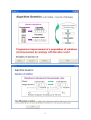
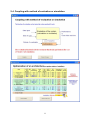
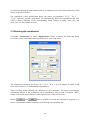
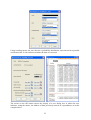
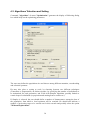
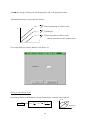
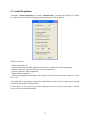
Command "Assessment" of menu "Optimisation" initiates the display of the following
dialog box helping assess the function typed on spreadsheet folio for a given configuration of
parameters, or draw variation graphs according to one or two parameters.
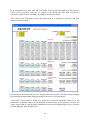
The box "Cell" allows to enter the address of the cell of the sheet which includes the result of
the function to evaluate (automatic entering by the use of the mouse).
Any parameter can be selected in the same way as in the dialog box "Type of parameter" so
as to give it an especial value (comprised between its limits). This value will be immediately
considered in spreadsheet folio following validation.
Options Abscissa 1 and Abscissa 2 allow opting for one or two parameters to be considered
as variables in a graph with two or three dimensions that will be automatically generated by
the software following validation.
The user may then define a number of values equidistant from the selected parameter (11 by
default) located in a subassembly of the variation range (entire range by default) to be subject
to an assessment.
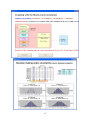
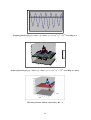
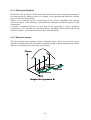
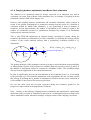
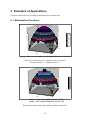
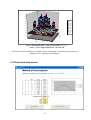
The function being previously taken as an example, thereby reaches the graphs thereafter at
one dimension according to x or two dimensions according to x and y.
19