1
Outdoor Wireless Bridge / Access Point
Version 1.0
6.5 Admin
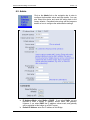
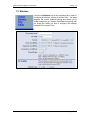
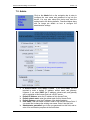
Click on the Admin link on the navigation bar in order to
configure the threshold values and login details. You may
also reboot this device and reset the setting back to the
factory defaults. Described below along with an image are
details on how to configure the administrative settings.
h
h
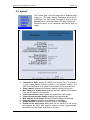
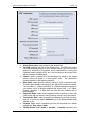
IP Address Mode: select Static or DHCP. If you select Static, you are
required to enter a default IP address, subnet mask, and gateway.
However, if you select DHCP the IP address, subnet mask, and gateway
will be assigned to this bridge via a DHCP server.
Default IP address: enter the IP address of this Bridge.
Page 21 of 31