1
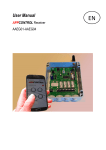
User Manual Networked wireless controller with actuator system LUXAppcontrol Fireplaces Network LUXAppcontrol Fireplaces Fireplace Read the commissioning of the Fireplace appcontrol this manual carefully and completely. Save it for later use. Function: The fireplace appcontrol module allows the control of manufacturer selected gas controlled fireplace through your smartphone or tablet. The functionality of the app is on/off and up/downcontrol of the fire and is completely separate from the original remote can be used. Installation and commissioning: Caution! The installation should only be done by a qualified personel. The setup of the fireplace appcontrol consists of 2 modules. Network module must be connected using the supplied network cable to a secure wifi network. Fireplace module must be connected by means of the connector plug on the free PANEL connector on the Fireplace module. Both modules must be powered by the provided power supply adapter. Download the app in the App Store. Make sure you smartphone or tablet is connected to the same secured wifi network that is connected to the Network module. When the app starts up and connects to the Network module, press the + button at top right for a new fireplace to add. Then the app shows the search page, this indicates how many fireplace module have been found. Up to 10 Fire Place modules can be connected with 1 Network Module. When the the Fireplace module is found, it must be acknowledged by pressing the green button. Then you have the ability to edit the name of a Fireplace to customize it. Pressing the associated Fireplace button will take you to the page where you can operate the fireplace. Before operating the Fireplace, you must unlock the child safety lock. Then you can operate the Fireplace for 10 seconds via the on/off and up/down controls. !! ATTENTION !! * Only use supplied power adapter: 5 Volt DC 1000mA. * Should only be used within your personal secured wifi network. * Should only be used with manufacturers approved gas fireplaces.. * The application may only be used if you are within sight of the fireplace. * The module may not be mounted in the immediate reach of open flame or temperatures above 55 degrees Celsius. * The location of the fireplace module must be adequately ventilated so that the maximum temperature does not get exceeded. * If there is not enough room for the fireplace module to safely, and adequately ventilation to modules. See dealer for optional extension cables. * Maximum distance between Network and Fireplace module 15 m Troubleshooting and control check: On the Network module there are 3 status LEDs. LED red = power LED green = Network Attached Yellow LED = flashes when operating app on the Fireplace module there are 3 status LEDs. LED red = power LED green = connected to the Network Module LED yellow = module within range of network module ON/OFF switch should be used by extended periods of nonuse. When modules is not properly functioning, use the RESET button to get back to factory defaults. Specifications Power supply : 5V DC 1000mA Frequency : 2402Mhz 2480Mhz Range : representative 15m (open area) Temperature : 5C to +55 C Relative humidity : up to 80% (no condensation) Protection : IP 20 Technical changes reserved. Radio Radio transmission takes place via a nonexclusive transmission line, disturbances can therefore not be guaranteed. The range of a wireless transmission system depends on the reception characteristics of the environment, the humidity, the mounting height and building conditions of the object. Examples of signal penetration: Dry material wood, plaster, plasterboard brick, chipboard Reinforced concrete metal, aluminum laminate Permeability 90% 70% 30% 10% In case of bad or no range, it is recommended that the Network and Fireplace modules are put closer together by means of extended network cable or network layout. When used correctly, this unit fulfills the requirements of the CE and RoHS directives . A full declaration of conformity can be obtained from your supplier. Warranty If the Fireplace appcontrol no longer function, first check if the smartphone or tabled connected to the same wifi network as the Network module. After which you can verify the correct status LEDs are lit on both modules. For more information about warranty conditions please consult your supplier. Liability The manufacturer accepts no liability for accidents, direct damage and / or consequential damages (also) caused by the use of the Fireplace appcontrol. All claims for damages in such cases be annulled. All rights reserved The composition of this manual is our utmost care. The publisher / producer can not be held responsible for any damage caused by missing or incorrect information in this manual. More information For more information, please contact your supplier. You can also consult the website www.luxappcontrol.com Please give this manual after installation to the customer on completion. FCC Compliance: Any changes or modifications not expressly approved by the manufacturer could void the user’s authority to operate this equipment This device complies with Part 15 of FCC rules. Operation is subject to the following two conditions: (1) this device may not cause harmful interference and (2) this device must accept any interference received, including interference that may cause undesired operation. European Union directives 1999/5/EC (R&TTE directive): Hereby, Boom & Kroon B.V., declares that this device is in compliance with the essential requirements and other relevant provisions of Directive 1999/5/EC.