1
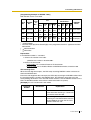
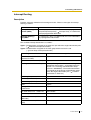
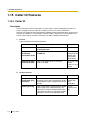
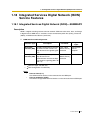
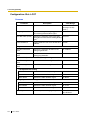
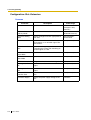
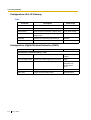
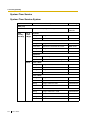
3.2 PC Programming
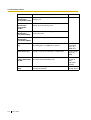
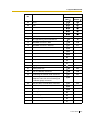
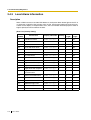
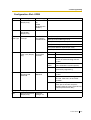
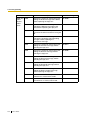
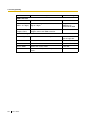
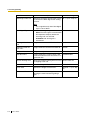
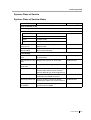
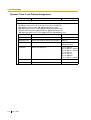
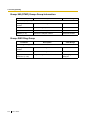
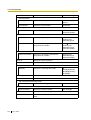
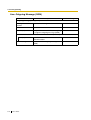
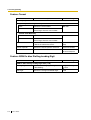
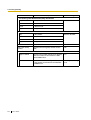
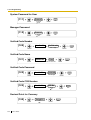
Parameter
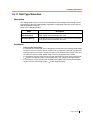
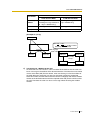
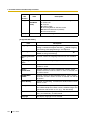
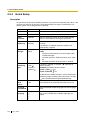
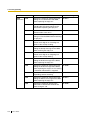
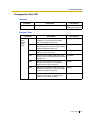
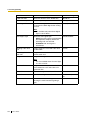
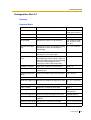
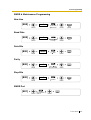
Wink Signal Time Out
Description
Selects the length of waiting time for the
Wink Signal after seizing a trunk.
Value Range
64/128/256/512/1024/
2048/4096/8128 ms
Note
It is assignable only when Start Signal
Type is set to "Wink".
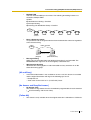
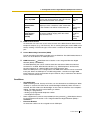
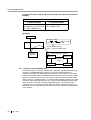
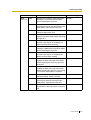
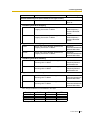
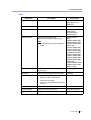
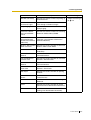
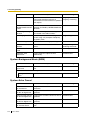
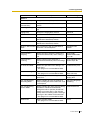
Start Signal Type
Immediate/Wink
Selects the start signal type.
•
Wink: The wink signal is transmitted to
the telephone company before the
incoming calls are received.
•
Immediate: No wink signal is
transmitted.
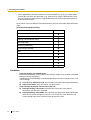
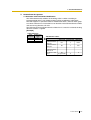
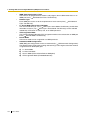
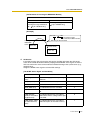
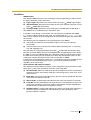
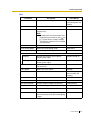
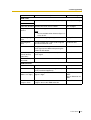
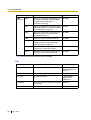
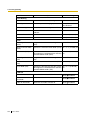
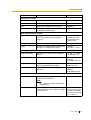
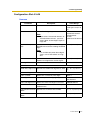
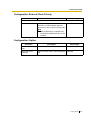
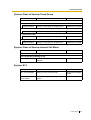
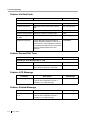
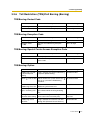
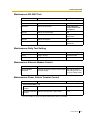
E & M TIE Line Type
Selects the type of E & M connection.
2/4 wires
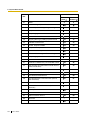
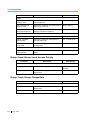
E & M Sensitivity Out
Selects the voice level for transmission.
-6/-3/0/+3 dB
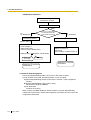
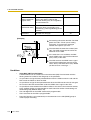
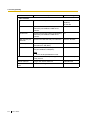
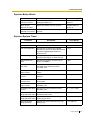
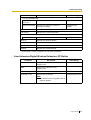
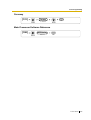
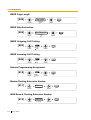
Sending Caller ID to
TIE
Selects whether to send the Caller ID to the Yes/No
TIE line.
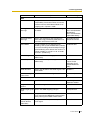
Receiving Caller ID
from TIE
Selects whether to receive the Caller ID to Yes/No
the TIE line.
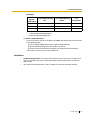
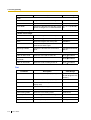
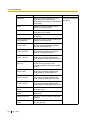
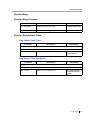
E & M Sensitivity In
Selects the voice level for reception.
-6/-3/0/+3 dB
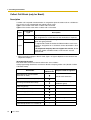
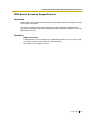
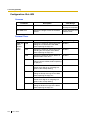
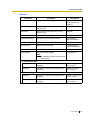
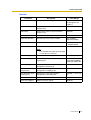
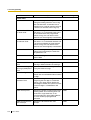
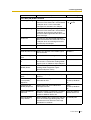
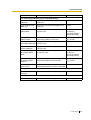
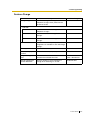
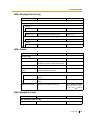
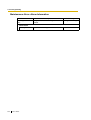
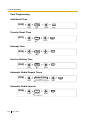
Ringback Tone Service Assigns the ringback tone service.
Enable/Disable
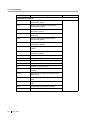
PBX Dial Tone
Assigns whether the system sends dial
tone to extension users who seize a T1
digital trunk line.
Enable/Disable
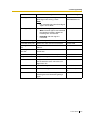
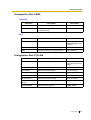
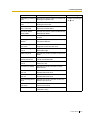
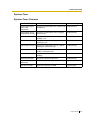
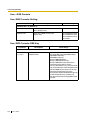
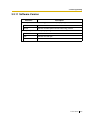
Pause Time
Selects the length of Pause Time.
1.5/2.5/3.5/4.5 s
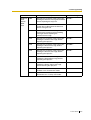
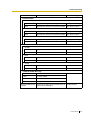
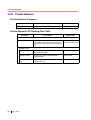
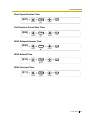
Flash Time
Specifies the length of Flash Time.
None/16 × n (n=1–80)
ms
Disconnect Time
Selects the maximum waiting time after
releasing the trunk line before getting it
again.
0.5/1.5/2.0/4.0/12.0 s
Feature Guide
319