1
Workabout
User manual
Brunata a/s · Vesterlundvej 14 · DK-2730 Herlev · Phone +45 77 77 70 00 · Fax +45 77 77 70 01
www.brunata.com · [email protected]
Starting link under Psion Windows:
Press the menu button and use the arrow button ( ) to select the menu item System screen
Press the menu button again and use the arrow button (
Use the arrow button (
) to select Spec
) to set Remote link to ‘On’ and Port to ‘
A
Remote link
Enter.
Enter.
’, finish with Enter.
You can now connect the null modem cable to RS232 at the top and start the RMEwork Pro programme. If necessary, see the
‘RMEwork Pro user manual’ for more detailed instructions.
UK-QB 10.1432/27.10.2006
After the programme has been transferred, press SHIFT-CTRL-PSION-DEL to restart the Workabout automatically. When it has
restarted, you have to enter date and time and save these by pressing Enter.
Page of 5
Copyright® Brunata a/s 2005
Starting the programme
1.Starting the RME95 programme
Use the arrow buttons to select the RME95 programme in the menu and press Enter. The programme will start.
The clock must then be set.
It is possible to change the billing period and enter an ID number, which will be associated with the readings.
2.Reading of electronic meters
To read a meter, the reading head must be connected to the RS232 port of the Workabout. In addition, the reading head must
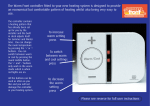
be placed on the meter (see image at the front of this manual). Then press menu item Meter
Read
Enter. The Workabout
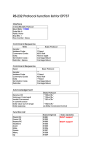
will start reading the meter and the result of the reading is displayed (example).
3.Configuration of meter
The meter can be configured by connecting it to the Workabout, using the reading head.
Then press menu item Meter
Configuration
Enter.
UK-QB 10.1432/27.10.2006
Copyright® Brunata a/s 2005
Page of 5
A new window with the different configuration types will appear. Return to the main menu by using the arrow button (
to select Back
Enter.
)
4.Display of temperature
The current room and radiator temperatures can be displayed. Connect the reading head to meter and Workabout.
Press the menu button and then select Meter
Temperature
Enter.
5.Display of version
The meter version can be displayed. Connect the reading head to meter and Workabout.
Version
Enter.
UK-QB 10.1432/27.10.2006
Then select menu item Meter
Page of 5
Copyright® Brunata a/s 2005
Closing the programme
The programme is closed by selecting menu item Workabout
Exit
Enter.
Transfer of reading from Workabout to PC
Readings are transferred from Workabout to PC by connecting the Workabout to the PC with the null modem cable. The cable
is connected to the RS232 port of the Workabout and the serial port of the PC. Start the link protocol by pressing menu item
in the Brunata menu. Choose system
start link
Enter.
Use the RMEwork Pro to transfer the readings.
Note! if necessary, see the ‘RMEwork Pro user manual’ for more detailed instructions.
Transfer of new version of RME95 to hand terminal
Start the link protocal as describe above and use the RMEwork Pro to transfer the program.
Note! if necessary, see the ‘RMEwork Pro user manual’ for more detailed instructions.
Worth remembering
It is always a good idea to close any programmes running on the Workabout before turning it off. Always turn off the
Workabout before opening the drawer with battery and flash RAM. Flash RAM with data must be in slot A and the programme in slot B.
UK-QB 10.1432/27.10.2006
Copyright® Brunata a/s 2005
Page of 5